Short answer: Call of Duty: Mobile is officially listed as an Android, iPhone, and iPad game—not a native Windows or macOS title. On Windows, GameLoop provides an emulator-based installation route, but Activision’s current support documentation says that emulators are not supported. On Mac, no verified native download is available.
Is Call of Duty: Mobile available on PC or Mac?
Activision currently lists Call of Duty: Mobile for Android, iPhone, and iPad. That means there is no verified native PC port distributed through Steam, Battle.net, the Microsoft Store, or another Windows storefront.
As an Amazon Associate I earn from qualifying purchases.
There is an important distinction between a native PC game and an emulator installation. A native PC game is built for Windows or macOS. An emulator runs the Android version inside a separate software environment. GameLoop’s website provides a Windows installation path for Call of Duty: Mobile, but this is not the same as an official native PC edition.
Windows Errors? Fix Them Before They Spread
Repair common Windows errors and clear accumulated junk for a smoother, more stable PC - no reinstall needed.Free scan · no reinstallCrashes, No Sound, or Screen Glitches?
Random freezes, missing sound and display glitches usually trace back to one bad driver. Find and replace yours safely.Free scan · under a minuteHow to install Call of Duty: Mobile on Windows
The Windows route identified in the reviewed sources is GameLoop. Download it only from the official GameLoop website or its dedicated Call of Duty: Mobile listing.
#1 Best Overall

- ✅【Using Tips】These Mobile Game controllers are using the sensitive real mouse micro switch inside. So there are several phones which have the electromagnetic problems. This will cause the triggers touch the screen automatically. Please do not worry about this and you just need to turn off the screen and turn on again. This issue will solved right away.
- ✅【Max Phone Thickness: 13mm】These L2R2 Mobile Game controllers are compatible with iPhonesand most Android Phones, without even remove your case.(The thickness of the compatible mobile phone should be less than 13mm.) These 6-fingers-operation mobile game controllers are suitable for a variety of shooting games, including PUBG Mobile, Call of Duty Mobile, Fortnite Mobile, Knives Out Mobile, Rules of Survival, Apex Legends Mobile, Survivor Royale, Critical Ops etc. As long as the game allows customizing and draging the keys.
- ✅【Small and Lightweight】The PUBG game triggers are portable and tiny for you to put them into your pocket, and have them for gaming when in office, school, trip, camping and play games anywhere and anytime. With this 4 triggers PUBG mobile controller, you can simultaneously move, turn, aim and shoot by using the six fingers to press the buttons, which can eliminate the trouble that use thumbs only to make all operations.
- ✅【Mechanical Touch】4 triggers PUBG mobile controller designed for longevity with greater durability and responsiveness, more than 2 million click. Fast mechanical keys with medium resistance, precise actuation, audible click sound, and tactile bump feedback. Easy To Use, High Sensitive, Physical Button Feedback. Using this PUBG mobile game controller, you can move, angle adjust, aim and shoot at the same time with the thumbs and index fingers of the left and right hand.
- ✅【Super Gaming Experience】This PUBG game triggers is made of ABS and alloy, durable and ergonomic. 6 trigger PUBG mobile controller electroplated alloy materials, mouse buttons, smooth touch, six-finger linkage, auxiliary pressure grab, one-second burst, dominate the game battlefield, and enjoy the ultimate gaming experience. Call of Duty mobile controller are sensitive to shoot and aim, no Power supply and driver needed, easy to use and high precision, increase your game score!
- Download GameLoop. Use the official GameLoop domain. Avoid cracked, modified, repacked, or “preinstalled” installers.
- Run the Windows installer. GameLoop’s instructions refer to launching a Windows
.exefile and completing the setup wizard. - Open GameLoop. After installation, start the emulator from Windows.
- Search for Call of Duty: Mobile. Check the publisher and region before selecting a result.
- Choose the correct edition. The global/Activision listing is separate from Call of Duty: Mobile – Garena. Do not install Garena simply because it appears first.
- Select Install. Let GameLoop download the emulator files and the game client.
- Wait for updates and resources. The initial launcher download may not include every map, weapon, operator, HD asset, or optional resource. Additional downloads may be required after launch.
- Launch and sign in. Use the same supported login method and edition used on mobile only if the current client offers it.
- Configure controls. GameLoop advertises preconfigured keyboard controls and a key-mapping interface. The exact menu label and location can vary by GameLoop version or language, so look for the keyboard, controls, or key-mapping option inside the game panel.
GameLoop requirements for Call of Duty: Mobile
The following figures are published by GameLoop, not by Activision as a current PC specification:
| Component | Minimum listed | Recommended listed |
|---|---|---|
| Operating system | Windows 8.1 64-bit or Windows 10 64-bit | Windows 8.1 64-bit or Windows 10 64-bit |
| CPU | Intel Core i3-9320 | Intel Core i3-9320 |
| GPU | GTX 660 | GTX 1050 |
| RAM | 8 GB | 16 GB |
| Storage | 20 MB listed | 20 MB listed |
Treat the 20 MB storage figure as a launcher or listing value, not a realistic total installation estimate. Game files, updates, caches, and optional resources require substantially more space. Leave a generous amount of free storage rather than relying on that number.
The listing also reports version 1.0.53 and a last-updated date of December 17, 2025. That metadata should not be treated as proof that version 1.0.53 is the live global client in August or September 2026. Windows 11 support is also not explicitly established by the cited GameLoop listing.
Free tools Windows power users keep installed
One-click scans. No signup required.
Is GameLoop officially supported by Activision?
This is the key compatibility warning. GameLoop’s own website markets GameLoop as the official emulator for Call of Duty: Mobile and provides a dedicated installation listing. However, Activision’s current Call of Duty: Mobile support documentation says the game does not support emulators.
Those statements come from different organizations and should not be treated as equivalent. The practical conclusion is:
GameLoop is the emulator-based Windows route promoted on GameLoop’s website, but Activision’s current support documentation says emulator use is not supported.
Rank #2
 Mikirini 11 in 1 Mobile Phone Game Controller Combo for PUBG/Call of Duty
- ✅【4 Fingers-Operation】 Just use your index and middle fingers to press the L1R1 triggers, that shooting, aiming, left/ right tilted head, moving, jumping, squatting and and lying operations can be performed at the same time, It will be a breeze to defeat the thumb-hold players, also a massive advantage in close range combat because difference in milliseconds can be life or death. No disconnection, response delay, root request or system incompatibility issues.
- ✅【Ergonomic Grip Controller】People may get hands cramps after playing hours of battle royal games with cellphone. DELAM gamepad is specially designed for mobile shooting games, it extends your phone into a traditional Xbox or PS controller, more comfortable for big hands. Phone body and controller are firmly fixed through three contact points covered of rubber pads to prevent the phone sliding, and won't press your on off button and volume keys, or scratch your phone.
- ✅ 【Wide Range Applicable for 4.7-6.5" iPhones & Android Phones (Max Phone Length: 16.8cm include Phone case) 】 Work for PUBG Mobile/ Call Of Duty Mobile/ Free Fire/ Critical Ops/ Rules of Survival/ Knives Out/ Cross Fire/ Terminator 2 Judgment Day/ Survivor Royale as long as the game allows customize and drag the touch points. Please feel free to contact us at the first time.
- ✅【High Sensitive Finger Sleeves】100% brand new. With copper fiber covered, finger sleeves for gaming ensures your every touch is accurate and effective. More sensitive than silver fiber.
- ✅【Sweat-Absorbent & Breathable】High-quality copper fiber mobile gaming sleeves is lightweight, breathable and has good sweat absorbing ability. They allow you to separate your thumb with the touch screen, fast sweat kick-away and fast dry.
Do not assume that GameLoop users receive Activision technical support, guaranteed compatibility, or protection from every account or enforcement issue. An older Activision Help Center entry discussed emulator-only matchmaking, but it is substantially older and conflicts with the newer support wording. For a 2026 guide, the current Activision support statement deserves greater weight.
Recommended Free Tools
Can you install Call of Duty: Mobile on Mac?
No verified native Mac download is currently available. Activision’s platform listing does not identify macOS, and GameLoop’s published installer instructions use a Windows .exe file and Windows-specific requirements.
That does not prove that every technical configuration is impossible. Advanced users may investigate running Windows through virtualization or another compatibility layer, but the reviewed official sources do not verify that as a supported Call of Duty: Mobile Mac installation. Intel Macs and Apple Silicon Macs should not be assumed to behave the same way.
Do not download unofficial “COD Mobile for Mac” packages, unknown APK bundles, or repacked emulator installers. They add security and account risks without establishing official compatibility.
Global versus Garena edition
GameLoop lists separate versions:
- Global/Activision edition: listed as Call of Duty: Mobile and associated with Activision Publishing, Inc.
- Garena edition: listed as Call of Duty: Mobile – Garena and associated with Garena Mobile Private.
See GameLoop’s separate Garena listing before installing. Region, servers, account compatibility, and available content can differ. Choose the edition intended for your region and existing account. Do not assume that a United States account or a global account will work correctly with the Garena client.
The Tool Desk
Outbyte Driver Updater FREEScan for outdated or missing drivers - takes under a minuteDriver Scan →Outbyte PC Repair FREERepair Windows errors before they cause bigger problemsFix Now →What to expect after installation
GameLoop may finish installing before the complete game is ready. Additional resources can include HD assets, maps, weapons, and operators. Keep the emulator open while these files download, and allow the in-client update process to finish.
Rank #3
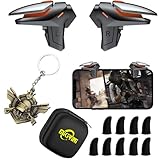
- ✅【Using Tips】These DY01 Mobile Game controllers are using the sensitive real mouse micro switch inside. So there are several phones which have the electromagnetic problems. This will cause the triggers touch the screen automatically. Please do not worry about this and you just need to turn off the screen and turn on again. This issue will solved right away.
- ✅【Perfect Compatibility】These DY01 Mobile Game controllers are compatible with iPhone, iPad and most Android Phones, without even remove your case.(The thickness of the compatible mobile phone should be less than 18mm.) These 4-fingers-operation mobile game controllers are suitable for a variety of shooting games, including PUBG, Call of Duty, Fortnite, Knives Out, Rules of Survival, Survivor Royale, Critical Ops etc. As long as the game allows customizing and draging the keys.
- ✅【Small and Lightweight】The PUBG game triggers are portable and tiny for you to put them into your pocket, and have them for gaming when in office, school, trip, camping and play games anywhere and anytime. With the 6 trigger PUBG mobile controller, you can simultaneously move, turn, aim and shoot by using the index fingers to press the buttons, which can eliminate the trouble that use thumbs only to make all operations.
- ✅【Mechanical Touch】2 triggers PUBG mobile controller designed for longevity with greater durability and responsiveness, more than 2 million click. Fast mechanical keys with medium resistance, precise actuation, audible click sound, and tactile bump feedback. Easy To Use, High Sensitive, Physical Button Feedback. Using this PUBG mobile game controller, you can move, angle adjust, aim and shoot at the same time with the thumbs and index fingers of the left and right hand.
- ✅【Super Gaming Experience】This PUBG game triggers is made of ABS and alloy, durable and ergonomic. 2 triggers PUBG mobile controller electroplated alloy materials, mouse buttons, smooth touch, 4-finger linkage, auxiliary pressure grab, one-second burst, dominate the game battlefield, and enjoy the ultimate gaming experience. Call of Duty mobile controller are sensitive to shoot and aim, no Power supply and driver needed, easy to use and high precision, increase your game score!
- If the button changes to Launch but nothing opens, restart GameLoop and try again.
- If resources are missing, return to the game client and allow optional downloads to complete.
- If you want to recover mobile progress, use the same supported account method where available. Progress is not guaranteed across every login method, region, server, or edition, and guest progress is especially difficult to recover after reinstalling.
Fixes for GameLoop installation and launch problems
The installer does not open
- Confirm that Windows is 64-bit.
- Redownload the installer from the official GameLoop domain.
- Check whether Windows permissions or security software is blocking the file.
- Run GameLoop as administrator only when necessary; do not routinely elevate unknown software.
The game will not download or update
- Restart GameLoop and retry the download.
- Confirm that you have much more free storage than the listed 20 MB.
- Check your network connection and whether security software is blocking GameLoop’s processes.
- Allow all pending emulator and game updates to finish before launching.
- If the issue persists, consult Activision’s support material rather than assuming another emulator is an approved replacement.
Black screen, freezing, or crashing
- Restart both GameLoop and the PC.
- Update the graphics driver.
- Reduce in-game graphics settings.
- Check virtualization-related settings if the emulator fails to start, while recognizing that the exact requirement depends on the machine and GameLoop version.
- Use GameLoop’s repair or clear-install option if it is available in your version.
- Reinstall only after confirming that the account is linked and progress is not stored solely on a guest account.
Because Activision’s current documentation says emulators are not supported, there may be no Activision-supported fix for a GameLoop-specific failure. Do not interpret repeated troubleshooting failures as evidence that an unofficial APK or third-party emulator is safe.
Keyboard or mouse controls do not work
Open the game’s control or key-mapping interface in GameLoop and verify that the mappings are enabled. Menu names can vary by version and language. Restart the game after changing mappings, and check that another application is not capturing keyboard or mouse input.
Independent reader supportYour contribution helps us test, update, and keep practical guides available for everyone.Official mobile requirements
If reliability and alignment with Activision’s documented support matter more than a desktop display, use a supported mobile device. Activision lists these minimum requirements:
- Android: at least 2 GB of RAM and Android 6.0 or later.
- iPhone or iPad: at least 2 GB of RAM and iOS/iPadOS 15.0 or later.
The game is available as a free download through Google Play and Apple’s App Store, although in-game purchases may exist. See Activision’s Call of Duty: Mobile FAQ for the mobile download information.
Should you use an emulator?
| Your priority | Best-fit option |
|---|---|
| Officially documented platform support | Android phone/tablet or iPhone/iPad |
| Large screen and keyboard on Windows | GameLoop, with the Activision support caveat |
| Native Mac application | Not currently verified |
| Native desktop Call of Duty | A separate PC Call of Duty release, not Call of Duty: Mobile |
BlueStacks, LDPlayer, and other third-party emulators are not endorsed by the current Activision support source reviewed here. They may introduce additional compatibility, security, account, or enforcement risks. A native PC Call of Duty title is a different product and does not automatically provide the Call of Duty: Mobile client, its mobile economy, or mobile-only content.
Frequently Asked Questions
Is Call of Duty: Mobile free on PC?
The mobile game is free to download, and GameLoop provides a free Windows emulator route. However, GameLoop use is not the same as a native PC release, and Activision’s current support documentation says emulators are not supported.
Rank #4

- AAA rated modern fps fast missions
- Cover fire operation
- FPS combat free fire
- Realistic and Immersive 3D environment and sounds
- Action filled thriller first person shooter game.
Is there a Steam version of Call of Duty: Mobile?
No verified native Steam version is identified in the reviewed official sources. GameLoop runs the Android game through an emulator.
Is GameLoop safe to download?
Download only from the official GameLoop domain. That limits the risk of a tampered installer, but it is not a broad guarantee of security or Activision support.
Can I use BlueStacks or LDPlayer instead?
The current Activision support source does not endorse those emulators. They should not be presented as verified or safe substitutes.
Does Call of Duty: Mobile work on Windows 11?
The cited GameLoop listing explicitly names Windows 8.1 64-bit and Windows 10 64-bit, but does not clearly establish current Windows 11 support. Results may depend on the GameLoop version and PC configuration.
Can I transfer progress from mobile to PC?
Only attempt this with the same supported account method and the matching edition, region, and server. Cross-device progress is not guaranteed, and guest progress may not be recoverable after reinstalling.
What’s actually slowing this PC down?
Pick the symptom - the matching free tool is one click away.
Why is the download larger than 20 MB?
GameLoop lists 20 MB, but that appears to be a launcher or partial-download figure. Updates, caches, maps, HD assets, weapons, operators, and other resources require substantially more storage.
Can I play Call of Duty: Mobile on an M-series Mac?
No verified native macOS installation is available. Running Windows through virtualization or a compatibility layer may be technically possible in some configurations, but the reviewed sources do not verify it as a supported route.
The Bottom Line
For a Windows keyboard-and-mouse setup, GameLoop is the documented emulator-based option on GameLoop’s own site—but Activision currently says Call of Duty: Mobile does not support emulators. There is no verified native Mac download. For the clearest officially documented support path, play on Android, iPhone, or iPad.
Quick Recap
Product prices and availability are accurate as of the date/time indicated and are subject to change. Any price and availability information displayed on Amazon at the time of purchase will apply.




