Crashes, No Sound, or Screen Glitches?
Random freezes, missing sound and display glitches usually trace back to one bad driver. Find and replace yours safely.Free scan · under a minutePC Slower Than It Used to Be?
A free scan shows the junk files, broken settings and background clutter dragging Windows down - then fixes them in one click.Free scan · Windows 10 & 11eFootball is KONAMI’s free-to-play successor to PES. Download it from the official store or platform listing for your device: Steam on Windows, Google Play on Android, and the App Store on iPhone or iPad. The game is free to download and start playing, but it includes optional in-game purchases.
For Android, KONAMI’s current official guidance points users to Google Play rather than to a separate APK file. Avoid modded APKs, “unlimited coins” packages, cracked downloads, and unofficial region-switching methods.
| # | Preview | Product | Price | |
|---|---|---|---|---|
| 1 |
|
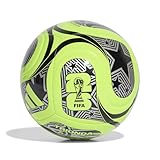
Adidas Unisex-Adult World Cup Soccer Ball, Lucid Lemon/Black/Silver Metallic, 5 | $24.99 | Buy on Amazon |
| 2 |

|
adidas Starlancer Club Soccer Ball, 1 Pack | $18.00 | Buy on Amazon |
| 3 |

|
adidas Unisex-Adult Tango Glider Soccer Ball, White/Black, 5 | $25.00 | Buy on Amazon |
As an Amazon Associate I earn from qualifying purchases.
Official eFootball download links
Use the platform matching your device. Before installing, check that the listing names KONAMI as the developer or publisher.
| Device | Official download route | Important requirements |
|---|---|---|
| Windows PC | eFootball on Steam | Windows 11 64-bit, 8 GB RAM, broadband internet, and about 70 GB available storage |
| Android phone or tablet | eFootball on Google Play | Android 7.0 or later, at least 2 GB RAM, and a compatible 64-bit ARM quad-core processor |
| iPhone or iPad | eFootball on the App Store | iOS or iPadOS 15.0 or later; approximately 3.2 GB of free space is currently listed for installation |
KONAMI’s official eFootball page is the best place to confirm supported platforms and current availability. Store requirements, download sizes, and compatibility information can change after updates, so treat the live store listing as the final authority.
#1 Best Overall
- Inspired by the world's largest soccer matchup, the adidas FIFA World Cup 26 soccer ball pairs design with performance. A seamless TSBE surface enhances touch. The butyl bladder ensures consistent shape retention for every match or practice session.
- TSBE TECHNOLOGY: Seamless surface for better touch and lower water uptake
- KEEPS ITS SHAPE: Butyl bladder for best air retention
- REQUIRES INFLATION: Ships flat, pump not included
- FIFA QUALITY AND OFFICIALLY LICENSED: Officially licensed by FIFA, the ball passed FIFA tests on circumference, weight, rebound and water absorption
How to install eFootball on Windows
- Install and open the official Steam client.
- Search Steam for eFootball.
- Open the listing and verify that KONAMI is shown as the developer and publisher.
- Select Install or Play Game, then choose an installation drive with sufficient free space.
- Allow the game to download and update before launching it.
The current Steam listing specifies Windows 11 64-bit, 8 GB of RAM, a broadband internet connection, and 70 GB of available storage. Its minimum graphics hardware is listed as an NVIDIA GeForce GTX 660 Ti or AMD Radeon HD 7790. The recommended specification is an Intel Core i5-7600 or AMD Ryzen 5 1600 with a GeForce GTX 1060 or Radeon RX 590.
Meeting the minimum specification does not guarantee smooth performance. KONAMI warns that individual PCs may perform poorly even when they satisfy the published minimum requirements. Performance can also vary with resolution, graphics settings, background applications, drivers, and later game updates.
How to download eFootball on Android
- Open the Google Play Store on your Android device.
- Search for eFootball.
- Choose the listing published by KONAMI.
- Check the required storage and Android compatibility, then tap Install.
- Start the game and allow any additional update or data download it requests.
The current Google Play listing describes eFootball as free with in-app purchases and states that an internet connection is required. It recently reported approximately 2.9 GB of free space for installation. Leave additional room beyond that figure because the game’s storage footprint can increase with updates and downloaded data.
The Tool Desk
Outbyte PC Repair FREERepair Windows errors before they cause bigger problemsFix Now →Outbyte Driver Updater FREEScan for outdated or missing drivers - takes under a minuteDriver Scan →How to install eFootball on iPhone or iPad
- Open the App Store.
- Search for eFootball, or use the official App Store listing above.
- Confirm that KONAMI is the developer.
- Tap Get and authenticate with your Apple account if prompted.
- Open the game after installation and allow it to download current data.
The current US App Store listing requires iOS or iPadOS 15.0 or later, reports a download size of about 3.3 GB, and says approximately 3.2 GB of free space is needed for installation. It lists compatibility with iPhone 6s or later, iPad Pro 9.7-inch or later, iPad Air 2 or later, and iPad mini 4 or later. An internet connection is required to play.
Is there an official eFootball APK?
No standalone APK download path was identified in the current KONAMI sources reviewed. KONAMI directs Android users to Google Play and says that seeing eFootball in Google Play or the App Store indicates official availability in that country or region.
This does not mean that no APK file exists anywhere online. It means that an APK hosted by a third-party site should not be treated as an equivalent official KONAMI download. Do not use APKPure, APKMirror, modded packages, cracked versions, or downloads promising unlimited eFootball Coins unless KONAMI itself provides a current, direct source.
Unofficial packages can be altered, outdated, incompatible with the current service, or capable of exposing your device and account to unnecessary risk. They may also fail when the game requires a current version or online authentication.
Quick wins for a faster PC:
Scan for outdated or missing drivers - takes under a minuteDriver Scan →Repair Windows errors before they cause bigger problemsFix Now →Region availability and VPN warnings
If eFootball does not appear in Google Play or the App Store, it may not be officially available in your country or region. KONAMI states that access from other regions is prohibited and that it cannot provide support for problems caused by such access.
Do not treat a VPN, changed store region, sideloaded package, or an account created in another country as an official workaround. The safest approach is to use the store listing available for your actual region and check KONAMI’s mobile support page for availability and support information.
Rank #2
- A recreational soccer ball with a resilient butyl bladder for casual games
- SOFT AND DURABLE: Machine-stitched construction ensures a soft touch and high durability
- KEEPS ITS SHAPE: Butyl bladder for best air retention
- REQUIRES INFLATION: Ships flat, pump not included
Minimum requirements and storage
Android
- Android OS 7.0 or later.
- At least 2 GB of RAM.
- A 64-bit ARM-based quad-core CPU running at 1.5 GHz or above.
- Internet access.
- At least the amount of free storage shown by Google Play, plus extra space for updates.
iPhone and iPad
- iOS or iPadOS 15.0 or later.
- Compatible models include iPhone 6s or later, iPad Pro 9.7-inch or later, iPad Air 2 or later, and iPad mini 4 or later.
- Approximately 3.2 GB of free space is currently listed for installation, with additional space advisable for updates.
- Internet access.
Windows PC
- Windows 11 64-bit according to the current Steam listing.
- 8 GB of RAM.
- Broadband internet connection.
- 70 GB of available storage.
- At minimum, a GeForce GTX 660 Ti or Radeon HD 7790 graphics card according to Steam’s current listing.
These are compatibility guidelines, not performance guarantees. A device can meet the minimum specification and still experience slowdowns, long loading times, stuttering, or crashes. Keep the operating system, graphics drivers, Steam client, and game installation updated.
What does “free” mean in eFootball?
eFootball is free-to-play: you can download it without buying the base game and begin playing without an upfront purchase. However, the official listings identify optional in-app purchases. The iOS listing specifically includes eFootball Coins and other purchasable items.
Therefore, “free” means free to download and start playing—not a promise that every item, currency, or feature is permanently free of purchases. Review platform payment settings and parental controls if children use the device.
Can you use a controller with eFootball mobile?
Yes, KONAMI documents Bluetooth-controller support for supported mobile match contexts. Controller support is useful for players who prefer physical controls, but it is not universal across every part of the app.
KONAMI says mobile controllers can be used for matches, including VS AI matches and Friend Match modes. Controllers are not supported for general menu navigation, and additional restrictions may apply in some lower-division PvP situations. You can configure controller settings from the game’s settings menu.
If touch controls are uncomfortable, a Bluetooth controller for eFootball mobile is an optional accessory worth considering. Check that the controller supports your Android phone, iPhone, or iPad and remember that compatibility with the device does not remove eFootball’s own match-mode limitations.
Recommended Free Tools
Troubleshooting download and installation problems
eFootball is missing from the store
Confirm that you are using the store region associated with your actual location. KONAMI says availability in Google Play or the App Store is the indicator of official regional availability. Do not rely on a VPN or unofficial APK as an official solution.
There is not enough storage
Free more space than the store’s displayed download requirement. On mobile, updates and temporary installation files may require additional room. On Windows, the Steam listing currently calls for 70 GB of available storage, so avoid installing to a drive that is nearly full.
The device is unsupported
Check the operating-system version, RAM, processor architecture, and model against the requirements above. Android devices must meet the 64-bit ARM and processor requirements; older iPhones and iPads may not support iOS or iPadOS 15.
The game installs but performs poorly
Minimum requirements do not guarantee smooth performance. Close unnecessary applications, update the operating system and graphics drivers, reduce graphics settings where available, and check that the device is not overheating. On mobile, performance can vary substantially between models that appear similar on paper.
Do these 3 things before closing this tab:
1Repair Windows errors before they cause bigger problems2Fix the driver behind crashes, sound loss and screen glitches3Clear out junk files and repair common Windows errorsRank #3
- Regulation-size soccer ball
- Machine-stitched construction for high durability
- Butyl bladder for best air retention
- Size 5 ball (official size) suggested for ages 12 plus
- Requires inflation
The game cannot connect or update
Verify your internet connection, restart the device and router if appropriate, and confirm that the store and game are fully updated. Then check KONAMI’s eFootball news archive for maintenance notices, known issues, patches, and mobile fixes.
A controller works in matches but not in menus
This behavior can be expected. KONAMI’s mobile guidance states that controller support is intended for supported matches and does not extend to menu navigation. Use touch controls for menus and check the game’s controller settings for supported match modes.
Keeping the download current
eFootball is an online service that receives patches, fixes, and other updates. KONAMI’s news archive shows continuing 2026 updates, including known-issue notices and mobile app fixes, as well as a scheduled major-update announcement for mid-August 2026. Exact version numbers, storage requirements, and store metadata can change, so this article deliberately does not hard-code a version number.
For the safest installation, always start with the official Steam, Google Play, or App Store listing and use KONAMI’s news and support pages when an update or connection problem appears.
Free tools Windows power users keep installed
One-click scans. No signup required.
Frequently Asked Questions
Is eFootball the same game as PES?
eFootball is KONAMI’s free-to-play successor to the PES series. It is distributed as an online game for Windows, consoles, Android, and iPhone/iPad rather than as a traditional paid PES release.
Is eFootball completely free?
The game is free to download and start playing, but it includes optional in-game purchases such as eFootball Coins and other purchasable items.
Can I download eFootball as an APK?
KONAMI’s current official sources direct Android users to Google Play and do not identify a standalone official APK download. Avoid third-party, modded, cracked, or “unlimited coins” APKs.
Why cannot I find eFootball in my app store?
The game may not be officially available in your country or region, or your device may not meet the store’s compatibility requirements. KONAMI says access from other regions is prohibited and unsupported.
Does eFootball mobile support Bluetooth controllers?
KONAMI documents controller support for supported mobile match contexts, including VS AI and Friend Match. Controllers are not supported for menu navigation and may have additional restrictions in some lower-division PvP situations.
The Bottom Line
Download eFootball from Steam for Windows, Google Play for Android, or the App Store for iPhone and iPad. Keep extra storage available, check the current device requirements, and do not mistake an unofficial APK for an official KONAMI release. The game is free-to-play, but optional in-game purchases are included.
Quick Recap
Product prices and availability are accurate as of the date/time indicated and are subject to change. Any price and availability information displayed on Amazon at the time of purchase will apply.




