The Tool Desk
Outbyte PC Repair FREEClear out junk files and repair common Windows errorsFree Scan →Outbyte Driver Updater FREEScan for outdated or missing drivers - takes under a minuteDriver Scan →Download the free FiveM client for Windows from FiveM.net. FiveM is not a substitute for Grand Theft Auto V: you need a legitimate, fully updated GTA V installation, then select its GTA5.exe file during setup. The client prepares local game data and asks you to sign in with a Cfx account.
What you need before downloading FiveM
- A compatible GTA V installation: Cfx says FiveM requires a fully updated, legitimate copy of GTA V; it will not work with an illegitimate version. See Cfx’s GTA V purchasing and installation guidance.
- A supported, updated version of Windows: Cfx lists fully updated Windows 8.1, Windows 10, and Windows 11. It warns that an outdated operating system may not work. See Cfx’s system requirements.
- Space for the game and client cache: Cfx lists 105GB for the original game plus about 4GB for FiveM cache at minimum, or 105GB plus 8GB as recommended storage. These are Cfx’s published figures, accessed October 8, 2026.
- A Cfx account: Sign-in is part of the setup flow.
Hardware figures below are Cfx’s stated minimum and recommended specifications, not independent performance benchmarks. The original game’s requirements also apply, and these figures do not guarantee a particular frame rate across servers, game versions, and PC configurations.
| Component | Minimum (Cfx) | Recommended (Cfx) |
|---|---|---|
| CPU | Intel Core 2 Q6600 at 2.40GHz or AMD Phenom 9850 at 2.5GHz | Intel Core i5 3470 at 3.2GHz or AMD X8 FX-8350 at 4GHz |
| GPU | NVIDIA 9800 GT 1GB, AMD HD 4870 1GB, or Intel HD GT2 | NVIDIA GTX 660 2GB or AMD HD7870 2GB |
| Memory | 8GB; Cfx notes that 4GB may work | 16GB |
| Storage | 105GB for the original game plus about 4GB for FiveM cache | 105GB for the original game plus 8GB |
Cfx also notes that some older AMD laptop GPUs may not work. Check the current requirements page if your hardware is near the listed minimum.
How to download and install FiveM
- Open FiveM.net and select Download Client.
- Review the Creator Platform License Agreement. Accept it only if you agree to its terms.
- Run
FiveM.exefrom your Downloads folder. - When prompted to locate the game, browse to your GTA V installation folder and select
GTA5.exe. - Let FiveM update or prepare local game data. Cfx says this can take several minutes.
- Review and accept the terms presented in the client. Sign in to your Cfx account in the browser, authorize access, return to FiveM, and continue.
Cfx’s installation guide considers installation complete after these steps. There is no separate paid FiveM client required.
#1 Best Overall

- [15 Customizable Shortcuts] Unleash your true potential with 15 macro keys tailored for various scenario. The steaming controller let you toggle between scenes, respond to chat, and share highlights without ever taking your eyes off the game. The streaming keyboard streamline repetitive tasks, making you productive even during downtime. (Tips: For optimal device performance, please connect the device to a USB 3.0 interface.)
- [Effortless Operation] Effortlessly set up and customize your macros with Twitch streaming equipment. The streaming equipment suit for gamers who want to dive into with pre-programmed moves or streamers who need quick access to their streaming tools. Just plug in through USB connection, customized setup and use.
- [Plugin-Ready] Our keyboard controller for streamer comes with built-in software loaded with various plugins, catering to different genres. Equipped with the abounding plugins and tools in the XBOX streaming equipment to level up your gaming and streaming experience.
- [Controllable RGB] Create the delightful atmosphere for your gaming sessions or live streams with controllable RGB lighting on the gaming shortcut controller. Sync it with your favorite game’s themes, match your room’s decor, or simply enjoy a mesmerizing light show.
- [Multi-Scene Switch] Tailor your streamer controller keyboard’s settings to suit different scenarios – from intense gaming to efficient multitasking in office work, and engaging with your audience during live streams. You are always ready to adapt, ensuring optimal performance no matter what you’re doing or according to your usage habits.
GTA V editions and storefront compatibility
The setup guide asks you to point FiveM to the installed game’s GTA5.exe; having the client alone is not enough. Cfx’s April 2025 client release notes, published May 23, 2025, document Microsoft Store GTA V support, including Game Pass access, for GTA V Legacy Edition. That dated note does not establish compatibility for every current GTA V edition or storefront. For current edition-specific guidance, check Cfx’s GTA V information and client release notes.
Quick Recap
Best Value
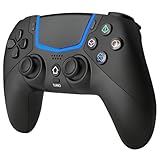
- Multi-Platform Compatibility: The Bluetooth 5.3 wireless controller is designed to be compatible with PS-5/Pro/Slim, PC(Windows 8/10/11) and so on. No matter which device you prefer for gaming, the controller provides seamless connectivity and smooth gameplay across multiple platforms, ensuring versatility and convenience
- 2 Connection Modes: Connect to the PS-5 console via Bluetooth 5.3 or Wired. Warm Tips: When using the gaming controller in Bluetooth 5.3 mode for the first time, it needs to be connected to the PS-5 console via a USB-C cable(the data cable included in the package or the original data cable), and then press the "HOME" button to connect with the console
- Hall Effect Joysticks: The BETMI Hall Effect Joysticks deliver a durable lifespan of up to 5 million cycles, precise and responsive feedback, allowing for smoother and more accurate movement in games
- Unparalleled Linear Triggers: Whether you're doing throttle acceleration through virtual worlds or performing actions like shooting, our sensitive triggers ensures a seamless gaming experience
- 6-Axis Motion Sensing: The controller is equipped with a 6-axis gyroscope that allows players to perform in-game actions such as controlling character direction, attacking, dodging, and more with slight hand movements or shaking, enhancing the sensory experience and realism of the game
Rank #4

- [Customizable LCD Macro Keys] Ampligame D6 stream controller features a total of 15 customizable macro keys , allowing you to create and assign different operations according to your live stream needs. Launch the software or application through a simple finger press, and switch your OBS scenes, control your audio levels, which is very easy and convenient to use.
- [Wide Application Compatibility] This OBS stream controller for PC has a wide range of software, applications and plugins options whether in the store or download from the computer. They work with OBS Studio, Streamlabs, Twitch, YouTube and more in the Fifine D6 stream controller. This contoller for content creators lets you customize your setup effortlessly. You can also drag-and-drop, set up and download from the console's store, with a very large number of plugins and icons to fill your streaming.
- [Visual Operation Keypad] After setting and customizing your keys, you can see the application on the touchscreen of stream controller and press to control directly. No need to open plenty of windows/app interfaces on the PC screen one by one, the Fifine D6 macro keypad streamlines your workflow and improves the work efficiency. Let you know your demands having been satisfied with a visual feedback. (Tip: Please ensure both firmware and software are updated to the latest versions prior to initial use.)
- [Vivid RGB Lighting] Brighten your gaming setup with customizable RGB effects on stream controller for gaming. There is a glowing RGB ring around the twitch stream controller, with a total of 9 different controllable and changeable modes. Matching the shortcut button’s look and gaming aura according to your personal preferences, dynamic RGB on video stream controller will give your viewers a more vivid game impression.
- [Applied in Multi-Tasking Scenes] Whether you intend to use the PC media controller in gaming, live streaming, photography/graphics design, video editing, music creation or office work, this versatile streaming equipmentmakes multi-tasking easier. You can also create folders to generate different programs, and the individual scenes can be processed independently.
Rank #3

- Built for PC Gaming: Xbox-style asymmetric layout, Hall Effect sticks, 1000Hz polling and dual-stage triggers for competitive precision. Also works with Switch 2/Switch, Android and iOS via 2.4G, Bluetooth or USB-C. NOT for Xbox/PlayStation/Luna/GeForce
- Smart Charging Dock: Magnetic charging dock with auto-reconnection and USB-C fast charging. Built-in 2.4G receiver storage. Grab-and-play keeps this wireless PC controller charged. 2.4G wireless with 1000Hz polling for low-latency response
- Drift-Free Hall Sticks: 11-bit Hall Effect sensors with 1000Hz polling on 2.4G and wired keep aim pixel-perfect in FPS and precise in racing. Silicone-dampened sticks stay smooth and quiet through long sessions
- Quiet Buttons & 2-Stage Triggers: over 10 noise-reduction points keep late-night sessions silent. Flip the trigger lock between 3mm for faster shooting and 9mm for precise racing. 2+2 rumble motors add immersive feedback
- 1000mAh Battery & PC Extras: Extended gameplay with programmable back buttons for custom macros, dynamic RGB lighting, and turbo function. Ergonomic Xbox-style asymmetric layout ensures a comfortable grip during long PC gaming sessions
Rank #2

- Universal Multi-Platform Compatibility: Works seamlessly with Windows PC, Switch/Switch 2, Android, and iOS via USB-C, 2.4G wireless (1000Hz), or Bluetooth (125Hz). Note: Not compatible with X-box, Play-Station, Luna, or GeForce
- Ultra-Quiet Silent Gaming: Silicone-damped buttons for whisper-quiet operation. Perfect for late-night gaming without disturbing family or roommates. All buttons redesigned for silent play—ABXY, D-pad, triggers, and function keys
- Hall Effect Precision Technology: Drift-free 11-bit Hall Effect joysticks with 1000Hz polling rate in wired/2.4G modes for ultra-fast competitive response. Bluetooth mode offers 125Hz for mobile gaming. Long-lasting durability guaranteed
- Advanced Trigger & Programmability: Dual-stage adjustable triggers with 2+2 rumble motors for realistic feedback. Two top-mounted programmable buttons avoid accidental presses—solving common back-paddle issues for competitive advantage
- Ergonomic Comfort & Endurance: Sweat-resistant silicone grip for marathon sessions. 1000mAh rechargeable battery for extended play. Upgraded 8-way D-pad with dome switches delivers precise diagonal control for fighting and retro games
If FiveM will not start or install
- It cannot find GTA V: Browse to the game’s installation folder and select
GTA5.exe, rather than a shortcut or another file. - You see an “adhesive.dll” error: Cfx’s troubleshooting page associates this error with an outdated Windows 10 installation. Its note mentions Windows 10 version 1703 for that particular issue; that is not a current general Windows recommendation. Use the supported, fully updated Windows versions on the requirements page. See Cfx client issue troubleshooting.
- Antivirus blocks the client: Cfx notes that some antivirus products may block FiveM. Review the alert and the vendor’s guidance before changing security settings; do not disable protection without understanding the risk.
- The problem occurs only on one server: Cfx notes that some crashes are server-specific. Check whether the issue also happens elsewhere and consult the affected server’s support information.
Product prices and availability are accurate as of the date/time indicated and are subject to change. Any price and availability information displayed on Amazon at the time of purchase will apply.




