dttsp.dll is a third-party application DLL associated with DttSP, the digital-signal-processing component used by legacy PowerSDR and related software-defined-radio distributions. It is not part of Windows, so copying it into C:WindowsSystem32 is not the correct repair.
The safest fix is to repair or reinstall the exact PowerSDR or SDR package that originally installed the file. Restore a loose DLL only from a verified backup or the same official installer, and place it in the application’s own folder.
As an Amazon Associate I earn from qualifying purchases.
Fix 1: Repair or reinstall the matching SDR program
Time needed: 10–30 minutes
This is the most likely solution when the error appeared after an interrupted installation, update, cleanup, manual deletion, or removal of an old program folder.
PowerSDR normally keeps dttsp.dll beside the application executable, often in a folder similar to:
#1 Best Overall

- Turn your computer, phone or tablet into a radio scanner/ham radio receiver that can receive nearly all RF signals! Compatible with Windows, Mac OS, Linux, and Android
- NESDR SMArt RTL-SDR v5 can be used for the reception of broadcast AM radio, broadcast FM radio, shortwave radio, CB radio, public security radio, trunked radio, air traffic control, ACARS (plane-ground communications), ADS-B (plane tracking), AIS (ship tracking), POCSAG (pagers), NOAA and GOES weather satellites (weather images), weather balloons, radiosondes, DAB radio, DVB-T video, Inmarsat, Iridium, and so much more!
- The best-performing low-cost RTL-SDR available anywhere! Compared with RTL-SDR v3, HF SNR is improved by up to 15dB, VHF & UHF SNR is improved by up to 6dB, tuning accuracy is improved by an average of 4x, and the frequency range is expanded all the way down to 100kHz
- v5 has a frequency capability of 100kHz to 1.75GHz and up to 3.2MHz of instantaneous bandwidth. HF reception below 25MHz is accomplished with direct sampling and requires a suitable antenna. We recommend using a Balun One Nine to make a DIY long wire or dipole antenna (sold separately, product ID B08HGSYB7R or B00R09WHT6)
- Though the direct sampling implementation of NESDR SMArt v5 is much better than any other RTL-SDR, we still recommend using an upconverter like the Ham It Up for a more fulfilling HF experience (sold separately, product ID B076CYK8XZ)
C:Program Files (x86)FlexRadio SystemsPowerSDR v2.0
The exact folder depends on the radio model, PowerSDR release, and distribution.
Check whether the file is already present
- Right-click the PowerSDR shortcut.
- Select Properties.
- On the Shortcut tab, note the path in Target.
- Open that folder in File Explorer.
- Look for
dttsp.dllbesidepowersdr.exeor the relevant SDR executable.
If the file is missing, use the original installer rather than downloading an isolated copy.
Run the original installer
- Locate the verified PowerSDR or SDR installer used for this radio.
- Right-click it and select Run as administrator.
- Choose Repair, if the installer offers that option.
- If repair is unavailable, uninstall the affected PowerSDR release from Settings > Apps > Installed apps.
- Restart Windows.
- Run the installer again as administrator.
- Select the package intended for the exact radio model and software release.
- Start PowerSDR from the newly installed shortcut.
A successful repair restores the application files and allows the program to start without the loader error. It may also restore related drivers and supporting libraries.
Do these 3 things before closing this tab:
1Scan for outdated or missing drivers - takes under a minute2Clear out junk files and repair common Windows errors3Fix the driver behind crashes, sound loss and screen glitchesDo not install an unrelated newer release merely because it contains a similarly named file. Legacy PowerSDR versions can have different driver, firmware, and DLL requirements.
Fix 2: Check Windows Security quarantine
Time needed: 5–10 minutes
Antivirus software may remove or quarantine a DLL after an update or during a scan. Do not restore the file until you have confirmed that the installer and program came from a trusted source.
- Open Windows Security from the Start menu.
- Select Virus & threat protection.
- Select Protection history.
- Expand any item that mentions PowerSDR, DttSP, or
dttsp.dll. - Review the detected file path and action.
- If the file came from a verified official installer and is confirmed to be a false positive, choose Restore or Allow on device, when available.
- Run the PowerSDR installer again if the file is not restored correctly.
- Start a scan of the installer before running it.
Microsoft describes these quarantine actions in its Protection History guidance.
If the detection concerns a loose DLL downloaded from an unknown website, do not restore it. Delete it and reinstall the complete application from its official source instead.
Windows Errors? Fix Them Before They Spread
Repair common Windows errors and clear accumulated junk for a smoother, more stable PC - no reinstall needed.Free scan · no reinstallCrashes, No Sound, or Screen Glitches?
Random freezes, missing sound and display glitches usually trace back to one bad driver. Find and replace yours safely.Free scan · under a minuteFix 3: Confirm the application and DLL architecture
Time needed: 5–15 minutes
Public file records identify an older 32-bit dttsp.dll build, but that does not make every file with this name interchangeable. A DLL from another PowerSDR release may produce an entry-point error or fail to load.
Legacy PowerSDR installations are commonly x86 applications. A 32-bit program can run on 64-bit Windows, but it still needs its 32-bit DLLs and compatible 32-bit runtime files.
Rank #2

- Turn your computer, phone or tablet into a radio scanner/ham radio receiver that can receive nearly all RF signals! Compatible with Windows, Mac OS, Linux, and Android
- NESDR SMArt RTL-SDR v5 can be used for the reception of broadcast AM radio, broadcast FM radio, shortwave radio, CB radio, public security radio, trunked radio, air traffic control, ACARS (plane-ground communications), ADS-B (plane tracking), AIS (ship tracking), POCSAG (pagers), NOAA and GOES weather satellites (weather images), weather balloons, radiosondes, DAB radio, DVB-T video, Inmarsat, Iridium, and so much more!
- The best-performing low-cost RTL-SDR available anywhere! Compared with RTL-SDR v3, HF SNR is improved by up to 15dB, VHF & UHF SNR is improved by up to 6dB, tuning accuracy is improved by an average of 4x, and the frequency range is expanded all the way down to 100kHz
- v5 has a frequency capability of 100kHz to 1.75GHz and up to 3.2MHz of instantaneous bandwidth. HF reception below 25MHz is accomplished with direct sampling and requires a suitable antenna. We recommend using a Balun One Nine to make a DIY long wire or dipole antenna (sold separately, product ID B08HGSYB7R or B00R09WHT6)
- Though the direct sampling implementation of NESDR SMArt v5 is much better than any other RTL-SDR, we still recommend using an upconverter like the Ham It Up for a more fulfilling HF experience (sold separately, product ID B076CYK8XZ)
Check the application folder
- Open the PowerSDR installation directory.
- Check whether the executable is in
C:Program Files (x86)or another legacy application folder. - Confirm that
dttsp.dllcame from the same installer and release as the executable. - Do not combine a DLL from one PowerSDR version with another version.
Windows does not require a private application DLL to be stored in System32. When an application starts, Windows searches the application directory early in the DLL loading process. A shortcut pointing to an old or partially removed folder can therefore produce a missing-file message even when another copy exists elsewhere.
Check the shortcut target
- Right-click the PowerSDR shortcut.
- Select Properties.
- Read the complete Target path.
- Select Open File Location, if available.
- Confirm that this is the current installation folder.
- Launch the executable directly from that folder.
If the shortcut points to an old directory, delete the shortcut and create a new one from the current installation.
Fix 4: Repair a missing dependency
Time needed: 10–20 minutes
A message saying “The specified module could not be found” does not always mean that dttsp.dll itself is absent. Windows may have found dttsp.dll but failed to load one of its dependencies.
Possible dependencies include Microsoft C and C++ runtime files or audio, USB, threading, and SDR libraries shipped with the application.
Repair the PowerSDR installation first. If the installer or build documentation identifies a Visual C++ requirement, install the matching Microsoft redistributable.
- Open Microsoft’s latest supported Visual C++ Redistributable page.
- For a 32-bit PowerSDR application, download the x86 package.
- For a genuinely 64-bit application, download the x64 package.
- Run the installer as administrator.
- Choose Repair if the package is already installed.
- Restart Windows.
- Test PowerSDR again.
You can also use Microsoft’s direct Visual C++ x86 Redistributable or Visual C++ x64 Redistributable links.
Free tools Windows power users keep installed
One-click scans. No signup required.
Some old applications require an older runtime listed on Microsoft’s same download page. Installing the newest runtime alone is not guaranteed to repair a legacy PowerSDR installation.
Do not install random all-in-one runtime bundles. They can add unrelated files without fixing the specific dependency required by your application.
Fix 5: Update or reinstall the radio drivers
Time needed: 10–30 minutes
A driver problem usually does not directly create a missing dttsp.dll error, but an incomplete PowerSDR installation can affect both the application files and the radio interface.
Rank #3

- Included: Nooelec USB dongle & antenna
- RTL2832U interface IC & R820T tuner IC on USB dongle
- These are custom USB devices tuned for SDR and include much better components than generics
- Full 1-year warranty & installation support available!
- Disconnect the radio if the vendor’s installation instructions require it.
- Right-click the Start button and select Device Manager.
- Expand categories such as Universal Serial Bus controllers, Sound, video and game controllers, and Network adapters.
- Look for a warning icon or an entry associated with the radio.
- Right-click the affected device and select Properties.
- Read the Device status message on the General tab.
- Use Update driver only with a driver supplied for the exact radio and PowerSDR package.
- If the device is corrupt, select Uninstall device, restart Windows, and rerun the official PowerSDR installer.
- Reconnect the radio and test the program.
Legacy radio software can depend on particular driver and firmware combinations. Avoid replacing drivers with a newer package that was not intended for the installed PowerSDR release.
Recommended Free Tools
Manually checking every driver version can be time-consuming, especially when several devices show similar names. Outbyte Driver Updater can scan for outdated drivers, but its repair and driver installation require the full version; reinstalling the matching PowerSDR package remains the definitive fix for this application DLL.
Fix 6: Repair Windows components only when Windows is also damaged
Time needed: 15–45 minutes
SFC and DISM do not normally recreate dttsp.dll, because it is a private application file rather than a protected Windows component. Use these commands when other Windows features are also failing, system files are corrupted, or several unrelated applications report loading errors.
First install pending Windows updates and restart. Then:
- Open the Start menu.
- Type Command Prompt.
- Right-click Command Prompt and select Run as administrator.
- Run:
DISM.exe /Online /Cleanup-Image /RestoreHealth
- Wait for it to complete.
- Then run:
sfc /scannow
- Restart Windows.
- Test PowerSDR again.
Microsoft documents this DISM and SFC procedure.
Repeating SFC and DISM without knowing whether Windows found corruption rarely helps a private PowerSDR DLL. Outbyte PC Repair can scan for broader Windows problems, but its repair requires the full version; reinstalling the application remains the definitive fix when only PowerSDR reports dttsp.dll.
The Tool Desk
Outbyte PC Repair FREERepair Windows errors before they cause bigger problemsFix Now →Outbyte Driver Updater FREEScan for outdated or missing drivers - takes under a minuteDriver Scan →Fix 7: Do not register dttsp.dll with Regsvr32
Time needed: 1 minute
regsvr32 is for DLLs that expose registration functions such as DllRegisterServer, typically COM or ActiveX components. A DSP runtime DLL loaded privately by PowerSDR is not automatically a registrable component.
Running this command is generally irrelevant:
regsvr32 dttsp.dll
It may return an error saying that DllRegisterServer was not found. That does not indicate that the file is missing, and registering it will not repair a dependency or architecture mismatch.
Microsoft explains the purpose and syntax of Regsvr32. Use it only when the application’s official documentation explicitly says that its DLL is a COM or ActiveX server.
Common error messages and what they mean
These are common Windows loader messages reported for this file:
What’s actually slowing this PC down?
Pick the symptom - the matching free tool is one click away.
- “The program can’t start because dttsp.dll is missing from your computer.”
- “The code execution cannot proceed because dttsp.dll was not found.”
- “There was a problem starting dttsp.dll. The specified module could not be found.”
- “dttsp.dll is either not designed to run on Windows or it contains an error.”
- “The procedure entry point … was not found in the dynamic link library dttsp.dll.”
Interpret them as clues rather than exact proof of one cause:
| Message clue | More likely explanation |
|---|---|
| File is missing | Incomplete installation, deletion, or quarantine |
| Specified module not found | Missing dependency or incorrect search path |
| Not designed to run on Windows | Corrupt file or wrong architecture |
| Procedure entry point not found | DLL from the wrong PowerSDR build |
| Error appears after an update | Mixed files, quarantine, or interrupted installation |
Why random DLL downloads are unsafe
Avoid websites that offer a standalone dttsp.dll download. A loose file may contain malware, belong to a different PowerSDR build, use the wrong architecture, or omit the dependencies that caused the failure. It can also conceal a damaged installation and create conflicts when copied into System32 or SysWOW64.
Rank #4
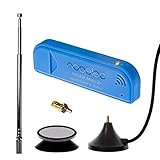
- New! Redesigned for lower noise, better sensitivity and lower power consumption.
- Design changes include RF-suitable 3.3v power supply with 1/10th of the noise of other SDRs, shielded power inductor for improved EMI rejection, and more!
- A male MCX to female SMA adapter and strong magentic antenna mount included as standard.
- R820T2 tuner provides substantial performance improvements over R820T-based devices
- Full support and service directly through Nooelec!
Safe sources are:
- The original official PowerSDR or SDR installer
- A verified backup from the same computer and application release
- The installer supplied for the correct radio model and software version
If manual copying is unavoidable, copy the identical file from a verified backup into the application directory, not a Windows system directory.
Causes, from most to least likely
- An incomplete or damaged PowerSDR installation
- Antivirus quarantine
- A shortcut pointing to an old installation
- A mismatched x86 or x64 DLL
- A missing Visual C++ or application dependency
- File corruption or disk problems
- Malware cleanup or tampering
If reinstalling does not help, record the exact executable path, PowerSDR version, radio model, Windows version, whether dttsp.dll exists, and the complete error text. An advanced dependency-analysis tool can identify which library fails to load, but do not replace every file it lists without confirming that each one belongs to the same application package.
FAQ
Is dttsp.dll a Windows file?
No. It is associated with DttSP and third-party SDR software, especially legacy PowerSDR. Windows does not require it as a general system component.
Where should dttsp.dll be installed?
Usually beside the PowerSDR executable in that program’s installation directory. It should not normally be placed in System32 or SysWOW64.
Should I install Visual C++ to fix it?
Only if the application or its dependencies require it. Use Microsoft’s redistributable and match the application architecture. Visual C++ can fix a missing dependency, but it does not replace a missing dttsp.dll.
Is the file 32-bit or 64-bit?
Public records identify an older 32-bit build, but that is not a universal specification for every file with this name. Use the DLL supplied with the matching application package.
Can I run regsvr32 dttsp.dll?
Generally no. A PowerSDR DSP library is not automatically a COM component, so registration will not repair a missing file or dependency.
What if Windows Security quarantined it?
Restore it only when the file came from a trusted, verified installer and the detection is confirmed to be a false positive. Otherwise, reinstall the complete application from its official source.
Will SFC or DISM restore it?
Normally no. They repair protected Windows components, while dttsp.dll belongs to an application. Use them when other Windows components are also failing, then reinstall PowerSDR separately.
Quick Recap
Product prices and availability are accurate as of the date/time indicated and are subject to change. Any price and availability information displayed on Amazon at the time of purchase will apply.
Quick wins for a faster PC:
Fix the driver behind crashes, sound loss and screen glitchesFind Drivers →Clear out junk files and repair common Windows errorsFree Scan →



