ep0noe03.dll is an Epson printer-driver DLL, not a standard Windows runtime file. The safest fix for an ep0noe03.dll missing, not found, or load error is to remove the damaged Epson printer package and reinstall the exact driver for your printer model.
What this file actually does
Public file metadata identifies ep0noe03.dll as part of an Epson printer driver associated with SEIKO EPSON CORPORATION. It is not a Microsoft Visual C++ component, DirectX file, .NET file, or universal Windows application DLL.
Windows may store the file inside the printer Driver Store or another driver-specific location after an Epson installation. That does not make it an inbox Windows component, and it does not mean every Windows computer should contain a copy in C:WindowsSystem32.
The exact printer models using this DLL are not reliably identified in current public Epson documentation. File indexes also show conflicting architecture and version information. Treat the file’s architecture, version, path, size, and hash as specific to the installed Epson package rather than as universal values.
#1 Best Overall

- Epson printing system is designed to be used exclusively with Epson genuine cartridges. Use of non-genuine ink could cause damage not covered under the printer’s ltd. wnty.
- Sharp text and brilliant color for high-quality results; fast-drying ink
- Brilliant prints on both plain and glossy paper
- Convenient individual ink cartridges
- Compatible Printers: XP-4200, XP-4205, WF-2930, WF-2950
You may see messages such as:
The program can't start because ep0noe03.dll is missing from your computer.The code execution cannot proceed because ep0noe03.dll was not found.There was a problem starting ep0noe03.dll.Error loading ep0noe03.dll. The specified module could not be found.ep0noe03.dll is either not designed to run on Windows or it contains an error.
The last message does not prove that the DLL itself is corrupt. Windows can show a module error when a dependency is missing or when the driver and the process loading it use incompatible architectures.
Cause by symptom
| What you see | Most likely cause | Best response |
|---|---|---|
| The error appeared while installing an Epson printer | Incomplete or interrupted driver installation | Remove the failed package and reinstall the exact Epson driver |
| Printing stopped after an Epson update | Incompatible or partially updated driver | Reinstall the vendor package, or use System Restore if the problem began immediately after the update |
| The file disappeared after security software reported it | Antivirus quarantine | Inspect Protection history, then reinstall from Epson if the detection involved a legitimate package |
| The file exists but Windows says “module not found” | Missing dependency, wrong architecture, or damaged package | Reinstall the complete driver package instead of copying another DLL |
| Several Epson printers are installed | The wrong printer package may be damaged | Record the affected model and remove only its related printer installation |
| The error started after disk cleanup or manual deletion | Driver files or Driver Store metadata were removed | Reinstall the Epson driver package |
| The message appears after a Windows upgrade | An older Epson driver may not work correctly with the current Windows release | Obtain the newest package available for that model and Windows version |
Fix 1: Reinstall the exact Epson printer driver
This is the primary repair and the one most likely to restore the missing file together with its required configuration.
1. Identify the printer model
Check the label on the printer, its control-panel information page, or the existing printer entry in Windows. Record the complete model name, including letters or regional suffixes.
Do not choose a driver based only on the DLL filename. Epson packages are selected by printer model and operating system.
2. Remove the affected printer
- Open Start > Settings.
- Select Bluetooth & devices.
- Open Printers & scanners.
- Select the affected Epson printer.
- Choose Remove.
- Confirm the removal.
If Windows says that the printer is in use, close print-related applications and cancel pending jobs from the printer queue before trying again.
For deeper cleanup:
- Press Win + X.
- Select Device Manager.
- Expand Printers, Print queues, or Imaging devices.
- Right-click the affected Epson device.
- Choose Uninstall device.
- Select the option to remove the driver only if Windows presents it and you are certain it belongs to the affected Epson package.
- Restart Windows.
Do not browse to C:WindowsSystem32DriverStore and delete files manually. Windows stages complete, validated driver packages there, and removing individual files can damage other devices.
3. Download the package from Epson
Use Epson’s official Download Center and search for the exact printer model. Select the Windows release shown under Settings > System > About, then choose the matching package.
Rank #2
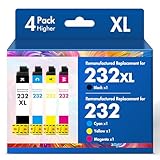
- Product Model: Cool Toner 4 Pack Compatible for 232XL Ink Cartridges for Epson Printer and Compatible for 232 Ink Cartridges
- Package Contents: Compatible for 232XL Ink Cartridges Combo Pack (1×Black, 1×Cyan, 1×Magenta, 1×Yellow)
- Compatible for Epson Printers: XP-4200 XP-4205 Workforce WF-2930 WF-2950
- Please Note: This is not an OEM Ink Cartridge
- High Page Yield: 380 Pages for Each Black Ink, 140 Pages for Each Color Ink at 5% Coverage (A4/Letter)
Download the complete printer driver or Epson driver-and-software package, not a standalone DLL.
What’s actually slowing this PC down?
Pick the symptom - the matching free tool is one click away.
Run the installer by right-clicking it and selecting Run as administrator. Follow its instructions about connecting the printer. Some installers require the printer to remain disconnected until prompted, while others detect an already connected USB or network printer.
Restart Windows after the installation finishes. Then print a test page:
- Open Settings > Bluetooth & devices > Printers & scanners.
- Select the Epson printer.
- Choose Printer properties.
- Select Print Test Page.
The repair worked if the Epson software opens without the DLL message and the test page prints. If the same error returns during setup, note the exact stage where it appears. The installer may be missing a dependent module, blocked by security software, or incompatible with the Windows architecture.
When driver packages, versions, and architectures are difficult to compare manually, Outbyte Driver Updater can scan for outdated drivers and show what requires attention; the free scan identifies the problem, while repair and driver installation require the full version. For this Epson-specific error, reinstalling the correct Epson package remains the definitive fix.
The Tool Desk
Outbyte Driver Updater FREEScan for outdated or missing drivers - takes under a minuteDriver Scan →Outbyte PC Repair FREERepair Windows errors before they cause bigger problemsFix Now →Fix 2: Check Windows Security quarantine
Antivirus software may quarantine a legitimate Epson driver file after an installation, update, or cleanup event.
- Open Start.
- Search for Windows Security and open it.
- Select Virus & threat protection.
- Choose Protection history.
- Review recent detections.
- Open any entry that mentions the Epson installer, printer driver, or
ep0noe03.dll. - Check the detected path, threat name, and publisher.
Only restore or allow the file when it came from a verified Epson installer and you have confirmed that the detection is a false positive. If the file came from a random DLL download site, do not restore it. Remove the untrusted copy and reinstall the package from Epson instead.
After a legitimate file is restored, run the Epson installer again. A quarantined file can be detected again, so reinstalling the complete signed package is generally safer than restoring one isolated DLL.
Rank #3

- Epson printing system is designed to be used exclusively with Epson genuine cartridges. Use of non-genuine ink could cause damage not covered under the printer’s ltd. wnty.
- Sharp text and brilliant color for high-quality results; fast-drying ink
- Brilliant prints on both plain and glossy paper
- Convenient individual ink cartridges
- Compatible Printers: XP-4200, XP-4205, WF-2930, WF-2950
Fix 3: Install Windows updates
A damaged or outdated Windows installation can interfere with printer-driver installation.
- Open Start > Settings.
- Select Windows Update.
- Click Check for updates.
- Install all available updates.
- Restart Windows, even if the update screen does not immediately require it.
- Try the Epson installation again.
Current Windows releases may handle older third-party printer drivers differently from earlier releases. If the Epson model is old, use the vendor installer supplied for that model rather than expecting Windows Update to provide the complete package.
Microsoft is also reducing new third-party printer-driver servicing through Windows Update on newer Windows releases. That makes the Epson installer particularly important for legacy printers.
Fix 4: Repair Windows components with DISM and SFC
Use these commands when Windows itself appears damaged, other system files are failing, or the Epson installer cannot complete because of broader component errors. They do not replace the Epson driver package.
- Open Start.
- Type Command Prompt.
- Right-click Command Prompt.
- Select Run as administrator.
- Approve the User Account Control prompt.
- Run:
DISM.exe /Online /Cleanup-Image /RestoreHealth
Wait for it to finish. Then run:
sfc /scannow
Restart Windows when both commands complete.
If SFC reports that it repaired files, retry the Epson installation. If it reports that it found corrupt files but could not repair some of them, restart and run the commands again. If the result says no integrity violations were found, the problem is more likely confined to the Epson package.
Free tools Windows power users keep installed
One-click scans. No signup required.
SFC may not repair a third-party Epson DLL unless Windows considers the relevant file part of a protected component store.
Repeating DISM and SFC without knowing which component changed can make troubleshooting slow and confusing. Outbyte PC Repair can scan for broader Windows issues and show what needs attention; the free scan identifies problems, while repair requires the full version. It is optional, and it does not replace reinstalling the Epson driver.
Fix 5: Use System Restore after a recent change
If printing worked until a driver update, cleanup operation, or other software change, System Restore may return Windows to an earlier driver state.
Rank #4

- Epson printing system is designed to be used exclusively with Epson Genuine Cartridges. Use of non-genuine ink could cause damage not covered under the printer’s ltd. wnty.
- Hassle free ― High-capacity Black ink cartridge for fewer interventions
- Sharp text and brilliant colors for print-shop-quality results
- Fast-drying pigment ink designed for high-speed print jobs
- Compatible Printers: WF-3820, WF-3823, WF-4820, WF-4830, WF-4833, WF-4834
- Press Win + R.
- Type:
rstrui.exe
- Press Enter.
- Select Next.
- Choose a restore point created before the
ep0noe03.dllerror began. - Select Scan for affected programs if available.
- Review the drivers and applications that may be removed.
- Select Next, then Finish.
- Allow Windows to restart.
System Restore normally does not remove personal files, but it can remove recently installed drivers or applications. After the restore, test the printer. If the error returns, install the correct current Epson package instead of restoring a standalone DLL.
Outdated Drivers Are Slowing You Down
One free scan finds every outdated or missing driver and matches the right update for your exact hardware.Free scan · exact hardware matchWindows Errors? Fix Them Before They Spread
Repair common Windows errors and clear accumulated junk for a smoother, more stable PC - no reinstall needed.Free scan · no reinstallFix 6: Check the architecture and loading process
Do not select a DLL simply because Windows is 64-bit. The relevant architecture is the Epson driver package and the process loading it. Public records for ep0noe03.dll conflict about 32-bit and AMD64 copies, so an index entry should not determine which file you install.
To inspect the installed copy:
- Search for
ep0noe03.dllfrom File Explorer only if you need to document its location. - Right-click the file.
- Select Properties.
- Review the Digital Signatures tab if present.
- Check Details for the publisher, product, and file description.
- Record the path and properties before changing anything.
A file in an unexpected application folder, a copy with no trustworthy signature, or a file downloaded separately from the printer package should not be treated as a repair. Remove the untrusted copy and reinstall Epson’s complete package.
Independent reader supportYour contribution helps us test, update, and keep practical guides available for everyone.Why System32 copying and regsvr32 usually fail
Copying ep0noe03.dll into C:WindowsSystem32 is not a proper printer-driver installation. A standalone DLL may have the wrong architecture, missing dependencies, an incompatible version, no valid signature, or no matching INF and catalog files. It can also leave Windows pointing at a package that is still incomplete.
regsvr32 is likewise not a generic DLL repair command. It is intended for DLLs that expose registration entry points such as DllRegisterServer. A printer-driver DLL is normally installed through the Epson driver package. If regsvr32 reports that an entry point is missing, that usually means the command does not apply.
Quick wins for a faster PC:
Fix the driver behind crashes, sound loss and screen glitchesFind Drivers →Clear out junk files and repair common Windows errorsFree Scan →Scan for outdated or missing drivers - takes under a minuteDriver Scan →Do not download ep0noe03.dll from random DLL websites. The file may contain malware, belong to a different Epson package, use the wrong architecture, or fail because another dependency and the printer configuration are missing. The safe source is the official Epson Download Center for the exact printer model.
If the error remains
Collect these details before contacting Epson or Windows support:
Best Value

- Epson printing system is designed to be used exclusively with Epson Genuine Cartridges. Use of non-genuine ink could cause damage not covered under the printer’s ltd. wnty.
- Sharp text and brilliant colors for print-shop-quality results
- Fast-drying pigment ink designed for high-speed print jobs
- Compatible Printers: WF-3820, WF-3823, WF-4820, WF-4830, WF-4833, WF-4834
- Exact Epson printer model
- Windows edition and version
- Whether Windows is x64, x86, or ARM64
- The complete error text
- When the error first appeared
- Whether it followed an update, cleanup, antivirus detection, or printer installation
- The path of any existing
ep0noe03.dll - The file’s Properties and Digital Signatures information
- The name of the application or installer showing the error
If the file exists but Windows still reports “module not found,” the named DLL may be present while a dependency is missing. Event Viewer, the Epson installer log, or the application loading the file may identify the actual failing module.
FAQ
Is ep0noe03.dll a Windows system file?
No evidence shows it to be a universal inbox Windows component. It is associated with Epson printer-driver packages and may be stored in Windows printer-driver locations after installation.
Recommended Free Tools
Should I install Visual C++, DirectX, or .NET?
Usually not. ep0noe03.dll is identified as an Epson printer-driver DLL, so reinstalling the matching printer package is the appropriate first repair.
Can I download only this DLL?
Do not do that. Install the complete Epson driver package for the exact printer model and Windows version.
Does regsvr32 ep0noe03.dll fix the error?
Usually no. Printer-driver DLLs should be installed through their driver package rather than manually registered.
Why does the file exist but Windows still say it is missing?
The message can indicate a missing dependency, damaged package metadata, or an architecture mismatch. The named file is not always the only problem.
Will SFC restore the file?
Not necessarily. SFC repairs protected Windows components, while this DLL belongs to a third-party Epson package. Reinstall the Epson driver even if SFC completes successfully.
What if reinstalling Epson does not help?
Check Windows Security Protection history, install pending Windows updates, run DISM followed by SFC, and use System Restore if the problem began after a recent change. If it still fails, provide the printer model and exact installer error to Epson support.
Quick Recap
Product prices and availability are accurate as of the date/time indicated and are subject to change. Any price and availability information displayed on Amazon at the time of purchase will apply.



