In Escape from Tarkov’s current reported Terminal setup, reach Shoreline’s port-garrison position and use the radio while carrying the required access item between 21:00 and 06:00 in-game time. That window comes from a guide stamped patch 1.1.5.0 (September 15, 2026); earlier guides give a narrower 22:00–04:00 window, so check the in-game requirements if a later patch changes transit. [Tarkov.help; Insider Gaming; Walkthrough]
How to enter Terminal
- Load into Shoreline with the required Terminal access item in your inventory.
- Go to the port-garrison position and interact with the radio.
- Attempt transit between 21:00 and 06:00 in-game time, the window given by the Terminal guide stamped patch 1.1.5.0 on September 15, 2026. Outside that window, the guide says the radio will not open transit. Tarkov.help’s Terminal guide also describes Shoreline Intercom access, but gives the older 22:00–04:00 window.
The difference matters: Insider Gaming’s December 1, 2025 report and a March 12, 2025 walkthrough both say 22:00–04:00. The later time comes from a patch-stamped community guide, not an official patch-note page, so use the current in-game prompt as the final check if your build behaves differently. [Insider Gaming; Tarkov.help]

What to bring into the raid
The preparation list below is from Tarkov.help’s Terminal page, which expects a dark environment. These are game items, not real-world gear recommendations.
- Strong armor and a helmet.
- Night-vision goggles or a flashlight.
- Ammunition and medical supplies, including a Surv12 field surgical kit.
- A Toolset, which the walkthrough uses to repair an electrical panel.
- SJ6 and Meldonin injectors, both listed as recommendations by Tarkov.help.
Carry the required access item for transit. The current patch-stamped guide reports that this item is consumed, while character state is restored after extraction or death; verify the game’s current wording before relying on exactly what happens to your gear. [Tarkov.help]
Quick wins for a faster PC:
Scan for outdated or missing drivers - takes under a minuteDriver Scan →Clear out junk files and repair common Windows errorsFree Scan →Fix the driver behind crashes, sound loss and screen glitchesFind Drivers →#1 Best Overall
![TOP CUSTOMS Escape from Tarkov - Tagilla Figurine Replica [Updated Packaging]- Collectible Figurine Statue- FactoryBoss - Gift Idea - Gamers](https://m.media-amazon.com/images/I/41EZSWsEqsL._SL160_.jpg)
- Exclusive Top Customs design – crafted to closely resemble Tagilla’s in-game appearance with premium attention to detail
- Made from durable hard PVC, NOT 3D printed, using high-quality injection molding for a clean, professional finish
- Perfect for collection and display alongside your Tarkov gear or gaming setup!
- Ideal gift for your squadmates, friends, boyfriends/girlfriends
- A must-have for Tarkov fans. Whether you’re messing around in the hideout or building the ultimate 'Chad' loadout, this collectible hits hard.
Walkthrough route: the ending-specific sequence
This route is from a March 12, 2025 walkthrough. Its author says it works for Prapor’s “500 million rubles” ending and may not match every ending; it is not a guarantee that every objective or location is unchanged in a later patch. [Walkthrough]
- Loot the spawn house quickly. The walkthrough describes an opening window of about 15–20 seconds to collect food and medical supplies before a cutscene.
- Arm yourself after the cutscene. Take a weapon and magazines from a nearby corpse.
- Find and repair the electrical panel. Check panels for one that is blinking red and sparking, then use a Toolset to repair the correct one.
- Recover your stored equipment. Move toward the Arsenal, locate its key, and retrieve the gear stored there.
- Survive the enemy waves. The walkthrough places this after the Arsenal recovery; conserve ammunition and use cover as you advance.
- Get the port quest keycard. Visit the separate building identified in the walkthrough and collect the keycard.
- Reach the sea port and use the card. Enter through a broken window and use the keycard to proceed.
The walkthrough also says Toolsets have guaranteed spawn locations in Terminal, but specific spawn positions can change with the map or patch; do not rely on an old location without checking current map data. [Walkthrough]
Rank #2

- Card's inspiration comes from Game, high similarity to the original.
- The cards is made of PVC.And all cards have a card holder to protect them.
- Excellent material and thickness.A great replica!
- Best choice for game fans,halloween cosplay prop and even cards collectors.
- Include:7pcs cards
Extraction and raid stakes
A patch-stamped Terminal guide reports that character state is restored after either extraction or death and that the transit access item is consumed. Treat that as a patch-sensitive rule: confirm the current in-game text before entering if retaining or losing particular equipment matters. The older launch report’s claim that Zubr is the only extraction and its PvE framing should not be assumed to describe the current map. [Tarkov.help; Insider Gaming]
Battlestate Games’ official Telegram channel announced group transit and reported Zubr extraction places that scale with the number of PMCs: 3 PMCs have 3 spots; 4 PMCs have 3 to 4; and 5 PMCs have 4 to 5. The excerpt containing that update does not expose its publication date, so treat the seat counts as an official update whose current applicability should be checked in game. [Battlestate Games on Telegram]
Free tools Windows power users keep installed
One-click scans. No signup required.
Rank #3
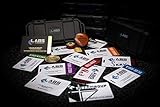
- The product is NOT an in-game items, 1:1 real keycards from escape from tarkov.
- All EFT Labs keycards,TerraGroup Labs access keycard,Black,Blue,Green,Red,Violet,Yellow Keycards. Object 21WSObject 11SR Keycards.
- Blank emfc Chips(no info was written) are integrated in all cards.
- All cards are in a protective plastic holder to prevent from scratches,the plastic holder was to protect the cards,but they might folded,sorry.
- Secure Container Outer Dimension:6.88'(L)x3.22'(W)x1.54'(H)
Using third-party Terminal maps
Neither of these browser tools is official; check that the details match your current patch before planning around a key, extraction, or objective.
Quick Recap
Rank #4
| Map aid | What it offers | Useful checks |
|---|---|---|
| Tarkov Navigator | Interactive browser map; says player position can be read from a raid screenshot. Its page lists a 50-minute raid, 1–5 players, two keys, and boss entries. | Check layers, key and locked-door information, extraction points, and whether screenshot-derived positioning works for your situation. |
| Tarkov Market | Lists Zubr Boat as a PMC extraction and provides key and quest information. | Check extraction conditions and quest/key details against the current build. |
Product prices and availability are accurate as of the date/time indicated and are subject to change. Any price and availability information displayed on Amazon at the time of purchase will apply.




