If Fallout 3 closes immediately, shows a black screen, or does nothing after you click Play, start with reversible compatibility and graphics changes before installing mods. Bethesda states that Fallout 3 is not optimized for Windows 7 and later, and that integrated-GPU launch failures affect every release. Select the correct graphics processor, simplify the display setup, run the executable with suitable compatibility settings, then repair legacy DirectX, Visual C++ and Games for Windows LIVE components if the symptom points there.
Why Fallout 3 can refuse to start on a modern PC
Fallout 3 was built for an older Windows and graphics stack. Bethesda describes it as not optimized for Windows 7 and later operating systems, so Windows 10 or Windows 11 may need compatibility workarounds even when the game files are intact. Hybrid laptops add another failure point: the game can attempt to initialize on an integrated Intel GPU instead of a dedicated NVIDIA or AMD adapter. Bethesda calls difficulty launching with an integrated GPU a legacy issue present on all Fallout 3 releases.
| # | Preview | Product | Price | |
|---|---|---|---|---|
| 1 |

|
Fallout 3: Game of the Year Edition | $29.88 | Buy on Amazon |
| 2 |

|
Fallout 3 - PC Game of the Year Edition | $11.99 | Buy on Amazon |
| 3 |

|
FALLOUT 3: GAME OF THE YEAR EDITION | $37.44 | Buy on Amazon |
| 4 |
|
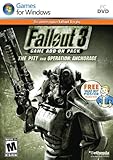
Fallout 3 Game Add-On Pack: The Pitt and Operation Anchorage - PC | $4.99 | Buy on Amazon |
| 5 |

|
Fallout: New Vegas Ultimate Edition | $40.08 | Buy on Amazon |
As an Amazon Associate I earn from qualifying purchases.
The same symptom can have different causes. “Play” may produce no window at all, a black screen may appear before the main menu, or an error may identify a DLL or missing runtime. The edition also matters because Steam, Epic, GOG and disc installations use different launchers and file locations. Work through the general checks first, then follow the branch that matches your symptom.
Do the reversible checks first
1. Confirm the game and Windows basics
- Verify that the PC meets the minimum requirements listed for your Fallout 3 edition. A machine can run newer games yet still fail when an old title expects a particular legacy component.
- Install the latest graphics driver available for your NVIDIA or AMD card. Reboot after installation so Windows loads the new driver rather than the previous one.
- Start the game from the launcher supplied by your edition. If you recently moved the installation, confirm that the launcher still points to the folder containing the Fallout 3 executable and its data files.
- Temporarily remove unsupported overlays, injectors and game-enhancement utilities. Close recording, monitoring and graphics-modification tools before testing a clean launch.
2. Force a dedicated GPU
On a laptop or desktop with both integrated and dedicated graphics, open NVIDIA Control Panel, choose Manage 3D settings, add Fallout 3 if it is not listed, and select the GeForce processor as the preferred graphics processor. Apply the change, then launch the game again. AMD systems have an equivalent per-application graphics selection in their driver software; choose the high-performance Radeon adapter for the Fallout 3 executable.
#1 Best Overall
- Good Condition: No manual; Includes original cover art and game
If the computer has only integrated graphics, Bethesda notes that a mod may assist, but treat that as a later, higher-risk option. First test the official settings below and make a restore point or backup of the game folder before adding third-party files.
3. Simplify the display output
Open the Fallout 3 launcher rather than launching the executable directly. Select Windowed mode, disconnect or disable a second monitor, and choose a resolution that exactly matches the active display when possible. A mismatched mode, an unavailable refresh configuration or multi-monitor handoff can leave the game at a black screen even though the process starts.
After a successful windowed launch, you can return to fullscreen and test other resolutions one at a time. Change only one display setting per test so you know which setting made a difference.
Quick wins for a faster PC:
Repair Windows errors before they cause bigger problemsFix Now →Scan for outdated or missing drivers - takes under a minuteDriver Scan →Clear out junk files and repair common Windows errorsFree Scan →4. Run with administrator and compatibility settings
- Open the Fallout 3 installation folder and right-click the game executable.
- Select Properties, open the Compatibility tab and enable Run this program as an administrator.
- Enable compatibility mode and test the available Windows versions. Bethesda specifically lists Windows XP (Service Pack 3) as an optional test.
- Apply the setting and launch from the same executable. If it fails, return to the tab and test another mode rather than enabling several random options at once.
Use the same compatibility approach for the launcher if the launcher itself will not open. Administrator mode changes where the program can write files; it does not repair missing runtimes, so continue to the relevant section if the symptom remains.
Rank #2
- Fallout 3: Game of The Year Edition
If the launcher does nothing
Bethesda’s Epic troubleshooting guidance lists several conflicts that can prevent any visible window. Work through these in order and undo temporary changes after testing:
Check Windows Error Reporting for a DLL conflict
Open Windows Error Reporting or Reliability Monitor and inspect the failure details for the Fallout 3 launch time. If the report names amdvlk64.dll, update the AMD driver first and retest. Do not download a replacement DLL from an unverified website; the report is a clue to a driver conflict, not an instruction to replace system files manually.
Set power and controller behavior
Make sure Fallout 3 is assigned to the primary or high-performance GPU. In Windows power settings, select the High performance plan while testing. Unplug gamepads and other USB controllers, then try a keyboard-and-mouse launch. A controller driver or input handoff can stop this older title before it displays a menu.
What’s actually slowing this PC down?
Pick the symptom - the matching free tool is one click away.
Test security software and a clean boot
Add the Fallout 3 executable and its launcher to your antivirus exclusions only for a controlled test, and remove the exclusions if they do not help. Security software should remain enabled whenever possible; an exclusion is not a substitute for protection. If the game still does nothing, perform a Windows clean boot to start with non-Microsoft services disabled. Launch Fallout 3, then re-enable services in groups to identify a conflict.
Disable Game DVR features
Turn off Windows Game DVR and Xbox Game Bar capture features temporarily. Older DirectX titles can fail when recording hooks attach during startup. Reboot after changing the setting and test again.
Fix multi-core CPU initialization in Fallout3.ini
Bethesda says Fallout 3 was not developed for PCs with more than two cores. On a multi-core system, edit the game’s configuration file as follows:
- Close the game and launcher.
- Open
DocumentsMy GamesFallout3fallout.ini. If the file is hidden by Windows, enable hidden items in File Explorer. - Make a backup copy of
fallout.inibefore editing. - Find
bUseThreadedAI=0and change it tobUseThreadedAI=1. - Add
iNumHWThreads=2on its own line if it is not already present. - Save the file and launch the game. If the launcher overwrites the change, close it, edit the file again, and test without opening additional configuration utilities.
This change limits Fallout 3’s worker-thread setting to two hardware threads; it does not disable cores in Windows. If the game becomes less stable, restore your backup and remove unsupported enhancement tools before trying the edit again.
Repair legacy DirectX and Visual C++ components
A launch failure that mentions a missing runtime, a blank window followed by an immediate exit, or a crash before the menu can indicate missing legacy components. Game-specific guidance for the GOG edition identifies DirectX 9.0c and Microsoft Visual C++ runtime libraries as common requirements. Install the redistributables from Microsoft or the installer supplied with your legitimate game edition, then restart Windows.
Rank #4
- REQUIRES FALLOUT 3
- Adds hours of extended gameplay to explore the Alaskan tundra with a new or existing character
- Discover new side quests and subtle plot elements and determine your path in this place where nothing is "right" or "wrong"
- Gain access to new weapons, exotic armor, and items... like the AutoAxe and Chinese Stealth Suit
- Exclusive new perks and achievementsExplore an entire new area - the post-apocalyptic ruins of Pittsburgh, Pennsylvania, known as The Pitt!
Do not assume that having DirectX 12 means every DirectX 9.0c side-by-side file is present. Newer DirectX versions do not always install the optional legacy libraries required by older games. Likewise, installing one Visual C++ package does not provide every older runtime generation.
GOG’s surfaced guidance also notes broad incompatibility with Intel integrated graphics. It mentions the Intel HD Graphics Bypass mod and DXVK 1.10.1 as possible workarounds. These are third-party changes, not guaranteed fixes: verify that a download matches your exact edition, keep a backup of the original files, scan downloads, and remove the files if the game becomes unstable. Try the dedicated-GPU and windowed-mode tests before using them.
Independent reader supportYour contribution helps us test, update, and keep practical guides available for everyone.Remove or migrate Games for Windows LIVE files
Some Fallout 3 installations still expect Games for Windows LIVE data even though the service is no longer part of a normal modern launch. Bethesda’s migration instructions provide a way to use installed expansion content without starting LIVE:
- Close Fallout 3 and its launcher.
- In File Explorer, enable Hidden items.
- Open
%LOCALAPPDATA%MicrosoftXLiveDLC. - Copy the XLive DLC files from that folder into Fallout 3’s
Datafolder. - Open the Fallout 3 launcher and enable the installed expansions in the data-files list.
- Start the game without Games for Windows LIVE.
Back up the destination folder before copying. If an expansion disappears from the launcher, confirm that the files are in the game’s actual Data directory rather than a similarly named folder from another edition.
Best Value
- Beyond the Wasteland: The world of New Vegas is more expansive than ever. Each new distinct area presents a fresh set of branching-quests, remarkable personalities and more chances to play the Savior or the Pariah to the natives of New Vegas.
- Dead Money: Lured into a trap masquerading as the Sierra Madre Casino, you are thrown into a high stakes game where you'll have to work with three other lost souls if you want to survive.
- Honest Hearts: An expedition into Utah's Zion National Park goes horribly wrong and you become embroiled in a war between tribes and put into a conflict between a New Canaanite missionary and the mysterious Burning Man.
- Old World Blues: Transported to the Big MT research crater, you are enlisted by the Think Tank to save them from their own science experiments that have gone horribly out of control.
- Lonesome Road: Ulysses, the original Courier Six, contacts you and promises to answer why he refused to deliver the Platinum Chip at the start of Fallout: New Vegas, but only if you make one last journey into the treacherous canyons of the Divide.
Choose the fix by symptom
| Symptom | First checks | Next step |
|---|---|---|
| Clicking Play produces no window | Primary GPU, administrator mode, compatibility mode, controllers and overlays | Review Windows Error Reporting, test a clean boot, then check DirectX and Visual C++ runtimes |
| Black screen after launch | Windowed mode, one monitor and a matching resolution | Disable Game DVR and verify the selected GPU |
| Crash on an integrated GPU | Force NVIDIA or AMD graphics when available | Consider the Intel bypass or DXVK 1.10.1 only after backing up files |
| Missing DLL or runtime message | Record the exact filename and avoid downloading a loose DLL | Install the required DirectX 9.0c or Visual C++ redistributable from a trusted source |
| Expansion or XLive error | Enable hidden files and inspect the XLive DLC folder | Copy the DLC files into Fallout 3’s Data folder and enable the expansions |
| Instability on a modern multi-core CPU | Back up the configuration file | Set bUseThreadedAI=1 and iNumHWThreads=2 |
Steam, Epic, GOG and disc editions
The core compatibility steps apply across editions, but file locations and launcher behavior differ. Steam and Epic may launch through an additional client layer; test the game executable with the client closed only if the edition permits it, and return to the normal launcher for regular play. GOG installations commonly surface the DirectX, Visual C++ and Intel-graphics issues described above. A disc installation may include older installers that need to be run manually on a newer Windows version.
Do not mix executables or DLLs from another edition. A mod or workaround made for one release can overwrite files that a different release expects. Keep a clean backup, record every file you replace, and change one variable at a time.
How to recover after a failed workaround
- Undo compatibility and administrator settings if they introduced a new crash.
- Restore the original
fallout.inifrom your backup if the game no longer reaches the launcher. - Remove third-party bypass, DXVK or enhancement files before verifying or repairing the installation through your platform.
- Re-enable Game DVR, reconnect controllers and remove temporary antivirus exclusions after identifying whether they mattered.
- Reboot between driver, runtime and configuration changes; otherwise Windows may continue using an old process or cached graphics state.
There is no single universal 2019 fix because Fallout 3 can fail at different layers: GPU selection, display initialization, Windows compatibility, CPU threading, legacy runtimes or Games for Windows LIVE data. Starting with reversible settings keeps the installation recoverable while narrowing the cause.
The Tool Desk
Outbyte PC Repair FREEClear out junk files and repair common Windows errorsFree Scan →Outbyte Driver Updater FREEScan for outdated or missing drivers - takes under a minuteDriver Scan →Quick Recap
If you prefer an optional shortcut after trying the manual steps, Outbyte PC Repair can check and address some common Windows issues, tune settings that affect CPU, RAM and disk load, clean temporary and cache files, and provide an app-crash log. It complements antivirus software rather than replacing it; results vary and no tool repairs every crash. It runs on Windows 11, 10, 8 and 7, with a free trial by category of at least two days before a paid subscription.
Product prices and availability are accurate as of the date/time indicated and are subject to change. Any price and availability information displayed on Amazon at the time of purchase will apply.




