The Tool Desk
Outbyte PC Repair FREERepair Windows errors before they cause bigger problemsFix Now →Outbyte Driver Updater FREEFix the driver behind crashes, sound loss and screen glitchesFind Drivers →Yes, Fallout 3 can run on Windows 11, but it is an XP/Vista-era game rather than a title officially optimized for modern Windows. The reliable approach is to identify your storefront and symptom, establish a clean vanilla installation, then apply only the fix that matches the failure.
Bethesda’s older support pages still mention Games for Windows Live (GFWL), while a later update says Fallout 3 no longer requires it. For a fresh Steam or GOG installation, do not begin by installing an abandoned GFWL client. Start with the steps below.
If Fallout launch fixes are unsuccessful, Outbyte PC Repair can scan Windows for crashes, broken elements, and settings interfering with older games.
| # | Preview | Product | Price | |
|---|---|---|---|---|
| 1 |

|
Fallout 3: Game of the Year Edition | $29.88 | Buy on Amazon |
| 2 |

|
Fallout 3 - PC Game of the Year Edition | $11.99 | Buy on Amazon |
| 3 |

|
FALLOUT 3: GAME OF THE YEAR EDITION | $37.44 | Buy on Amazon |
| 4 |
|
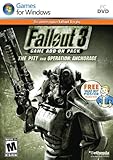
Fallout 3 Game Add-On Pack: The Pitt and Operation Anchorage - PC | $4.99 | Buy on Amazon |
| 5 |

|
Fallout: New Vegas Ultimate Edition | $40.08 | Buy on Amazon |
As an Amazon Associate I earn from qualifying purchases.
Free tools Windows power users keep installed
One-click scans. No signup required.
First, identify your version
Do not change files until you know which build you are using. Steam, GOG, Microsoft Store/Xbox app, and old disc installations can have different executables, folders, dependencies, and mod compatibility.
- Steam: The standard Steam application ID is 22300. The Steam GOTY listing includes all five add-on packs.
- GOG: The GOG GOTY edition advertises DRM-free play, an optional offline installer, and no requirement for GOG Galaxy.
- Microsoft Store/Xbox app: Do not assume Steam or GOG file paths, script extenders, or executable fixes apply to this sandboxed version.
- Disc or old Bethesda installer: This may contain obsolete GFWL-era files and requires a separate legacy-installation diagnosis.
For a standard Steam installation, Bethesda gives this example path:
#1 Best Overall
- Good Condition: No manual; Includes original cover art and game
C:Program Files (x86)SteamsteamappscommonFallout 3 gotyYour Steam library may be on another drive. Locate the folder containing Fallout3.exe.
Back up saves before troubleshooting
Copy this folder somewhere safe:
%USERPROFILE%DocumentsMy GamesFallout3At minimum, preserve the Saves folder and any customized INI files. Rename files rather than permanently deleting them until the game is stable.
Match the fix to the symptom
| Symptom | Start here |
|---|---|
| Launcher will not open | Verify files, then reset generated INI files. |
| Play returns immediately to the desktop | Update the GPU driver, select the high-performance GPU, and test administrator or compatibility settings. |
| Black screen | Use a supported resolution, enable windowed mode, and reset the INI files. |
| Crash when selecting New Game | Check the graphics adapter, especially Intel Arc or Intel integrated graphics. |
| Random crashes or freezes | Apply the CPU-thread workaround and disable overlays and mods. |
| DLC is missing | Check the launcher’s Data Files list. |
| It broke after installing a mod | Return to a clean vanilla profile and add changes one at a time. |
The safest vanilla fix sequence
1. Update the graphics driver
Bethesda recommends current NVIDIA or AMD drivers in its graphical troubleshooting guidance.
On a laptop or hybrid-graphics PC, also assign the game to the discrete adapter:
- Open Settings → System → Display → Graphics.
- Add
Fallout3.exeand, if needed,Fallout3Launcher.exe. - Set each entry to High performance.
- Relaunch the launcher and check which adapter it detects.
Windows 11 labels can vary by release. If the launcher sees only integrated graphics, first confirm the Windows and GPU-control-panel assignment before installing a graphics bypass.
2. Use conservative launcher settings
Open the launcher’s Options menu and select the actual display adapter. Choose a resolution supported by your monitor and enable Windowed mode for the first test. A modest setting such as 1920×1080 is a sensible diagnostic starting point, not a requirement.
Outdated Drivers Are Slowing You Down
One free scan finds every outdated or missing driver and matches the right update for your exact hardware.Free scan · exact hardware matchWindows Errors? Fix Them Before They Spread
Repair common Windows errors and clear accumulated junk for a smoother, more stable PC - no reinstall needed.Free scan · no reinstallBethesda also recommends matching the game resolution to the monitor and temporarily disabling a second monitor when investigating early black screens or launch failures.
Rank #2
- Fallout 3: Game of The Year Edition
3. Verify the installation
In Steam, open Library, right-click Fallout 3, choose Properties → Installed Files, and select Verify integrity of game files.
If the installation is years old or contains old GFWL files, a clean reinstall is safer than repeatedly replacing DLLs:
- Back up your saves.
- Uninstall the game through Steam.
- Inspect the installation folder for leftover files.
- Reinstall the current store build.
- Launch it unmodded before restoring old DLLs, INIs, or mods.
Bethesda’s later support update specifically recommends reinstalling an older installation when dealing with the former GFWL dependency.
4. Test executable compatibility settings
Right-click Fallout3.exe, select Properties → Compatibility, and test Run this program as an administrator. If that does not help, test compatibility mode beginning with Windows XP (Service Pack 3).
Apply these settings to the game executable, not automatically to Steam or every DLL. Compatibility mode is an experiment, not a universal fix. If XP mode produces an xlive.dll or “Ordinal 43” error, that indicates a legacy GFWL dependency rather than proof that GFWL should be installed.
5. Reset generated configuration files
Close the launcher and game. In %USERPROFILE%DocumentsMy GamesFallout3, back up and rename files such as:
Fallout.ini
FalloutPrefs.ini
RendererInfo.txt
The exact files vary by edition and installation state. Relaunch the game to regenerate defaults. This often addresses incorrect adapter detection, black screens, and damaged display settings. Do not copy a working INI from another PC: its resolution, renderer, controller, and mod assumptions may differ.
6. Apply Bethesda’s CPU-thread workaround
Bethesda’s older Windows 7/8 guidance recommends this edit for systems with more than two cores:
bUseThreadedAI=1
iNumHWThreads=2
Open Fallout.ini, find bUseThreadedAI=0, change it to bUseThreadedAI=1, and add iNumHWThreads=2 immediately afterward. Save a backup first.
This is a historical Bethesda workaround, not a guaranteed Windows 11 solution. A launcher or mod manager may regenerate the file or use another profile, so the edit may need to be repeated in the active configuration.
Intel Arc and Intel integrated-graphics crashes
A specific failure deserves its own branch: Intel documents Fallout 3 crashing when Start New Game is pressed on an Intel Arc A770 under Windows 11. Intel says the game needs a patch and points to the Intel HD Graphics Bypass package hosted on Nexus Mods.
Quick wins for a faster PC:
Repair Windows errors before they cause bigger problemsFix Now →Fix the driver behind crashes, sound loss and screen glitchesFind Drivers →Clear out junk files and repair common Windows errorsFree Scan →Use this targeted community patch only when the game reaches the menu and consistently crashes on New Game after driver, GPU-selection, configuration, and vanilla checks. Intel references the package; it is not a Bethesda-published executable. The Intel support article says a free Nexus Mods account is required.
Do not use this bypass automatically for a launcher crash, a damaged save, a mod conflict, or an unrelated black screen.
Disable mods, overlays, and injectors
Diagnose the base game without extra software. Temporarily disable:
Rank #4
- REQUIRES FALLOUT 3
- Adds hours of extended gameplay to explore the Alaskan tundra with a new or existing character
- Discover new side quests and subtle plot elements and determine your path in this place where nothing is "right" or "wrong"
- Gain access to new weapons, exotic armor, and items... like the AutoAxe and Chinese Stealth Suit
- Exclusive new perks and achievementsExplore an entire new area - the post-apocalyptic ruins of Pittsburgh, Pennsylvania, known as The Pitt!
- Script extenders and mod-manager deployment
- Texture injectors, ENB, and ReShade
- Steam, Discord, recording, and GPU overlays
- Hardware-monitoring and “game booster” utilities
Bethesda does not support game-enhancement software and recommends disabling it during troubleshooting. If the game works vanilla, restore one mod or utility at a time and test after every change. Vortex can help manage mods, but it does not validate every Fallout 3 mod or guarantee compatibility with every storefront executable.
Recommended Free Tools
Separate save problems from game problems
If the game reaches the menu but crashes while loading, test:
- A completely new game.
- An older save.
- A save created before mods were installed.
- The launcher’s Data Files list, where DLC should be checked.
A crash only on one save suggests save or mod-state corruption. A crash on every new game points more strongly to the executable, renderer, dependency, or graphics adapter. Removing a mod does not guarantee that saves created with it will load safely.
Do you still need Games for Windows Live?
Fresh Steam and GOG installations generally should not require GFWL. Bethesda has contradictory documentation: an older English support page recommends it, while a later update says Fallout 3 no longer requires it. Bethesda also published historical instructions for moving old XLive DLC files into the Data folder after the service shutdown. Those instructions describe legacy compatibility; they are not a reason to install GFWL on a clean Windows 11 setup.
If you installed GFWL and the game became less stable:
- Remove the old GFWL component and any stale compatibility files such as an unwanted
xlive.dll. - Verify the files or reinstall the current Steam/GOG build.
- Test the clean, unmodded installation.
Old disc releases may require separate investigation because edition and patch history matter. Do not assume a disc copy follows the Steam or GOG instructions.
Independent reader supportYour contribution helps us test, update, and keep practical guides available for everyone.Legacy runtime dependencies
Bethesda’s older troubleshooting page mentions .NET Framework 4 and the DirectX June 2010 Redistributable. These are legacy components, and they should be obtained only from Microsoft’s official download pages—not DLL-download websites. Install them only when the symptom or installation specifically indicates a missing runtime; they are not a substitute for driver selection, file verification, or a clean reinstall.
Best Value
- Beyond the Wasteland: The world of New Vegas is more expansive than ever. Each new distinct area presents a fresh set of branching-quests, remarkable personalities and more chances to play the Savior or the Pariah to the natives of New Vegas.
- Dead Money: Lured into a trap masquerading as the Sierra Madre Casino, you are thrown into a high stakes game where you'll have to work with three other lost souls if you want to survive.
- Honest Hearts: An expedition into Utah's Zion National Park goes horribly wrong and you become embroiled in a war between tribes and put into a conflict between a New Canaanite missionary and the mysterious Burning Man.
- Old World Blues: Transported to the Big MT research crater, you are enlisted by the Think Tank to save them from their own science experiments that have gone horribly out of control.
- Lonesome Road: Ulysses, the original Courier Six, contacts you and promises to answer why he refused to deliver the Platinum Chip at the start of Fallout: New Vegas, but only if you make one last journey into the treacherous canyons of the Divide.
Steam or GOG: which should you use?
| Choose Steam if… | Choose GOG if… |
|---|---|
| You already own the game, want library integration, Steam features, or easy file verification. | You are buying the game and prioritize DRM-free play, an offline installer, and no required Galaxy client. |
| You use NVIDIA or AMD graphics and your existing installation is otherwise clean. | You want a fresh GOTY installation rather than repairing an old Steam folder. |
| You rely on Steam Overlay or controller features. | You accept storefront-specific mod and executable differences. |
GOG’s listing specifies Windows 10 as its minimum and recommended operating system and says Intel integrated graphics cards are not supported. It is therefore not a universal fix for Intel laptops or hybrid-GPU problems. If you use Intel Arc, prioritize the Intel-specific diagnosis regardless of storefront.
For most existing Steam owners with NVIDIA or AMD hardware, troubleshoot Steam first. For a new buyer who values offline installation and minimal DRM, GOG is the stronger alternative. Store prices and regional availability change, so check the current listings rather than relying on dated sale prices.
What’s actually slowing this PC down?
Pick the symptom - the matching free tool is one click away.
Clean reinstall and recovery plan
- Back up
%USERPROFILE%DocumentsMy GamesFallout3. - Disable mods, overlays, injectors, and script extenders.
- Uninstall through the storefront.
- Remove leftover game files only after confirming your saves are backed up.
- Reinstall the current storefront build.
- Launch vanilla with conservative resolution and windowed mode.
- Apply only the targeted fix indicated by the symptom.
- Restore mods and custom INIs one at a time.
If file-writing problems persist, a custom library such as C:GamesFallout 3 can be easier to manage, although Steam installations should be moved using Steam’s Move install folder feature. Do not disable Windows security software globally; use a narrowly scoped exception only after verifying a mod tool’s source.
Frequently Asked Questions
Does Fallout 3 officially support Windows 11?
Bethesda’s guidance says the game is not optimized for Windows 7 and later, and its support material is mostly Windows 10-era. It is more accurate to say that Fallout 3 can commonly be made to run on Windows 11 than to call it officially certified for Windows 11.
Should I install Games for Windows Live?
Not for a fresh Steam or GOG installation. Bethesda’s later support material says Fallout 3 no longer requires GFWL; reinstall the current store build instead. Old disc editions may need separate legacy troubleshooting.
Why does Fallout 3 crash when I select New Game?
Check GPU assignment and drivers first. Intel documents a specific Windows 11 crash on Intel Arc A770 systems and references the third-party Intel HD Graphics Bypass package hosted on Nexus Mods.
Should I use Windows XP compatibility mode?
Test it only for an immediate launch or launcher-to-game handoff failure. It will not fix missing files, wrong GPU selection, corrupted saves, mod conflicts, or every modern graphics failure.
Is GOG better than Steam?
GOG is preferable if you want DRM-free play and an optional offline installer. Steam is preferable if you already own the game or want Steam integration and file verification. Neither storefront guarantees compatibility with every Windows 11 system.
Quick Recap
Product prices and availability are accurate as of the date/time indicated and are subject to change. Any price and availability information displayed on Amazon at the time of purchase will apply.




