What’s actually slowing this PC down?
Pick the symptom - the matching free tool is one click away.
Google really did add an official Squid Game Red Light, Green Light mini-game to Search—but it was a temporary Season 2 promotion, not a permanent feature. Launched around Netflix’s December 26, 2024 premiere, the experience appears to have been removed from live Google Search by August 18, 2026.
You may still find unofficial recreations online. Those are separate from Google’s original Search Easter egg and should not be confused with unrelated mobile games using the same branding.
As an Amazon Associate I earn from qualifying purchases.
What was Google’s Squid Game Easter egg?
Netflix announced the experience as part of its promotional partnership with Google ahead of Squid Game Season 2. Searching Google for Squid Game displayed a brown invitation-card-style entry point featuring the show’s circle, triangle, and square symbols. Selecting it opened a fullscreen-style game within Search.
It was a Google Search Easter egg, not a Google Doodle and not a downloadable app. The promotion was designed around the show’s Red Light, Green Light challenge and did not require players to install anything or buy access. Netflix’s original announcement described the search-and-tap process directly: search for “Squid Game” and tap the brown envelope.
#1 Best Overall

- Bring home Netlfix's hit series.
- A great immersive game.
- A light strategy, bluff and push your luck game. Be ready for fun and intense games with your friends!
- Lead your team through six games based on Netflix's hit series. Each game has its own rules. Battle it out to save as many team member as possible through all six games.
- Through all six games, players play cards, gather tokens and defy the odds to beat each game before progressing to the next. Make your best to have as many team member as possible until the last game to optimize your chance to win.
How to launch it when it was available
These were the original instructions. They remain useful for identifying the official experience, but the brown card may no longer appear.
- Open Google Search in a desktop browser or mobile web browser.
- Search for Squid Game.
- Look for a brown card or envelope with the circle, triangle, and square symbols.
- Click or tap the card.
- The game opens as an interactive overlay inside Search.
Contemporary reports said it worked on desktop and mobile, although Search layouts varied. The card was not guaranteed to appear in one fixed position; placement could differ by device, region, language, account, and Search interface.
How the Red Light, Green Light game worked
The mini-game simplified the show’s challenge. You controlled a group of six characters and tried to move everyone across the finish line.
Rank #2

- Squid Game Marbles: Play 6 exclusive marble challenges inspired by the jaw-dropping Netflix show. Choose from games at easy, medium, or hard levels. Perfect for parties- adult games for game night, board games for adults & more
- How To Play: For this game, you will be playing in teams of two. Find someone you wish to play the game with. Each player will take one bag. Each bag has a set of 10 marbles
- How To Win: Using your set of marbles, you will play marble challenges of your choice against your partner. The player who manages to lose two challenges is eliminated. Let the game begin
- Funny Random Stuff for Adult Games Night: Throw the best party, birthday & friendsgiving with new party games, bachelorette party games, couples games, board games for adults & card games for adults
- Spin Master Toys & Games: Looking for kids games, yard games & card games for grown ups, kids or teen? Shop everything from family game night, travel games, puzzles for adults & family games
- Go: Move the group forward during the green-light phase.
- Stop: Halt before the doll turns around.
- Objective: Get all six characters to the finish line without being caught moving.
- Penalty: A character caught moving during a red-light phase was eliminated, rather than facing the show’s lethal fictional consequence.
- Audio: The experience included sound cues and allowed sound to be muted.
Sound helped communicate the timing, but the basic controls were visual. People sensitive to motion may prefer to avoid animated recreations or use a static description instead.
Can you still play it in Google Search in 2026?
Probably not reliably. The original promotion was tied to the Season 2 launch rather than announced as a permanent Search feature. Current Easter-egg tracking lists the Squid Game game as removed, and another archive-style site says the original Search version was no longer available by late 2025.
That makes “play it now in Google Search” an outdated instruction in many cases. Some newer pages still repeat the original launch steps, but publication in 2026 does not prove that the live Google feature remains active. Search promotions can also vary by country, language, device, and interface, so the most accurate description is that the official version appears to have been discontinued or is no longer consistently available as of August 18, 2026.
Rank #3

- THRILLING ZOMBICIDE X SQUID GAME CROSSOVER: Enter a deadly world where iconic Squid Game challenges collide with the zombie apocalypse in a unique survival experience.
- FACE NEW ENEMIES & BOSSES: Battle terrifying threats including the Front Man, Young-hee Doll, roaming zombies, and relentless masked Guards enforcing deadly rules.
- EXPLORE ICONIC SQUID GAME LOCATIONS: Fight for survival across the Playground, Marble Village, Colorful Stairs, and other memorable locations with unique gameplay twists.
- NEW SURVIVORS, EQUIPMENT & MISSIONS: Includes additional Survivors, special equipment, game mechanics, and five narrative-driven scenarios packed with suspense and strategy.
- REQUIRES ZOMBICIDE 2ND EDITION: Designed as an expansion for Zombicide: 2nd Edition, adding new challenges, enemies, and replayability to your collection.
Google’s general Search documentation explains that result displays can change dynamically, but it does not document compatibility rules for this particular Easter egg.
What to try if the brown card does not appear
You can use this short verification checklist, but troubleshooting cannot restore a promotion Google has removed.
- Search Squid Game at Google.com in a current desktop browser.
- Try the same search in a mobile browser, not only the Google app.
- Test Squid Game Season 2 and Red Light Green Light.
- Temporarily disable ad-blocking or script-blocking extensions.
- Confirm that JavaScript is enabled.
- Try a private window or another browser.
If the card still does not appear, the likely explanation is that the promotion has ended or is unavailable on that Search surface. Clearing cookies, changing browsers, or using a VPN cannot be expected to revive a discontinued Google feature.
Rank #4
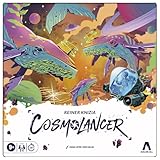
- REIMAGINING OF FAVORITE STRATEGY GAME: The Cosmolancer game is a galactic reimagining of legendary designer Reiner Knizia’s Kingdoms game! Play as a Cosmolancer (space photographer) and compete to be the best
- FAST-PACED TILE LAYING GAME: In this highly competitive tile placement game, try to collect the most Interstellar Credits by strategically placing Photo Op tiles and Imaging Devices on the board. But watch out for Hazards and Black Holes
- BY AWARD-WINNING DESIGNER REINER KNIZIA: Set in a fantastical galaxy of Imposing Squids and Galactic Hounds, the Cosmolancer board game is a spacefaring take on Reiner Knizia’s acclaimed Kingdoms game
- SABOTAGE WITH HAZARDS: Stay alert! Opponents can play Hazard tiles, such as the Abominable Worm and Cosmopoachers, to sabotage photos and subtract credits from another player’s score
- WOODEN TOKENS AND CUSTOM ARTWORK: Includes premium components, wooden tokens, and custom artwork by Hugo Cuellar and Charlie Layton
Where can you replay it?
An unofficial browser recreation is available at elgooG’s Squid Game page. It is not Google’s live Search experience and is not affiliated with Google or Netflix.
Third-party recreations can differ in controls, animation, advertising, privacy practices, and availability. Treat them as substitutes for the gameplay concept—not as proof that Google’s original Easter egg is still active. Another archive-style reconstruction exists at rugugu.jp, but it is likewise not an official source.
Quick wins for a faster PC:
Fix the driver behind crashes, sound loss and screen glitchesFind Drivers →Clear out junk files and repair common Windows errorsFree Scan →Scan for outdated or missing drivers - takes under a minuteDriver Scan →Do not confuse it with a mobile game
App-store titles using Squid Game or Red Light, Green Light branding are separate products. For example, this Google Play listing has its own developer, ratings, data-safety disclosures, monetization, and game design. It is not evidence that Google’s Search Easter egg remains available.
Best Value

- Gonggi Stone catching game (Korean Knucklebones) :Start the game by throwing five gong-gis onto the floor. Pick one gong-gi and throw it into the air. While this gong-gi is in the air, grab one that’s on the floor before catching the one in the air. Repeat this to clear the floor.
- Jebi Kicks (Korean Hacky Sack) : Continuously kick ‘Jebi’ in the air without dropping. Whoever manages the most number of kicks wins.
- Paeng-y (Spinning Tops) : Prepare by winding a rope around the bottom of the top. Then in one swift movement, yank on the free end of the rope to make the top spin.
- Biseokchigi : Knock down the opponents’ Biseok(rocks) in 18 steps. Each step consists of stably resting the biseok on a body part and moving to opponent’s biseok to knock them down.
- DDAKJI : It's involves two playing tiles of different colors. The point of the game is to flip over the other player's tile, by hitting it with your tile from above. As easy as the rules are, it's actually quite a challenging game that takes a lot more skill than you would think - but no worries, I'll give you a tip later to maximize our chances of winning this pastime.
The same distinction applies to any page that asks you to download an app: Google’s original version ran in Search and did not require an installation.
The short history
- December 2024: Netflix and Google promoted the Search game around the December 26 Season 2 premiere.
- December 26, 2024: Contemporary coverage documented the invitation card, six-player group, Go and Stop controls, and sound option.
- By late 2025: Archive and recreation pages reported that the original Search version was no longer available.
- August 18, 2026: Current tracking treated the Easter egg as removed, making unofficial recreations the practical replay option.
The original launch was reported by 9to5Google and Android Authority, while Netflix provided the first-party promotional context.
Quick Recap
Product prices and availability are accurate as of the date/time indicated and are subject to change. Any price and availability information displayed on Amazon at the time of purchase will apply.




