The Tool Desk
Outbyte PC Repair FREERepair Windows errors before they cause bigger problemsFix Now →Outbyte Driver Updater FREEScan for outdated or missing drivers - takes under a minuteDriver Scan →If Gotham Knights keeps crashing, start with steps for your platform: on PS5 or Xbox Series X|S, WB Games’ game-specific guidance is to reinstall the game if its installation may be corrupted; on Steam for PC, check drivers and Windows updates, verify the game files, restore overclocks to stock, and test lower graphics settings. These are diagnostic steps, not guaranteed fixes. WB’s support pages do not give a current crash rate, so they do not establish how many players are affected.
First, narrow down when the crash happens
Note whether the game closes on launch, in a particular mission, when joining co-op, or after changing graphics, audio, controller, or input settings. That timing helps you decide which checks to try first. WB’s historical patch notes mention specific crashes tied to missions, co-op, dismantling equipped gear, a controller audio-device setting, and Photo Mode keyboard input. Those dated fixes do not show that the same problems remain active today.

Fixes for PS5 and Xbox Series X|S
WB Games says a console crash “could indicate a problem with your game install.” Its game-specific first-line step is to delete and reinstall the game, from either a disc or a digital library download. Reinstalling can address an installation problem, but it is not a guaranteed fix for every crash. Follow the steps for your console:
PS5
- In the Games Hub, highlight Gotham Knights.
- Press the Options button and choose Delete.
- Reinstall from the disc, or download it again from your library.
Xbox Series X|S
- Open My Games and Apps and find Gotham Knights.
- Choose Uninstall.
- Reinstall from the disc, or select Install from your library.
These console instructions apply to PS5 and Xbox Series X|S, the platforms covered by WB’s cited console guide. For persistent problems, use the Gotham Knights support hub to find the current official support route.
Recommended Free Tools
#1 Best Overall
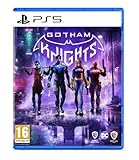
- Play as a New Guard of DC Super Heroes – Step into the roles of Batgirl, Nightwing, Red Hood and Robin and shape Gotham’s newest protector to create your own version of the Dark Knight.
- Action-Packed, Original Story Set in DC’s Batman Universe – With the Belfry as their base of operations, this new era of heroes will solve mysteries that connect the darkest chapters in Gotham’s history – from its soaring towers to its underground criminal network. Embark on rich storylines,
- Explore and Fight Crime in an Open-World Gotham City – Patrol the dark streets of five distinct boroughs in a dynamic, interactive Gotham using a variety of traversal abilities and heroic combat moves, as well as the iconic Batcycle. From street-level crimefighting to face-offs with iconic DC Super-Villains, save the city from descent into chaos.
- Unique Character Abilities and Customization – Each hero has unique abilities, gear, weapons and a customizable suit. Batgirl wields her melee tonfa Nightwing uses his signature dual escrima sticks; Red Hood has trained to reach peak human strength; and Robin is expertly skilled with his collapsible quarter staff.
- Please note that although this game is Region Free or Region Unlocked and will work on all systems, this is the international version and may differ from the local version in age rating, labeling or instructions.
Fixes for PC using Steam
WB’s PC troubleshooting steps are specifically for Steam. Work through the lower-risk checks first, changing one thing at a time so you can tell whether the crash behavior changes.
- Update graphics and audio drivers. Check for current drivers for your GPU and sound device.
- Check Windows Update. WB’s guidance includes checking for Windows and DirectX updates; the game requires DirectX 12.
- Return overclocked components to manufacturer specifications. If you have overclocked the CPU, GPU, or memory, restore default settings before testing again.
- Verify the Steam game files. In Steam, open the game’s properties and use the installed-files option to verify integrity. This checks for damaged or missing files and can replace them.
- Reduce graphics settings. If the game runs for a while before crashing or becomes unstable under load, try lower settings and test again.
- Check antivirus interference. See whether your security software quarantined a game file or is blocking the game. Restore or allow files only when you can verify they belong to the legitimate game installation.
- Close unnecessary background applications. WB also identifies background apps as a possible source of interference.
WB additionally suggests temporarily disabling certain keyboard RGB settings as a diagnostic check. It also describes a Windows clean boot, but cautions that clean-boot instructions should be followed carefully. These are troubleshooting options rather than required steps for every player; consult WB’s PC Troubleshooting (Steam) page for the full instructions.
Rank #2

- Batman is dead. A new expansive, criminal underworld has swept the streets of Gotham City. It is now up to the Batman Family; Batgirl, Nightwing, Red Hood, and Robin; to protect Gotham, bring hope to its citizens, discipline to its cops, and fear to its criminals
- From solving mysteries that connect the darkest chapters in the city’s history to defeating notorious villains in epic confrontations, you must evolve into the new Dark Knight and save the streets from descent into chaos
- Gotham Knights is an open-world, action RPG set in the most dynamic and interactive Gotham City yet. In either solo-play or with one other hero, patrol Gotham’s five distinct boroughs and drop in on criminal activity wherever you find it
- Preorder bonus is included in the package
Check that your PC meets the published requirements
Before blaming the game or changing hardware, compare your PC with WB Games’ published requirements. The figures below come from its requirements page, which does not display a publication year. They describe minimum and recommended configurations—not typical crash causes or a guarantee that a system will never crash.
| Requirement | Minimum | Recommended |
|---|---|---|
| Operating system | Windows 10 64-bit | Windows 10 64-bit |
| Processor | Intel Core i5-9600K or AMD Ryzen 5 3600 | Intel Core i7-10700K or AMD Ryzen 5 5600X |
| Memory | 8 GB RAM | 16 GB RAM |
| Graphics | NVIDIA GeForce GTX 1660 Ti or AMD Radeon RX 590 | NVIDIA GeForce RTX 2070 or AMD Radeon RX 5700 XT |
| DirectX | Version 12 | Version 12 |
| Available storage | 45 GB | 45 GB |
| Target listed by WB | 1080p, 60 fps, low quality | 1080p, 60 fps, high quality |
Meeting the minimum tier does not rule out a driver, file, settings, or software conflict. Conversely, a crash by itself is not a reason to buy a graphics card or other component: try the supported software and file checks first.
Rank #3

- Play as a New Guard of DC Super Heroes – Step into the roles of Batgirl, Nightwing, Red Hood and Robin and shape Gotham’s newest protector to create your own version of the Dark Knight.
- Action-Packed, Original Story Set in DC’s Batman Universe – With the Belfry as their base of operations, this new era of heroes will solve mysteries that connect the darkest chapters in Gotham’s history – from its soaring towers to its underground criminal network. Embark on rich storylines, including face-offs against some of the most infamous DC Super-Villains, such as Mr. Freeze, who is set on engulfing Gotham City in ice, and the mysterious Court of Owls, a secret society made up of Gotham City’s wealthiest families.
- Explore and Fight Crime in an Open-World Gotham City – Patrol the dark streets of five distinct boroughs in a dynamic, interactive Gotham using a variety of traversal abilities and heroic combat moves, as well as the iconic Batcycle. From street-level crimefighting to face-offs with iconic DC Super-Villains, save the city from descent into chaos.
- Unique Character Abilities and Customization – Each hero has unique abilities, gear, weapons and a customizable suit. Batgirl wields her melee tonfa Nightwing uses his signature dual escrima sticks; Red Hood has trained to reach peak human strength; and Robin is expertly skilled with his collapsible quarter staff.
- Team Up in Two-Player, Online Co-Op – Play Gotham Knights solo or team up with a friend and combine strengths to protect Gotham City in two-player, online co-op.
What the patch history can—and cannot—tell you
WB’s patch notes document targeted fixes across launch-era updates. They are useful context if your crash resembles an old issue, but they do not establish that every crash was fixed or that those problems persist in the current version.
- October 26, 2022, PC: WB reported fixes for crashes in the S.T.A.R. Labs “free the scientists” fight and the Harley Quinn Hospital Boss Fight, and a crash related to AMD shadows. The notes said Nvidia Ansel compatibility issues were still under investigation at that time. Read the dated PC notes.
- November 7, 2022, PC: WB listed fixes for crashes when joining a Steam friend and dismantling currently equipped gear, along with other crash fixes and a server-side co-op connection stability update. Read the dated PC notes.
- November 3, 2022, consoles: WB described multiple crash fixes, framerate stability optimization, dynamic resolution, and a server-side co-op stability update. Read the dated console notes.
- April 27, 2023, PC: WB fixed a rare crash scenario involving a PS5 controller set as the default audio device and a Photo Mode crash involving keyboard camera-roll input. Read the dated PC notes.
If the crashes continue
Use the official Gotham Knights support hub for the current support path. When reporting the problem, describe your platform, whether it happens on launch or during a specific activity, and which troubleshooting steps you have already tried. That detail can help distinguish an installation or configuration issue from a repeatable game-specific failure.
Quick Recap
Best Value
Rank #4

- Batman is dead. A new expansive, criminal underworld has swept the streets of Gotham City. It is now up to the Batman Family; Batgirl, Nightwing, Red Hood, and Robin; to protect Gotham, bring hope to its citizens, discipline to its cops, and fear to its criminals
- From solving mysteries that connect the darkest chapters in the city’s history to defeating notorious villains in epic confrontations, you must evolve into the new Dark Knight and save the streets from descent into chaos
- Gotham Knights is an open-world, action RPG set in the most dynamic and interactive Gotham City yet. In either solo-play or with one other hero, patrol Gotham’s five distinct boroughs and drop in on criminal activity wherever you find it
Product prices and availability are accurate as of the date/time indicated and are subject to change. Any price and availability information displayed on Amazon at the time of purchase will apply.




