Do these 3 things before closing this tab:
1Scan for outdated or missing drivers - takes under a minute2Clear out junk files and repair common Windows errors3Fix the driver behind crashes, sound loss and screen glitchesgraphics2d.dll is a Steinberg application file, not a standard Windows DLL. The safest fix is to identify the Steinberg program that needs it, then repair or reinstall that complete application from Steinberg’s official installer.
What this file actually does
Public installation records and crash reports place graphics2d.dll inside Steinberg applications such as Cubase, Nuendo, Dorico and Steinberg MediaBay. It normally belongs in the application’s own folder, for example:
C:Program FilesSteinbergCubase 11graphics2d.dll
The file is not a normal Windows component, and it should not normally be copied to C:WindowsSystem32 or C:WindowsSysWOW64. Steinberg does not publish graphics2d.dll as a standalone redistributable with a universal version.
The wording of the error matters. A missing-file message usually indicates an incomplete, damaged or quarantined installation. An entry-point error often indicates that the DLL and the rest of the application are from incompatible releases or that Windows lacks a required API. A crash report naming graphics2d.dll as the faulting module does not necessarily mean the file itself is defective.
#1 Best Overall
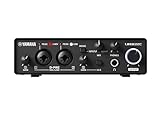
- 32-bit Integer/192 kHz USB 3.0 audio interface with 2 x 2 analog I/O and MIDI I/O
- 2 analog XLR/TRS combo inputs with Class-A D-PRE mic preamps supporting +48 V phantom power and one Hi-Z and 2 TRS main outputs
- Rugged full-metal housing for ultimate durability
- Latency-free DSP-powered monitoring with REV-X reverb, Channel Strip, and Guitar Amp Classics (VST 3 and AU plug-in versions also included)
- Cross-platform compatibility for Windows, macOS and iOS with Cubase AI, Steinberg Plus, and dspMixFx application included
Diagnose the error before changing files
| What you see | Most likely explanation | First action |
|---|---|---|
| “graphics2d.dll is missing” or “was not found” | Incomplete installation, deletion or antivirus quarantine | Repair or reinstall the matching Steinberg application |
imagegenerator.dll is missing too |
An update or partial installer did not deploy all application files | Use the complete Steinberg installer |
“Entry Point Not Found” and GetDpiForWindow |
Windows version is incompatible with that Steinberg release | Check Windows compatibility and update Windows |
The program closes and a report names graphics2d.dll |
Driver, project, preference, hardware or companion-file problem | Test a blank project and update relevant drivers |
| Only one project crashes | Project content, plug-in or project-specific state | Open a blank project and use safe-start options |
| Every Steinberg application crashes | Shared driver, Windows, security or hardware problem | Investigate system-wide causes rather than replacing the DLL |
Also note which executable is involved. Cubase.exe, Nuendo.exe, Dorico or MediaBay may use different application folders and different matching DLL builds. Do not assume that a copy from one Steinberg product is suitable for another.
Fix 1: Repair or reinstall the complete Steinberg application
This is the most likely solution when the error appeared after a fresh installation, update or migration to another computer.
Identify the affected installation
- Read the full error message and note the application name.
- Right-click the application shortcut and select Properties.
- On the Shortcut tab, read the Target path.
- Open that folder in File Explorer.
- Check whether
graphics2d.dllis present beside the application executable.
If the file is absent, do not download a replacement from a search result. The application installer must restore the correct file and its matching companion files.
Remove or repair the application
- Close the Steinberg application and any related background processes.
- Press Windows key + I.
- Select Apps, then Installed apps on Windows 11. On Windows 10, select Apps and then Apps & features.
- Find the affected Cubase, Nuendo, Dorico or other Steinberg entry.
- Select the three-dot menu, then choose Uninstall. If a Repair option is offered, try it first.
- Restart Windows after the repair or uninstall completes.
Removing the application should not be treated as permission to delete projects, templates, sample libraries or personal settings manually. Back up those items before making broader changes.
Install from Steinberg’s full installer
- Open Steinberg Download Assistant from the Start menu.
- Sign in if prompted.
- Select the exact product and edition that produced the error.
- Download the application installer, not only an update or content package.
- Allow the download to finish completely.
- If the download is a ZIP file, right-click it, select Extract All, and extract the entire archive to a local folder.
- Open the extracted folder.
- Right-click
Setup.exeand select Run as administrator. - Follow the installation wizard and keep the application and its DLLs together in the normal installation location.
- Restart Windows.
- Launch the application before restoring optional plug-ins or custom settings.
Older Steinberg installers may require you to extract the ZIP before running Setup.exe. Running setup from an incompletely extracted archive can reproduce the same missing-file problem.
A successful repair normally produces the following result: the application starts without the missing-DLL message, and graphics2d.dll is present in the affected Steinberg program folder. If the file returns but the application still fails, continue with the diagnosis below instead of replacing the file again.
Fix 2: Check antivirus quarantine
Security software can remove or quarantine an application DLL during installation or after an update.
Rank #2

- 24-bit/192 kHz USB 2.0 audio interface with 2 x 2 analog I/O
- Two combo inputs with mute button, Class A mic preamps and phantom power, plus one Hi-Z input
- Latency-free hardware monitoring and separate headphone output
- ST-M01 studio condenser microphone with low-noise microphone cable plus ST-H01 studio monitor headphones
- Cross-platform compatibility with Windows, macOS and iOS, plus Cubase AI, Cubasis LE, and WaveLab LE included
Windows Security
- Open Start and search for Windows Security.
- Select Virus & threat protection.
- Select Protection history.
- Look for an event involving
graphics2d.dll, the Steinberg installation folder or the Steinberg installer. - Open the event and record the original path.
- If the installer and file came from Steinberg and you trust that installation, follow Windows Security’s Restore or Allow on device option.
- Repair or reinstall the Steinberg application immediately afterward.
Do not broadly disable antivirus protection to make an unknown DLL work. If third-party security software removed the file, review its quarantine and exclusions using that product’s documented controls. An exclusion should be limited to the trusted Steinberg installation folder and should not be used to permit random DLL downloads.
If antivirus removes the file again after a clean official installation, stop launching the program and investigate the detection with the security vendor or Steinberg support.
Fix 3: Check Windows compatibility
An entry-point error is different from a missing-file error. One documented Dorico failure reported that GetDpiForWindow could not be found in graphics2d.dll on Windows 8.1. That points to an operating-system compatibility problem rather than a missing graphics library.
Check the product’s system requirements for the exact Steinberg release. If the application requires a newer Windows version:
- Press Windows key + I.
- On Windows 11, select Windows Update.
- On Windows 10, select Update & Security, then Windows Update.
- Select Check for updates.
- Install supported updates and restart.
- If the operating system is still below the application’s requirement, use a Steinberg release that supports it or upgrade Windows.
Do not try to solve a missing Windows API by copying another graphics2d.dll into the application folder. That can turn an entry-point error into a version mismatch or crash.
Recommended Free Tools
Fix 4: Check 32-bit and 64-bit compatibility
A 64-bit Windows installation does not make every application 64-bit. The important match is between the Steinberg application edition, its plug-ins and the files installed with that edition.
- Open Settings with Windows key + I.
- Select System, then About.
- Check System type.
- In the Steinberg application or installer documentation, confirm which application edition you installed.
- Repair or reinstall that exact edition from its official installer.
Do not copy a DLL from a 32-bit installation into a 64-bit application folder, or the reverse. Do not mix files from Cubase, Nuendo, Dorico and MediaBay even when the filenames are identical.
Rank #3

- Pro performance with great pre-amps - Achieve a brighter recording thanks to the high performing mic pre-amps of the Scarlett 3rd Gen. A switchable Air mode will add extra clarity to your acoustic instruments when recording with your Solo 3rd Gen
- Get the perfect guitar and vocal take with - With two high-headroom instrument inputs to plug in your guitar or bass so that they shine through. Capture your voice and instruments without any unwanted clipping or distortion thanks to our Gain Halos
- Studio quality recording for your music & podcasts - Achieve pro sounding recordings with Scarlett 3rd Gen’s high-performance converters enabling you to record and mix at up to 24-bit/192kHz. Your recordings will retain all of their sonic qualities
- Low-noise for crystal clear listening - 2 low-noise balanced outputs provide clean audio playback with 3rd Gen. Hear all the nuances of your tracks or music from Spotify, Apple & Amazon Music. Plug-in headphones for private listening in high-fidelity
- Everything in the box: Includes Pro Tools Intro+, Ableton Live Lite, Cubase LE, and Hitmaker Expansion: a suite of essential effects, powerful software instruments, and easy-to-use mastering tools
Fix 5: Test projects, preferences and plug-ins
If the application launches but crashes while opening or editing a project, graphics2d.dll may be the module where the failure became visible rather than the original cause.
Use this sequence:
- Start the Steinberg application without opening the problem project.
- Create or open a blank project.
- If the blank project works, make a backup copy of the affected project.
- Open the original project with third-party plug-ins disabled where the application provides that option.
- Use the application’s safe-start or preference-reset mode if available.
- Re-enable plug-ins and restore preferences gradually.
If only one project fails, focus on that project, its media, plug-ins and saved state. Reinstalling Windows or repeatedly replacing graphics2d.dll is unlikely to repair a single damaged project.
Free tools Windows power users keep installed
One-click scans. No signup required.
If every project fails, continue with driver and hardware checks.
Fix 6: Update graphics and audio drivers
Graphics processing and audio interfaces can affect Steinberg applications, particularly when the error appears as a crash rather than a missing-file dialog.
Update the graphics driver
- Right-click Start and select Device Manager.
- Expand Display adapters.
- Right-click the graphics device.
- Select Update driver.
- Choose Search automatically for drivers.
- Restart Windows.
For a clean reinstall, download the current driver from the graphics hardware manufacturer, run its installer, and select its clean-install option if offered. Avoid driver packages from unrelated download sites.
Check the audio driver
- In Device Manager, expand Sound, video and game controllers.
- Identify the audio interface or manufacturer entry used by Steinberg.
- Right-click it and select Update driver, or obtain the driver from the audio-interface manufacturer.
- Restart Windows.
- Test Cubase, Nuendo or Dorico with the updated driver selected.
Also review recent motherboard firmware, driver and security-software changes. Firmware updates should be performed only according to the motherboard manufacturer’s instructions.
Outdated Drivers Are Slowing You Down
One free scan finds every outdated or missing driver and matches the right update for your exact hardware.Free scan · exact hardware matchPC Slower Than It Used to Be?
A free scan shows the junk files, broken settings and background clutter dragging Windows down - then fixes them in one click.Free scan · Windows 10 & 11Manually checking graphics, chipset, motherboard and audio drivers can mean hunting through several vendor pages and guessing which package is stale. Outbyte Driver Updater can scan for outdated drivers, while the driver installation is completed by its full version; it is optional, and reinstalling the Steinberg application remains the definitive fix for a missing application DLL.
Fix 7: Test RAM and broader hardware stability
A crash naming graphics2d.dll can also be caused by unstable memory or another hardware fault.
Rank #4

- 2 x 2 USB 2.0 audio interface
- 24-Bit/192 kHz & Two Class-A D-PRE mic preamps
- Compatible with all major audio editing, mastering, and music production software
- MIDI input/output & iPad connectivity. System requirements: mac OS X 10.7/10.8/10.9/10.10/10.11 and windows 7 SP1/8/8.1/10
- Cubase AI and Cubasis LE included. Please refer the User Guide before use
- Press Windows key + R.
- Type
mdsched.exeand press Enter. - Select Restart now and check for problems.
- Let Windows complete the memory test.
- Review the result after Windows starts.
If the test reports errors, shut down the machine and follow the system or motherboard manufacturer’s memory-testing and replacement procedure. Do not treat a memory error as evidence that graphics2d.dll needs registration.
Fix 8: Repair Windows components when Windows itself is damaged
Use these commands when Windows has other symptoms, such as failed updates, damaged system components or unrelated applications failing. They do not reconstruct a missing Steinberg DLL.
What’s actually slowing this PC down?
Pick the symptom - the matching free tool is one click away.
- Open Start and type
Command Prompt. - Right-click Command Prompt and select Run as administrator.
- Run:
DISM.exe /Online /Cleanup-image /Restorehealth
- Wait for it to finish.
- Run:
sfc /scannow
- Restart Windows.
- Test the Steinberg application again.
DISM repairs the Windows component store. SFC checks protected Windows system files. If both complete successfully but graphics2d.dll is still absent, reinstall the Steinberg application rather than repeating these commands.
Repeatedly hunting through Windows repairs without knowing what changed can waste time. Outbyte PC Repair can scan for Windows issues, while repair actions are completed by its full version; it is optional, and the complete Steinberg installer remains the definitive fix for this application file.
Do not register or copy the DLL
regsvr32 is intended for DLLs that provide registration entry points such as DllRegisterServer. There is no evidence that Steinberg’s application-private graphics2d.dll is a COM or ActiveX component that requires registration.
Do not run:
regsvr32 graphics2d.dll
It may produce “DllRegisterServer was not found,” and it does not repair an incomplete Steinberg installation.
Likewise, do not place the file in System32 or SysWOW64. Do not download a similarly named file from a generic DLL website. Such files can contain malware, belong to unrelated software, use the wrong architecture or version, and leave the damaged Steinberg installation unresolved.
The safe sources are Steinberg Download Assistant, the official download page for the exact Steinberg product and edition, or an exact backup from the same release and architecture.
Best Value
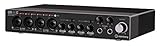
- Industry leading converters providing up to 32-bit/192 kHz audio resolution
- Super speed USB 3. 1 Gen 1 with USB-C for fast and reliable Connectivity to Mac, PC, and iOS devices
- Class-a D-PRE mic preamps to capture all the subtleties and expressiveness of any audio source
- Dspmixfx application for zero-latency monitoring with effects for every DAW
- Compatible with all major audio software, supports: ASIO, core audio, or WDM
If the error remains after reinstalling
Record the following before contacting Steinberg support:
- The Steinberg product and edition
- The application executable path
- The full
graphics2d.dllpath - Whether the error is missing-file, entry-point or crash-related
- Your Windows version and architecture
- The crash code, if shown
- Whether a blank project works
- Recent Windows, driver, firmware or antivirus changes
- Whether
imagegenerator.dllor other companion files are also missing
If reinstalling restores the file but the application still crashes, preserve the crash report. That evidence is more useful than trying additional copies of the DLL.
The Tool Desk
Outbyte Driver Updater FREEScan for outdated or missing drivers - takes under a minuteDriver Scan →Outbyte PC Repair FREEClear out junk files and repair common Windows errorsFree Scan →FAQ
Is graphics2d.dll a Windows file?
No verified evidence identifies it as a Windows component. It is associated with Steinberg applications and normally belongs in the Steinberg application folder.
Which program installed graphics2d.dll?
Public reports associate it with Cubase, Nuendo, Dorico and Steinberg MediaBay. Check the executable path and installation folder to identify the exact parent application on your computer.
Can I download graphics2d.dll separately?
There is no verified official standalone download identified for this file. Install the complete matching Steinberg product instead.
Should I copy it into System32?
No. Keep the application-private DLL beside the Steinberg executable that loads it.
Will Microsoft Visual C++ Redistributable fix it?
Only install a Visual C++ package when the error specifically names a dependent runtime such as VCRUNTIME140.dll or MSVCP140.dll. It is not a replacement for graphics2d.dll.
Why does the application crash even though the file exists?
The DLL may be the faulting module rather than the root cause. Check project-specific behavior, preferences, plug-ins, graphics and audio drivers, Windows compatibility, RAM and recent system changes.
Quick Recap
Product prices and availability are accurate as of the date/time indicated and are subject to change. Any price and availability information displayed on Amazon at the time of purchase will apply.




