Start with these checks
Before changing Windows files, answer three questions:
- Which program shows the error?
gsdx32-avx2.dllbelongs to the older GSdx graphics-plugin system used by 32-bit Windows releases of PCSX2, the PlayStation 2 emulator. - When does it fail? Note whether the message appears when PCSX2 starts, during first-time configuration, while opening the GS/plugin selector, or only when a game begins rendering.
- Which PCSX2 build is installed? The
32in the filename identifies a 32-bit plugin. A 64-bit Windows installation can still run a 32-bit PCSX2 application, but the plugin and the PCSX2 executable must match.
The safest repair is usually to restore the complete PCSX2 package that originally supplied the plugin. Do not begin by copying a DLL into System32, registering it, or downloading a replacement from a DLL index site.
What gsdx32-avx2.dll is
gsdx32-avx2.dll is the 32-bit AVX2 build of GSdx, a graphics-rendering plugin used by older Windows versions of PCSX2. It is an application file, not a Windows component.
The file normally sits in the legacy PCSX2 installation’s plugins folder. Historical PCSX2 logs identify GSdx files loading from that location, and PCSX2 1.6.0 documentation identifies a GSdx 1.2.0 AVX2 build. That does not mean every copy of the filename has the same internal version, size, or hash.
Do these 3 things before closing this tab:
1Scan for outdated or missing drivers - takes under a minute2Repair Windows errors before they cause bigger problems3Fix the driver behind crashes, sound loss and screen glitches#1 Best Overall

- 【Supported Operating System】The Game Controller is specifically designed for playing classic old school retro snes games on computer or laptop. Compatible with Windows 98 / ME / Vista / 2000/2003 / XP / 7 / 8 / 8.1 / 10/11, Mac OS X/ OS X 10.0 and beyond, Raspberry Pi, Raspberry PI 2 model B,Model A, Raspberry Pi 1 Model B+, Raspberry Pi 2,Raspberry Pi OS, Raspberry Pi 3 Model B+, Raspberry Pi 3, Raspberry Pi Zero.
- 【Simple USB Plug and Play】If your program or application accepts USB controller input, this classic game controller do not need install drivers or patches. 1.5 meter external cable(approx. 5 ft. Long). Notice: Please download the game emulator first before start the games, and then you must manually set the buttons and directionals within the emulator you're using, and the controller not automatically assigns buttons/directional axes. If on the Steam platform, you need to first enable Steam's "Universal Controller Configuration Support" and then restart Steam. After entering the game, you also need to manually bind key positions in the game
- 【High Sensitivity without Delay】Super sensitive buttons for precision control: 6 fire buttons, a 'Start' button and a 'Select' button, motion control cross. Play your favorite old school games with classic retro feel. Fits perfectly in the hand and also perfect for two player action.Note: Not applicable to Switch/PS games. Not Compatible with TV/ TV Box, third Mini Games Box and Tesla Model 3
- 【Supported Game Emulators】The game controller works with most emulators. Download any emulator you wish to download and use from Google and do the same with ROMS. Notice:Third party controller, not original controller. But it works phenomenal with the Raspberry Pi game emulation and so on
- 【Product Service】If you have any problem during use, send message to us and we will help you to solve the problem soon
The filename has two useful clues:
32means the plugin is built for a 32-bit host application.AVX2means it was compiled to use AVX2 processor instructions.
If the CPU does not support AVX2, the file can be present and still fail to load. PCSX2 may report that it is “not a valid dynamic library” or show error 1114, where a DLL initialization routine failed.
Errors associated with the file
You may see one of these Windows messages:
- “
gsdx32-avx2.dll was not found” - “The code execution cannot proceed because gsdx32-avx2.dll was not found”
- “The program can’t start because gsdx32-avx2.dll is missing from your computer”
PCSX2 may instead show:
- “File is not a valid dynamic library”
- “Failed to load shared library …”
- “error 1114: a dynamic link library (DLL) initialization routine failed”
A missing-file message does not always mean the named file has been deleted. The file may be present but unable to start because:
- the CPU lacks AVX2;
- a dependent runtime is missing;
- the file came from a different PCSX2 build;
- the
pluginsfolder was moved or partly extracted; - antivirus software quarantined it;
- the 32-bit plugin is being loaded by an incompatible host.
Work through the following fixes in order.
Fix 1: Check the original PCSX2 folder
First establish whether the file is actually missing.
- Close PCSX2.
- Right-click the PCSX2 shortcut and select Properties.
- On the Shortcut tab, read the Start in location or select Open File Location.
- Open the PCSX2 installation folder.
- Open its
pluginsfolder. - Look for
gsdx32-avx2.dll.
If the file is there, do not download another copy. Check the selected plugin, CPU compatibility, and runtime architecture in the later fixes.
If the plugins folder is absent, nearly empty, or contains files from several unrelated PCSX2 packages, treat the installation as incomplete. A portable PCSX2 archive must be extracted as a complete set. Copying one DLL into a damaged installation often creates a second problem because plugins depend on files from their own build.
Also check the Recycle Bin if the failure began after manual cleanup. Restore the original file only if it clearly came from the same PCSX2 installation.
Fix 2: Reinstall one complete, matching PCSX2 build
This is the most reliable repair for a genuinely missing, deleted, or corrupted plugin.
- Back up your PCSX2 memory cards, settings, and game-related files if they are stored inside the old installation folder.
- Uninstall the old PCSX2 installation if it has a normal uninstaller. Do not delete your backups.
- Download PCSX2 from its official project download source, not from a DLL repository or software mirror.
- Choose a build appropriate for the PCSX2 version you intend to use.
- If you are repairing a legacy setup that specifically expects
gsdx32-avx2.dll, use a complete matching legacy 32-bit package rather than mixing it with files from another release. - Extract the entire archive into a new folder, such as a dedicated PCSX2 folder under your user profile.
- Start PCSX2 from the executable included in that same folder.
- Open the GS or graphics-plugin selector and choose the plugin supplied by that installation.
- Start PCSX2 again and test the configuration before launching a game.
Success means PCSX2 opens without the missing-file message and the GS plugin appears in the selector. If the same error returns immediately, confirm that the shortcut points to the new executable rather than the old installation. Right-click the shortcut, select Properties, and inspect Target.
Rank #2

- MULTI-PLATFORM PLAY — Play on PC, Switch 2, Switch, Android & iOS. Connect via 2.4G, Bluetooth or USB-C. Not compatible with Xbox, PlayStation, Luna or GeForce Now
- TMR ANTI-DRIFT JOYSTICKS — High-sensitivity TMR sticks deliver smooth, precise control with 5+ million cycles—2.5X the 2-million-cycle benchmark of Hall sticks
- FULL MECHANICAL BUTTONS — ABXY buttons and D-pad use mechanical switches for crisp, tactile feedback and consistent actuation in FPS, fighting and action games
- 2 PROGRAMMABLE BACK BUTTONS — Assign jump, crouch or reload without lifting your thumbs. Program directly on the controller with no app or software
- DUAL-MODE TRIGGERS — Switch between smooth Hall Effect triggers for racing and fast micro-switch triggers for FPS and action games
Do not copy gsdx32-avx2.dll from one PCSX2 version into another. A plugin that has the right filename can still be the wrong build.
Fix 3: Check AVX2 support and select SSE4.1 if needed
The AVX2 suffix is functional, not decorative. An AVX2 plugin can fail on a processor that supports older instruction sets but not AVX2. An historical PCSX2 case documented a GSdx crash on an Intel i7-2600K, which supports AVX but not AVX2.
Use Windows to identify the processor:
- Press Windows + I.
- Select System.
- Select About.
- Record the processor model under Device specifications.
- Check that exact model’s instruction-set support in the processor manufacturer’s documentation.
Do not assume that a 64-bit version of Windows or a modern graphics card proves that the CPU supports AVX2. Windows bitness, GPU capability, and CPU instruction support are separate issues.
If the processor lacks AVX2:
- Open the old PCSX2 configuration utility or start PCSX2’s plugin configuration.
- Open the GS, Graphics, or Plugin selection screen.
- Select the available SSE4.1 GSdx plugin instead of
GSdx32-AVX2.dll. - Apply the change.
- Restart PCSX2 and test a game.
If no compatible SSE4.1 plugin is included, install a complete PCSX2 package that supports the processor or migrate to a current PCSX2 release. Do not force an AVX2 plugin to load.
Fix 4: Install the Visual C++ runtime with the correct architecture
A dependent Microsoft runtime can cause a plugin to fail even when gsdx32-avx2.dll is visibly present.
For a legacy 32-bit PCSX2 executable, the relevant package is normally the x86 Visual C++ Redistributable. The current PCSX2 Windows build has a different 64-bit architecture and requires the x64 runtime specified by PCSX2. Microsoft states that the redistributable architecture must match the application architecture.
- Open Microsoft’s Visual C++ Redistributable downloads page.
- Download the x86 package for the legacy 32-bit PCSX2 host.
- Run the installer.
- Select Install, or select Repair if the package is already installed.
- Restart Windows.
- Launch PCSX2 from its matching installation folder.
Installing only the x64 package will not satisfy a 32-bit PCSX2 executable. Conversely, installing x86 does not turn a current 64-bit PCSX2 installation into a legacy 32-bit environment.
Older applications can also depend on earlier Visual C++ redistributables. Microsoft’s v14 package does not universally replace every Visual C++ 2013 or earlier dependency; those runtimes may remain installed side by side. If a clean, matching PCSX2 package still reports a dependency error, check the PCSX2 release documentation for the runtime it expects rather than installing random runtime files.
The Tool Desk
Outbyte Driver Updater FREEScan for outdated or missing drivers - takes under a minuteDriver Scan →Outbyte PC Repair FREERepair Windows errors before they cause bigger problemsFix Now →Rank #3

- [Ergonomics] Improved ergonomics for extended play time: As a full-featured controller, the wireless controller delivers accurate and responsive gaming speeds. Compact and ergonomic shape ensures a few hours of comfort on your PC
- [Wireless] Flexible and highly integrated game board (with USB receiver) with 2.4G wireless connection, support for Windows XP/Win 7/8/10/PS3/ (Android system must support OTG function), operating distance range 0- 10 m.
- [Improved design] 1) The new left and right shoulder button design is easy to use; 2) 12 function keys 3) Support 2 handles at the same time (requires game support)
- High-performance chip] The controller control board uses a high-performance chip, which has good stability and basically zero game delay.
- [Intelligent power saving mode] Through the intelligent sleep/wake function and power on/off button, it can effectively improve battery life and extend charging time.
Fix 5: Check Windows Security quarantine
Antivirus protection may have removed or isolated the plugin.
- Select Start.
- Type Windows Security and open it.
- Select Virus & threat protection.
- Select Protection history.
- Review recent detections.
- Open a relevant entry and verify the detected file path.
Restore or allow the file only when all of these are true:
- the path points to your PCSX2 installation;
- the file came from a legitimate, complete PCSX2 package;
- you have verified that the package is trustworthy;
- the detection is consistent with a false positive.
Microsoft warns that restoring a genuinely malicious file can put the device at risk. If the source is uncertain, do not allow the file. Remove the questionable installation and reinstall PCSX2 from its official source instead. Do not broadly disable antivirus protection to make a DLL load.
Fix 6: Update graphics drivers if GSdx loads but crashes
A graphics driver update will not recreate a missing gsdx32-avx2.dll, but it can help when the plugin loads and PCSX2 crashes during rendering.
Through Windows Update
- Press Windows + I.
- Select Windows Update.
- Select Check for updates.
- Install available updates.
- Restart Windows.
- Test PCSX2 again.
Through Device Manager
- Right-click Start.
- Select Device Manager.
- Expand Display adapters.
- Right-click your graphics adapter.
- Select Update driver.
- Choose Search automatically for drivers.
- Restart if Windows installs an update.
For the newest driver, use the graphics processor manufacturer’s official support page. Match the driver to the GPU model and Windows architecture. If the crash began immediately after a driver update, return to Device Manager, open the adapter’s Properties, select the Driver tab, and use Roll Back Driver if the button is available.
Hunting through many driver packages and repeating updates without knowing what changed can take longer than the repair itself. Outbyte Driver Updater can scan for outdated drivers; its free scan identifies issues, while driver installation is handled by the full version. Reinstalling the correct PCSX2 package remains the definitive fix for a missing GSdx file.
Fix 7: Repair Windows components only when Windows itself is damaged
gsdx32-avx2.dll is not a protected Windows system file, so SFC and DISM normally will not recreate it. Use them when Windows features, installers, or other system components are also malfunctioning.
Run DISM first:
- Select Start.
- Type Command Prompt.
- Select Run as administrator.
- Enter:
DISM /Online /Cleanup-Image /RestoreHealth
- Wait for the operation to finish.
- Restart Windows.
Then open an elevated Command Prompt again and enter:
Outdated Drivers Are Slowing You Down
One free scan finds every outdated or missing driver and matches the right update for your exact hardware.Free scan · exact hardware matchPC Slower Than It Used to Be?
A free scan shows the junk files, broken settings and background clutter dragging Windows down - then fixes them in one click.Free scan · Windows 10 & 11sfc /scannow
Wait until verification reaches 100 percent, then restart and test PCSX2.
Rank #4
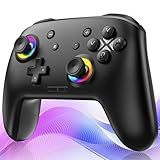
- ✨Wake Up & C-Button:The switch 2 controllers Wake up with one click of the Home Button, light press to instantly turn on Switch 2/1 and play anytime.(*Notice: If Can't Wake Up Switch2? Contact support for an upgrade to fix it.) Press C Button to quick-access chat—stay connected in-game and enjoy social gaming. (*Chat function is limited to Switch2 console ) *Please refer to the enclosed tutorial for specific instructions in the package.Bluetooth Gamepad also make a great Christmas gift.
- 🎮Multi-compatibility & Programmable Fution:This switchs controller compatible with Switch2/1/lite/oled,PC,IOS and Android.This game controller supports Bluetooth and wired connectivity.The switch controllers features 2 additional programmable buttons on the back, can record up to 30 seconds of action combos to enhance your gaming convenience and experience.Additionally, the ABXY layout can be switched to fit your style.
- 🚀Hall Effect Joysticks & Tubro Fution:The wireless controller upgraded Hall Effect sensors deliver a more powerful and precise control experience for smoother and more responsive movement in games. This switch remote joystick gamepad can be set to Auto or Manual Tubro mode. There are 3 adjustable speeds: 5 shots/s, 10 shots/s or 15 shots/s.
- ⚡Vibrate Funtion & Gyro Sensor:This gaming controller features built-in dual vibration motors with low, medium, and high intensity settings, delivering subtle and precise haptic feedback. Equipped with a 6-axis gyroscope sensor, it accurately captures tilt angles and responds swiftly, providing highly sensitive and realistic motion control for interactive gaming experiences and greater immersive fun.
- 🔋1000mAh Battery & 9-Color RGB LEDs:This switch controller using the included USB Type-C fast-charging cable, a full charge takes only 3 to 4 hours, and it can last for 10 to 20hours even with the LED lights on.This bluetooth controller offers 9 customizable RGB lighting effects, which can also be turned off to save battery or for outdoor use.
If SFC reports that it repaired files, test PCSX2 after the restart. If both commands complete without changing the error, return to the PCSX2 folder, CPU, runtime, and antivirus checks. Running these commands repeatedly will not manufacture a third-party GSdx plugin.
When manually tracking corrupted components means hunting through several repair steps and guessing what changed, Outbyte PC Repair can scan and show detected issues; its free scan identifies problems, while repairs are handled by the full version. It is optional, and reinstalling PCSX2 remains the definitive fix for this application file.
Independent reader supportYour contribution helps us test, update, and keep practical guides available for everyone.Do not use regsvr32 for GSdx
Do not run:
regsvr32 gsdx32-avx2.dll
GSdx is a private application plugin, not a COM or ActiveX component intended for registry registration. regsvr32 is used for DLLs that expose registration entry points such as DllRegisterServer. A GSdx plugin does not become usable by being registered, and the command may produce an entry-point error.
What’s actually slowing this PC down?
Pick the symptom - the matching free tool is one click away.
The same warning applies to copying the file into:
C:WindowsSystem32C:WindowsSysWOW64
Those folders are not the normal home for this plugin. System32 copying can also hide the real problem and cause another application to load the wrong file.
Windows Features are not a source for GSdx. Opening Turn Windows features on or off will not install this PCSX2 plugin.
Avoid standalone DLL downloads
Downloading gsdx32-avx2.dll from a random DLL website is risky because the file may contain malware, come from the wrong PCSX2 release, use the wrong architecture, or lack its required dependencies. It also leaves the installation mixed if the original plugins folder is damaged.
Use a complete PCSX2 package from the official PCSX2 project instead. Extract it intact, keep its executable and plugins together, and use the plugin supplied with that build.
Recommended Free Tools
When to move to current PCSX2
Current PCSX2 Windows builds use a newer 64-bit architecture and no longer follow the old 32-bit GSdx plugin workflow. Migration is sensible when:
- the old PCSX2 package is unavailable or incomplete;
- the processor cannot run AVX2;
- the installation contains mixed files;
- the old plugin repeatedly crashes;
- you want an actively maintained setup.
Download the current build from PCSX2’s official source, use its complete installer or portable archive, and follow its current requirements. Do not treat current 64-bit instructions as an exact replacement for every legacy configuration. Preserve memory cards and settings before removing the old installation.
Best Value

- 🎮【Newly Enhanced】1. Added support for host SW 2 connection. 2.Now supports the C function on Switch 2 — chat directly with your team. 3.Minimized Hall Stick drift for enhanced precision. 4.Fully upgraded key buttons for improved performance and responsiveness.
- 🎮【Customizable Back Buttons】The switch controller includes 2 extra programmable buttons on the back, allowing you to assign custom combos or actions — such as AR/AL = A+B+Y+L+ZL+R+ZR+D-pad. This pc controller also supports recording up to 30 seconds of gameplay for added convenience. Additionally, the ABXY button layout can be freely switched to suit your different gaming style.
- 🎮【Large Capacity Battery】Stop scrambling for a charger. The built-in 1000 mAh high-density cell delivers hours of non-stop play on a single charge, so you can finish that final boss fight—or five—without interruption. The shell is molded from tough, lightweight ABS and finished with a curved, frosted texture and micro-ridged grips, keeping wireless controller securely in your hands even during the most intense sessions.
- 🎮 【Universal Cross-Platform Support 】One Controller, every screen. Pair instantly with Nintendo Switch 2 / Switch / Lite / OLED, then jump to Windows 7+, macOS, iOS, and Android devices (including smart-TVs and TV boxes running Android 6.0+). Plug-and-play wireless or wired modes keep latency low and pairing painless—no dongles, no drivers, no drama.(Note: not compatible with Xbox or PlayStation consoles.)
- 🎮【Precision Hall Effect Joysticks】Dual Hall-effect sensors eliminate traditional wear-and-tear parts, delivering drift-free, pixel-perfect analog input for life. Glide through 360° landscapes or snap to targets with micro-meter accuracy—no dead-zone calibration, no creeping offset, just buttery-smooth control that keeps its edge long after the final boss falls.
FAQ
Is gsdx32-avx2.dll part of Windows?
No. It is a PCSX2 GSdx application plugin and should normally be inside the old PCSX2 plugins folder.
Does 32 mean I need 32-bit Windows?
No. 64-bit Windows can run a 32-bit PCSX2 application. The important match is between the PCSX2 executable and the plugin.
Free tools Windows power users keep installed
One-click scans. No signup required.
Does AVX2 refer to my graphics card?
No. AVX2 refers to CPU instructions. A graphics card update cannot make a CPU support AVX2.
Why does PCSX2 say the file is not a valid dynamic library?
That message can indicate an AVX2-incompatible CPU, a mismatched plugin, a missing dependency, or a damaged file. It does not prove that the DLL is absent.
Will the x64 Visual C++ runtime fix a legacy PCSX2 error?
Not necessarily. A 32-bit PCSX2 host generally needs the x86 runtime. The runtime architecture must match the application.
Should I use System Restore?
Use it only as a last resort after a known recent change. Open Start, search Create a restore point, select System Restore, choose a restore point from before the problem, and review the affected applications before confirming. Restore can revert applications, settings, and updates.
Quick wins for a faster PC:
Fix the driver behind crashes, sound loss and screen glitchesFind Drivers →Repair Windows errors before they cause bigger problemsFix Now →Scan for outdated or missing drivers - takes under a minuteDriver Scan →What information matters if the problem remains?
Record the exact PCSX2 version, whether the executable is 32-bit or 64-bit, the CPU model and AVX2 support, the full error text, the plugin path, Windows Security history, and whether the failure happens before or after selecting a renderer.
Quick Recap
Product prices and availability are accurate as of the date/time indicated and are subject to change. Any price and availability information displayed on Amazon at the time of purchase will apply.




