
The two-disc version of Grand Theft Auto V is the original physical Xbox 360 release from 2013. Disc 1 is the mandatory Install Disc; Disc 2 is the Play Disc. Install Disc 1 to the console’s storage, then remove it and use Disc 2 for normal play. You should not need to swap discs during the campaign or while playing GTA Online.
What each Xbox 360 disc does
| Disc | Role | When you use it |
|---|---|---|
| Disc 1 | Mandatory installation disc | Initial setup and later reinstallations |
| Disc 2 | Play and launch disc | Every normal play session |
The discs are not separate versions of the game. One is not the single-player disc and the other is not a multiplayer disc. Both modes use the installed game data and Disc 2.
| # | Preview | Product | Price | |
|---|---|---|---|---|
| 1 |

|
Grand Theft Auto V - Xbox 360 (Renewed) | $17.51 | Buy on Amazon |
| 2 |

|
Grand Theft Auto V - Xbox 360 | $31.99 | Buy on Amazon |
| 3 |

|
Grand Theft Auto V | $39.98 | Buy on Amazon |
| 4 |
|
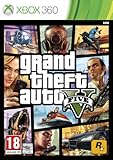
Take 2 GTA V Grand Theft Auto 5 Xbox 360 | $51.91 | Buy on Amazon |
| 5 |

|
Grand Theft Auto IV (Renewed) | $16.35 | Buy on Amazon |
As an Amazon Associate I earn from qualifying purchases.
Why did Xbox 360 need two discs?
The Xbox 360 retail copy used DVDs, which offered less capacity than the Blu-ray disc used by the PlayStation 3 version. GTA V was also unusually large and data-heavy for its generation. Its open world had to stream buildings, roads, terrain, vehicles, pedestrians, radio, missions, and other assets as the player moved through Los Santos and Blaine County.
Rockstar therefore divided the Xbox 360 package between a mandatory local installation and a disc used during gameplay. The arrangement was not simply a case of putting “half the game” on each disc or creating a disc swap halfway through the story. It was a storage-and-streaming solution designed around the Xbox 360’s hardware and DVD format. Contemporary reporting on Rockstar’s announcement described the Install Disc and Play Disc roles.
#1 Best Overall
- The biggest, most dynamic and most diverse open world ever created and now packed with layers of new detail.
- Grand Theft Auto V blends storytelling and gameplay in new ways as players repeatedly jump in and out of the lives of the game's three lead characters, playing all sides of the game's interwoven story.
- Grand Theft Auto V also comes with Grand Theft Auto Online, the dynamic and ever-evolving Grand Theft Auto universe for multiple players.
The correct Xbox 360 installation procedure
- Start the Xbox 360 with its internal hard drive or supported USB storage connected.
- Insert Disc 1, labelled “Install Disc.”
- Accept the installation prompt and choose the recognized console storage.
- Allow the installation to finish without interrupting it.
- Eject Disc 1.
- Insert Disc 2, labelled “Play Disc.”
- Launch GTA V from Disc 2 and leave that disc in the console for future sessions.
The launch-era requirement was commonly described as approximately 8 GB, but the practical amount of free space can vary with updates, system data, and dashboard overhead. Leave more space than the historical minimum where possible. Contemporary coverage reported the approximate 8 GB installation.
Should you install Disc 2 as well?
No—not as part of the standard setup. Rockstar advised Xbox 360 owners not to install the Play Disc to the same storage location. The game was designed to stream data using the installed content and the optical disc through separate data paths. Contemporary player reports associated installing Disc 2 with texture pop-in and delayed environmental loading. That does not mean every player would experience severe problems, but “install everything” was not automatically the best configuration.
The safer arrangement is:
- Install Disc 1.
- Do not install Disc 2 unless you have a specific, well-understood reason to accept the possible trade-off.
- Use Disc 2 as the launch and gameplay disc.
See the contemporary discussion of the Xbox disc setup and reported streaming symptoms for the original warning and player observations.
Crashes, No Sound, or Screen Glitches?
Random freezes, missing sound and display glitches usually trace back to one bad driver. Find and replace yours safely.Free scan · under a minuteWindows Errors? Fix Them Before They Spread
Repair common Windows errors and clear accumulated junk for a smoother, more stable PC - no reinstall needed.Free scan · no reinstallRank #2
- The biggest, most Dynamic and most diverse open world ever created and now packed with layers of new detail
- Grand Theft Auto V blends storytelling and gameplay in new ways as players repeatedly jump in and out of the lives of the game's three lead characters, playing all sides of the game's interwoven story
- Grand Theft Auto V also comes with Grand Theft Auto Online, the Dynamic and ever evolving Grand Theft Auto universe for multiple players
Do you swap discs while playing?
Normally, no. The intended routine is a one-time change after installation: Disc 1 goes in first, then Disc 2 replaces it. Disc 2 should remain in the console when you start missions, move around the open world, switch between story mode and multiplayer, or return for another play session.
Why does the PS3 version have only one disc?
The retail PS3 edition used one Blu-ray disc, whose greater capacity allowed the package to fit on a single disc. It still required a substantial mandatory installation to the PS3 hard drive, however. The comparison is:
- Xbox 360: two DVDs—Disc 1 installs data, while Disc 2 is used to play.
- PS3: one Blu-ray disc supplies the installation and remains in the console for play.
Do not search for a second disc if you own the original PS3 retail edition. One Blu-ray plus the required hard-drive installation is the expected arrangement. The Xbox 360 and PS3 disc differences were reported at the original release.
Rank #3
- This Certified Refurbished product is tested and certified to look and work like new. The refurbishing process includes functionality testing, basic cleaning, inspection, and repackaging. The product ships with all relevant accessories, a minimum 90-day warranty, and may arrive in a generic box.
Is Disc 1 useless after installation?
For ordinary play, usually yes: store Disc 1 safely and keep Disc 2 available. Disc 1 may be needed again if you delete the installation, replace or reformat the console’s storage, move the game to another Xbox 360, or rebuild corrupted installation data.
Do these 3 things before closing this tab:
1Clear out junk files and repair common Windows errors2Scan for outdated or missing drivers - takes under a minute3Repair Windows errors before they cause bigger problemsWhat if one disc is missing?
The two Xbox 360 discs are not interchangeable.
- Missing Disc 1: you may be unable to perform the mandatory installation if the existing installation data is deleted or unavailable.
- Missing Disc 2: you generally cannot launch and play the physical Xbox 360 copy normally.
- Damaged Disc 1: installation may fail even if Disc 2 is readable.
- Damaged Disc 2: the game may fail to launch or produce read errors during play even when Disc 1 installed correctly.
If you are buying a used copy, confirm that both discs are included. Check for deep scratches, cracks around the centre ring, peeling or delamination, and replacement discs from a different edition. A digital license is not automatically a substitute for a missing physical disc; licensing and platform availability are separate questions.
Troubleshooting an Xbox 360 installation
If installation will not start or finish
- Confirm that the console has adequate free storage.
- Make sure the Xbox 360 recognizes the internal hard drive or compatible USB storage.
- Clean the disc from the centre outward with a soft microfiber cloth.
- Inspect the disc for deep scratches, cracks, or layer damage.
- Restart the console and try the installation again.
- Test whether other Xbox 360 games install successfully.
If only Disc 1 fails, the disc itself is a likely suspect. If several games fail to install, investigate the optical drive or storage device instead. Cleaning can remove residue, but it cannot repair a cracked or badly damaged disc.
Rank #4
- Open world with mission based story line
- Jump, run, swim and use vehicles to navigate
- Use hand-to-hand combat, firearms or explosives to fight enemies
- Base jumping and scuba diving
- Metacritic 97 out of 100
If the game launches but shows texture pop-in
First confirm that only Disc 1 was installed and that Disc 2 is being used as the Play Disc. Then check whether the storage device is healthy and whether Disc 2 is readable. Texture pop-in does not by itself prove that the disc is counterfeit or that the console is failing; it can also be associated with the nonstandard choice to install the Play Disc.
If installation data may be corrupted
Delete only the relevant GTA V installation data, not unrelated save files, and reinstall from Disc 1. Make sure the reinstall completes before switching back to Disc 2.
How later editions differ
PS4, Xbox One, PS5, Xbox Series X|S, PC, and digital editions use installation models designed for newer hardware, larger local drives, patches, and downloads. Their physical-disc arrangements are edition-dependent and should not be used to infer how the original Xbox 360 copy works.
Best Value
- Disc only. Original case and manual not included. Will come packaged in a generic case.
- This renewed game has been cleaned, tested, and shows minimal wear.
On newer consoles, a physical disc may be used primarily to initiate installation or verify ownership after the game data is installed locally, but this is not a universal rule for every release. PC physical editions likewise use PC installation or download systems rather than the original Xbox 360 Install Disc/Play Disc procedure. A listing that says “two discs” should be checked carefully for its platform, edition, and completeness.
For a broader cross-platform summary, see this overview of the different GTA V release formats.
Quick Recap
Quick identification checklist
- Two DVDs marked Install Disc and Play Disc: original Xbox 360 physical release.
- One Blu-ray with a required hard-drive installation: original PS3 physical release.
- Modern console or PC packaging: follow that edition’s own installation instructions.
- Only Disc 2 in a used Xbox 360 case: incomplete if you may need to reinstall.
Product prices and availability are accurate as of the date/time indicated and are subject to change. Any price and availability information displayed on Amazon at the time of purchase will apply.
The Tool Desk
Outbyte Driver Updater FREEFix the driver behind crashes, sound loss and screen glitchesFind Drivers →Outbyte PC Repair FREERepair Windows errors before they cause bigger problemsFix Now →
