If Honkai: Star Rail hangs on the loading screen, start by switching networks, restarting the game and device, and checking for updates. A hang on the train screen can be network-related—especially alongside login errors 1001 or 400_0—but it can also have another cause. Work through the checks below that match what you see before reinstalling or contacting HoYoverse support.
Start with the basic checks
HoYoverse’s general guidance for a loading-screen hang is to try a different network, clear the game cache if your platform offers that option, confirm the game is up to date, and wait a short while before trying again. If those steps do not help, reinstalling is a later option—not the first one to try. See HoYoverse’s general loading-screen troubleshooting guidance, updated September 24, 2025.
- Switch connections. Try another available network, such as mobile data instead of Wi-Fi, or a different Wi-Fi network.
- Restart the game and device. Close the game fully, restart your device, then launch the game again.
- Clear the cache if available. The exact option depends on the platform and client; do not delete unrelated game data.
- Check for an update. Install any available game update, then retry.
- Wait briefly and retry. If it still hangs, move to the symptom-specific checks below.
If it is stuck on the train screen or shows a login error
HoYoverse associates train-screen hangs and errors such as 1001 and 400_0 with possible network problems. That is a useful clue, not proof that every loading hang is caused by your connection. Its train-screen troubleshooting article and login-error guidance recommend checking the network environment.
- Restart both the device and router.
- Try another connection to see whether the behavior changes.
- Temporarily disable VPNs, proxies, or third-party network software, then test again.
- Set DNS to automatic if you had changed it manually.
If the game remains stuck, contact support and include the diagnostic details listed below. The train-screen support guidance also describes a Windows Registry change; it is an advanced, Windows-only step, not a routine first fix.
#1 Best Overall

- Brand new. UK Import PAL version. Game in English. UK PSN account may be required for any online features.
Optional Windows Registry step
HoYoverse’s train-screen article directs users to delete two specified folders under HKEY_CURRENT_USERSoftware. Only consider that step if you are comfortable using Registry Editor and are following the exact instructions in the official article. Registry changes can affect Windows applications, so do not delete other keys or folders, and skip this step if you are unsure.
If the game seems frozen or its resources may be damaged
If the screen appears frozen rather than merely taking a long time to connect, verify the downloaded game resources from the login screen. HoYoverse’s crashing and freezing guidance gives this path:
Rank #2

- Honkai: Star Rail Amphoreus' Saga of Heroes Super Stacker - Mydei
- Open the game and go to the login screen.
- Select Update.
- Choose Re-verify the integrity of the downloaded resources and let the check finish.
On PC, HoYoverse also recommends updating the graphics drivers and checking that the device meets the game’s minimum requirements. If the verification does not resolve the problem, use the support route for a freeze or crash rather than assuming the connection is at fault.
Independent reader supportYour contribution helps us test, update, and keep practical guides available for everyone.When to reinstall—and when to contact support
Reinstall only after trying the relevant network, update, cache, and resource checks. If the loading hang continues, send HoYoverse Customer Support your in-game UID and information that helps distinguish a network issue from a client or device problem.
Recommended Free Tools
Rank #3

- Honkai: Star Rail Amphoreus' Saga of Heroes Super Stacker - Anaxa
For a train-screen or network-related problem
HoYoverse asks for the UID; platform; device details (CPU, GPU, RAM, and operating-system version); region or country; internet service provider; and connection type. Include a screenshot or video of the hang and a screenshot of the autopatchos network diagnostic page after its information has loaded. Follow the instructions in the train-screen support article for accessing that page.
For freezing or crashing
Provide the UID, device model and specifications, and a screenshot or video. HoYoverse’s crash and freeze support instructions also request logs or dump files and the exact time of the crash. On Windows, the article lists these locations:
Rank #4
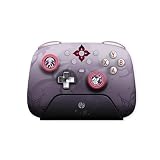
- Honkai: Star Rail Evernight Wireless Game Controller
%USERPROFILE%AppDataLocalLowCognosphereStar RailPlayer.logandPlayer-prev.log.%USERPROFILE%AppDataLocalTempCognosphereStar Railfor a.dmpfile.output_log.txtin the game’s LocalLow folder.
Collect output_log.txt while the problem is happening: HoYoverse says it resets after restarting. If your issue does not match these categories, use the general loading-screen support guidance and provide your UID.
Quick Recap
Product prices and availability are accurate as of the date/time indicated and are subject to change. Any price and availability information displayed on Amazon at the time of purchase will apply.
What’s actually slowing this PC down?
Pick the symptom - the matching free tool is one click away.




