Do these 3 things before closing this tab:
1Scan for outdated or missing drivers - takes under a minute2Repair Windows errors before they cause bigger problems3Fix the driver behind crashes, sound loss and screen glitchesYou can remove an Xbox suspension only if Xbox reviews the enforcement and decides it was applied in error. Check the action in Xbox Enforcement History or Xbox Assist; if it offers a case review, submit one through Xbox’s official process. If no review is available and the restriction is temporary, use the end time shown in your account. Buying a game, subscription, or accessory will not lift a suspension.
Check what Xbox restricted and when it ends
- Open Xbox Enforcement History and sign in, or open Xbox Assist on your console. Xbox names both as places to check suspension information. Xbox Community Standards
- Read the specific enforcement entry. Use its stated reason, status, and dates rather than relying on a generic email or guessing what caused the restriction.
- Check whether the entry offers a case review. The available remedy depends on the enforcement type and status; not every action can be appealed.
If the enforcement offers a case review
Submit the review through the official case-review option associated with the enforcement. Xbox says eligible complaints must be submitted within six months of notification. Its Digital Safety page lists several ineligible cases, including device bans, some shorter suspensions, content takedowns without an accompanying service suspension, and suspensions that are no longer active. Xbox Digital Safety
Make the request clear and factual
- Identify the exact enforcement entry you are disputing.
- Explain briefly why you believe the action was taken in error, and include relevant facts.
- Do not treat a submission as a guarantee of reinstatement. Xbox says eligible appeals are reviewed by trained human moderators, decisions are final, and an action is reversed only if the review finds it was applied in error.
If you cannot submit a review
If the action is temporary and the entry gives an expiration time, wait until that time. If the action is no longer active, Xbox’s published eligibility information says it cannot be appealed through case review. Do not try to get around the restriction with another account or pay an unofficial “unban” service; use the status and instructions in your Xbox account.
Device bans are different from profile suspensions
A device ban restricts use of the affected Xbox hardware, rather than being only a suspension of one profile. Microsoft says device bans may occur in extreme circumstances, and Xbox lists device bans as ineligible for case review. A profile appeal should not be presented as a way to reverse a device ban. See Microsoft’s information about Xbox bans and suspensions.
#1 Best Overall

- 🎮【Wide Compatibility】Xbox 360 Controller - Perfectly compatible with Microsoft Xbox 360 & Slim, PC Windows 11/10/8/7. !!TIPS!! ::: This controller is【【 NOT COMPATIBLE with Xbox One/Series】】. The 2.4GHz wireless connection range is up to 30 feet, providing more freedom and comfort for gaming.
- 💯【Close to Original】The guide button in the middle of the wireless gamepad brings quick access to your game libraries, music, and digital movies. Xbox 360 Wireless Controller. Upgraded controller's instruction and chip deliver high sensitivity and fast response overall performance.
- ✅【Upgraded Version】Xbox 360 Controller Wireless - Support Acceleration/Gravity Sensor, 2.5mm Audio Jack, Double Shock and Upgraded Joystick. Just the same as the joystick of the official wireless 360 controller. Spend less money to enjoy the same sensitivity.
- 🌌【2 Pack Xbox 360 Controller】Built-in dual vibration motors, which can provide different intensities of vibration feedback according to different collisions in the game. Equipped with new left and right trigger buttons and more sensitive joysticks and action buttons - Respond quickly to player commands without delay.
- 👍👍【What You Get】Gamrombo xbox 360 controller wireless 2 Pack, 45 Days Money Back, 365 Days Guarantee Against quality defect and 24 Hours Friendly Customer Support.
How Xbox’s strike system relates to suspensions
Xbox’s August 2023 announcement says strikes remain on a player’s record for six months and describes examples of escalating suspensions: one day for two strikes, seven days for four, and one year for eight. These are examples from the strike system, not a schedule that applies to every kind of suspension. Xbox also reported that fewer than 1% of players received a temporary suspension in 2022, and one-third of those players received a second; those are Xbox’s figures for 2022, reported in 2023. Xbox Wire: Xbox enforcement strike system
In that announcement, Xbox described the system this way: “The strike system is designed to further empower players to engage positively and appropriately on Xbox and with the community.”
Quick Recap
Best Value

- Upgraded Anti-Drift TMR Joystick Technology – Evolved from GuliKit's patented Hall Effect joystick, the more advanced TMR (Tunnel Magnetoresistance) thumb stick same works with contact-less magnetic field sensing mechanism to eliminate stick drift cause,while offers ultra-low power consumption, enhanced stability, drift-free long lasting durability, high-precision and silk-like smoothness.
- No Circuit Changes Required (Soldering Required) – Install the enhanced TMR stick module kit directly on Xbox Series X|S/Elite Series 2 Controller(not for Xbox 360/One & Elite Series 1 ) to fix the stick issue ultimately. Save the hassles and your money. Important Note for Elite Series 2 Users: After installation, only the thumbstick caps included in this kit can be used. The original caps are not compatible due to a different installation structure — the original uses a screw-on design.
- Anti-Interference Structure –Unique structural design prevents interference from magnetic triggers on the joysticks.
- Premium Stick Caps – Includes 2 GuliKit KK Ring anti-friction stick knobs designed for enhanced gripping and comfort during extended play.
- Note: The analog joystick replacement work requires professional tool kit/repair devices(not included in our package) and good skills in desoldering and soldering. If you are not experienced with soldering, we recommend seeking professional assistance to ensure proper installation. After replacing the joysticks, you can go to the X BOX console or download the "X BOX Accessories" software from the Microsoft Store on PC, then find the "Recalibrate" option and follow the instructions to calibrate the joysticks.
Rank #4

- MODERNIZED DESIGN — Experience the modernized design of the XBOX Wireless Controller with sculpted surfaces and updated geometry that enhances comfort and control during long gaming sessions.
- PRECISION PERFORMANCE — Stay on target with a hybrid D-pad and textured grips on triggers, bumpers, and back case for improved accuracy and handling.
- SHARE BUTTON: Seamlessly capture and share content such as screenshots, recordings, and more with the new Share button.
- VERSATILE CONNECTIVITY — Connect via USB-C for plug-and-play on console and PC, or quickly pair and switch between supported devices with XBOX Wireless and Bluetooth support.
- BUILT-IN AUDIO SUPPORT — Plug in compatible headsets using the 3.5mm audio jack for direct voice chat and immersive in-game sound.
Rank #3

- MODERNIZED DESIGN — Experience the modernized design of the XBOX Wireless Controller with sculpted surfaces and updated geometry that enhances comfort and control during long gaming sessions.
- PRECISION PERFORMANCE — Stay on target with a hybrid D-pad and textured grips on triggers, bumpers, and back case for improved accuracy and handling.
- SHARE BUTTON: Seamlessly capture and share content such as screenshots, recordings, and more with the new Share button.
- VERSATILE CONNECTIVITY — Connect via USB-C for plug-and-play on console and PC, or quickly pair and switch between supported devices with XBOX Wireless and Bluetooth support.
- BUILT-IN AUDIO SUPPORT — Plug in compatible headsets using the 3.5mm audio jack for direct voice chat and immersive in-game sound.
Rank #2
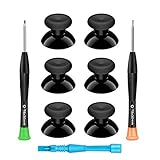
- 🎮 BEST XBOX THUMBSTICKS IN THE MARKET - Don't continue playing with those ratty old Xbox One thumbsticks! Game longer, better and more comfortably with original Xbox thumbsticks. Our inexpensive analog sticks are designed to be direct replacement of the original One/One S/One X Controller joystick, makes your controller stand out from the crowd with a new, fresh look and unique styling unlike any other.
- 🎮 ENJOY YOUR FULLY FUNCTION XBOX ONE CONTROLLER - Personalize and enhance your gaming experience with feedback based rubber design. True rubberized on the top and side, you will no longer have to worry about slipping off the analog stick of your controllers, and provide more accuracy and sensitivity, give you the most complete game pleasures.
- 🎮 UPGRADED PREMIUM QUALITY - Created with the gamer in mind, perfectly fit for your controller with aggressive textured grip. Also all products from us will be put under professional quality inspection before packaging to make sure the joysticks you received are in good condition.
- 🎮 MONEY SAVER & EASY TO INSTALL - There are plenty of YouTube videos that will walk you through the process, T8 T6 screwdrivers included help you open the shell very easily, then just replace the worn out or broken controller thumbsticks which will make your controller look awesome again, everybody is able to save $60 controller with our cheap parts in 10 minutes.
Product prices and availability are accurate as of the date/time indicated and are subject to change. Any price and availability information displayed on Amazon at the time of purchase will apply.
Independent reader supportYour contribution helps us test, update, and keep practical guides available for everyone.



