Free tools Windows power users keep installed
One-click scans. No signup required.
There is no universal reset button combination for Nintendo DS cartridges. The right method depends on the game: check its manual or in-game menus for an option to erase a save file or a game-specific full reset. Do not use a button sequence found for another title unless your game’s own instructions confirm it.
How to find the right reset method
- Identify the exact game. Reset instructions are game-specific, so check the title and, where relevant, the manual edition or region.
- Check the game’s manual and menus. Look for save-data or file-management instructions, including an option to erase a file. The Nintendo DS system manual directs players to the manual for the game they are playing for game instructions.
- Choose the scope you intend. Erasing a single file and resetting the whole game may affect different amounts of saved data. Confirm what the selected option deletes before proceeding.
- Follow only the confirmed instructions. If the game documents a button combination, use it as written for that game. If you cannot find a supported reset method, do not assume a sequence from another game will work.
File deletion versus a full-game reset
Some games may provide a menu option to delete one save file; a game-specific full reset, where documented, can have a broader effect. The official Kirby: Squeak Squad manual documents both selecting a file and choosing “Erase a File” and a separate full-game reset sequence. These are instructions for that game, not a standard method for all DS cartridges.
Kirby’s manual warns: “Be careful, as this will permanently delete all of your saved game data, and it can never be restored.” Check which file or data the instruction applies to and make sure you are willing to lose it before confirming.
Example: Kirby: Squeak Squad
Kirby: Squeak Squad’s manual describes holding six indicated buttons while turning on the system to perform its full-game reset. The exact button symbols are shown in the manual; consult its reset instructions directly rather than relying on a text description or adapting the sequence for a different title. The manual also gives a separate file-erasure option.
Quick wins for a faster PC:
Scan for outdated or missing drivers - takes under a minuteDriver Scan →Repair Windows errors before they cause bigger problemsFix Now →#1 Best Overall
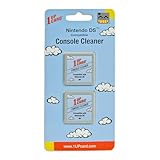
- Cleans and polishes the pin connectors inside your console/ handheld
- Contains 2 reusable console cleaners compatible with Nintendo DS and 3DS consoles/ handhelds
- This is a newly manufactured console cleaner compatible with the DS and 3DS
Protect the save while it is being written
Do not turn off the Nintendo DS or remove the Game Card while saved data is being saved. Nintendo’s Nintendo DS system manual warns that doing so may destroy saved data. Wait until the game has finished saving before powering down or removing the cartridge.
Independent reader supportYour contribution helps us test, update, and keep practical guides available for everyone.Will resetting the console erase the cartridge save?
The official manuals cited here do not establish a console reset as a general way to erase an individual DS game’s save. For save deletion, follow the instructions for the particular game rather than relying on a system reset.
Quick Recap
Rank #3

- Cleans and polishes the pin connectors inside your console/ handheld
- Contains 4 reusable console cleaners compatible with Nintendo Switch and Switch 2
- This is a newly manufactured console cleaner compatible with the Nintendo Switch
Rank #2

- Cleans and polishes the connectors on your video game system
- Compatible with Game Boy, Game Boy Color, Game Boy Advance, Game Boy Advance SP, Super Game Boy, Game Boy Player, and Evercade VS home console.
- Assembled in the USA from domestic and foreign components
- Not compatible with Game Boy Micro or Nintendo DS
Product prices and availability are accurate as of the date/time indicated and are subject to change. Any price and availability information displayed on Amazon at the time of purchase will apply.




