There is no current official storage figure here that applies across every platform. HoYoverse’s published numbers are historical and refer to different things: 20 GB for PC guidance in 2023 and about 30 GB for a PS5 technical-test download. Neither should be treated as the live game’s current install size. Check your platform’s current installer or store listing, and leave extra free space for updates and optional voice resources.
What the published storage figures mean
| Platform or release context | Figure | What it describes |
|---|---|---|
| PC launcher guidance, April 23, 2023 | At least 20 GB | HoYoverse’s historical PC launcher FAQ gave this amount for both minimum and recommended configurations. It is not a verified current requirement. HoYoverse PC launcher FAQ |
| PS5 technical test, 2023 | Approximately 30 GB | HoYoverse’s FAQ described the storage required for the technical-test game download, not the current live installation. HoYoverse PS5 technical test FAQ |
| Final Closed Beta, 2023 | At least 15 GB available | A beta-era request for available storage; it is not a release-size estimate. HoYoverse Final Closed Beta FAQ |
| Apple App Store listing, accessed 2026 | 3.7 GB | The listing excerpt displays this app-size entry. It does not establish the full installed size after game resources and updates. Apple App Store listing |
These figures are not directly comparable: they cover different platforms, dates, and contexts, and do not consistently distinguish download size from installed size.
Why the space needed can differ from the download size
A download package is not necessarily the only storage an installation or update needs. HoYoverse’s Version 2.5 pre-download notice distinguished the pre-download resource package from the storage needed and noted that additional voice packs affect space requirements. That notice is version-specific, so it does not establish a current general buffer. HoYoverse Version 2.5 pre-download notice
Quick Recap
Rank #4
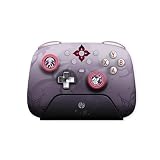
- Honkai: Star Rail Evernight Wireless Game Controller
Rank #3

- Honkai: Star Rail Amphoreus' Saga of Heroes Super Stacker - Anaxa
Rank #2

- Honkai: Star Rail Amphoreus' Saga of Heroes Super Stacker - Mydei
#1 Best Overall

- Brand new. UK Import PAL version. Game in English. UK PSN account may be required for any online features.
How to check before installing or updating
- Open the current installer or launcher on your platform, or check the platform’s live store listing.
- Use the free-space amount shown for the install or update as the relevant figure for your device; do not substitute an older beta or test requirement.
- Keep additional free space available, especially if you install optional voice resources or are updating an existing copy.
Product prices and availability are accurate as of the date/time indicated and are subject to change. Any price and availability information displayed on Amazon at the time of purchase will apply.
What’s actually slowing this PC down?
Pick the symptom - the matching free tool is one click away.




