Zois age according to the life-stage speeds set in Options / Game Options → Simulation. A June 2026 guide on the inZOI Forums reports that the default settings add up to as many as 99 in-game days, but KRAFTON’s official update notes do not confirm that total or publish a complete current day count for each stage. Check your own Simulation settings for the pace in your version.
How long does each age stage last?
There is no verified, current official day-by-day lifespan chart in the available KRAFTON update notes. The June 18, 2026, community guide by Moooody reports a default total of up to 99 in-game days, and says players can adjust each stage separately. Treat that number as a community-reported guide figure—not a guaranteed lifespan for every save or a current official specification. Read the inZOI Forums guide.
KRAFTON has changed the balance of age progression over time. Its update notes say Young Adult time was significantly extended, infants, teenagers, and the stages between them were also lengthened, while Middle-Aged time was reduced. The notes describe the direction of those changes, not exact stage durations, so older lifespan tables may no longer match the game. See KRAFTON’s inZOI update notes.
How to change aging speed
- Open Options or Game Options.
- Choose Simulation.
- Find the aging-speed controls and adjust the speed for the life stage you want to change.
The per-stage controls and relative speed choices are described in the June 2026 community guide. Menu names and available choices can change with updates, so use the labels shown in your installed version. KRAFTON’s update notes also say the game can display how many days remain before a Zoi reaches the next age group; check that in-game countdown rather than relying on a lifespan total from an older guide.
Free tools Windows power users keep installed
One-click scans. No signup required.
#1 Best Overall

- Unique gameplay: Check guests in, react quickly to their requests, and set priorities
- Open new hotels all over the world
- Exciting levels: tons of fun, featuring unique boosters and gameplay
- Upgrade your stations and make the most delicious food and drinks.
- Win in various hotel competitions with lots of prizes!
Aging speed, playback speed, and death are different controls
- Life-stage aging: Simulation settings determine how quickly a Zoi progresses through age groups. The community guide describes separate controls for each stage.
- Playback speed: KRAFTON documents the
timeSpeed [number]cheat as changing game playback speed up to 30×. The guide does not provide a conversion from playback speed to real-world time until age-up, so 30× should not be read as a reliable aging-time calculation. Check KRAFTON’s official cheat guide. - Preventing aging: The official cheat guide lists
stopAging [true|false]for preventing the player Zoi from aging. It is not described as a control for every Zoi. - Preventing death:
immortalZoi [true|false]is described as preventing Zois from dying. That is not the same as stopping age progression.
What happens to idle families?
KRAFTON’s age-progression update notes say aging for idle families was disabled by default at the time of that update, with a manual toggle available. That setting may have changed since; check Simulation options in your current game before assuming inactive households will or will not age.
Quick Recap
Rank #4

- Populate your island with Mii characters and watch them come to life
- Base your Mii characters on family and friends, or whatever you want—and customizer, including some face customization options you haven’t seen before
- Pick your Mii characters up and place them near each other to chat and hang out
- Help your Mii characters explore likes and dislikes, find relationships, and get up to all sorts of fun
- Give Mii characters clothes, food, items, and life advice as they deal with all kinds of situations
Rank #3
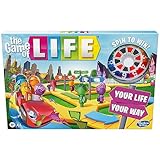
- MAKE CHOICES: Players get to make some big life decisions They can choose whether or not to go to college, to get married, grow their family, or retire early
- WILL IT PAY TO INVEST: Players can take a chance to grow their money by investing in numbers on the board Get paid every time someone spins that number
- Will it pay to invest: players can take a chance to grow their money by investing in numbers on the board get paid every time someone spins that number
- Kids can pick their own path: buckle up and take a spin in this fun family board game, every crossroad brings exciting twists, turns, and adventures
Rank #2

- Choose an awesome vacation: take a ski trip, a safari, or go snorkeling in a coral Reef. Choose an awesome vacation from adventurous to relaxing
- Choose an interesting career: players can choose from 31 Career cards featuring unusual or quirky careers such as ice cream flavor Maker or a secret Agent
- Great family game: do you remember playing this classic Hasbro board game from your childhood. With instant setup and easy play, this exclusive edition is great fun to play when the family is together
- Life is full of adventures: this edition of the game of life game includes 115 cards offering exciting choices As players move through the twists and turns of life
- Play spin to win: who's bound for instant wealth and fortune. Play spin to win and find out. At the end, players pay debts, add up the wealth, and whoever has the most money at the end of the game wins
Product prices and availability are accurate as of the date/time indicated and are subject to change. Any price and availability information displayed on Amazon at the time of purchase will apply.




