Quick wins for a faster PC:
Fix the driver behind crashes, sound loss and screen glitchesFind Drivers →Repair Windows errors before they cause bigger problemsFix Now →Scan for outdated or missing drivers - takes under a minuteDriver Scan →Cancel GTA+ in the same store or account that originally started the subscription. Turn off auto-renewal there, then verify the account shows the correct renewal or end date and that renewal is disabled. Your membership normally remains active until that subscription period ends, so canceling early should stop the next charge without immediately removing access.
There is no single GTA+ cancellation button or universal cutoff time. The exact route and deadline depend on whether you subscribed through Rockstar Games Launcher, Steam, Epic Games, the Xbox/Microsoft store, or PlayStation Store, and on the offer attached to your account.
| # | Preview | Product | Price | |
|---|---|---|---|---|
| 1 |

|
Grand Theft Auto V: Premium Edition (Xbox One) | $23.50 | Buy on Amazon |
| 2 |

|
Grand Theft Auto V - Xbox 360 (Renewed) | $17.74 | Buy on Amazon |
| 3 |
|
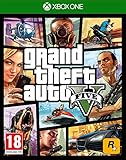
Grand Theft Auto V (Xbox One) (Renewed) | $13.67 | Buy on Amazon |
As an Amazon Associate I earn from qualifying purchases.
The essential rule: cancel through the original purchase store
Rockstar Games Customer Support states: “You may cancel auto-renewal of your GTA+ subscription at any time through the store you initially purchased your subscription from.” That means the platform where you play is not always the platform that bills you. For example, GTA+ used in the Xbox app on a Windows PC is managed through Microsoft Store subscriptions, while a PC subscription purchased in Rockstar Games Launcher is managed inside the Launcher.
Start by identifying the account that was charged. Sign in to each likely storefront only if necessary, and look for GTA+ under subscriptions. The correct account should show a renewal date, an end date, or a control indicating that recurring billing has been turned off. Do not rely on an email address or console alone; multiple platform accounts can be linked to the same game installation.
#1 Best Overall
- Includes the complete grand Theft Auto V story experience
The merchant on your receipt is the most useful clue. A Microsoft, Sony, Valve, Epic, or Rockstar transaction normally points to the system that controls renewal. If you redeemed a code or received a promotional month, the account that activated the offer may still be the account whose store controls billing. The game itself does not transfer that billing control between platforms.
Platform-by-platform cancellation routes
Use the row that matches the store where you first purchased GTA+. These are different billing systems, not interchangeable cancellation methods.
| Original purchase route | Where to cancel | What to verify |
|---|---|---|
| Rockstar Games Launcher on PC | In the Launcher, select GTA+, then Manage GTA+. Rockstar identifies this route for GTAV Enhanced on PC. | The Launcher account is the one that purchased the membership and displays the renewal or termination date. |
| Steam | Open Steam account or subscription management and use Steam’s GTA+ subscription controls. | Steam shows GTA+ as a subscription and confirms recurring billing is disabled. |
| Epic Games | Open the Epic account subscriptions page and manage GTA+ there. | The Epic account that made the purchase shows the cancellation state and applicable end date. |
| Xbox app on PC | Go to Microsoft Store and sign in. Open My Microsoft account, choose Subscriptions, find GTA+, select Manage, then Cancel subscription. | Microsoft shows cancellation or disabled renewal. Rockstar says access continues to the next billing date, when membership expires and you are not charged. |
| PlayStation 5 | Use PlayStation Store subscription management for the PlayStation account that purchased GTA+. | The purchasing PlayStation account shows the end date and that automatic renewal is off. |
| Xbox Series X|S | Use the Microsoft/Xbox subscription-management service for the account that bought GTA+. | The Microsoft/Xbox account lists GTA+ and confirms the renewal setting. |
Step-by-step: cancel before the next charge
- Find the original storefront. Check the receipt or transaction history associated with the GTA+ purchase. If you do not know which store billed you, check the subscription pages for Rockstar Games Launcher, Steam, Epic Games, Microsoft/Xbox, and PlayStation rather than canceling a different service.
- Sign in to the purchasing account. A console profile, Rockstar account, Steam account, Epic account, or Microsoft account can differ from the account currently active in the game. Cancellation controls appear only on the account that owns the subscription.
- Open subscription management. Follow the platform route in the table. On Rockstar Games Launcher, the path is GTA+ > Manage GTA+. On the Xbox app for PC, the path is Microsoft Store > My Microsoft account > Subscriptions > GTA+ > Manage.
- Read the displayed renewal or end date. This is the date that matters for your free or promotional period. Rockstar does not publish one universal GTA+ trial deadline, and store terms determine when cancellation takes effect.
- Turn off auto-renewal. Choose the platform’s cancellation command, such as Cancel subscription, and complete any confirmation screen. A page that merely shows your plan is not proof that renewal is disabled.
- Save the confirmation. Keep the on-screen status or confirmation email. Return to the same subscription page and make sure it now says canceled, expires on a stated date, or otherwise indicates that automatic renewal is off.
- Claim time-limited member benefits. Before the displayed end date, claim any property, vehicle, cosmetic, bonus, deal, or event reward you are entitled to. Unclaimed benefits can be lost when the membership ends.
How to identify the account that controls billing
Account mix-ups are the most common reason GTA+ appears impossible to cancel. The account used to launch GTAV may not be the account that purchased the membership. Compare the seller on your order history with the account currently signed in.
- On PC, check Rockstar Games Launcher, Steam, Epic, and Microsoft accounts separately if you have used more than one launcher.
- On Xbox, distinguish the Microsoft account that owns the subscription from a secondary Xbox profile that only plays the game.
- On PlayStation 5, use the PlayStation Network account that completed the purchase, not necessarily the profile currently selected on the console.
- If a family member or household account paid for GTA+, that purchaser must usually open subscription management and cancel it.
Do not cancel a similarly named service or a different game membership. The listing should identify GTA+ and show its own renewal or expiration information. If no page shows the membership, review receipts and transaction history before assuming the subscription has ended.
What “free month” means for GTA+
“Free month” is not a universal GTA+ term with one standard end date. Rockstar’s general description presents GTA+ as an optional membership that can be canceled at any time and billed on monthly renewals. Your account’s store page is the authoritative place to see when the current period ends.
Rockstar’s June 24, 2026 guidance describes one particular promotion: a month of GTA+ included with a qualifying digital preorder of Grand Theft Auto VI. Under that offer, the membership auto-renews monthly at the regular price after the included month unless it is canceled. Eligibility, redemption steps, and platform rules vary, so that promotion must not be treated as proof that every GTA+ subscriber has the same one-month period or renewal date.
If your free access came from another promotion, a bundle, or an offer shown directly in a store, read that offer’s terms and compare them with the renewal date displayed in the billing account. Do not calculate a deadline by counting 30 days from the day you redeemed a code; the store may use a specific renewal date instead.
Free tools Windows power users keep installed
One-click scans. No signup required.
The regular price is also store- and account-specific. Because the applicable amount appears on the subscription page, do not rely on an old screenshot, a price quoted for another country, or the amount shown for a different platform. Canceling before the displayed renewal date is the practical way to avoid that next charge.
What changes after you cancel
Canceling normally disables the next renewal rather than terminating the current period immediately. Rockstar says membership and related benefits remain active until the subscription terminates under the applicable store’s cancellation terms. The exact behavior and date are therefore the ones shown by your store account.
Items and advantages you already claimed are treated differently from ongoing membership services:
- Retained: Properties, vehicles, cosmetics, and bonuses or deals claimed while GTA+ was active remain yours, subject to the game’s normal rules.
- Ends with membership: Monthly GTA$ bonuses and other recurring membership benefits stop when the subscription terminates.
- Ends with membership: Applicable early access, member discounts, access to games included with GTA+, and eligibility for newly activated benefits are no longer available after the end date.
- Forfeited if unclaimed: A limited-time property, vehicle, or event benefit that you never claimed before the relevant member event or subscription period ends is lost.
Because event windows can close before your billing period does, do not wait for the last day to collect a reward. Cancellation does not preserve an unclaimed member-only offer after the event has ended.
Recommended Free Tools
Rank #2
- The biggest, most dynamic and most diverse open world ever created and now packed with layers of new detail.
- Grand Theft Auto V blends storytelling and gameplay in new ways as players repeatedly jump in and out of the lives of the game's three lead characters, playing all sides of the game's interwoven story.
- Grand Theft Auto V also comes with Grand Theft Auto Online, the dynamic and ever-evolving Grand Theft Auto universe for multiple players.
Keep in mind that stopping renewal is not the same as requesting a refund. The cancellation instruction turns off future billing; any refund question is governed by the store that processed the transaction and its terms. This guide does not promise a refund for a charge that has already completed.
How to confirm you canceled successfully
A successful cancellation has two separate parts: the correct account is being viewed, and renewal is actually off. Use this checklist on the storefront page:
- GTA+ appears under the account’s active subscriptions or memberships.
- The page identifies the next billing date or the date membership will expire.
- The control or status says canceled, non-renewing, or equivalent rather than offering an active renewal.
- The account is the one that originally purchased GTA+, not merely a profile sharing the game.
- You have saved the confirmation shown after submitting the cancellation.
If the subscription disappears from one account, that does not by itself prove cancellation. It may mean you are signed in to the wrong storefront account. Check the other platform accounts that could have been used for the original purchase and locate the account displaying the billing record.
Take a screenshot showing GTA+, the expiration date, and the non-renewing status. Keep any confirmation email with your transaction records. These records help you distinguish a canceled subscription from a temporary sign-in or display problem.
Troubleshooting by platform and symptom
GTA+ is not listed
Check the original purchase route first. A subscription purchased through Steam will not necessarily appear in Rockstar Games Launcher, and a Microsoft purchase will not appear in PlayStation Store management. Sign out and back in with the account that received the purchase receipt. If you used more than one account on the same device, inspect each account’s subscription page.
You canceled but still see GTA+ in the game
That can be normal while the current period is still active. Cancellation generally stops the next renewal; it does not necessarily remove benefits immediately. Use the store page’s end date to determine when access should terminate.
The displayed date does not match your idea of a one-month trial
Use the date shown by the billing store, not a generic 30-day calculation. Rockstar has not established a universal GTA+ trial deadline. The June 2026 preorder example is a specific promotion, and other offers can have different eligibility and redemption terms.
You have not claimed a member reward
Claim it before the relevant member-only event ends and before the subscription period terminates. Rockstar says unclaimed benefits are forfeited after the opportunity closes, even if you expected to retain them after canceling.
Do these 3 things before closing this tab:
1Fix the driver behind crashes, sound loss and screen glitches2Clear out junk files and repair common Windows errors3Scan for outdated or missing drivers - takes under a minuteYou are unsure which account was charged
Review purchase receipts and transaction histories, then compare the subscription pages for the possible stores. The account that shows GTA+ and a renewal date is the account whose auto-renewal setting controls the charge.
The cancellation control is missing or greyed out
First verify that you are on the purchasing account and the store’s own subscription page. A game-library page, a shared console profile, or a non-purchasing Rockstar account may show membership benefits without exposing billing controls. If the correct store still cannot display the subscription, retain your receipt and use that store’s account-support process; Rockstar’s general rule still directs cancellation to the original seller.
Independent reader supportYour contribution helps us test, update, and keep practical guides available for everyone.Choosing the right route when you play on several platforms
The cancellation decision follows the original billing storefront, not the device on which you currently play. Use these examples to avoid a common mismatch:
Rank #3
- Experience the world of Grand Theft Auto V like never before with the power of the Xbox One.
- Explore the City of Los Santos, the countryside and even the ocean.
- Play through an epic single player experience using three very different characters.
- Join your friends in GTA Online and see what trouble you can cause.
- Play golf, tennis, see a film or call someone and just hang out.
- Playing GTAV Enhanced on a Windows PC does not automatically mean the subscription was purchased in Rockstar Games Launcher; it could be billed by Steam, Epic, or Microsoft.
- Using the Xbox app on PC points you to Microsoft Store subscription management, specifically My Microsoft account > Subscriptions.
- Playing on an Xbox Series X|S requires the Microsoft/Xbox account that purchased GTA+, even if another account is signed in for gameplay.
- On PlayStation 5, use PlayStation Store management for the purchasing PlayStation account rather than a different console profile.
When in doubt, compare the merchant named on your receipt with the platform’s subscription page. Only the original store can change that subscription’s renewal setting.
PC Slower Than It Used to Be?
A free scan shows the junk files, broken settings and background clutter dragging Windows down - then fixes them in one click.Free scan · Windows 10 & 11Outdated Drivers Are Slowing You Down
One free scan finds every outdated or missing driver and matches the right update for your exact hardware.Free scan · exact hardware matchA practical timeline for a promotional month
- Today: Locate the purchase account and record the store-displayed renewal date.
- Before the date: Open the correct subscription page and disable auto-renewal. There is no benefit to waiting for the final hours, especially when a store’s interface or account sign-in causes delay.
- Immediately afterward: Confirm the non-renewing status and save the confirmation.
- While access remains: Claim time-limited GTA+ properties, vehicles, cosmetics, bonuses, deals, and event rewards that you actually want.
- At the end date: Expect recurring GTA$ bonuses and other ongoing benefits to stop, while previously claimed items remain available according to Rockstar’s terms.
What Rockstar’s policy does—and does not—promise
Rockstar’s support guidance establishes the storefront rule, continued access until termination under store terms, and the treatment of claimed versus unclaimed benefits. It does not provide one platform-wide cancellation cutoff, one universal free-trial duration, or one processing interval that applies to every account. Those details belong to the offer and billing store attached to your subscription.
For that reason, the safest answer to “How many days before the free month ends should I cancel?” is: cancel as soon as you decide to stop renewal, then verify the exact date shown in the original store. Canceling early does not normally shorten the active period, while waiting for a calculated deadline risks a renewal if your offer uses a different date.
Frequently asked questions
Frequently Asked Questions
Can I cancel GTA+ immediately after starting a free month?
Yes. Rockstar says auto-renewal may be canceled at any time through the store where the subscription was initially purchased. Access normally continues until the store’s displayed end date.
Will canceling GTA+ delete vehicles or properties I already claimed?
Rockstar says claimed properties, vehicles, cosmetics, and bonuses or deals remain yours. Ongoing benefits, monthly GTA$ bonuses, member discounts, included games, and future eligibility end when membership terminates.
Is there one GTA+ free-trial deadline for every player?
No. Rockstar has not published a universal trial duration or cutoff. Check the renewal or expiration date in the original billing account. The one-month example tied to a June 24, 2026 Grand Theft Auto VI preorder is a specific promotion.
I play on PC. Should I cancel in Rockstar Launcher?
Only if Rockstar Games Launcher was the original purchase route. Steam, Epic, and Xbox app purchases use their respective subscription-management pages instead.
Where do I cancel GTA+ purchased through the Xbox app on PC?
Open Microsoft Store, sign in, choose My Microsoft account, select Subscriptions, find GTA+, choose Manage, and then Cancel subscription. Microsoft should show the cancellation state and next billing or expiration date.
Can I cancel GTA+ from inside the game?
The controlling location is the original purchase store. Rockstar’s documented Launcher route is GTA+ then Manage GTA+ for GTAV Enhanced on PC; other purchases are managed through Steam, Epic, Microsoft/Xbox, or PlayStation subscription controls.
What if a member-only reward is still unclaimed when I cancel?
Claim it before the relevant member event ends and before the subscription period terminates. Rockstar says unclaimed benefits are forfeited after the opportunity closes.
Does canceling guarantee a refund for a recent charge?
No refund is promised by the cancellation instruction. Cancellation stops future renewal; any refund request is handled under the terms of the store that processed the payment.
The Bottom Line
Cancel GTA+ in the storefront that originally billed you, not necessarily where you currently play. Turn off auto-renewal, confirm the account shows a non-renewing status and an end date, and save that confirmation. Your current access normally continues until the displayed date, but claim any limited-time benefits before they or the membership period end.
Quick Recap
Product prices and availability are accurate as of the date/time indicated and are subject to change. Any price and availability information displayed on Amazon at the time of purchase will apply.
The Tool Desk
Outbyte PC Repair FREERepair Windows errors before they cause bigger problemsFix Now →Outbyte Driver Updater FREEScan for outdated or missing drivers - takes under a minuteDriver Scan →



