Quick wins for a faster PC:
Clear out junk files and repair common Windows errorsFree Scan →Scan for outdated or missing drivers - takes under a minuteDriver Scan →Repair Windows errors before they cause bigger problemsFix Now →For the original PC Supreme Commander, an older FAQ lists Numpad + to increase game speed, Numpad − to decrease it, and Numpad * to reset it to +0. These controls change the simulation rate; they do not guarantee that a struggling game will run smoothly. The guide is FAQ version 1.41 for game version 3260, so check your edition’s Controls or key bindings if the keys do not work.
Change the simulation speed in the original PC game
Robyrt’s Supreme Commander Guide and Walkthrough lists these numpad shortcuts for game version 3260:
| # | Preview | Product | Price | |
|---|---|---|---|---|
| 1 |
|
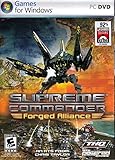
Supreme Commander: Forged Alliance - PC | $9.99 | Buy on Amazon |
| 2 |

|
Supreme Commander - PC | $12.99 | Buy on Amazon |
| 3 |

|
Supreme Commander - Xbox 360 (Renewed) | $40.48 | Buy on Amazon |
| 4 |
|
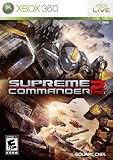
Supreme Commander 2 - Xbox 360 | $28.87 | Buy on Amazon |
| 5 |
|
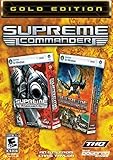
Supreme Commander Gold Edition - PC | $20.89 | Buy on Amazon |
As an Amazon Associate I earn from qualifying purchases.
| Key | Effect |
|---|---|
| Numpad + | Increase game speed |
| Numpad − | Decrease game speed |
| Numpad * | Reset game speed to +0 |
The FAQ is an older version-specific guide, not confirmation that the same bindings apply to Forged Alliance, community patches, remasters, or Supreme Commander 2. If your keyboard has no number pad, a USB numeric keypad is one possible convenience, not a performance upgrade.
What’s actually slowing this PC down?
Pick the symptom - the matching free tool is one click away.
Simulation speed and performance are different
A speed command changes how quickly the game advances when the simulation can keep up. It does not fix slowdown or guarantee stable performance. The original manual documents resolution and antialiasing options, but does not promise that changing them will increase simulation speed. Lowering visual settings can be a reasonable troubleshooting experiment if the display feels sluggish; judge the result in your own setup rather than assuming it will accelerate the simulation.
#1 Best Overall
- New Playable Faction - The Seraphim will offer a completely new playable faction in multiplayer games and serve as the main threat during the new single-player campaign. The Seraphim are a cunning and devious race with advanced technology and are true masters of quantum technology.
- New weapons, new strategies, new conquests!
- New Units - 110 new land, sea, air, base and experimental units evolve armies to address strategic weaknesses or become the ultimate expressions of factional military doctrine.
- Warfare on an Epic Scale - Fully realized navies, orbital weaponry, advanced counter intelligence technologies, suicide weapons and sneak attacks give commanders unprecedented, deadly new capabilities in what is already the most strategic RTS on the market today.
- New Multiplayer Maps - 12 new multiplayer maps provide new battlegrounds or players to prove their supremacy.
Spend fewer actions on repeated commands
Queue orders with Shift
The original Supreme Commander PC manual explains that holding Shift lets you queue multiple move and attack orders, as well as construction tasks. Instead of repeatedly interrupting play to issue one instruction at a time, plan a sequence and add the orders to the queue.
Use strategic zoom to manage the whole theatre
Use the mouse wheel to move between a local view and strategic zoom; the manual lists Q and W as alternatives when a mouse has no wheel. The wide view helps you assess the battlefield and issue decisions without treating every unit as a separate screen-level task. Economy and intelligence displays provide information such as mass and energy availability and rates, alongside military, economy, and intelligence overlays. These tools improve oversight and command efficiency; they do not change the simulation rate.
Rank #2
- Planetary warfare on a Galactic scale – zoom from the tactical unit level all the way out to full theatre of war in one seamless motion. Includes full naval, ground and air combat.
- 3 unique factions that each appeal to different player personalities with approximately 80 units/structures per faction.
- 3 story-driven single-player campaigns with a detailed and rich back ground history that weaves into gameplay.
- Intuitive & customizable gameplay interface with unsurpassed command and control features let you quickly and efficiently maneuver troops across the battle field. Also includes dual-monitor support!
- Robust multiplayer gaming with up to 8 players online plus co-op mode
Scout routes before terrain slows your plan
In a January 12, 2007 GameSpot Q&A, creator Chris Taylor advised players to pay attention to “high mountains, cliffs, and water” and to scout unfamiliar maps early, especially to learn where units can access water. The practical lesson is to identify passable routes before committing forces to a path that terrain blocks or lengthens.
On large maps, Taylor also described ferrying units by air transport as useful. Consider transport when ground routes are awkward or when reaching a distant area matters more than moving directly across the map. His interview also mentioned a then-current maximum of 500 units; that is a historical design statement, not a current performance benchmark or a universal limit for every edition.
Rank #3
- Three massive campaigns complete an epic storyline
- Quick, intuitive control scheme and new user interface built specifically for console gaming
- Console gamers treated to exclusive new units, updated maps and new online gameplay modes
- Quick, intuitive control scheme and new user interface built specifically for console gaming.
- Console gamers treated to exclusive new units, updated maps and new online gameplay modes
Keep Supreme Commander 2 settings and advice separate
Supreme Commander 2 is a separate game, so do not assume the original game’s numpad bindings apply. Its PC manual documents controls for strategic-zoom sensitivity, scrolling speed, screen-edge scrolling, and keyboard reset. Its video options include resolution, overall quality, antialiasing, and model, shadow, and water detail. Adjusting those options changes presentation settings; the manual does not say they increase the simulation rate.
A Steam Community guide by thedarlekmaster describes editing Game.prefs to change the Supreme Commander 2 unit cap, says the method applies to skirmish and multiplayer rather than campaign, and warns that a higher cap may harm play speed in long games. This is community-authored advice, not an official performance fix. Do not raise the cap as a way to speed up play.
Quick Recap
Best Value
Rank #4
- Take on the role of three enigmatic commanders; former friends from each of the unique factions -- The United Earth Federation (UEF), The Illuminate and the Cybran Nation -- who get dragged into a conflict of galactic consequences
- Explore a rich, character-driven single-player game which spans over 18 missions and delivers a new level of emotional connection to the RTS genre, or take the battle online for an exhilarating multi-player experience
- Fight action-packed battles on a massive scale, waging war with enormous land, air and naval units in visually spectacular environments, brought to life by all-new rendering technology and a true evolution of RTS controls on both platforms
- Upgrade and customize armies with new weapons and technology and deploy them instantly on the battlefield, turning a base-level tank into a high-powered, multi-barreled, anti-aircraft-sporting multipurpose battle unit
- Deploy experimental war machines that can change the balance of power at any given moment; experience a streamlined economy and redesigned UI putting the focus squarely on combat, battlefield tactics and high-level strategic decision making
Product prices and availability are accurate as of the date/time indicated and are subject to change. Any price and availability information displayed on Amazon at the time of purchase will apply.




