
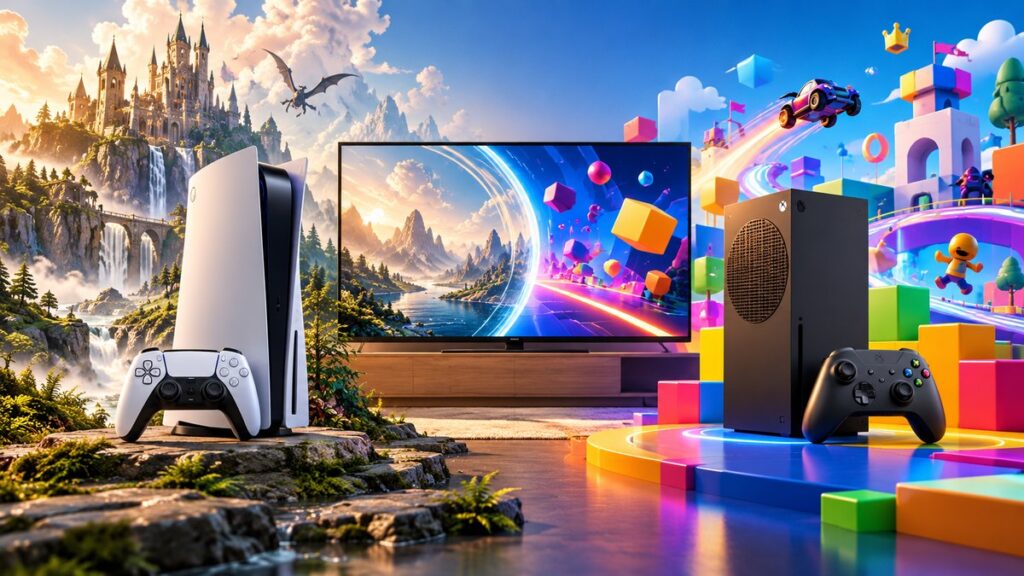
Choose a PS5 if PlayStation Studios exclusives, your PS4 digital library, or the PlayStation Plus ecosystem are the priority. Choose an Xbox Series X if Game Pass, broad Xbox backward compatibility, and the highest-performance Xbox model matter most. Choose an Xbox Series S if you want the smallest, digital-only Xbox and accept lower storage, no discs, and less ambitious output targets in exchange for a lower entry point. Prices, bundles, stock, and model revisions vary by country, so confirm the exact package immediately before buying.
Start with the decision that matters most
Small specification differences rarely determine whether you will enjoy a console for years. Your games, existing purchases, friends, controller preferences, and subscription habits matter more. The table below is a quick fit test; the detailed sections explain each choice and its trade-offs.
As an Amazon Associate I earn from qualifying purchases.
| Your priority | Best fit | Why |
|---|---|---|
| PlayStation Studios exclusives and a PS4 digital library | PS5 | Sony presents PS5 as the home of PlayStation Studios games with full PS4 backward compatibility. |
| A large rotating catalog, day-one releases on eligible plans, and Xbox legacy games | Xbox Series X | Game Pass and Microsoft’s selected Xbox One, Xbox 360, and original Xbox compatibility are the platform’s central advantages. |
| Smallest footprint and the lowest-cost way into the Xbox ecosystem | Xbox Series S | It is a compact, digital-only model, but you give up a disc drive and some storage and performance headroom. |
| Buying and lending physical games | PS5 disc edition or Xbox Series X | Both include a disc drive; Series S does not. |
| Keeping access to an existing friends list, purchases, and saves | The same platform you already use | Digital licenses, cloud saves, and multiplayer communities are not automatically transferable between PlayStation and Xbox. |
PS5 versus Xbox Series X|S: the practical differences
| Category | PlayStation 5 | Xbox Series X | Xbox Series S |
|---|---|---|---|
| First-party focus | PlayStation Studios exclusives and the PlayStation ecosystem | Xbox first-party games and the Game Pass ecosystem | The same Xbox ecosystem, delivered through a smaller digital-only console |
| Backward compatibility | Full PS4 backward compatibility, according to Sony | Selected Xbox One, Xbox 360, and original Xbox games; supported titles can receive Auto HDR and FPS Boost | Selected Xbox One, Xbox 360, and original Xbox games; enhancements depend on the title |
| Disc support | Available on the disc edition; a digital edition has no built-in disc drive | Built-in disc drive | Digital-only |
| Subscription | PlayStation Plus offers tiers with changing PS5 and PS4 game access | Game Pass plans can include a large catalog, online multiplayer, EA Play, and day-one releases on eligible plans | Uses the same Xbox subscription family as Series X |
| Maximum published output | Up to 8K output and up to 120 frames per second in a published comparison; actual results vary | Up to 8K output and up to 120 frames per second in the same comparison; actual results vary | Lower hardware target than Series X; exact game output depends on the title and mode |
| Storage expansion | Uses compatible expansion storage specified for PS5 | Supports Microsoft’s dedicated Storage Expansion Card | Supports Microsoft’s dedicated Storage Expansion Card |
The output figures in the table are ceilings, not promises that every game renders at 8K or 120 frames per second. Resolution, frame rate, ray-tracing features, and graphics modes vary by game, display, and console model. Microsoft’s current comparison page is the authority for the latest Series X|S configurations; check it if a revised model or bundle is being considered.
Do these 3 things before closing this tab:
1Clear out junk files and repair common Windows errors2Fix the driver behind crashes, sound loss and screen glitches3Repair Windows errors before they cause bigger problemsExclusive games and your existing library
When PS5 is the better fit
PS5 is the straightforward choice if the games you most want are PlayStation Studios releases or if you have already built a substantial PS4 digital collection. Sony says compatible digital PS4 games appear in the PS5 library after you sign in. PlayStation Plus cloud storage can transfer compatible saves, so moving within the PlayStation family is generally less disruptive than changing platforms.
#1 Best Overall

- Model Number CFI-2000
- Includes DualSense Wireless Controller, 1TB SSD, 2 Horizontal Stand Feet, HDMI Cable, AC power cord, USB cable, printed materials, ASTRO’s PLAYROOM (Pre-installed game)
- Vertical Stand sold seperately
Check each game individually before buying: an announced, timed, or cross-generation release is not the same as a permanent console exclusive. Availability can also differ by region and subscription tier. Make a list of the specific games you would play in your first year rather than relying on a general “better exclusives” label.
When Xbox is the better fit
Xbox is the stronger choice when you value access to a broad first-party and legacy catalog through Game Pass, or when your friends and purchased games are already on Xbox. Eligible Game Pass plans can combine a changing catalog with online multiplayer, EA Play, and day-one releases for eligible titles. The exact catalog and benefits change, so inspect the plan offered in your country before treating any game as included permanently.
Series X and Series S run the same Xbox platform and target the same software library. Series X is the performance-oriented model; Series S is designed for digital play at a lower hardware tier. A game being available on Xbox does not mean it has identical resolution or frame-rate options on both models.
Quick wins for a faster PC:
Repair Windows errors before they cause bigger problemsFix Now →Scan for outdated or missing drivers - takes under a minuteDriver Scan →Clear out junk files and repair common Windows errorsFree Scan →How to compare exclusives without overclaiming
- Write down five games you would actually buy or play, not every game announced for the platform.
- Mark whether each game is exclusive, timed, cross-platform, or available through a subscription.
- Check whether the edition you want is included in your region’s current subscription catalog.
- Confirm multiplayer requirements and whether your friends use the same platform.
Game Pass and PlayStation Plus: compare the way you play
Subscriptions change the total cost of ownership more than a launch-price comparison suggests. Neither service has a permanent catalog or a universal price: tiers, taxes, promotions, and included games vary by country and date.
| Question | Game Pass | PlayStation Plus |
|---|---|---|
| What is the main value? | A large, rotating catalog on eligible plans, with online multiplayer and other benefits | Tiered access to a changing PS5 and PS4 game library, plus the benefits attached to your tier |
| Are day-one releases included? | Yes, for eligible titles and plans; verify the current plan and game | Do not assume every first-party release arrives day one; verify each title’s policy |
| Does it include online console multiplayer? | Included on plans that provide the required multiplayer benefit | Use the tier that provides the online multiplayer benefit for the game you play |
| Is the catalog permanent? | No; games and plan benefits change | No; the catalog and tiers change |
Calculate the subscription break-even point
- List the games you would otherwise purchase over the next 12 months.
- Remove titles you already own or would not play if they were merely available.
- Check whether those games are in the current catalog, and note their removal dates when shown.
- Add the subscription price for your region, including the tier needed for online multiplayer.
- Compare that total with buying only the games you will definitely finish. A subscription is not automatically cheaper if you play a narrow set of titles.
Backward compatibility: what follows you to the new console?
PS5 and PS4
Sony describes PS5 as having full PS4 backward compatibility. Compatible digital purchases should appear in your library after you sign in. Compatible saves can be moved using PlayStation Plus cloud storage. Physical PS4 ownership still requires a PS5 model with a disc drive when the game is on a disc.
Xbox Series X|S
Microsoft says Xbox Series X|S backward compatibility supports selected Xbox One, Xbox 360, and original Xbox games that you already own. “Selected” is important: compatibility is not a guarantee that every disc or digital title from those generations works. Supported games may receive Auto HDR or FPS Boost, but those enhancements are title-specific.
For a disc game, the console must have a disc drive, which rules out Series S. For a digital game, sign in with the account that owns the license and check the current backward-compatibility list. If a game is not on that list, do not buy a console assuming it will run.
Disc ownership or all-digital convenience?
Choose a disc-capable model when
- You own PS4, Xbox One, Xbox 360, or original Xbox discs you want to keep using.
- You buy used games, lend games to family, or resell them.
- You want the option to play 4K movie discs where supported by the model and region.
- Your internet connection makes large digital downloads inconvenient.
Choose digital-only when
- You already buy every game digitally and do not need to read old discs.
- You prefer instant switching between installed games and remote purchases.
- Small size is more important than resale, lending, or physical ownership.
A digital license is tied to the relevant platform account and store rules. Moving from PlayStation to Xbox, or vice versa, does not transfer your purchases. Confirm the model’s drive configuration in the listing; bundles and revisions can make a familiar console name ambiguous.
Rank #2

- CPU: x86-64-AMD Ryzen Zen 8 Cores / 16 Threads at 3.5GHz.GPU: AMD Radeon RDNA 2-based graphics engine.
- 16GB GDDR6/256-bit Memory; 825GB SSD Storage Capacity
- Ethernet (10BASE-T, 100BASE-TX, 1000BASE-T), IEEE 802.11 a/b/g/n/ac/ax, Bluetooth 5.1
- HDR technology, 8K output, 4K TV gaming, Up to 120 fps with 120Hz output, Tempest 3D AudioTech
- What's Included: Sony PlayStation 5 Disc Version; Wireless controller; USB cable, HDMI cable, AC power cord. Nogtox PVT HDMI_cable
Storage and expansion should be part of the initial budget
Modern games can consume substantial storage, and the usable space is lower than the number printed on a box because the operating system reserves capacity. The exact capacities and bundled storage for a particular revision should be checked on the manufacturer’s current comparison page.
PS5 storage planning
Choose compatible expansion storage if you expect to keep many large games installed. Use Sony’s current compatibility requirements rather than assuming any generic drive will deliver the required performance. External USB storage can be useful for storing or moving games, but the console’s rules determine which titles can be played directly from it.
Series X|S storage planning
Microsoft offers a dedicated Storage Expansion Card designed to maintain the custom-SSD experience of Series X|S. Series S owners should plan more carefully because the model is digital-only and has less storage and performance headroom than Series X. If your broadband is slow or data-capped, the cost and convenience of expansion can outweigh the lower purchase price.
Crashes, No Sound, or Screen Glitches?
Random freezes, missing sound and display glitches usually trace back to one bad driver. Find and replace yours safely.Free scan · under a minuteWindows Errors? Fix Them Before They Spread
Repair common Windows errors and clear accumulated junk for a smoother, more stable PC - no reinstall needed.Free scan · no reinstallPerformance, resolution, and your display
A published 2020 comparison lists up to 8K output and up to 120 frames per second for PS5 and Xbox Series X. Treat both figures as maximum capabilities. A game may offer a quality mode with higher resolution and visual effects, a performance mode with a higher frame rate, or neither. Your television or monitor must also support the relevant resolution, refresh rate, input bandwidth, and features such as variable refresh rate when a game uses them.
What Series S changes
Series S is not simply a smaller Series X. It is intended as a lower-cost, digital-only Xbox with a lower performance target. It can run the Xbox library, but developers may use lower resolutions, reduced visual settings, or different frame-rate options. Buy it for its size and price, not on the assumption that it produces the same image as Series X.
Match the console to your screen
- For a 4K television, compare the games you play in their actual quality and performance modes rather than the console’s maximum output label.
- For a 120 Hz display, verify that the game and console mode support a high frame rate; the display alone cannot create 120 frames per second.
- For an older 1080p screen, Series S may be sufficient, while PS5 or Series X still provides faster loading and longer-term headroom.
Controllers, interface, and everyday feel
Controller preference is personal but worth testing. PS5’s controller emphasizes adaptive triggers and haptic feedback in games that support them. Xbox controllers emphasize a familiar layout, broad compatibility with Xbox accessories, and features such as a share button on current models. The best choice is often the system whose controller feels comfortable for long sessions and whose button layout your household already knows.
Consider practical details that do not show up in a frame-rate chart: the console’s physical size, ventilation clearance, noise in your room, wireless-headset compatibility, accessibility features, and whether family members can navigate the interface without help. These are daily-use factors, not minor extras.
What’s actually slowing this PC down?
Pick the symptom - the matching free tool is one click away.
Your friends, purchases, and saves can decide the purchase
Ask every regular player in your household which platform their account and friends use. Cross-play exists for some games, but it is not universal, and voice-chat or invite features can differ. Existing digital purchases remain on their original store account. Cloud saves are ecosystem-specific: Sony documents PS4-to-PS5 transfer through compatible PlayStation Plus cloud storage, while Xbox uses the account-based Xbox ecosystem for compatible titles. Do not assume a save from one platform can be imported to the other.
Rank #3

- 🚀 CPU: 3.5GHz, 8-core AMD Zen 2
- 🚀 Storage: Custom 825GB SSD
- 🚀 RAM: 16GB GDDR6
- 🚀 GPU: 10.3 teraflop RDNA 2 GPU
If you are replacing an older console, sign in to the correct account before judging that a purchase or save is missing. Check privacy, family, and region settings as well as the game publisher’s account requirements.
Independent reader supportYour contribution helps us test, update, and keep practical guides available for everyone.How to compare the total cost in your country
No region-neutral retail price is reliable for this decision. Official prices, taxes, bundles, discounts, and availability change, and the same console name can appear with different storage or accessory packages. Build the comparison immediately before purchase.
| Cost item | PS5 | Xbox Series X | Xbox Series S |
|---|---|---|---|
| Console and included controller | Check the current disc or digital bundle | Check the current Series X bundle and disc configuration | Check the current digital-only bundle |
| Online multiplayer requirement | Use the PlayStation Plus tier required by your games | Use the Game Pass plan that includes the multiplayer benefit | Use the same Xbox plan requirements as Series X |
| Game purchases | Physical or digital, depending on model | Physical or digital | Digital only |
| Expansion storage | Price compatible PS5 expansion storage if needed | Price Microsoft’s dedicated Storage Expansion Card if needed | Expansion is especially important if the installed library will be large |
| Display or accessories | Only if your current setup lacks the required features | Only if your current setup lacks the required features | Only if your current setup lacks the required features |
Compare a realistic two-year total: console, required online plan, the games you will actually play, expansion storage, and any replacement controller. A cheaper console can lose its advantage if digital-only ownership forces you to repurchase games or add storage immediately.
Recommended Free Tools
A five-step buying process
- Make a game shortlist. Include exclusives, multiplayer games, and older games you want to continue. Verify each title’s platform, edition, and current subscription status.
- Audit your accounts. Record your existing digital purchases, saved data, friends, and subscriptions. This usually points toward staying on the same ecosystem.
- Decide on discs. If even one important game is on a disc, remove Series S and any digital-only PS5 option from your shortlist.
- Match hardware to your screen and room. Check resolution and refresh-rate support, space for ventilation, network reliability, and storage needs.
- Price the complete package locally. Confirm model revision, included accessories, taxes, warranty, subscription tier, and return policy on the day you order.
Common buyer mistakes and fixes
Buying on a headline specification
Mistake: treating “8K” or “120 fps” as the normal output of every game. Fix: read the performance modes for the games you intend to play and check your display’s capabilities.
Assuming backward compatibility is universal
Mistake: assuming every older Xbox disc or digital game works on Series X|S. Fix: verify that the specific title is on Microsoft’s selected backward-compatibility list. For PS4, confirm the game is compatible and remember that disc ownership still requires a disc-capable PS5.
Choosing Series S without pricing storage
Mistake: focusing on the smaller entry price while ignoring digital-only ownership and expansion needs. Fix: estimate how many large games you will keep installed and include the compatible expansion card in the total.
Ignoring the account ecosystem
Mistake: expecting purchases, friends, or saves to move between PlayStation and Xbox. Fix: list what is tied to your current account before switching, and confirm cross-play for the games your group uses.
Free tools Windows power users keep installed
One-click scans. No signup required.
Using an outdated bundle comparison
Mistake: relying on an old price, discontinued bundle, or an unfamiliar model revision. Fix: check the manufacturer’s current product and comparison pages and the retailer’s exact contents immediately before payment.
Quick Recap
Which console should you buy?
Buy PS5 when
- PlayStation Studios games are your main reason to upgrade.
- You want full PS4 backward compatibility and already own many PS4 digital games.
- You prefer PlayStation Plus and its changing PS5/PS4 library.
- You need a disc-capable model for physical PS4 or PS5 games, or you deliberately choose the digital edition knowing the limitation.
Buy Xbox Series X when
- Game Pass and eligible day-one releases are central to how you play.
- You want the highest-performance Xbox model and a built-in disc drive.
- You have Xbox One, Xbox 360, or original Xbox games that appear on Microsoft’s compatibility list.
- Your friends, achievements, and purchases are already on Xbox.
Buy Xbox Series S when
- You want the smallest Xbox and are comfortable buying every game digitally.
- Your display and games do not require Series X-level resolution or graphics settings.
- You have budgeted for storage expansion if your library grows.
- You accept that discs, resale, and many physical backward-compatible games are unavailable.
Wait or reconsider when
- You cannot name the games or community that justify one ecosystem.
- You need a disc drive but are comparing a digital-only model.
- The local bundle price includes accessories or storage you do not need, making a different model better value.
- Your current display, network connection, or room cannot support the experience you expect.
Product prices and availability are accurate as of the date/time indicated and are subject to change. Any price and availability information displayed on Amazon at the time of purchase will apply.

