To expand in Manor Lords, first spend influence to claim a region, then use funds from your personal Treasury to build a Settler’s Camp there. These are separate actions: owning a region does not automatically establish a settlement.
Claiming a region: influence cost and resolution
Open the map, select the region you want, and use its claim prompt. The official Manor Lords FAQ lists these influence costs:


As an Amazon Associate I earn from qualifying purchases.
| Region status | Influence cost | What happens next |
|---|---|---|
| Unclaimed | 1,000 influence | Game8’s 2024 guide reports that a neutral claim completes after one month. Treat that timing as version-sensitive and check the current interface. |
| Owned by the AI lord | 2,000 influence | The claim triggers a war contest, according to Game8’s 2024 guide; check the current scenario rules and interface. |
Because Manor Lords is in Early Access, mechanics can change. The official wiki cautions that its information may be incomplete or change as development continues. Check the claim prompt in your current game for the applicable cost and process.
Ways to build influence
The official wiki’s Influence page lists several ways to gain influence:
- Conquer bandit camps.
- Enact a policy.
- Raise your settlement level.
- Set a tithe.
- Upgrade church or manor buildings.
Settling the region after the claim
Once the region is yours, establish a Settler’s Camp. The camp is paid for from the lord’s personal Treasury, not with influence or villagers’ regional wealth, and starts with resources to help you begin construction. The official wiki’s FAQ puts the sequence plainly: “Claim regions with influence and establish a Settler’s Camp using funds from your Treasury.”
Keep the three resources and actions distinct:
- Influence is used to press a regional claim.
- Treasury is the lord’s personal wealth and funds the Settler’s Camp.
- Regional wealth belongs to villagers. The official wiki’s Regional Wealth page says it can come from exports, higher-level Burgage Plots, and some bandit-camp rewards; it does not make a Settler’s Camp claim or payment happen automatically.
Moving goods between your regions
After establishing the new region, you can arrange exchanges with another region. The two options differ in setup and cost, according to the official FAQ:
| Option | How it works | Requirements or cost |
|---|---|---|
| Pack Station | Barters goods between two regions. | Both regions need goods to exchange and Storehouses or Granaries to store them. The FAQ says one Pack Station is enough for inter-region bartering. |
| Trading Post | Also allows goods to be exchanged between regions. | Costs regional wealth; the FAQ does not state an amount. |
Plan the exchange around what each region actually has to offer and storage for those goods. If a barter is not working as expected, check the available goods and storage in both regions.
Quick Recap
Rank #4
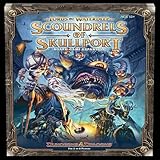
- For 2-6 players
- 60 minute playing time
- Scoundrels of skull port adds brand new content for owners of the Lords Of water deep. It is not one, but two, complete expansions, the sprawling dungeon of under Mountain and the criminal Haven of skull port.
- Adds a 6th player to the game.
Rank #3

- In The Lord of the Rings: The Battle for Middle-earth, fight on the side of Aragorn, Gandolf, Gimli, Legolas and other companions against the armies of Mordor. To defeat your enemies, you must form fellowships of companions and send them to battle.
- While building your fellowships, the Eye of Sauron is always vigilant, so you must beware of a counterattack.
- The player that defeats the most powerful hordes from Mordor wins the game!
- Contents include: 43 ring cards, 21 enemy cards, 4 guide cards, gameboard and instructions
- For 2-4 players ages 8+, 15 minute playing time
Product prices and availability are accurate as of the date/time indicated and are subject to change. Any price and availability information displayed on Amazon at the time of purchase will apply.




