There is no universal shortcut that completes every Discord Quest. Each Quest has its own requirement and availability window, so the reliable approach is to follow the instructions on its card, then claim the reward in Discord. Scripts or client manipulation are not an approved completion method; Discord says it is not interested in them in its security bug-bounty guidance.
How do I complete a Discord Quest?
Check the Quest card for its dates, eligibility, task, and reward terms. Discord offers Play Quests, which may ask you to play, stream, or perform a particular action in a game, and Video Quests, which ask you to watch a video. The supported client and progress tracking depend on the Quest type.
- Find a Quest: On desktop or in a browser, open the Quest bar or go to Discover > Quests. On supported mobile flows, look for the Quest bar or open Settings > Quest. Mobile participation is in beta and only available for certain Quests.
- Accept or start it: Accept a Play Quest or start a Video Quest, then read the card’s exact requirement and terms before you begin.
- Complete the card’s task: Use the relevant instructions below; a Quest may require a desktop app, a voice channel, or a linked game account.
- Claim the reward: When the Quest registers as complete, claim it from the Quest bar or Quest Home. For a partnered-game reward, follow the card’s redemption details and code instructions. Discord-specific rewards are added after you claim them.
How each Quest type works
| Quest type | What to do | Tracking and reward notes |
|---|---|---|
| Play: play a game | Play for the duration stated on the Quest card. | Stay logged into the Discord desktop app for tracking. Claim the reward from the Quest bar or Quest Home. |
| Play: stream a game | Stream the game to at least one friend in a Discord voice channel for the stated duration. | Use the desktop app and voice channel. Claim after completion. |
| Play: specific game action | Link the required game account, then perform the action described on the card. | The game developer sends completion data to Discord. Processing can take up to 36 hours after the gameplay action; claim after the completion registers. |
| Video Quest | Watch the required video or trailer in Discord’s desktop app or a browser. | Progress is saved if you switch windows, but playback pauses. Claim after completion. |
These steps and client notes reflect Discord Support’s Quest FAQ, updated in 2026: Discord Quests FAQ.
Does a Quest-completion “hack” work?
A third-party extension page advertises automating Quests through user-agent spoofing and internal Discord module injection. That is an unverified third-party claim, not an official or supported method. Discord’s security bug-bounty guidance states: “We are not interested in client manipulation, scripts, or other methods which allow individual actors to complete a quest.” The statement appears in the context of bug-bounty scope; it does not specify what penalties, if any, an ordinary user would face.
The Tool Desk
Outbyte Driver Updater FREEScan for outdated or missing drivers - takes under a minuteDriver Scan →Outbyte PC Repair FREEClear out junk files and repair common Windows errorsFree Scan →#1 Best Overall

- ✔ CUSTOM HEADPHONES - 3.5mm custom-length cable designed for the Oculus Quest 2 and Quest 3 gaming headset, Provides minimal latency for optimal realism for optimal realism.
- ✔ OPTIMIZED GAMING SOUND EFFECT - 45mm large-aperture drivers provide you with great audio quality no matter what the occasion.
- ✔ BLOCK OUTSIDE NOISE- Enlarge protein ear pads for complete noise isolation,let you fully immerse into the VR experience with no distractions from the outside world.
- ✔ ENDURING AND COMFORT VR ENJOYMENT - Lightweight fuselage with superior protein ear pads and headband, lets you enduring VR enjoyment
- ✔ MORE ACCESSOREIS – Headphones extended cable, VR lens protect cover, Velcro tie, microfiber cleaning cloth and headphones carrying case.
For a dependable completion path, use the Quest’s own instructions rather than modifying Discord or installing a script. The card is the authority for that campaign’s task and terms.
Why isn’t my Discord Quest progress updating?
- Check the requirement and client: Confirm that you are doing the specific task shown on the card and using a supported client. For play-time tracking, Discord says to stay logged into the desktop app; for a stream task, use a Discord voice channel and stream to at least one friend.
- Restart and update Discord: Discord recommends restarting the app and checking for updates if progress is not updating.
- Allow time for game-action data: For a Quest requiring a specific in-game action, the developer sends completion data to Discord. Discord says processing may take up to 36 hours after the action.
- Check account and device eligibility: Make sure the required game account is linked. Linux devices currently cannot earn Quest rewards; Discord recommends using another operating system such as Windows or macOS.
If the card’s task, dates, or platform requirements do not match your situation, the Quest may not be available to you. Quest availability and terms vary by campaign.
Rank #2
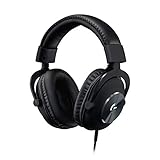
- The official over-ear audio solution for Oculus Quest 2. Designed with the world’s leading esports pros.
- Custom-length cable and passive noise isolation let you fully immerse into the VR world with no outside distractions.
- Designed specifically for the optimal gaming experience, delivering amazingly clear and precise sound imaging for the breathtaking VR experience.
- Soft and light premium materials for unmatched comfort during long gaming sessions. Enjoy your VR world completely and continuously.
- Built to last with aluminum fork and steel-reinforced headband. Premium minimalist feel and aesthetic.
Why can’t I see Quests on Discord mobile?
Mobile acceptance, tracking, and viewing are still beta features and are limited to certain Quests. If a campaign supports mobile, check the Quest bar or Settings > Quest. Otherwise, use the desktop app or browser flow supported by that Quest; the card and Discord’s FAQ specify the applicable client.
How do I claim a Discord Quest reward?
After Discord marks the Quest complete, claim the reward from the Quest bar or Quest Home. A partnered game’s reward may require a separate redemption step or code, as described on the Quest card. Discord-specific rewards are added to your account after claiming. Some Quests award Discord Orbs, which can be redeemed in the Shop for digital items, including Nitro credits; see Discord Orbs FAQ.
Rank #3
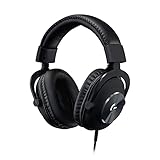
- The official over-ear audio solution for Oculus Quest 2. Designed with the world’s leading esports pros.
- Custom-length cable and passive noise isolation let you fully immerse into the VR world with no outside distractions.
- Designed specifically for the optimal gaming experience, delivering amazingly clear and precise sound imaging for the breathtaking VR experience.
- Soft and light premium materials for unmatched comfort during long gaming sessions. Enjoy your VR world completely and continuously.
- Built to last with aluminum fork and steel-reinforced headband. Premium minimalist feel and aesthetic.
Are there limits on how many Quests I can complete?
Discord’s 2026 FAQ states that users aged 13–17 can complete up to three Quests per day. The 24-hour cooldown begins after the third Quest is completed. The number is specific to that age group; check Discord’s FAQ and the Quest card for the terms that apply to your account and campaign.
Quick Recap
Best Value

- LIGHTSPEED Wireless: Pro-grade LIGHTSPEED wireless technology provides 33 hours of battery life(1) and up to 12 meters of reliable wireless freedom.Specific uses for product : Movies and Gaming
- Lightweight and Comfortable: At only 236 grams, G535 is smaller and lighter than the G733; reversible suspension headband helps distribute weight and is adjustable for a customized fit
- Plug and Play: Optimize your game time with an easy-to-use plug-and-play gaming headset; G535 uses a USB connection compatible with PC and PlayStation gaming devices
- On-Ear Controls: Volume roller is located directly on the ear cup, to quickly turn up your game, music or comms; simply flip up microphone to mute and get it out of the way
- 40 mm Drivers: With 40 mm neodymium drivers, this wireless gaming headset delivers crisp, clear, and deep stereo sound that makes your game come alive
Rank #4

- Top VR gaming library: Blast, slash and soar your way through the top library in VR gaming. Oculus Rift S lets you play hundreds of games and exclusives already available in the Oculus store, with so much more to come.
- Improved optics: Stare down the competition with next-generation lenses and a sharper display. Improved optics deliver bright, vivid colors and reduced “screen-door” effect.
- Ergonomic design: Keep your head in the game thanks to a Halo headband redesigned with speed in mind. Rift S stays securely and comfortably in place with a quick twist of the fit wheel, so it can take-or double take-your fastest reactions.
- Oculus touch controllers: Arm yourself with our updated Oculus touch controllers. Your slashes, throws and grab appear in VR with intuitive, realistic precision, transporting your hands and gestures right into the game.
- Oculus insight tracking: take a step forward with Oculus insight. It translates your movements into VR No matter which way you're facing and provides room-scale tracking without external sensors.
Product prices and availability are accurate as of the date/time indicated and are subject to change. Any price and availability information displayed on Amazon at the time of purchase will apply.




