Recommended Free Tools
Dolphin converts supported GameCube and Wii disc images from its game list: add the folder containing the file, right-click the game, select Convert File, choose an output format and destination, then start the conversion. You do not need to convert an RVZ just to play it in Dolphin; RVZ is already supported.
Convert a game image in Dolphin’s interface
-
Add the folder containing your disc image to Dolphin’s game paths, then let the game list update.
-
Find the title in the game list and right-click it.
-
Select Convert File.
-
Choose the destination and output format, then start the conversion.
Special offer. See more information about Outbyte and uninstall instructions. Please review EULA and Privacy policy.#1 Best Overall
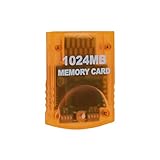
 Wigearss 1024MB(16344 Blocks) Memory Card for Gamecube and Wii Console Game Cube NGC GC (Orange)
- Essential accessory for saving game data that you worked so hard to achieve.
- Real 16344 blocks non-compress. Eight 128MB parts, pressing the button on the card to switch.
- High speed and efficient product. Easy to use.
- Only Wii consoles with model number RVL-001 and Gamecube consoles are compatible.
Dolphin’s official game-ripping guide describes this action for converting to RVZ and for consolidating multipart ISO files into one ISO.
Choose the right output format
| Format | Best fit | What to know |
|---|---|---|
| RVZ | Playing in Dolphin while keeping a compressed disc image | Dolphin supports RVZ directly. It is intended for Dolphin and can save space compared with an uncompressed image. |
| ISO/GCM | Use as an uncompressed image or an intermediate for another application | Useful when another tool expects an ISO. It does not provide the space savings of a compressed container. |
| GCZ or WIA | Other formats supported by Dolphin’s converter | Dolphin can create these formats; choose one when a compatible workflow specifically calls for it. |
| WBFS or CISO | Some Wii-loader or hardware workflows | Dolphin’s FAQ describes these as lossy formats because they remove unused disc information. They are not documented output choices for Dolphin’s converter, so use a separate tool when creating them. |
Dolphin’s FAQ covers supported image formats and the distinction between these formats. If your only goal is to play a game in Dolphin, keep the RVZ rather than converting it.
Rank #2

- ★Universal GameCube & Wii Compatibility★This high-quality Gamecube memory card seamlessly works with Nintendo GameCube (NGC) and Wii consoles (RVL-001 model). Designed as a plug-and-play third-party accessory, it replaces bulky original cards while maintaining full compatibility with classic games
- ✔16MB Massive Storage (251 Blocks)✔Never delete saves again! With a Memory card gamecube capacity of 16MB (251 blocks), store hundreds of game files from Super Smash Bros. to Zelda. Perfect for collectors needing reliable Game cube memory cards to preserve hard-earned progress
- ⚡High-Speed & Crash-Proof Design⚡Engineered for durability, this Ngc memory card features rapid data transfer to prevent lag during saves. The shock-resistant build protects your files from accidental drops or power outages—essential for marathon gaming sessions
- ✨Third-Party Reliability, First-Party Performance✨A budget-friendly Gamecube memory card for Wii/GC that outperforms aging OEM cards. The streamlined profile fits snugly in any console slot, eliminating the "card wobble" issue common in generic alternatives
- ▲Wii RVL-001 Model Exclusive Support▲Note: This Gamecube memory card for wii is ONLY compatible with Wii RVL-001 (launch edition). Verify your console’s model before purchase to ensure flawless game data transfers between NGC and legacy Wii systems
Convert with dolphin-tool from a command line
Dolphin’s repository documents a dedicated dolphin-tool convert command. Its supported output formats are iso, gcz, wia and rvz; RVZ is the default. A basic command specifies the input, output and format:
dolphin-tool convert -i INPUT -o OUTPUT -f FORMATFor example, this documented RVZ-oriented configuration converts an ISO using zstd compression, level 5 and a 131072-byte block size:
Rank #3
- Essential accessory for saving game data that you worked so hard to achieve.
- Real 16344 blocks non-compress. Eight 128MB parts, pressing the button on the card to switch.
- High speed and efficient product. Easy to use.
- Only Wii consoles with model number RVL001 and Gamecube consoles are compatible.
- Made by Third Party, NOT official item.
dolphin-tool convert -i input.iso -o output.rvz -f rvz -c zstd -l 5 -b 131072The command-line options include scrubbing unused data (-s or --scrub), setting the block size (-b or --block_size), choosing compression (-c or --compression) and setting the compression level (-l or --compression_level). The repository README documents zstd, bzip, lzma and lzma2 compression options and suggests zstd, level 5 and a 131072-byte block size for RVZ. Consult the Dolphin repository README for the command’s current options.
Convert RVZ to WBFS for a Wii-loader workflow
Dolphin’s converter does not list WBFS as an output format. To create a WBFS image from an RVZ, convert the RVZ to ISO in Dolphin first, then use a Wii-specific manager to convert that ISO to WBFS. The WBFS step is external to Dolphin; it is relevant when a Wii loader or compatible hardware workflow requires that format, not for Dolphin playback.
Rank #4

- 100% Brand New & High Quality,Third party product
- This memory card is fully compatible for Wii games and save options.
- Can independent save different kind of games
- Has a large storage capacity of 128MB
- Package Includes: 1 x 128MB Memory Card
When conversion is—and is not—needed
-
RVZ to play in Dolphin: no conversion is needed; Dolphin supports RVZ.
-
Multipart ISO files: use Convert File to combine them into one ISO, as described in Dolphin’s ripping guide.
The Tool Desk
Outbyte PC Repair FREEClear out junk files and repair common Windows errorsFree Scan →Outbyte Driver Updater FREEScan for outdated or missing drivers - takes under a minuteDriver Scan →Special offer. See more information about Outbyte and uninstall instructions. Please review EULA and Privacy policy.Best Value
 Tolesum 512MB Memory Card for Nintendo Gamecube and Wii RVL-001 Consoles
- CHECK YOUR CONSOLE MODEL: This memory card works only for Wii consoles with model number RVL-001 and for GameCube consoles. It is not supported on other models for Wii or on consoles for Wii U, so check the model number on your console before you order.
- FOUR 128MB AREAS: The 512MB memory card is split into four 128MB areas, and each area saves 2043 blocks. Press the area button on the card to move to the next area, and the matching light on the card shows which of the four areas is active.
- PLUG AND PLAY: The card needs no setup and is ready to save as soon as it is inserted. Insert or remove the memory card only while the console is turned off, and if a save seems to be missing, change areas first because the console reads one area at a time.
- ROOM FOR A BIG LIBRARY: The four areas add up to 8172 usable blocks of non-compressed save space, so one memory card can hold saves from a large collection of games without deleting older files.
- TRANSLUCENT BLUE WITH AREA LIGHTS: The memory card has a translucent blue shell with the 512MB label on the front, and four small lights on the card show which 128MB area is active, so you can see the current area before you start a game.
-
Another application needs ISO: convert to ISO/GCM as an uncompressed intermediate.
-
Wii loader needs WBFS: convert to ISO in Dolphin, then create WBFS with an external Wii-specific tool.
Quick Recap
Bestseller No. 1Bestseller No. 4
Product prices and availability are accurate as of the date/time indicated and are subject to change. Any price and availability information displayed on Amazon at the time of purchase will apply.




