Do these 3 things before closing this tab:
1Clear out junk files and repair common Windows errors2Fix the driver behind crashes, sound loss and screen glitches3Repair Windows errors before they cause bigger problemsTo delete the Nintendo Account linked to a Switch user, sign in to the Nintendo Account website in a computer or smartphone browser, open the account’s other-settings menu, choose Delete Account, then review the warnings and follow the on-screen steps. This closes the online account; deleting a Switch user or resetting the console does not.
Delete the Nintendo Account through its website
- On a computer or smartphone, open the Nintendo Account sign-in page and sign in to the account you intend to delete.
- Open the account menu and choose Other Settings. Menu wording and hierarchy can vary by region; Nintendo’s Japanese privacy support, for example, lists the route under account settings and Privacy.
- Choose Delete Account. If the option is missing, the account may be a child account; see the child-account instructions below.
- Read the cautions shown for your account and follow the on-screen instructions to submit the deletion request. Nintendo’s deletion walkthrough is from its Hong Kong support site, so use the prompts displayed for your own region. Nintendo Hong Kong: Nintendo Account deletion method and cautions Nintendo Japan: Privacy and account settings
Know what account deletion removes
Nintendo warns that deleting the online account makes Nintendo Account-related services and records unavailable. The Hong Kong support answer specifically lists unused account balance; games, goods and tickets purchased through the account; linked-app data and paid content, including for apps such as Super Mario Run; and My Nintendo points, redeemed-gift usage and redeemed download codes. Review the deletion notice shown for your region before confirming, because the detailed cited loss list is from Nintendo Hong Kong. Nintendo Hong Kong support

For a Nintendo Account linked to a Switch user, Nintendo’s cited support answer also says network features become unavailable and the user cannot be linked to another Nintendo Account. It says Nintendo Switch Online use and automatic continuation of the subscription stop. Do not assume every region presents identical wording; rely on the account’s current confirmation screen for the final terms.
Deletion requests have a 30-day recovery window
Nintendo says a deletion request can be reopened within 30 days. Treat that as the stated period for reopening a pending request, not a promise that an account can be restored after deletion is complete. Nintendo’s Malaysia English support page gives the same 30-day period for child-account deletion. Nintendo Hong Kong support Nintendo Malaysia: Child account support
Recommended Free Tools
#1 Best Overall

- Travel case
- Protection Library holds 12 game cards and offers full screen and analog stick protection
- microSD Card Case 2pcs, each holds 2 microSD Cards
- Comfortable carrying handle and soft cleaning cloth
Delete a child account
A parent or guardian who administers the family group must handle child-account deletion through the administering Nintendo Account. If the child account does not show the normal deletion option, use that parent or guardian account’s family-group route rather than deleting a console profile. Follow the prompts shown in the account interface. Nintendo Malaysia: Child account support
Choose the right action: account, Switch user, or console
“Delete my Switch account” can mean three different things. The actions are not interchangeable:
Rank #2

- Elegant ballistic nylon case protects your Nintendo Switch OLED Console or Switch Console making it more portable and travel friendly
- Adjustable viewing stand allows you to play and view on the go, while providing max protection for the screen and thumb sticks when storing the Switch OLED or Switch Console
- Bonus Game Cases allow you to hold up to 8 games, secured in a recessed area underneath the Switch OLED Console making for a great travel case and storage case
- Perfect Switch OLED carry case with a comfort handle, soft satin inner top lining and sure glide zipper making it the nicest Nintendo Switch case
- Tested and approved under license by Nintendo of America, compatible with the Nintendo Switch OLED, Nintendo Switch and Nintendo Switch Lite, see all Game Traveler Switch cases in our Amazon store
| Action | What it removes or changes | Key consequence |
|---|---|---|
| Delete Nintendo Account | Closes the online account and affects account-linked services and records. | Account balance, purchases, linked-app data or content, and My Nintendo records listed by Nintendo may no longer be usable. A 30-day request-reopening period is stated in Nintendo support. |
| Delete a Switch user | Removes a local profile from that console. | The profile’s locally stored save data is deleted, but the Nintendo Account remains. Purchases associated with the deleted user may be unavailable on that console until the linked account is assigned to another user and the relevant virtual game card is set. |
| Initialize the Switch | Erases console data and unlinks the Nintendo Account from the console. | The online Nintendo Account remains, and initialization does not stop Nintendo Switch Online automatic renewal. |
Nintendo documents the console-user and initialization distinctions in its Japan support pages. Nintendo Japan: Deleting a user from a Nintendo Switch Nintendo Japan: Initializing a Nintendo Switch
Quick Recap
Rank #4
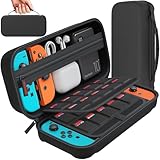
- Designed by DAYDAYUP – Premium Nintendo Switch Carrying Case. This DAYDAYUP Nintendo Switch carrying case is specifically engineered for gamers who need reliable daily protection and organized storage. Unlike generic switch case designs, it features a structured layout tailored for real use.
- Exclusive Interior Layout – Not a Generic Switch Case. This nintendo switch case features a custom-designed interior with dedicated game card slots, mesh pocket, and precise compartment spacing optimized for real usage.
- Scratch-Free Nylon Zipper – Protects Your Console. Unlike standard cases with metal zipper pulls, this nintendo switch carrying case features a specially designed nylon zipper head that prevents contact with the console and reduces scratch risk.
- Hard Shell Protection for Nintendo Switch. Built with durable EVA material, this switch case protects your console from drops, pressure, and scratches during travel and daily carry.
- Authentic DAYDAYUP Design – Avoid Low-Quality Copies. This nintendo switch case is an original DAYDAYUP design. Unauthorized sellers may offer similar-looking products with lower quality materials. Choose authentic products for best performance.
Rank #3
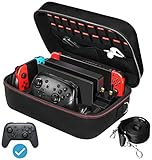
- Deluxe Travel Carrying Case. Specially designed to make your Console system even more portable & travel friendly. Comfortable handle strap is ideal for carrying. Large storage is suitable to take all the Switch accessories when go on a trip.
- Multiple Storage. Interior grooves securely hold the Console include an extra set of JoyCons or a Pro Controller, For Switch Dock, JoyCons Charging Grip, AC Adapter. Interior mesh pocket for other smaller accessories like extra JoyCons, HDMI Cable, JoyCons Straps etc.Make going on vacation very easy, perfect fit for outdoor activities and enjoy your Game.
- Hard Protective Case. Hard EVA shell case protects the console from drops, scratches, bumps, splash and dust. Soft liner protects your console from getting scratches. The design of groove make accessories separate so that avoid to scratch each other.
- Convenient to Use. Easy to carry with the comfortable handle strap. All-around zipper is easy Opening and Closing. Everything is easy to put in and take out and fits securely.
- Included: 1x iVoler Case for Nintendo Switch or OLED Model .The Switch console, pro controllers, and other accessories shown in images are for usage demonstration purposes only and are not included with this case.
Use an alternative if you only want to change the console or a permission
- Remove one profile from a Switch: use the console’s user-deletion settings, knowing that the profile’s locally stored save data is removed while the online Nintendo Account stays open.
- Sell or give away a Switch: initialize the console to erase its data and unlink the account. This does not close the account or cancel automatic renewal, so manage any subscription renewal separately if that is your goal.
- Stop a connected app or service from using account data: Nintendo Japan documents a separate option to revoke connected-app or service permission.
- Stop Nintendo announcement emails: change the separate email preference listed on Nintendo Japan’s privacy page rather than deleting the account.
Nintendo Japan privacy support
Product prices and availability are accurate as of the date/time indicated and are subject to change. Any price and availability information displayed on Amazon at the time of purchase will apply.
The Tool Desk
Outbyte PC Repair FREERepair Windows errors before they cause bigger problemsFix Now →Outbyte Driver Updater FREEScan for outdated or missing drivers - takes under a minuteDriver Scan →



