Outdated Drivers Are Slowing You Down
One free scan finds every outdated or missing driver and matches the right update for your exact hardware.Free scan · exact hardware matchPC Slower Than It Used to Be?
A free scan shows the junk files, broken settings and background clutter dragging Windows down - then fixes them in one click.Free scan · Windows 10 & 11To delete your Honkai: Star Rail account, submit a deletion request through the HoYoverse Account Center. This deletes your entire HoYoverse Account—not just Honkai: Star Rail progress—and its linked game and service data. The request has a 30-day confirmation period; logging in during that time cancels it. Once deletion is complete, it cannot be reversed.
Before you request deletion
HoYoverse does not offer a way to delete data from only one game through this account-deletion process. The HoYoverse Account is used across its games and services, so deleting it affects all linked games and services, not only Honkai: Star Rail. See HoYoverse’s account deletion help article for the scope of its deletion flow.

As an Amazon Associate I earn from qualifying purchases.
HoYoverse says account closure permanently erases associated game data, unused in-game currency, time-limited benefits, and unclaimed rewards. Currencies and benefits cannot be refunded, restored, or transferred after closure. Check any other games or services linked to the account, and make sure you are willing to lose those items before confirming. Details are in HoYoverse’s data and currency help article.
The Tool Desk
Outbyte Driver Updater FREEScan for outdated or missing drivers - takes under a minuteDriver Scan →Outbyte PC Repair FREERepair Windows errors before they cause bigger problemsFix Now →How to request deletion of your HoYoverse Account
- Sign in to the HoYoverse Account Center with the account you use for Honkai: Star Rail.
- Open Personal Information from the left-hand menu.
- Select Request to Delete Account, near the bottom right.
- Follow the prompts to verify your identity and confirm the deletion request.
HoYoverse’s guide, “How do I delete my HoYoverse Account?”, was updated September 9, 2025. Menu labels and account flows can change, so follow the prompts shown in the Account Center if they differ.
#1 Best Overall

- 【Perfect Artistic Canvas】The Honkai: Star Rail Poster merch size is (27.5 inch x 10 inch) and is made from high quality canvas, light weight, soft, non-wrinkled, easy to wash, long-lasting durability, and looks brighter and shiny.
- 【Premium Quality Printing】The posters are provided with an exquisite graphic feel, HD printing makes the Honkai: Star Rail figures clear and more vivid as in the game.
- 【Unique Gift】We provide great variety of character posters, you can choose your favorite Honkai: Star Rail characters, and it can be a surprising gift for Honkai: Star Rail game enthusiasts on Christmas, Thanksgiving, birthdays, and other celebratory holidays.
- 【Great Indoor Decor】The Honkai: Star Rail poster is a great indoor decor, perfect as a decorative addition to bedrooms, living room, dormitory, gaming rooms, anime theme hotel, clubs.
- 【user friendly】A pole and a rope are installed at the top, and you can easily hang the poster on the wall by hooks.
What happens during the 30-day period?
Submitting the request starts a 30-day confirmation period. During that window, you can cancel by logging back in; HoYoverse says doing so automatically reactivates the account. If you do not log in during the period, deletion completes automatically. After that, the account cannot be recovered. The 30-day duration and cancellation instructions are described in HoYoverse’s deletion guide.
If you only want to remove Honkai: Star Rail data
Do not submit the account deletion request if your goal is to keep using your HoYoverse Account for other linked games or services. HoYoverse says this flow cannot delete data from a single game; it removes data associated with the account across linked games and services. The official help page does not describe a separate single-game deletion option.
Rank #2
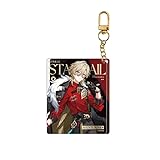
- Honkai: Star Rail Express Travelogue Series Merchandise - Aventurine
Where to get help
If you cannot complete the request, HoYoverse lists [email protected] for Honkai: Star Rail support. You can also submit an issue through in-game Feedback or the Help Center.
Free tools Windows power users keep installed
One-click scans. No signup required.
Quick Recap
Rank #4

- Honkai: Star Rail GSC Nendoroid Figure - Phainon
Product prices and availability are accurate as of the date/time indicated and are subject to change. Any price and availability information displayed on Amazon at the time of purchase will apply.




