You can download a Wii Shop title to an SD card only if it was previously purchased on that Wii and remains available to redownload. The Wii Shop Channel stopped accepting new purchases on January 30, 2019, so this is not a way to get games you never bought. Nintendo’s redownload service is also expected to end, but it has not announced a date. Nintendo Support
Before you start: check your Wii and the title
- The Wii Shop Channel no longer sells new content. Nintendo closed it to new purchases on January 30, 2019. The steps below apply only to titles previously purchased and downloaded to that Wii. Nintendo: Wii Shop Channel Discontinuation
- Redownload availability is temporary in the long term. Nintendo says redownloads will eventually end, but its support page does not give a termination date. Nintendo: How to Redownload Wii Shop Channel Content on Wii
- Your Wii must support SD cards. Nintendo’s instructions require Wii Menu version 4.0 or later; Wii mini does not support SD cards. A compatible card must be inserted for SD Card to be selectable. Nintendo does not specify a capacity or brand in these instructions. Nintendo: How to Save Games or Channels to an SD Card
How to redownload a Wii Shop title to an SD card
- Insert a compatible SD card into the Wii.
- From the Wii Menu, open the Wii Shop Channel, then select Start and Start Shopping.
- Open Titles You’ve Downloaded and select the title you previously purchased.
- Choose Redownload. When prompted for a destination, select SD Card and confirm. Nintendo notes that a grayed-out SD Card option means no compatible card is inserted. Nintendo’s redownload instructions and SD-card instructions
How to start a game or channel stored on the card
Insert the card, open the SD Card Menu from the Wii Menu, select the game or channel, and choose the option to start it. A game may not recognize its save data unless that save data is on the Wii console. Nintendo also warns that an older version of a title stored on the card may not run after a newer version has been redownloaded. Nintendo: How to Launch a Wii Channel or Game from the SD Card Menu
As an Amazon Associate I earn from qualifying purchases.
An SD card does not transfer a game to another Wii
Putting a Wii Shop title on an SD card does not make it playable on another console. Nintendo says the title must have been downloaded from the Wii Shop to the particular Wii where it is to be played. The card is a storage destination, not a way to share or move a game license between consoles. Nintendo: Can I Transfer Game Content from an SD Card to Another Wii Console or Person?
The Tool Desk
Outbyte PC Repair FREERepair Windows errors before they cause bigger problemsFix Now →Outbyte Driver Updater FREEScan for outdated or missing drivers - takes under a minuteDriver Scan →Quick Recap
Best Value

- Great choice for compact to mid-range point-and-shoot cameras
- Quick transfer speeds up to 140MB/s (Up to 140MB/s read speed engineered with proprietary technology to reach speeds beyond UHS-I 104MB/s, requires compatible devices capable of reaching such speeds. Based on internal testing; performance may be lower depending on host device, interface, usage conditions and other factors. 1MB=1,000,000 bytes.)
- Up to 64GB to store tons of pictures (1GB=1,000,000,000 bytes. Actual user storage less.)
- Exceptional video recording performance with UHS Speed Class 1 (U1) Class 10 rating for Full HD video (1080p) (UHS Speed Class 1 (U1) designates a performance option designed to support real time video recording with UHS enabled host devices. See consumers speed page on SanDisk site. Full HD (1920x1080) video support may vary based upon host device, file attributes, and other factors. Visit the SanDisk Video Knowledge Base for more information.)
- Compatible with SanDisk SD UHS-I card reader (sold separately)
Rank #4
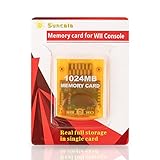
- High speed: Upgraded innovation chip that processes and saves the games 20% faster than older versions, game is smooth and steady without any interruptions.
- Compatibility: Fully compatible with Gamecube and Wii Consoles (Model number RVL-001)
- Storage System: 8 improved storage sections that can save up to 16344 blocks. To change storage sections, press the switch button.
- Newly designed package, fresh and elegant look. Sleek package allows you to easily insert and remove memory card.
- 60 months worry-free warranty. Friendly and supportive customer service is always there to answer all your questions within hours.
Rank #3

- Great choice for compact to mid-range point-and-shoot cameras
- Quick transfer speeds up to 140MB/s (Up to 140MB/s read speed engineered with proprietary technology to reach speeds beyond UHS-I 104MB/s, requires compatible devices capable of reaching such speeds. Based on internal testing; performance may be lower depending on host device, interface, usage conditions and other factors. 1MB=1,000,000 bytes.)
- Up to 128GB to store tons of pictures (1GB=1,000,000,000 bytes. Actual user storage less.)
- Exceptional video recording performance with UHS Speed Class 1 (U1) Class 10 rating for Full HD video (1080p) (UHS Speed Class 1 (U1) designates a performance option designed to support real time video recording with UHS enabled host devices. See consumers speed page on SanDisk site. Full HD (1920x1080) video support may vary based upon host device, file attributes, and other factors. Visit the SanDisk Video Knowledge Base for more information.)
- Compatible with SanDisk SD UHS-I card reader (sold separately)
Rank #2

- Class 4 Standard SD flash memory card (Secure Digital Card). Compatible with mainstream SD card readers
- SLC high speed read/write technology. Excellent work for Class 4 standard SD card devices, such as specific older digital cameras / 3D printers / GPS / MP3 / CNC / PDA / industrial machine, etc.
- SD Card Made in Japan. Assembled in China
- 2GB storage capacity. The actual allowable capacity is 1.83GB / 1.87GB
- 1 year manufacturer's limited service.Compatible with trail camera, old digital camera, DSLR cameras and dash cams.
#1 Best Overall

- Brand: Sandisk
Product prices and availability are accurate as of the date/time indicated and are subject to change. Any price and availability information displayed on Amazon at the time of purchase will apply.
Independent reader supportYour contribution helps us test, update, and keep practical guides available for everyone.



