What’s actually slowing this PC down?
Pick the symptom - the matching free tool is one click away.
Choose one Fortnite outfit as your reference, then draw it in stages: sketch the pose and large shapes, build the character’s silhouette, add the details that make the outfit recognizable, and finish with color and shading. Epic describes a Fortnite character as an avatar representing the player; in the lobby, the avatar reflects the selected outfit, making that outfit a useful reference.
1. Choose an outfit to draw
Pick a single outfit and keep a clear image or in-game view nearby. Start by noticing its overall shape and largest color areas—not every small accessory. Look for features that will help identify it later, such as distinctive headwear, a mask, a jacket shape, or visible back bling.


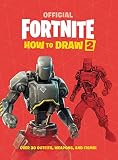

Epic’s Fortnite Creative documentation defines a character as “a fictional avatar that represents the player.” Epic Support also explains that your selected outfit appears on your avatar in the lobby. Use that outfit image as your visual guide rather than trying to draw a generic Fortnite character.
2. Sketch the pose and big shapes
Use light marks so you can adjust the drawing easily. Place simple shapes for the head, torso, hips, arms, and legs, and decide whether the character is standing, running, or striking a pose. Keep the pose readable before adding clothing detail.
The Tool Desk
Outbyte Driver Updater FREEFix the driver behind crashes, sound loss and screen glitchesFind Drivers →Outbyte PC Repair FREERepair Windows errors before they cause bigger problemsFix Now →- Mark the head and the direction it faces.
- Place the torso and hips beneath it, keeping the pose balanced or deliberately in motion.
- Use simple lines or shapes to position the arms and legs.
- Check the spacing and overall pose against your reference before darkening any lines.
3. Build the character’s silhouette
Draw the outer shape of the outfit over your pose sketch. Add the hair or headwear, clothing outline, footwear, and any visible back bling. Compare the large shapes with your reference: a clear silhouette makes the drawing recognizable before you add small features.
4. Add the details that identify the outfit
Choose a few of the most distinctive features and draw those first. These might be clothing panels, a belt or shoulder accessory, a mask or facial detail, or a piece of back bling. Avoid filling the early sketch with tiny marks; too much detail can obscure the character’s shape.
5. Clean up and add color
Erase or soften construction marks, then redraw the important outlines clearly. Fill in the outfit’s main color blocks from your reference. If you want more depth, add simple shadows and texture after the base colors are in place.
Want a Fortnite-specific drawing book?
The free steps above work with any clear outfit reference and the drawing materials you already have. For staged Fortnite examples, Hachette UK’s listing for Epic Games’ FORTNITE Official: How to Draw describes a guide to drawing 35 game icons, including 16 Outfits and 8 weapons, progressing from rough sketches to detailed finishes. The publisher listing, dated 27 April 2020, also mentions shading and texture tips and lists paperback and ebook formats; retailer stock and edition availability can change.
Quick wins for a faster PC:
Scan for outdated or missing drivers - takes under a minuteDriver Scan →Repair Windows errors before they cause bigger problemsFix Now →Fix the driver behind crashes, sound loss and screen glitchesFind Drivers →What a drawing can—and cannot—do in Fortnite
A drawing can be fan art or an original character concept, but drawing a custom design does not make it an outfit you can use in the game. Epic Support says players cannot create their own outfit and use it in Fortnite. If you plan to share or sell work using Fortnite or Epic Games images or content, read Epic’s current fan content policy. Epic says its content-use rules apply even to personal projects; the policy is the place to check how they apply to your intended use.
Quick Recap
Best Value
Rank #4

- A deluxe how-to-draw guide featuring beloved Pokémon characters for aspiring young artistsStep-by-step instructions make it easy for kids of all skill levels to draw their favorite PokémonA must-have for Pokémon fans who love art, creativity, and hands-on activities
Product prices and availability are accurate as of the date/time indicated and are subject to change. Any price and availability information displayed on Amazon at the time of purchase will apply.



