Recommended Free Tools
To enable gamepad navigation through a Roblox experience’s GUI, set GuiService.GuiNavigationEnabled to true in a LocalScript. Then make sure the controls can be selected and decide how focus should begin.
Enable controller navigation
Use a LocalScript so the setting is applied for the player:
local GuiService = game:GetService("GuiService")
GuiService.GuiNavigationEnabled = true
Roblox calls this feature default controller GUI navigation. The GuiService API reference describes GuiNavigationEnabled as the switch for enabling or disabling it.
Choose how the first control gets focus
Enabling navigation does not by itself choose the exact control that should be highlighted first. You can leave automatic selection on, or assign the initial target yourself.
#1 Best Overall

- 【All-in-One Handheld】 The ultimate portable console in your hands. Enjoy retro games, remote play, cloud gaming, and Android titles on a lightweight handheld with responsive controls and a stunning 7” display. More than just a game console — it's a powerful all-in-one entertainment device.
- 【Cloud Gaming + Remote Play】 Cloud Gaming – Instantly play AAA titles over Wi-Fi with subscriptions to Xbox Cloud Gaming (Beta), GeForce NOW, Amazon Luna, PlayStation Plus Premium, and Boosteroid. Remote Play – Stream games locally from your own devices using Moonlight, PlayStation Remote Play, Steam Link or PXPlay.【Need buyer's subscriptions to Xbox or PlayStation.】
- 【Emulator Retro Games + Android Games】 Emulation – Enjoy retro classics with enhanced compatibility and smoother performance on PS2, GameCube, and other popular systems. Android Games – Run most local games with ease, offering more ways to play on a larger screen with console-style controls."
- 【Capacitor Digital Joystick + Switchable Modes】 abxylute One Pro is the first handheld to feature cutting-edge digital joysticks—taller, larger, and more advanced, with an extended input range. Switch between Circle Mode for ultra-precise 0.2% tracking, or Square Mode for broader input—tailored to different play styles."
- 【4K Video Output + Dual Speakers】 Connect to an external display or AR glasses for up to 4K gaming with full controller support, or enjoy immersive gameplay on the built-in 1080P 7” display—perfect for couch play or gaming on the go. Upgraded audio drivers deliver deeper, clearer vocals, and rich, immersive sound in every in-game moment."
| Approach | How it works | Use it when |
|---|---|---|
| Automatic selection | With GuiService.AutoSelectGuiEnabled enabled, pressing the gamepad Select button or Backslash starts selection automatically. |
You are comfortable with Roblox choosing an available control when the player starts navigating. |
| Set the target directly | Assign a visible GUI object to GuiService.SelectedObject after the interface exists: |
You want a particular button or control focused when a menu opens. |
local GuiService = game:GetService("GuiService")
GuiService.SelectedObject = myButton
SelectedObject represents the object currently focused by the GUI navigator. Roblox notes that it can reset to nil if that object is off-screen, so assign it only after the target exists and is visible. Alternatively, GuiService:Select(selectionParent) searches a PlayerGui or descendant for visible, on-screen eligible objects and selects one with the smallest SelectionOrder.
Make controls selectable and set movement paths
Controls intended to receive focus need to be selectable. The GuiObject API reference documents Selectable as the property that determines whether a GUI object can be selected during gamepad navigation.
Rank #2

- 【Flagship Visual Experience】: Featuring a 5.5-inch high-definition eye-protection screen, this handheld game console enhances color saturation by 50% and uses smart brightness adjustment technology to deliver more vivid and natural visuals. The large screen ensures eye comfort while providing an immersive gaming experience for handheld game console enthusiasts.
- 【Upgraded Performance】: Powered by the latest flagship gaming chip, this handheld game player boosts performance and smoothness by over 80%, completely eliminating control lag. With 9 built-in classic game emulators, it's perfect for retro video game player fans who wish to relive arcade and retro gaming classics effortlessly.
- 【All-Scenario Control System】: Utilizing a 360° non-slip joystick and textured crystal buttons, this electronic game player provides precise feedback and ergonomic design. It's ideal for racing and games, supporting bluetooth-compatible controller expansion for an unrestricted gaming experience.
- 【Sustainable Battery Ecosystem】: Equipped with a 1500mAh high-density lithium battery and Type-C fast charge technology, this portable game player offers 4-6 hours of intensive gaming endurance. Charging efficiency is increased by 30%, compatible with mainstream charging devices.
- 【Cross-Functional Entertainment Terminal】: Going beyond traditional gaming consoles, this retro video game player integrates smart e-book reading capabilities, supporting TXT format reading, bookmark memory, and multitasking background music playback. Its piano lacquered body blends e-sports aesthetics and fashion technology.
Roblox can move focus through the interface automatically, but a layout with a non-obvious path may need explicit links. Set NextSelectionUp, NextSelectionDown, NextSelectionLeft, or NextSelectionRight on the relevant objects to define where focus moves in each direction.
SelectionOrder serves a different purpose: it affects which object is chosen first when gamepad selection begins or when GuiService:Select() is called. It does not determine directional movement.
What’s actually slowing this PC down?
Pick the symptom - the matching free tool is one click away.
Rank #3
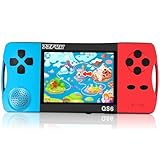
- ★Fun Anywhere, Anytime★ Perfect for road trips, airplane rides, or quiet time at home, this portable handheld game console keeps kids entertained without bulky equipment or internet access. Lightweight and compact, it easily fits into backpacks and pockets, making it a must-have travel game for kids whether you're on vacation or staying in.
- ★216 Preloaded Games★ This handheld video game console for kids comes with 216 classic games across various types like puzzles, action, sports, and logic games. With no internet, no ads, and no downloads, your child can play safely offline. It's the perfect way to enjoy educational and fun games without distractions, giving parents peace of mind.
- ★Kid-Friendly Design★ Built for little hands, this mini arcade game console features a vibrant kid-approved design, a 3.5” screen gentle on young eyes, and intuitive one-button start gameplay. The simple interface makes it the ideal first game console for kids, while built-in educational games help develop hand-eye coordination and problem-solving skills naturally through play.
- ★Retro Vibes with Rechargeable Power★ Introduce your child to the classic fun of retro handheld games with a modern twist! Packed with nostalgic arcade-style games, this upgraded version includes a rechargeable 1800mAh battery for 6+ hours of nonstop play. Enjoy timeless gaming joy, whether it’s your child’s first console or a throwback moment you share together.
- ★A Gift Kids Love and Parents Approve★ Whether it’s a birthday, holiday, or a surprise reward, this handheld gaming toy makes a fantastic gift for boys and girls ages 4-12. Safe, fun, and thoughtfully designed, it brings joy to children while offering parents a screen-time solution they can trust. A truly heartwarming electronic toy gift for kids.
Account for paged interfaces and controller eligibility
UIPageLayout
For a paged interface, check UIPageLayout.GamepadInputEnabled. It is documented as true by default; when enabled, directional input and L1/R1 can move between pages. The UIPageLayout API reference explains this setting. Page navigation may take over directional movement that you expected to follow individual controls’ selection links.
Navigation gamepads
If a connected controller does not move GUI focus, inspect the navigation gamepads with UserInputService:GetNavigationGamepads(). Use UserInputService:SetNavigationGamepad() to configure which connected gamepad is eligible to drive navigation. See the UserInputService API reference.
Troubleshoot missing or unexpected focus
- No control is highlighted: confirm
GuiNavigationEnabledis true and that selection has started automatically or through a non-nilSelectedObject. - A control is skipped: check its
Selectableproperty and inspect or set its directionalNextSelectionlinks. - The wrong control is selected first: adjust
SelectionOrderor assignSelectedObjectdirectly. - Directional input changes pages instead of controls: inspect
UIPageLayout.GamepadInputEnabledand how the page layout handles its sibling pages. - A connected gamepad does not move focus: check which devices are navigation gamepads through
UserInputService.
Roblox’s user interface documentation provides broader context for building experience interfaces.
Quick Recap
Product prices and availability are accurate as of the date/time indicated and are subject to change. Any price and availability information displayed on Amazon at the time of purchase will apply.




