Before quitting Hogwarts Legacy, open the pause menu and use the manual save option if it is available. Then return to the main menu and check the time-since-last-save notice; if several minutes have passed, save again or reach another checkpoint before closing the game.
Save your progress before quitting
- Open the in-game pause menu.
- Choose the manual save option and select or create a save file if the game allows it. The option may be unavailable during some story moments; a 2023 Gamepressure guide identifies the opening Road to Hogwarts prologue as one example and says manual saving becomes available after you reach your chosen House’s chambers.
- If you cannot save, continue until manual saving is enabled or the game reaches another autosave point.
- Return to the main menu. Gamepressure says the game displays how long it has been since the last save. If the notice shows several minutes, save manually if possible or continue to another checkpoint before exiting.
- Close the game through your platform’s system interface. On other platforms, use the system controls for your device; exact current button-by-button instructions are not established here.
How manual saves and autosaves differ
Hogwarts Legacy supports both player-created save files and autosaving. WB Games says autosaving records progress at key moments, but does not publish a precise schedule or list every trigger. It therefore should not be treated as a guarantee that the latest action has been saved.
| # | Preview | Product | Price | |
|---|---|---|---|---|
| 1 |

|
Hogwarts Legacy - Nintendo Switch | $37.49 | Buy on Amazon |
| 2 |

|
Warner Games Video Game for Switch Hogwarts Legacy: The Legacy of Hogwarts | $43.69 | Buy on Amazon |
| 3 |

|
Hogwarts Legacy - Nintendo Switch 2 | $31.99 | Buy on Amazon |
| 4 |
|
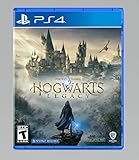
Hogwarts Legacy - PlayStation 4 | $24.99 | Buy on Amazon |
| Save method | Player control | Availability and timing |
|---|---|---|
| Manual save | You choose when to make a save, using the pause menu when the option is enabled. | May be disabled during story moments, according to the Gamepressure guide last updated February 7, 2023. |
| Autosave | Runs automatically; you do not choose the moment. | WB Games describes it as saving at key moments. Gamepressure gives reaching a new location or completing a quest as examples, but no guaranteed interval is established. |
Because the two methods do not necessarily record progress at the same time, use a manual save before stopping whenever the game permits it. The Gamepressure guide’s menu and trigger details date from 2023; WB Games’ support information confirms the save features but not those exact operational details.
Close Hogwarts Legacy on Nintendo Switch
After saving and returning to the main menu, close the Switch software through the HOME menu:
The Tool Desk
Outbyte PC Repair FREERepair Windows errors before they cause bigger problemsFix Now →Outbyte Driver Updater FREEScan for outdated or missing drivers - takes under a minuteDriver Scan →#1 Best Overall
- EXPLORE AN OPEN WORLD. The wizarding world awaits you. Freely roam Hogwarts, Hogsmeade, the Forbidden Forest, and the surrounding Overland area.
- BE THE WITCH OR WIZARD YOU WANT TO BE. Learn spells, brew potions, grow plants, and tend to magical beasts along your journey. Get sorted into your house, forge relationships, and master skills to become the witch or wizard you want to be.
- EXPERIENCE A NEW WIZARDING WORLD ADVENTURE. Experience the wizarding world in an unexplored era to uncover a hidden truth from its past. Battle against trolls, Dark Wizards, goblins, and more as you face a dangerous villain threatening the fate of the wizarding world.
- Press the HOME button.
- Highlight Hogwarts Legacy.
- Press X, or select Close Software.
- Confirm that you want to close it.
Nintendo’s instructions say to save software that requires saving before closing, or unsaved progress will be lost. The Nintendo Switch edition’s listing also notes that Save Data Cloud backup requires Nintendo Switch Online; cloud backup is separate from saving within the game.
Quick Recap
Rank #4
- We’re overwhelmed with gratitude for the response to Hogwarts Legacy from fans around the globe. The team is working hard to deliver the best possible experience on all platforms and we need more time to do this. Hogwarts Legacy will launch for PS4 and Xbox One May 5, 2023.
- EXPLORE AN OPEN WORLD. The wizarding world awaits you. Freely roam Hogwarts, Hogsmeade, the Forbidden Forest, and the surrounding Overland area.
- BE THE WITCH OR WIZARD YOU WANT TO BE. Learn spells, brew potions, grow plants, and tend to magical beasts along your journey. Get sorted into your house, forge relationships, and master skills to become the witch or wizard you want to be.
- EXPERIENCE A NEW WIZARDING WORLD ADVENTURE. Experience the wizarding world in an unexplored era to uncover a hidden truth from its past. Battle against trolls, Dark Wizards, goblins, and more as you face a dangerous villain threatening the fate of the wizarding world.
Rank #3
- This edition of Hogwarts Legacy has been enhanced for Nintendo Switch 2, including Joy-Con 2 mouse sensor support, improved graphics, audio, load times, and controls.
- Hogwarts Legacy is an immersive, open-world action RPG set in the world first introduced in the Harry Potter books. Take control of the action and be at the center of your own adventure in the wizarding world.
- Experience Hogwarts in the 1800s. Make allies, battle Dark wizards, and ultimately decide the fate of the wizarding world. Your legacy is what you make of it. Live the Unwritten.
Rank #2
- Video game for Switch from the brand Warner Games
- Color: Multicolor
- Dimensions: 10.5 x 16.8 x 1.2 cm
- Reference: S7830090
- If what you want is quality at the best price do not keep looking!
Product prices and availability are accurate as of the date/time indicated and are subject to change. Any price and availability information displayed on Amazon at the time of purchase will apply.
Independent reader supportYour contribution helps us test, update, and keep practical guides available for everyone.



