The most practical post-game AP loop in Final Fantasy VII Remake is the Shinra parking-garage section in Chapter 16. Use Chapter Select after finishing the story, equip the materia you want to level, link AP Up to one of those targets, clear the security encounters, reach the Shinra Building, then restart Chapter 16 and repeat.
Chapter 17’s Shinra Combat Simulator and the Corneo Colosseum are credible alternatives. No source establishes one route as universally fastest under identical builds and timings, so choose according to the chapter you have unlocked, your clear speed, party size and whether you prefer a short story loop or arena battles.
| # | Preview | Product | Price | |
|---|---|---|---|---|
| 1 |

|
FINAL FANTASY VII REMAKE INTERGRADE | $31.90 | Buy on Amazon |
| 2 |

|
Final Fantasy VII REMAKE INTERGRADE & REBIRTH Twin Pack (PlayStation 5) | $54.95 | Buy on Amazon |
| 3 |

|
FINAL FANTASY VII REMAKE INTERGRADE (PS5) | $32.40 | Buy on Amazon |
| 4 |
|
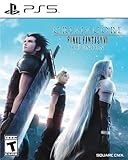
Crisis Core: Final Fantasy VII Reunion - PlayStation 5 | $24.99 | Buy on Amazon |
As an Amazon Associate I earn from qualifying purchases.
What AP farming means in Final Fantasy VII Remake
Ability Points, or AP, are awarded to equipped materia after battles. Materia gains new commands, passive effects or upgraded versions as its AP total rises, and a mastered materia stops needing further AP. Farming AP therefore means repeating battles that you can clear quickly while filling every useful materia slot with something that still needs progression.
The advice here applies to Final Fantasy VII Remake, not Final Fantasy VII Rebirth. Rebirth has different chapters, activities and progression systems, so a Rebirth guide should not be used to locate the Chapter 16 or Chapter 17 routes described below.
#1 Best Overall
- Immerse yourself in the city of Midgar like never before, with improved textures, lighting, and background environments
- Players can switch between two game modes: "Graphics Mode" prioritizes 4K high-resolution graphics; "Performance Mode" prioritizes smooth action at 60 frames per second
- Capture and share your memorable moments from the game with a fully customizable “Photo Mode”
- Players can enjoy immersive battles by using the DualSense PlayStation 5 controller with its haptic feedback integration
- Play the brand-new episode featuring Yuffie and experience new combat and gameplay additions
Best starting point: the Chapter 16 parking-garage loop
Chapter 16 is the simplest repeatable route identified by the available guides. Its parking-garage section places a series of Shinra security encounters on the path toward the Shinra Building. You can replay that section with your post-game equipment, clear the battles, and restart the chapter once you reach the building.
Why this route is practical
- It is available through Chapter Select after the story is complete.
- The encounters are arranged along a straightforward route rather than requiring a separate arena menu for every attempt.
- You can stop the run after reaching the building and immediately restart Chapter 16.
- The same route works as a general materia-leveling loop regardless of which characters you normally use, provided the relevant materia is equipped.
GameFAQs and Gameranx both describe repeating the parking-lot or parking-garage encounters. Their recommendations support the route as a useful loop, not as a measured world-record strategy. Enemy clear times, party composition and the number of battles completed per attempt all affect your personal rate.
How to set up the Chapter 16 farm
- Finish the story. Completing the game unlocks post-game benefits, including Chapter Select, so you can revisit earlier chapters while retaining your upgrades and equipment.
- Open Chapter Select. Choose Chapter 16 from the chapter list. Your post-game gear and materia remain available when you return to the chapter.
- Prepare your materia before entering the route. Put the materia that still needs AP into active characters’ equipment. Do not use a slot on a materia that is already mastered unless you specifically need its effect during combat.
- Link AP Up to one target materia. Place AP Up in a linked slot beside a single materia you want to level. This concentrates the AP bonus instead of using a linked slot on a mastered item. If several materia need work, rotate the target between runs.
- Use your late-game equipment. The official PlayStation endgame guidance recommends gear with more materia slots. More available slots let you carry more unfinished materia without sacrificing the combat tools needed to clear the route.
- Start the parking-garage section. Follow the chapter’s path toward the Shinra Building and defeat the Shinra security encounters in the underground parking area.
- Reach the Shinra Building, then restart. Guides recommend restarting Chapter 16 after reaching the building so the parking-garage encounters are reset for another run. The exact restart prompt can depend on the point at which you stop the chapter; use the chapter-restart option rather than continuing through the entire story chapter.
Combat setup for faster clears
Gameranx recommends a linked Magnify and Fire arrangement for groups, while the GameFAQs route guide mentions First Strike and a Fire/Magnify pairing. These are guide recommendations rather than results from a controlled test. They are useful when your current build can dispatch clustered security enemies quickly, but you should change the setup if a different character or spell rotation produces shorter, safer fights for you.
- Magnify plus Fire: A linked setup can let one cast cover multiple nearby enemies, reducing the number of individual actions required.
- First Strike: Starting with a fuller ATB gauge can shorten the opening exchange if your build turns that advantage into immediate area damage.
- Keep the damage plan simple: A farm is efficient when you can repeat the same reliable sequence without frequent healing, menu changes or failed attempts.
- Do not sacrifice every utility slot: Carry enough defensive, healing or stagger support to avoid turning a nominally quick route into a slow recovery exercise.
Post-game AP multiplier: what is actually established
A GameFAQs guide states that completing the game and using Chapter Select grants 3× AP per battle, along with 2× EXP. Attribute that numeric multiplier to the guide and its game-version context; the cited PlayStation material confirms Chapter Select and post-game activities but does not state the multiplier in the same passage.
That distinction matters when planning a route. The 3× figure is not a universal timing benchmark, and it does not tell you how much AP a complete run will produce. Your total depends on which enemies you defeat, how many encounters you complete before restarting, the active party and the materia occupying its slots. The available material does not provide a controlled run-rate comparison or independently timed AP totals.
Alternative 1: Chapter 17 Shinra Combat Simulator
Chapter 17 offers a different style of AP farming through the Shinra Combat Simulator. The official PlayStation endgame overview identifies the simulator as a post-game challenge opportunity, and guide coverage describes its battles as repeatable AP sources.
Rank #2
- Immerse yourself in the city of Midgar like never before, with improved textures, lighting, and background environments
- Players can switch between two game modes: o "Graphics Mode" prioritises 4K high-resolution graphics o "Performance Mode" prioritises smooth action at 60 frames per second
- Capture and share your memorable moments from the game with a fully customisable “Photo Mode”
- Players can enjoy immersive battles by using the DualSense PlayStation 5 controller with its haptic feedback integration
When Chapter 17 is the better choice
- You already have Chapter 17 available through Chapter Select and can reach the simulator quickly.
- You prefer selecting a defined challenge instead of running through a story corridor.
- Your current build clears a particular simulator battle more quickly than the Chapter 16 security encounters.
- You want to level materia while practicing a fight you may revisit for other post-game objectives.
The GameFAQs guide notes that the simulator is accessible soon after starting Chapter 17. It also points out that some battles use fewer party members. That can be useful for materia leveling because the active characters may have more AP-bearing slots available for the targets you are trying to finish. It can also make a fight harder if the missing characters remove an important role, so compare actual clear consistency rather than assuming fewer party members always means a better farm.
Free tools Windows power users keep installed
One-click scans. No signup required.
How to use the simulator as a loop
- Select Chapter 17 from Chapter Select after completing the game.
- Advance to the Shinra Combat Simulator using the chapter’s opening route.
- Choose a repeatable battle your current party can clear reliably.
- Equip AP Up beside one unfinished target materia before beginning the challenge.
- Run the battle repeatedly, changing the target materia when one is mastered.
- If reaching the simulator takes longer than the fight itself, compare that travel time with a Chapter 16 restart before committing to the route.
Gameranx discusses a Chapter 17 Flyers battle, while other guide coverage emphasizes the simulator more generally. Those references support Chapter 17 as an option, not proof that one named battle beats every Chapter 16 setup.
Alternative 2: Corneo Colosseum challenges
The Corneo Colosseum is another repeatable post-game activity identified by the official PlayStation guide and RPG Site coverage. It suits players who prefer arena challenges with a fixed ruleset over a story-section loop.
Reasons to choose the Colosseum
- You can repeat a familiar challenge without replaying a long chapter segment.
- Your build may be especially strong against the rules and enemy combinations of a particular challenge.
- The arena format makes it easy to practice a consistent combat rotation while leveling materia.
Reasons to stay with Chapter 16 instead
- Traveling to the arena or navigating its menus may take longer than restarting Chapter 16 for your setup.
- A challenge that restricts party members or imposes unusual conditions may be slower than ordinary security encounters.
- If your goal is simply to cycle through many materia, the parking-garage route may fit your preferred rhythm better.
RPG Site highlights both Shinra Combat Simulator and Corneo Colosseum options. Neither the official overview nor the guide material supplies a controlled comparison that ranks every challenge against the Chapter 16 loop.
How to choose the fastest route for your save
“Fastest” is personal here. The sources disagree in emphasis: Gameranx favors the Chapter 16 loop, while other coverage gives substantial attention to Chapter 17 and the Colosseum. Use the following decision process instead of treating a guide’s preference as a universal result.
Windows Errors? Fix Them Before They Spread
Repair common Windows errors and clear accumulated junk for a smoother, more stable PC - no reinstall needed.Free scan · no reinstallOutdated Drivers Are Slowing You Down
One free scan finds every outdated or missing driver and matches the right update for your exact hardware.Free scan · exact hardware match| Question | Choose Chapter 16 when… | Choose Chapter 17 or the Colosseum when… |
|---|---|---|
| Unlock status | Chapter Select is available and you can reach the parking-garage encounters immediately. | You already have quick access to the simulator or a familiar arena challenge. |
| Clear speed | Your area-damage setup removes the security groups with little menu or recovery time. | A selected simulator or Colosseum battle ends faster and more consistently for your build. |
| Party availability | You want the normal Chapter 16 party arrangement and its full set of roles. | A simulator battle’s smaller active party leaves more useful materia slots or better suits your rotation. |
| Preferred loop | You prefer moving through a short story section and restarting at a known point. | You prefer selecting a battle directly from an arena-style menu. |
| Practice goal | You want a general-purpose run while leveling several materia types. | You want to practice a specific challenge or enemy pattern alongside AP gains. |
Run each candidate a few times with the same target materia and note the complete cycle: loading, travel, menus, combat, healing and restart. The route with the highest AP over a complete cycle is the relevant winner for your save, even if another route has a shorter individual battle.
Rank #3
- Immerse yourself in the city of Midgar like never before, with improved textures, lighting, and background environments
- Players can Switch between two game modes:- "graphics mode" Prioritises 4K high-resolution graphics & - "performance mode" Prioritises smooth action at 60 frames per second
- Capture and share your memorable moments from the game with a fully customisable "Photo mode"
- Players can enjoy immersive battles by using the dual sense PlayStation 5 controller with its haptic feedback integration
Materia-loading strategy
Prioritize unfinished materia
Before every run, inspect the equipment screen and replace mastered materia with items that still need AP. This is particularly important when using a limited number of slots: a mastered materia cannot benefit from additional AP, so carrying it in a farming slot lowers the number of targets progressing.
Concentrate AP Up
AP Up should be linked to one target materia at a time. The guides specifically recommend this arrangement. Move the link whenever the current target reaches mastery, and avoid spending the linked slot on a mastered item.
Use late-game slot capacity
Late-game weapons and armor with more slots let you combine the AP target with the combat tools required for fast clears. The official PlayStation guidance calls out this late-game equipment as part of post-game preparation. Build for consistency first; a theoretical extra slot is not useful if removing a defensive or offensive materia makes the route unreliable.
What’s actually slowing this PC down?
Pick the symptom - the matching free tool is one click away.
Common mistakes and fixes
Restarting too early
If you restart before completing the parking-garage encounters, you may leave battles on the table. Follow the route toward the Shinra Building and use the restart point recommended by the guides after reaching the building.
Expecting a fixed AP total
AP per run is not a single guaranteed number across all setups. Enemy selection, completed encounters, party composition and equipped materia all change the result. Treat the 3× figure as the GameFAQs guide’s stated post-completion multiplier, not as a promise of a particular AP total per Chapter 16 loop.
Using the wrong game’s guide
Search results often mix Final Fantasy VII Remake and Final Fantasy VII Rebirth. Confirm that a guide names Remake and refers to Chapter 16, Chapter 17, Shinra HQ or the Corneo Colosseum before following its route.
Rank #4
- All graphics fully remastered in HD, bringing the game to the latest console generation
- Renewed 3D models, including characters and backgrounds, enriching the visual experience
- Improved battle system providing a vastly smoother gameplay experience
- Fully voiced dialogue in both English and Japanese
- A newly arranged soundtrack from the original composer, Takeharu Ishimoto
Farming a battle you cannot clear consistently
A slower but reliable loop usually beats a theoretically faster fight that causes knockouts, repeated healing or failed attempts. Replace the setup, select a different challenge or return to Chapter 16 if your chosen battle interrupts the cycle.
The Tool Desk
Outbyte Driver Updater FREEScan for outdated or missing drivers - takes under a minuteDriver Scan →Outbyte PC Repair FREEClear out junk files and repair common Windows errorsFree Scan →Leaving AP Up unlinked
AP Up only helps the target arrangement described by the guides when it is placed in a linked slot beside the materia you intend to level. Check the link before starting a run, especially after changing equipment.
Carrying mastered materia
Mastered materia occupies a slot without needing more AP. Swap it out before the next loop so every available AP-bearing slot contributes to progression.
Does Hard Mode change the recommendation?
The reader question “What is the fastest way to gain AP on Hard Mode?” appears frequently, but the available route evidence does not provide a controlled Hard Mode comparison. The same post-game locations remain relevant, yet your clear speed, party restrictions and survival needs can change substantially. Use the Chapter 16, Chapter 17 or Colosseum loop that your Hard Mode build can complete repeatedly, and measure the whole cycle rather than assuming a route is fastest because it is popular on another difficulty.
A practical farming routine
- Complete the story and unlock Chapter Select.
- Choose Chapter 16 first unless your simulator or Colosseum setup is demonstrably quicker.
- Equip late-game gear with as many useful slots as your build allows.
- Fill slots with unfinished materia and link AP Up to one target.
- Prepare the fastest reliable area-damage setup available to you; guide examples include Magnify with Fire and First Strike.
- Clear every parking-garage security encounter on the route toward the Shinra Building.
- Restart Chapter 16 after reaching the building.
- When a target materia is mastered, replace it immediately and relink AP Up to the next target.
- Compare the full cycle with a Chapter 17 simulator battle and a Corneo Colosseum challenge if you want to optimize for your particular build.
What the evidence supports
Chapter 16’s parking-garage encounters are a straightforward repeatable post-game route. Chapter Select preserves the upgrades and equipment that make the loop practical. AP Up should be paired with one unfinished target materia, while late-game gear with more slots increases the number of useful items you can carry. Chapter 17’s Shinra Combat Simulator and Corneo Colosseum challenges are legitimate alternatives, but the available guides do not establish a universal fastest route for every player.
Quick Recap
Product prices and availability are accurate as of the date/time indicated and are subject to change. Any price and availability information displayed on Amazon at the time of purchase will apply.




