To find a portal in No Man’s Sky, locate a monolith with an Alien Cartographic Data planetary chart, pass its first test, then interact with it again and offer the relic tied to the system’s dominant species. The monolith will mark a portal on a planet in that system. You can also use an exocraft scanner configured to find alien structures.
Find a monolith with a planetary chart
- Get Alien Cartographic Data charts from a Cartographer at a space station. Bring several: a chart can mark an ancient ruin or plaque instead of a monolith, so use another chart if it does not point to the structure you need. The chart-and-monolith route is described in TheGamer’s portal guide and the No Man’s Sky Wiki portal reference.
- Travel to a planet in the system where you want to find the portal, then use a chart. If it locates a monolith, follow the marker to it.
- Complete the monolith’s first interaction successfully by choosing the response that fits its scenario. There is no universal answer: read the in-game text carefully. If you fail, reload a save from before the interaction and try again.
- Interact with the monolith a second time and offer the relic associated with the system’s dominant species: a Gek Relic in a Gek system, a Korvax Casing in a Korvax system, or a Vy’keen Dagger in a Vy’keen system. The monolith then marks the portal location.
- Travel to the marker and charge the portal’s control terminal before attempting to use it. The portal reference explains the terminal requirement at the No Man’s Sky Wiki.
Alternative: scan for alien structures with an exocraft
If you have an appropriately equipped exocraft, use its scanner to search for alien structures; it can locate a monolith without planetary charts. This option avoids spending charts, but requires a suitable exocraft and scanner. The method is described in TheGamer’s guide.

Finding a portal is different from entering an address
The monolith method finds the portal structure; glyphs are used to dial a destination. A portal address has twelve glyph positions: one identifies the planet, three identify the star system, and the remaining eight identify the region, according to the No Man’s Sky Wiki portal reference. Hello Games’ Atlas Rises update describes entering a glyph combination to travel to a specific planet.
You do not need to collect all sixteen glyphs merely to find or activate a portal. Glyph learning is relevant when you want to enter an address—especially a shared address—rather than discover the portal itself. For a shared address, make sure you are in the galaxy it was created for; portal addresses are galaxy-specific, as noted by the No Man’s Sky Wiki.
#1 Best Overall

- Embark on an epic voyage, find your own destiny in this epic space adventure
- Includes 6 years of updates
- An entire universe to explore on the go in the palm of your hands
- For the first time ever, PlayStation 5 physical edition as well as Nintendo Switch (physical & digital)
To keep a location’s code for later, the official Echoes update says planetary Wonders display the portal glyphs for that location.
Quick Recap
Rank #4
![No Man's Sky Standard - PC Steam [Online Game Code]](https://m.media-amazon.com/images/I/619dfBaaLhL._SL160_.jpg)
- Play with all major updates since launch
- And now with added Cross-Save! No Man’s Sky now supports Cross-Play and Cross-Save between a huge number of platforms including PC, PlayStation 4, PlayStation 5, PlayStation 5 Pro, Xbox One and Series X/S, Game Pass, GOG, Nintendo Switch, Steam Deck, PlayStation VR 1 & 2 and PCVR.
Rank #3

- Embark on an epic voyage, find your own destiny in this epic space adventure
- Includes 6 years of updates*
- An entire universe to explore on the go in the palm of your hands
- For the first time ever, PlayStation 5 physical edition as well as Nintendo Switch (physical & digital)
- Please note that although this game is Region Free or Region Unlocked and will work on all systems, this is the international version and may differ from the local version in age rating, labeling or instructions.
Rank #2
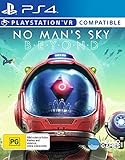
- Region Free Australia
- 100% Compatible With USA Playstation 4 Console
- Region 2 (AUS) or 4 (EUR) Required for DLC Redemption or Purchases
- Playstation VR Compatible (optional)
Product prices and availability are accurate as of the date/time indicated and are subject to change. Any price and availability information displayed on Amazon at the time of purchase will apply.
Independent reader supportYour contribution helps us test, update, and keep practical guides available for everyone.



