Do these 3 things before closing this tab:
1Repair Windows errors before they cause bigger problems2Fix the driver behind crashes, sound loss and screen glitches3Clear out junk files and repair common Windows errorsIf your gaming chair feels uncomfortable or your back hurts while using it, start by adjusting the chair and the rest of your setup—not by assuming you need a new chair. Check that your feet are supported, the lumbar area meets your lower back, the seat does not press behind your knees, and your desk and screen let you sit without reaching or tilting your head. Change position during long sessions. These steps can improve fit, but they cannot diagnose or treat a medical condition.
First, check the whole setup
A gaming chair is not automatically a good fit because it is designed for gaming. What matters is whether the chair can support your back and legs while letting you use your desk, keyboard, or controller comfortably. OSHA describes a well-designed, appropriately adjusted chair as an essential part of a computer workstation; its guidance also emphasizes fitting the chair to the person, not relying on a particular chair label. OSHA’s chair guidance is written for workstation ergonomics, and its fitting principles are useful for gaming setups too.
Make one adjustment at a time, then sit and check how it feels. A change that helps your back but leaves your shoulders raised or forces you to reach for controls may not improve the setup overall.
How to adjust a gaming chair, step by step
1. Set chair height and support your feet
Sit back against the backrest and adjust the chair so your feet rest fully on the floor. Mayo Clinic Health System gives knees level with hips as a useful setup target, while OSHA’s chair guidance describes the back of the knee as slightly higher than the seat. Treat these as fitting cues, not a rigid prescription: body proportions and desk height vary. If the chair needs to stay high enough for your desk but your feet don’t reach the floor, use a stable footrest rather than letting your legs dangle. Mayo Clinic Health System’s posture guidance and OSHA’s chair guidance describe these adjustments.
Outdated Drivers Are Slowing You Down
One free scan finds every outdated or missing driver and matches the right update for your exact hardware.Free scan · exact hardware matchWindows Errors? Fix Them Before They Spread
Repair common Windows errors and clear accumulated junk for a smoother, more stable PC - no reinstall needed.Free scan · no reinstall#1 Best Overall

- Advanced Appearance Design: With its larger size and extended tailbone support design, the CushZone seat cushion is ergonomically designed to accommodate many different body shapes, allowing you to sit more upright and reduce the stress of sitting for more than 8 hours
- High Density Memory Foam: This office chair cushion is made of high-density rebound slowly foam that provides optimal support while remaining breathable. It is comfortable and can properly reduce the pressure on the sciatic nerve and tailbone caused by sitting for long periods
- Soft & Removable Cover: The removable cover can be removed and washed to prevent odor buildup. Machine washable fabric (100% polyester) stays soft after many washes. Non-slip rubber dots ensure it stays put during use
- Secure Grip & On-the-Go Convenience: Designed with anti-slip silicone dots on the bottom, the seat cushion stays firmly in place on most surfaces. The cover with a reinforced handle allows for easy movement between work areas, vehicles and play stations
- Versatile Use and Reminder: The cushion is versatile enough for use on office chairs, dining chairs, or on the floor for yoga or meditation, providing comfort in a variety of situations. Please note: memory foam may feel firmer in low temperatures, but it will gradually soften after a short period of use
2. Position the lumbar support at your lower back
Adjust built-in lumbar support so it meets the small of your back and follows its natural curve without forcing an uncomfortable arch. If the chair has no lumbar adjustment, OSHA identifies a rolled towel or removable back-support cushion as a temporary option. Use a cushion only to improve support and fit; it is not a treatment for a diagnosed back condition.
3. Check seat depth
Sit fully back and see whether the seat supports most of your thighs without pressing into the backs of your knees. If it presses there, the seat may be too deep for you; if it supports too little of your thighs, it may be too short. Adjust the sliding seat depth if your chair has that feature. OSHA notes that seat depth affects both leg pressure and the ability to sit back against the backrest.
Rank #2

- DOCTOR RECOMMENDED SUPPORT & COMFORT: Watch our video endorsement to hear why experts recommend this product; Our memory foam office chair seat cushion offer exceptional comfort and support, reducing tailbone pain and promoting healthy posture; Ideal for long sitting sessions. Our seat cushion for chair is ideal for extended workdays. Made with premium memory foam, the seat cushion the bottom, conforming to your body for all-day comfort in office chairs or car seats
- SOFT & BREATHABLE COVER: Our car seat cushion for long driving features a machine-washable, breathable cover that is easy to clean; The non-slip bottom on the covers keeps the pillow in place, ensuring stability and comfort. Our seat cushion for office chair use is padded to provide a comfortable seating experience in cars. This coccyx seat cushion for lower back pain relief doubles as a car seat cushion, suitable for long travel or commute
- PAIN RELIEF & BODY SUPPORT: The ergonomic "U" shape cutout alleviates tailbone and lower back pain, supporting spinal alignment; A seat cushion can relieve pain over time, especially when used for pressure relief or support for after surgery recovery. Our desk chair cushion has an ergonomic "U" shape cutout minimizes tailbone and lower back pain, supporting correct spinal alignment and offering hip and legs support for office chair use while minimizing gravity's impact on the spine
- 100 PERCENT MEMORY FOAM CUSHION FOR CAR: Made from 100 percent memory foam, our office chair cushion ensures lasting durability and consistent support; Experience ultimate comfort as a gaming chair cushion, desk chair cushion, or wheelchair cushions. Our multi-use seat cushions are ideal for an ergonomic seat cushion for office chair, usable with desks, automotive car seats, on an airplane ride and flights, stadium benches, and are computer chair pad or truck driver must haves
- VERSATILE & DURABLE: Ideal home, travel, and office accessories; it fits various seats like office chairs, car seats, and airplane seats; Our sciatica pain relief pillow keeps its shape over time to always give support on sores and your tail bone and sciatic nerve. The pads are small & compact enough to be portable so you can use in the recliner, or daily living. Expect ultimate comfort with our desk chair cushion for long sitting
4. Align the armrests, desk, and screen
If the chair has armrests, adjust them so your shoulders can relax and your arms stay close to your body. Put the monitor in front of you at a height that does not make you tilt your head up or down. Keep frequently used controls within easy reach so you do not have to stretch or twist repeatedly. Adjust the chair, desk, and controls together; a chair setting that makes the desk or controller awkward may need to be balanced with a workstation adjustment. See OSHA’s workstation-position guidance.
5. Change position during long sessions
Do not try to hold one posture for an entire gaming session. OSHA recommends changing position, making small chair or backrest adjustments, stretching, and standing or walking for a few minutes periodically. NIH guidance also emphasizes changing body position through the day. Movement is a practical way to avoid staying still for too long; it is not a guarantee against pain. OSHA and the NIH Office of Research Services provide further guidance.
Recommended Free Tools
Rank #3

- Ultra Soft: Velvet cushion cover , comfortable and soft.The premium foam filler can quickly rebound and return to its original shape after each use
- Perfectly Fit:Our cushion design refers to the shape of gaming chair, so that it can perfectly fit the most face of gaming chair, you can immerse yourself in the joy of the game without feeling uncomfortable
- Easy to Clean:Each cushion comes with a zipper cover,machine washable with cold water.No iron,no bleach
- SIZE&Details: 23inX19inX2.7in. Please measure the size of your chair before purchasing. For more details, please refer to the picture on the product page
- Best Gift: Ergonomic design, fit your body perfectly.Our Seat Cushion is a perfect gift for parent, office staffs, drivers, students and teachers who sit for a long time
Gaming-specific setup advice
The Cleveland Clinic Esports Medicine Gamer’s Health Guide recommends a backrest angle slightly greater than 90 degrees. Treat that as the guide’s recommendation, not a required angle for everyone; comfort and fit still matter. Its illustrations also show a monitor distance of 18–24 inches and seat height of 16–20 inches. Those are guide-specific illustrated values, not universal targets, so do not force your setup to match them if your equipment or body proportions call for something different. Read the Cleveland Clinic guide.
Back and neck discomfort are recognized concerns in gaming contexts, but that does not establish that a particular chair caused an individual person’s symptoms. In a Mayo Clinic article published June 4, 2024, physiatrist Jane Konidis, M.D., said: “Occupational hazards for gamers include neck and back pain, wrist pain, elbow pain, and carpal tunnel syndrome.” The article discusses gamer health broadly, not a diagnosis of chair-related pain. Mayo Clinic’s gamer health article.
Rank #4
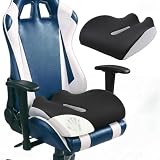
- 【Humanized Ergonomic Curve – Precision Tailbone Support】 Engineered with a raised rear edge and subtle contouring, this cushion follows the natural shape of your hips and pelvis. The ergonomic curve gently elevates your tailbone area, eliminating direct pressure points while promoting a healthy seated posture. Designed by human factors experts to reduce fatigue and discomfort during marathon gaming or work sessions.
- 【Extra Thick Memory Foam – Sits Higher, Aligns Spine】 Filled with high-density memory foam, the cushion provides a generous 5.5‑inch thickness that naturally lifts your seating position. This added height helps align your spine, reduces lower back strain, and improves blood circulation in your legs – all essential for long‑term sitting.
- 【Anatomical Contour for Pressure Distribution】 The cushion’s surface is molded to distribute your body weight evenly across your sit bones, taking stress off your tailbone and hips. Unlike flat foam pads, this ergonomic design encourages micro‑adjustments that keep your muscles relaxed and your focus sharp.
- 【Breathable Cover + Easy Care】 Soft, skin‑friendly cover with a hidden zipper – machine washable (cold, gentle cycle). The breathable fabric wicks away moisture, keeping you cool and dry during intense gaming sessions.
- 【Universal Fit – Gaming & Office Chairs】 Perfectly sized to fit most racing‑style gaming chairs, ergonomic office chairs, and even car seats. The non‑slip bottom keeps the cushion securely in place. Ideal for gamers, streamers, remote workers, and drivers who need reliable tailbone relief.
When to try a different chair
If you cannot adjust the chair to support your back and legs while letting you use your workstation comfortably, it may not be the right size or design for you. If you compare alternatives, prioritize whether the seat height and depth fit, the lumbar support can be positioned where you need it, the armrests work with your desk and shoulders, and the backrest adjustments are usable. Try a chair for fit and comfort when possible instead of choosing by gaming styling or promises about posture. OSHA’s chair purchasing guide lists selection considerations and cautions that criteria may not fit every body.
When to ask a health professional
If your pain persists despite setup changes, concerns you, or affects daily activities, contact a qualified health professional. Chair adjustments can improve workstation fit, but they cannot establish the cause of back pain.
Quick Recap
Best Value

- 【Complete Back & Seat Support for Long Sitting】Stop shifting and readjusting your chair all day. This ergonomic seat cushion and lumbar support pillow set helps reduce pressure on your tailbone, hips, and lower back during long hours of sitting. Designed for office work, remote work, driving, and daily use, it provides comfortable support that helps you sit longer with less discomfort.
- 【High-Density Memory Foam for Long-Lasting Comfort】Crafted with supportive memory foam, this office chair cushion conforms to your body while evenly distributing weight to support your lower back, hips, and tailbone. Built to resist flattening, the resilient foam delivers target support through long workdays, daily commutes, and endless sitting.
- 【Stable Support That Stays in Place】Tired of cushions that move around? The seat cushion features a non-slip bottom to help keep it securely positioned, while the lumbar pillow includes an adjustable strap for a customized fit. Works with office chairs, desk chairs, gaming chairs, car seats, recliners, and wheelchairs. Once it's on, it stays on.
- 【Breathable & Machine Washable Cover】No more sweaty back and butt. Stay comfortable during long sitting sessions with a breathable cationic fabric cover that helps improve airflow and reduce heat buildup. Both seat cushion & back cushion covers are removable and machine washable, making it easy to maintain a fresh and comfortable sitting experience every day.
- 【Complete Seat & Back Support for Everyday Use】More than a seat cushion, this set combines hip support and lower back support in one solution. Ideal for office workers, drivers, gamers, students, teachers, and anyone who spends hours sitting. A practical comfort gift for home, work, travel, and daily life.
Product prices and availability are accurate as of the date/time indicated and are subject to change. Any price and availability information displayed on Amazon at the time of purchase will apply.




