What’s actually slowing this PC down?
Pick the symptom - the matching free tool is one click away.
The “Cannot find 800x600x32 video mode” message means the original PC version of GTA: San Andreas tried to start in 800×600 at 32-bit color but could not establish that display mode. The cause can vary by game edition, Windows configuration, graphics driver, display, and mods, so work through reversible checks rather than assuming one fix applies to everyone.
What the error means
The message names a requested fullscreen mode: 800×600 pixels with 32-bit color. It does not by itself identify whether the game settings, graphics driver, display configuration, or a compatibility layer prevented that mode from being offered or negotiated. A 2026 technical guide describes it this way, but this is not an official Rockstar diagnosis: Partition Wizard’s guide to the error.
| # | Preview | Product | Price | |
|---|---|---|---|---|
| 1 |

|
Grand Theft Auto: San Andreas V2.0 - PC | $29.95 | Buy on Amazon |
| 2 |

|
Grand Theft Auto: Vice City | $31.99 | Buy on Amazon |
| 3 |
|
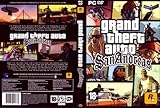
Grand Theft Auto: San Andreas, Second Edition | $44.99 | Buy on Amazon |
| 4 |

|
Grand Theft Auto: San Andreas | $11.76 | Buy on Amazon |
| 5 |

|
Grand Theft Auto IV | $29.95 | Buy on Amazon |
Before troubleshooting, identify your setup
These steps are chiefly for the Windows PC version. Note your game edition or store, Windows version, graphics adapter, display arrangement, and whether you use mods. Wine or CrossOver installations are a different case: user-contributed DLL override advice for those environments should not be applied as a general Windows fix.
- Record the exact error text and whether it changes after a step.
- If this is a laptop, check which graphics adapter is actually being used by the game.
- For an external monitor, note its connection and supported resolution and refresh-rate options.
Reset the game’s display settings safely
A damaged or unsuitable saved display configuration is a reasonable first check. The settings-file name and location can vary by edition or launcher, so do not assume every installation has the same file. A 2026 secondary guide identifies GTA_SA.set or a similarly named settings file as a possible file to reset: see its settings-file guidance.
Do these 3 things before closing this tab:
1Clear out junk files and repair common Windows errors2Fix the driver behind crashes, sound loss and screen glitches3Repair Windows errors before they cause bigger problems#1 Best Overall
- Drive through the largest GTA environment ever -- The game has three cities players can explore, for a gaming area 5 times larger than Vice City
- Recruit new characters into a street gang and take over by leading drive-by shootings against rivals
- Steal all-new vehicles, including bicycles
- Improved fighting elements -- smoother hand-to-hand combat, plus the ability to hold a weapon in each hand
- New graphics elements as cars get dirty and even rust, the longer you drive them
- Close the game and launcher.
- Find the game’s settings file, if one exists, using the guide appropriate to your edition.
- Make a copy somewhere safe, then rename the original rather than deleting it. This lets you restore the old settings if needed.
- Launch the game. If it starts and creates fresh settings, select a resolution and refresh rate exposed as supported by your display.
Do not edit an unfamiliar binary file or force 800×600 if Windows or the display does not offer that mode.
Test Windows compatibility settings
On Windows, compatibility mode is a reversible diagnostic, not a guaranteed repair. In a Microsoft Q&A thread about Windows 10 20H2, an adviser suggested trying Windows 7 compatibility first and Windows XP as another option; a user in the same thread reported that the advice did not work for them. Attribute the suggestion to that adviser rather than treating it as an official, universal fix: Microsoft Q&A: Windows 10 20H2 and the video-mode error.
Rank #2
- Features exclusive to the PC version include the ability to edit the lead character's appearance and switch to a radio station that plays MP3 files stored on the computer. Perhaps the biggest change is the improved visuals, now optimized specifically for high-performance systems. Players will be able to view the game with new 32-bit textures, longer viewable distances, and support for multiple display resolutions. Furthermore, players can watch replays of the last 30 seconds of action and then e-mail them to friends.
- Offers support for 32-bit textures and multiple display resolutions for sharper visuals than the PS2 game Import your favorite tunes for play on a custom radio station, or listen to over nine hours of '80s music
- Record the last 30 seconds of stunts, shootouts, or fiery crashes and show them to friends via e-mail
- Customize the look of Tommy Vercetti and his threads with the player skin editor
- Supports EAX 3.0 audio for enveloping sound effects and music
- Locate
gta_sa.exein the game installation folder. - Right-click it, choose Properties, then open the Compatibility tab.
- Enable compatibility mode and select Windows 7; apply the change.
- Launch the game through the Rockstar Games Launcher and check whether the error changes.
- If it does not help, turn off the setting or repeat the test with Windows XP, then restore the original setting if neither works.
Check Windows display settings and the graphics driver
Confirm that Windows is using a display mode supported by the monitor and that the game is using the intended GPU. On laptops with both integrated and discrete graphics, selecting the wrong adapter can complicate troubleshooting. Use Windows’ available display and refresh-rate choices rather than forcing an unsupported mode.
A 2016 Microsoft Q&A response to this exact error on a Windows 8.1 laptop speculated that display-adapter driver compatibility might be involved and suggested checking or updating the driver. That is old, generic community advice—not a verified modern fix: Microsoft Q&A: exact-error discussion. If you update, get the driver from the graphics-chip vendor and confirm the adapter in use; record the current version first so you can investigate a regression.
Rank #3
- Drive through the largest GTA environment ever -- The game has three cities you can explore, for a gaming area 5 times larger than Vice City
- Recruit new characters into a street gang and take over by leading drive-by shootings against rivals
- Steal all-new vehicles, including bicycles
- Improved fighting elements -- smoother hand-to-hand combat, plus the ability to hold a weapon in each hand
- New graphics elements -- cars get dirty and even rust, the longer you drive them
Isolate mods before changing the installation
If you use mods, temporarily remove them from the launch path or restore a clean game setup before reinstalling. Change one thing at a time so you can tell whether the error responds to the change.
SilentPatchSA is optional, not a confirmed fix
SilentPatchSA is a community patch. Its release page lists “2026 Update Hotfix #1 (Builds 10.1/12.1/34.1/7),” released August 15, 2026; SilentPatchSA is Build 34.1. The notes list other fixes but do not claim to resolve this exact startup error. Check the project’s compatibility information before installing: SilentPatch releases.
Rank #4
- Drive through the largest GTA environment ever -- The game has three cities players can explore, for a gaming area 5 times larger than Vice City
- Recruit new characters into a street gang and take over by leading drive-by shootings against rivals
- Steal all-new vehicles, including bicycles
- Improved fighting elements -- smoother hand-to-hand combat, plus the ability to hold a weapon in each hand
- New graphic elements as cars get dirty and even rust, the longer you drive them
One 2023 GTAForums user reported that after installing SilentPatch the displayed request changed from 800×600×32 to 1536×864×32, but the game still would not start. That single report illustrates that a changed resolution message does not prove the underlying problem is fixed; it cannot establish how commonly this happens or whether the patch caused the change: GTAForums report.
Independent reader supportYour contribution helps us test, update, and keep practical guides available for everyone.When to escalate
If these reversible checks do not help, gather the details below before asking the game store, launcher, or community for support. They make it easier to distinguish a settings issue from a driver, edition, display, or mod interaction.
Windows Errors? Fix Them Before They Spread
Repair common Windows errors and clear accumulated junk for a smoother, more stable PC - no reinstall needed.Free scan · no reinstallCrashes, No Sound, or Screen Glitches?
Random freezes, missing sound and display glitches usually trace back to one bad driver. Find and replace yours safely.Free scan · under a minuteQuick Recap
Best Value
- Carry on the Grand Theft Auto tradition playing through the single player campaign as Niko Bellic
- Get cars and other modes of transportation anyway you can
- Interact with various colorful characters who give you various missions to engage in
- Engage in multiplayer challenges ranging from cover matches to shoot-outs
- Carry on the Grand Theft Auto tradition playing through the single player campaign as Niko Bellic
- Windows version and game store or edition.
- Graphics adapter model, driver version, and which GPU launches the game.
- Display resolution and refresh rate, including whether you use an external monitor.
- Installed mods or compatibility tools.
- The exact error after each change, plus which settings-file or compatibility tests you tried.
Product prices and availability are accurate as of the date/time indicated and are subject to change. Any price and availability information displayed on Amazon at the time of purchase will apply.




