If Call of Duty: Vanguard shows “Error code: VIVACIOUS,” check Activision and your platform’s network status first. If services are available, test your internet connection, restart your router, pause other heavy network use, and—on PC—repair Vanguard’s game files through its launcher. These steps follow general Activision connectivity guidance; the sources reviewed do not establish a single cause or guaranteed fix for Vivacious.
What does Error Code Vivacious mean?
Vivacious is reported in connection and download-failure situations. TheWindowsClub reproduces the screen wording as “DOWNLOAD FAILED” and “Error code: VIVACIOUS,” but that is a secondary report, not an official Activision definition. The reviewed Activision support pages offer general connection and PC troubleshooting advice; they do not identify a confirmed Vivacious-specific cause.
| # | Preview | Product | Price | |
|---|---|---|---|---|
| 1 |
|
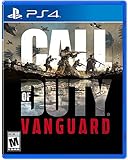
Call of Duty: Vanguard | $28.99 | Buy on Amazon |
| 2 |

|
Call of Duty®: Vanguard (PS4) | $26.49 | Buy on Amazon |
| 3 |
|
Call of Duty®: Vanguard (PS4) (Renewed) | $24.99 | Buy on Amazon |
| 4 |

|
Call of Duty Vanguard PS4 and PS5 | $23.99 | Buy on Amazon |
| 5 |

|
ACTIVISION Sony PS4 Call of Duty: Vanguard Does Not Apply Video Games, Multicoloured, One Size... | $23.99 | Buy on Amazon |
Note when the message appears—launching the game, downloading content or an update, or joining online play. That detail can help support staff distinguish a download problem from a broader connection issue.
How to troubleshoot Vivacious, in order
1. Check Activision and platform service status
Start with Activision’s online services status page and check the relevant PlayStation or Xbox network status if you play on console. Activision recommends checking game status before changing local network settings. If an alert or outage is shown, wait for service to recover and try again; changing your router settings is unlikely to resolve a service-side interruption.
What’s actually slowing this PC down?
Pick the symptom - the matching free tool is one click away.
#1 Best Overall
- Rise on every front Dogfight over the Pacific, airdrop over France, defend Stalingrad with a sniper's precision and blast through advancing forces in North Africa
- Through a deeply engaging single player Campaign a select group of soldiers from different countries rise to meet the world's gravest threat
- Call of Duty Vanguard will also usher in a new and unparalleled Call of Duty Warzone integration post launch
- Some features may require an internet connection and an online subscription
2. Test the platform’s connection
Make sure your console or PC is online and signed in to the account used to access the game. On console, run the platform’s available internet connection test. Activision’s Vanguard connection guidance recommends testing the console connection as part of troubleshooting.
3. Restart the router and reduce competing traffic
- Close Vanguard, then restart your router using its normal power procedure.
- Pause large downloads and bandwidth-heavy streaming or other network activity on your connection.
- Reconnect to the network, relaunch Vanguard, and try the action that produced the error.
These are general connectivity steps recommended by Activision, not confirmed Vivacious-specific cures. If possible, test with a wired Ethernet connection: Activision strongly recommends wired Ethernet during online gameplay, but does not say it will eliminate this error.
Rank #2
- Standard Edition Includes:
- - Call of Duty: Vanguard
- -- Includes PS4 version of game
- -- Plays on PS5 via backward compatibility
4. On PC, repair Vanguard’s files
Activision’s PC troubleshooting article, dated November 1, 2021, recommends repairing the installation through the launcher and closing applications that could interfere. Launcher labels can change, so use the equivalent file-check option if the wording differs.
- Battle.net: Open Vanguard in the launcher, open its options menu, and choose Scan and Repair.
- Steam: Open the game’s Properties, go to Installed Files, and select Verify integrity of game files.
- Close unnecessary background applications, then launch the game and retry.
These instructions address PC game files and potential interference; they do not establish that corrupted files are the cause of Vivacious.
Quick wins for a faster PC:
Repair Windows errors before they cause bigger problemsFix Now →Scan for outdated or missing drivers - takes under a minuteDriver Scan →Rank #3
- Standard Edition Includes:
- - Call of Duty: Vanguard
- -- Includes PS4 version of game
- -- Plays on PS5 via backward compatibility
5. Leave power cycling or reinstalling for later
Console power cycling and reinstalling have been reported as workarounds in secondary coverage and player discussions, with mixed results. They are not verified fixes and may take time, particularly a full reinstall. Consider them only after the service, connection, and—on PC—file-repair checks above.
Independent reader supportYour contribution helps us test, update, and keep practical guides available for everyone.If the error continues
Contact Activision or your platform’s support channel for game or account help. If Activision’s connection tests and troubleshooting do not resolve a persistent network problem, its guidance says to contact your internet service provider. Include your platform, region, the exact error text, when it appears, and the steps you have already tried. Avoid assuming that DNS changes, a VPN, or advanced router changes will fix Vivacious; the cited sources do not establish them as reliable solutions.
Quick Recap
Best Value
- Durable construction
- Consistent performance
- Wide range of features
Product prices and availability are accurate as of the date/time indicated and are subject to change. Any price and availability information displayed on Amazon at the time of purchase will apply.




