Match the fix to the device and the exact point where MTG Arena stops. On Windows, Wizards recommends a clean reinstall for many install or update failures; for the specific “Checking for Updates” Null Reference error, check proxy settings. On mobile, start with Wi-Fi and storage. If those steps fail, collect the error details and installation logs before contacting Wizards Support.
First, identify your platform and the failure
MTG Arena is available for PC, Steam, Mac, Android, and iOS, according to Wizards’ getting-started page. The Steam version for macOS became available on October 21, 2025, following Wizards’ October 20, 2025 announcement.
Before changing anything, note whether you use the Wizards installer or Steam, what device and operating-system version you have, the exact error text, and whether the failure happens during download, installation, launch, or an update. Different symptoms have different fixes; the steps below are not interchangeable.
Windows PC: install or update fails
Wizards identifies network problems, Windows-level issues, and remnants of a partial installation as possible causes. Its recommended initial corrective path is to remove the existing game files, uninstall, then install a fresh copy from the official download.
#1 Best Overall
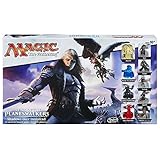
- Players can create a 3-D battle arena
- Includes dual-sided gameboards with multiple gameplay scenarios
- Choose from 4 Planeswalkers, each with unique powers and squads
- Summon unstoppable creatures of the night
- Compatible with Magic: the Gathering AOP Board Game System.Includes 5 Planeswalker figures, 4 hero figures, 15 squad figures, 4 dual-sided cardboard terrain boards, 2 glyphs, 20 damage markers, 20-sided die, 8 combat dice, 13 army cards, 48 spell cards, turn marker, 8 counters, 6 1-hex sand tiles, 3 cryptoliths, 3 cryptolith 2-hex sand tiles, and game guide.
- Find the MTGA folder. The default parent folder is
C:Program Files (x86)Wizards of the Coast. If you chose a different install location, look there instead. - Manually delete the MTGA folder. Make sure you have selected the game folder, not another folder containing files you need.
- Uninstall MTG Arena through Windows.
- Download and install the latest client again from Wizards’ official MTG Arena page.
Wizards also suggests temporarily turning off antivirus, firewall, or similar security software as a diagnostic test. Do this only briefly, restore protection immediately afterward, and avoid downloading or browsing while protection is off. If the Wizards webpage installer continues to fail, Wizards suggests trying the Steam version. Neither channel is established as universally more reliable. The PC support article also says 32-bit clients are no longer supported.
Windows PC: if the clean reinstall does not work
Wizards’ advanced PC troubleshooting guide recommends checking these additional possibilities:
- Right-click
MTGAInstaller.exeand choose Run as administrator. - Check that Windows is up to date.
- If practical, create a new Windows administrator account and try installing from that account; this can help distinguish an account-specific issue.
- If the failure appears connectivity-related, try a wired connection instead of Wi-Fi. This tests network stability; it will not repair corrupted files or resolve an unsupported device or proxy configuration.
- Consider whether security software or other network controls are interfering with the download or update.
Wizards says some players have worked around issues using a US-based VPN. That is an anecdotal suggestion, not a guaranteed fix or general recommendation; VPN use may also be restricted by a school, workplace, or network administrator. Do not make manual registry edits or change DNS or ports without an official procedure for the specific error. Wizards warns that registry deviations can cause significant system problems, including in its guidance for installer errors involving a removed drive.
Stuck on “Checking for Updates” with a Null Reference error
This is a specific error path, not a general fix for every update failure. Wizards’ Null Reference support article directs affected players to inspect proxy settings.
Rank #2

- Includes a mix of AT LEAST 25 Rares/Uncommons which is half of the cards.
- Absolutely NO... Basic lands, Foreign, or silver/gold bordered cards.
- Some may contain Foils or Mythics but not all.
- Sets can range from Beta to the current Magic the Gathering set.
- Mint/Excellent condition only.
Windows
Open Internet Options and inspect the LAN proxy configuration. If you do not recognize the settings or the device is managed by an organization, ask your network administrator before changing them.
Mac
Open Network settings, select the active network service, and inspect its proxy configuration. If the settings are managed or unfamiliar, consult the administrator for that network.
If checking the proxy configuration does not resolve this named error, Wizards advises contacting support.
Android or iOS: download or installation fails
For mobile download problems, Wizards’ mobile installation help recommends using a strong Wi-Fi connection and checking that the device has enough free storage. Wizards notes that an initial Android download can take up to 30 minutes; a slow first download by itself does not establish that the install is frozen.
Recommended Free Tools
Rank #3

- EXPERIENCE FINAL FANTASY IN A WHOLE NEW WAY—Step into unforgettable stories from FINAL FANTASY games brought to your tabletop with the strategic gameplay of the Magic: The Gathering trading card game
- LEARN TO PLAY MAGIC—Everything you need to play your first games of Magic is here. Enter the fray with two pre-built 60-card decks and learn the essentials with the included guide booklet. You’ll be ready to play in no time.
- 2 FINAL FANTASY-THEMED DECKS—Cast powerful spells, meet iconic characters, and visit familiar locales; each deck contains 60 cards featuring FINAL FANTASY-themed art, including 10 cards entirely new to Magic (5 in each deck)
- ARE YOU A HERO OR A VILLAIN—Challenge a friend, choose your deck, and face off in epic 2-player battles; will you join Cloud, the beloved hero, or side with his nemesis, Sephiroth
- KICK OFF YOUR COLLECTION—Start your collection with Rare cards and shiny foils; each deck includes 5 Rare cards and 1 Mythic Rare Legendary Creature card with a shiny Traditional Foil treatment
A Wizards mobile FAQ published January 29, 2021 listed iOS 14.1 or later, Android 6.0 or later, at least 4 GB of RAM, OpenGL ES 3.0, and ETC2. The FAQ described its device list as a sample, and these dated minimums are not a guarantee of current compatibility. Check the current requirements shown by the relevant app store for your device.
Independent reader supportYour contribution helps us test, update, and keep practical guides available for everyone.Choose a desktop download channel
Both Wizards’ direct installer and Steam are supported desktop routes. Use the option that fits your current setup; switching channels is a troubleshooting alternative, not proof that one is inherently better.
| Situation | Practical choice |
|---|---|
| Your existing MTG Arena installation is managed by Steam | Use Steam for that installation. |
| You are installing from Wizards’ webpage and it continues to fail | Wizards suggests trying the Steam installation as an alternative. |
| You are on Mac and want the Steam version | Steam for macOS became available October 21, 2025; current platform options are listed on Wizards’ getting-started page. |
Collect evidence before contacting support
Useful details include your platform and operating-system version, the exact error text, when the problem occurs, whether you use the direct installer or Steam, and any recent partial install or network change. Wizards says installation logs can help diagnose install and update problems. Its log guide covers Windows, Mac, and Steam locations and how to submit files.
On a Windows installation, look in the MTGALauncherLogs folder for MTGAInstall.log and an MSI log; the full path varies with the install location. Follow Wizards’ platform-specific log instructions rather than assuming the Windows path applies to Mac or Steam. Review files for personal information before sharing them, and send them to support through the official support channel rather than posting them publicly. Wizards’ advanced PC guide also suggests including a DxDiag file when requesting help with a PC installation problem.
Quick Recap
Product prices and availability are accurate as of the date/time indicated and are subject to change. Any price and availability information displayed on Amazon at the time of purchase will apply.




