PS4 error SU-42118-6 means the console encountered an issue while updating its system software; it does not, by itself, identify a failed component. Start with Sony’s restart-and-retry steps, then follow its system software guidance if the update still fails. Avoid opening the console or initializing it as a first response.
What does PS4 error SU-42118-6 mean?
Sony describes SU-42118-6 as: “There was an issue when updating your PlayStation®4 console system software.” The code identifies an update problem, not a confirmed disc-drive, ribbon-cable, or other hardware diagnosis. Sony’s SU-42118-6 support page prescribes a retry sequence before moving on to further system software guidance.
As an Amazon Associate I earn from qualifying purchases.
How do I fix PS4 error SU-42118-6?
Follow Sony’s steps in order. The process clears the failed update file and gives the console and network equipment a fresh start.
- Turn off the PS4, then unplug it from power.
- Turn off your router and modem. Wait at least five minutes, then turn them back on.
- Reconnect the PS4 to power and turn it on.
- Delete the failed update file: open Notifications, highlight the update file, press the OPTIONS button, and select Delete.
- Retry the update from Settings > System Software Update.
If the error returns, use Sony’s PS4 system software guides for further troubleshooting rather than repeatedly attempting the same update.
#1 Best Overall

- 1TB Capacity, 9.5mm High, Rotation Speed of 5400RPM
- 8MB Buffer, SATA 3.0Gb/s Interface, 2.5inch Hard Drive
- Works for PS3 / PS4 Game Console HDD replacement / upgrade
- PS3 / PS4 Hard Drive installation & Playstation firmware download instruction included
- Backed by a 3-year warranty from Reseller
What if the update still fails?
Use Safe Mode guidance carefully
Sony’s related PS4 disc troubleshooting guide describes Safe Mode options for disc problems and directs users to PlayStation Repairs if troubleshooting does not resolve them. That is relevant if you are also experiencing disc-drive problems, but it does not establish that a disc issue caused SU-42118-6.
Do not choose Safe Mode option 7, Initialize PS4 (Reinstall System Software), as a routine early fix. Sony warns that it deletes all information on the console, including system software. Treat it as a last-resort step and make sure you understand the data-loss consequence before proceeding.
Rank #2

- 2.5inch Notebook HDD, 7mm Height (Slim)
- 1TB Capacity, 5400RPM, 64MB Cache, SATA 6.0Gb/s
- Works for PlayStation gaming systems (PS3 / PS4 Original, PS4 Slim, PS4 Pro)
- Massive 1TB capacity can store up to 80 × 25GB games.
- 2 Years Warranty from Reseller
Consider repair support before opening the console
If Sony’s software guidance does not resolve the update, contact PlayStation Support or use PlayStation Repairs where available. The error code alone is not enough to determine that internal repair is needed.
Could a ribbon cable or disc drive cause SU-42118-6?
An iFixit community answer suggests checking the ribbon connection between the motherboard and BD-ROM. This is anecdotal repair advice, not Sony’s diagnosis and not proof that the cable is faulty in a particular console.
Rank #3
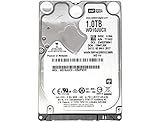
- 1TB Capacity, 9.5mm High, Rotation Speed of 5400RPM
- 16MB Buffer, SATA 6.0Gb/s Interface, 2.5inch Hard Drive
- Works for PS4 (Pro, Slim, Original) Game Console HDD replacement / upgrade (835GB available storage space on PS4, rest capacity is used for System)
- PS4 Hard Drive installation & Playstation firmware download instruction included
- Backed by a 3-year warranty from Reseller
Internal cable work depends on the exact PS4 model and your repair experience. If you investigate it, identify the model first and verify that any replacement part is compatible; a PS4 Blu-ray drive ribbon cable is not a guaranteed fix for this update error. For most owners, Sony’s retry and support steps are safer than disassembly.
Quick Recap
Rank #4

- HDD hard drive bay door cover.
- Made of durable plastic material, providing well protection to your game console.
- Replacement for your broken, damaged or old part.
- Specially designed, perfect fit with your device.
Product prices and availability are accurate as of the date/time indicated and are subject to change. Any price and availability information displayed on Amazon at the time of purchase will apply.




