If Roblox never gets past the loading screen, first check the official Roblox Status page, try a different experience, fully close Roblox, restart your device, and test another network such as a phone hotspot. Those checks quickly separate a Roblox outage or broken experience from a problem with your device, installation, browser, router, or security software.
There is no single universal fix because “stuck loading” can mean that Roblox.com is not loading, the Play button cannot hand off to the client, the client cannot join a server, or one experience is failing after you join. Follow the branch below that matches what you see. Reinstall Roblox only after the status, experience, device, and network tests point to a local problem.
As an Amazon Associate I earn from qualifying purchases.
How to Fix Roblox Stuck on the Loading Screen
Identify what is actually stuck
The correct fix depends on where loading stops. Use this distinction before deleting files or changing router settings.
Quick wins for a faster PC:
Repair Windows errors before they cause bigger problemsFix Now →Scan for outdated or missing drivers - takes under a minuteDriver Scan →Clear out junk files and repair common Windows errorsFree Scan →- Roblox website loading: Roblox.com, login pages, buttons, or experience pages never finish loading.
- Browser-to-client launch: You click Play, but nothing happens, the browser repeatedly asks you to install Roblox, or the launch prompt loops.
- Client startup: Roblox opens and closes, remains on its splash screen, or hangs before the experience appears.
- Server joining: The client opens but remains on “Joining server,” “Loading,” or an endless spinner.
- Experience loading: You enter the experience, but terrain, avatars, sounds, assets, or scripts never finish loading.
- Custom loading screen: Some creators build their own loading screens. A screen that looks like a Roblox loading failure may therefore be an experience script or asset problem rather than a core-client problem. Roblox documents how creators can customize these screens in its loading-screen documentation.
Roblox says an experience is generally loaded once your avatar appears, although assets can still stream afterward. If your avatar appears while the map remains empty, do not immediately assume your installation is defective: the place may be empty, contain a bad script, contain too many objects, or have a broken custom loader. The Roblox connection guide describes these experience-side failure modes.
#1 Best Overall

- With broad game support, the Logitech Gamepad F310 works with old standbys to today's biggest titles, so it's easy to set up and use with your favorite games.
- Profiler software allows the gamepad to be programmed to perform keyboard and mouse commands for games without gamepad support.* * Requires software installation.
- A familiar control layout that doesn't require a learning curve to be able to use, with all the same buttons as on an Xbox 360.
- The unique floating D-pad rests on four switches-instead of a single pivot point-making it responsive to quick changes in direction.
- The six-foot cord lets you lean back and play a comfortable distance from your PC monitor.
A 60-second diagnosis
| Test | Result | Most likely interpretation |
|---|---|---|
| Check Roblox Status | An active incident is shown | Wait. A local reinstall cannot repair a Roblox-side outage. |
| Try two or three unrelated experiences | Only one fails | The experience, a particular server, a script, or a private-server permission is more likely than your device. |
| Try the same account on another device | The other device works | Investigate the original device, app, operating system, graphics, or local network. |
| Try the same device on a phone hotspot | The hotspot works | Your home router, ISP, DNS, firewall, proxy, parental control, or filtering service is the likely cause. |
| Website loads but Play does nothing | The client never launches | Investigate browser cache, extensions, permissions, the Roblox application association, or a damaged installation. |
| Every experience hangs after the client opens | Joining fails everywhere | Investigate the client files, firewall, outdated software, device compatibility, or network connection. |
| Your avatar appears but the map is empty | Only one experience behaves this way | The experience may be empty, oversized, scripted incorrectly, or using a broken custom loading screen. |
| The problem began immediately after a Roblox update | Loading now loops or hangs | Update again if available, repair or reset the app where supported, or perform a clean reinstall. |
1. Check whether Roblox is down
Open the official Roblox Status page before changing browser settings or deleting application files. Check the current state and incident history for the components relevant to your problem, including Website, Mobile App, Games, Game Join, Asset Delivery, and the relevant console or app platform.
Roblox can have a partial disruption: the website may work while game joining or asset delivery is impaired. If the status page reports an incident affecting several of those components, wait and retry later rather than repeatedly reinstalling Roblox. Roblox explains the effects of outages in its article on what happens when Roblox is down.
If the status page is operational but only one experience fails, that is evidence against a platform-wide outage. It does not prove your device is healthy, but it tells you to test the experience branch before doing destructive repairs.
2. Try another experience, server, or device
Leave the stuck experience and join a simple, well-known alternative. If the alternative loads, return to the original and try a different public server. If friends also cannot enter that experience, or it fails on multiple devices and networks, the creator may need to repair a script, place, asset, or custom loading screen.
If only a private server fails, the loading symptom may actually be an access problem. Check the invitation, privacy settings, age restrictions, group requirements, and private-server permissions. Error 524 commonly points to permission or private-server access, although Roblox also lists server availability, browser, network, and device glitches as possible contributors.
For the cleanest comparison, try the same account on another device. If it works there, focus on the first device or its network. If it fails everywhere but only in one experience, contact that experience’s creator rather than reinstalling every Roblox app you own.
3. Apply the fixes that work on every platform
Fully close Roblox
Returning to the home screen is not always enough; Roblox may remain suspended or a background process may remain active.
- Windows: Quit Roblox and Roblox Studio. If Roblox will not close, open Task Manager and end the Roblox process.
- Mac: Use Command + Option + Escape, select Roblox or Roblox Studio, and choose Force Quit.
- iPhone or iPad: Open the app switcher and swipe Roblox away.
- Android: Open Settings > Apps > Roblox > Force stop.
- Chromebook: Use Chrome’s Task Manager as described in the Chromebook section below.
- Xbox, PlayStation, or Quest: Quit Roblox completely instead of leaving it suspended.
Roblox’s desktop troubleshooting guidance and its Android guidance both recommend closing the app and restarting as early steps. Apple gives the same sequence for an unresponsive iPhone or iPad app in its current app troubleshooting guide.
Restart the device
Restart the computer, phone, tablet, Chromebook, or console, then try a basic experience. For Android, Roblox suggests powering the device off for about 30 seconds before restarting. A restart clears suspended processes and temporary client states that a simple app close may leave behind.
Update Roblox, the operating system, browser, and drivers
Install Roblox only through its official source: Roblox.com, the Microsoft Store, Apple App Store, Google Play, Amazon Appstore, Xbox, PlayStation Store, or Meta Quest Store, depending on the platform. Also install pending operating-system and console updates. On desktop, update Chrome, Edge, Firefox, or Safari; on Windows, update Intel, AMD, or NVIDIA graphics drivers when startup or graphics errors are involved.
Rank #2

- BREAKER SERIES — Hold nothing back. Heart Breaker peacocks the hardest with vibrant pinks, purples, and touches of bright blues. Part of the collective debut of the Breaker special edition series.
- BOLD STYLE, BUILT TO PERFORM — Define your swagger with a wild, head-turning design. Stay elegantly on target with textured triggers built for every moment.
- RUBBERIZED GRIPS — Hold on to the action with rubberized grips on the back cases, designed for comfort and control during long gaming sessions.
- UP TO 40 HOURS OF BATTERY LIFE — Get up to 40 hours of battery life so you can keep playing without stopping to recharge.
- PLAY ACROSS EVERY SCREEN — Quickly pair with, play on, and switch between devices including console and PC. Stream games across mobile, gaming handhelds, Smart TVs, and supported VR headsets with XBOX Cloud Gaming.
For a Windows startup or graphics problem that points to a missing or outdated hardware driver, Outbyte Driver Updater is an optional way to check for available driver updates.
The Tool Desk
Outbyte PC Repair FREEClear out junk files and repair common Windows errorsFree Scan →Outbyte Driver Updater FREEFix the driver behind crashes, sound loss and screen glitchesFind Drivers →Do not rely on an old Roblox client version number in a troubleshooting guide. Client versions change frequently. If the problem started after an update, check for a newer update, then use the platform’s repair, reset, or reinstall option if the client did not update cleanly.
Correct the date, time, and time zone
Set the device to use the correct date, time, and time zone automatically. Incorrect system time can interfere with Roblox URLs and secure connections, including the error Httpsendrequest failed,err=0x2f05. Roblox documents this cause in its clock and URL troubleshooting article.
Test another network
Try a phone hotspot, another Wi-Fi network, or wired Ethernet. Restart your home router by unplugging it for approximately 30 seconds, reconnecting it, and waiting for the connection to return before testing Roblox again.
- Hotspot works: investigate the home router, ISP, DNS policy, proxy, VPN, parental controls, firewall, or content-filtering service.
- Hotspot also fails: the device, Roblox installation, account, experience, or Roblox service is more likely responsible.
Roblox recommends approximately 4–8 Mb/s as a minimum connection recommendation, but that number is not a guarantee. A speed test can succeed while Roblox is blocked by a firewall, proxy, filtering service, DNS policy, unstable Wi-Fi route, or UDP restriction. Roblox specifically identifies inconsistent wireless connections, low bandwidth, firewall rules, and especially large experiences as causes of failed joining in its general connection guidance.
Recommended Free Tools
Temporarily remove browser, VPN, and security interference
For a controlled test, disable browser extensions such as ad blockers, privacy tools, and script blockers. Also test without a VPN or proxy. If Roblox works, turn protection back on and identify the setting that blocked the site or client. Do not leave antivirus, firewall, or web protection disabled.
Roblox says experiences may not load fully when browser extensions, especially ad blockers, interfere. It also identifies antivirus, anti-malware, firewall, and router rules as common connection blockers in its firewall and router guide.
Clear the relevant browser or app data
Clear Roblox-related browser cache and cookies, restart the browser, and retry from the official Roblox website. On a phone or tablet, use the platform’s app-cache controls where available. Clearing data is more disruptive than clearing cache: it can reset local settings and sign you out.
Clean-reinstall Roblox
When the simpler tests fail, uninstall Roblox, restart the device, remove leftover application data if the platform’s official instructions call for it, then install a fresh copy from an official source. Roblox provides a reinstallation guide.
Reinstalling normally does not erase account-linked progress, inventory, or purchases, but it does remove local cached data and settings. Unsaved Roblox Studio work is a separate matter: creators should back up important local files before deleting application folders. Never download modified clients, unofficial launchers, “FPS boosters,” or replacement DLL files from random sites. Roblox warns that modified clients and incompatible software can create security, anti-cheat, and account-restriction problems in its anti-cheat guidance.
4. Windows PC fixes
Use the current Microsoft Store app
Roblox distinguishes between two Windows Store apps. The current app is named Roblox – Windows and uses a blue icon. The older app is named only Roblox and uses a light-gray icon. Roblox recommends moving to the new app; after signing in successfully, uninstall the old one. See Roblox’s current Microsoft Store instructions.
Rank #3

- PC-Focused Multi-Device Bluetooth Game Controller – Primarily designed for PC Windows gaming, also fully compatible with Nintendo Switch2,Switch1,PS4,PS3,supporting Bluetooth, 2.4G wireless (receiver optional) and USB wired triple connections;
- PC controllers for gaming with Custom Macro & Adjustable Turbo Functionality – Program complex combos on ML/MR back buttons, set 5/12/20 shots per second turbo speeds on supported keys, with macro loop, clear and factory reset options for competitive PC and console gaming;
- Wireless controller with dual vibration motors and 4-level intensity – Built-in dual rumble motors with 100%/70%/30%/0% adjustable vibration levels, minimalist ergonomic design for comfortable long-hour PC gaming sessions;
- Smart Connection & Multi-Mode Pairing – Easy key combos for pairing with PC, consoles and mobile devices, supports X-Input/D-Input switch on Windows, auto sleep, wake-up, auto-reconnect and low battery alert, all powered by a hall effect controller;
- Complete Power & Custom Control Features – 400mAh Type-C rechargeable battery (up to 8hrs playtime), disable D-pad diagonal input to prevent misoperations, built-in reset hole for troubleshooting, ideal for all PC gaming scenarios, including use as a Steam Deck controller.
Repair or reset Roblox – Windows
- Open Start > Settings > Apps > Installed apps.
- Find Roblox – Windows.
- Open Advanced options.
- Select Repair, then sign in and test Roblox.
- If Repair does not help, return to the same screen and select Reset.
Repair is the less destructive option. Reset can remove app data and may sign you out. Microsoft documents this path in Repair apps and programs in Windows.
If broader Windows repair or cleanup issues remain beyond Roblox’s app data, Outbyte PC Repair is an optional tool to consider; it is not required for the Roblox fix.
Crashes, No Sound, or Screen Glitches?
Random freezes, missing sound and display glitches usually trace back to one bad driver. Find and replace yours safely.Free scan · under a minuteWindows Errors? Fix Them Before They Spread
Repair common Windows errors and clear accumulated junk for a smoother, more stable PC - no reinstall needed.Free scan · no reinstallFix the browser-to-client handoff
If clicking Play repeatedly asks you to install Roblox, or the browser does nothing:
- Clear Roblox-related browser cache and cookies.
- Temporarily disable extensions, especially ad blockers and privacy or script blockers.
- Try a different supported browser: Roblox lists Chrome, Firefox, and Edge for Windows.
- Allow the browser to open the Roblox application or link when prompted.
- Uninstall and reinstall the official Roblox client.
Roblox lists Chrome, Firefox, and Edge as supported Windows browsers and identifies extensions and corrupted temporary files as possible causes in its website troubleshooting guide. Avoid old browser-plugin instructions: Chrome and Edge no longer support the legacy plugin model described in Roblox’s older Launcher Plugin article.
Perform a clean reinstall and remove leftover files
- Uninstall Roblox.
- Restart Windows.
- Press Windows key + R.
- Enter
%localappdata%and press Enter. - If it remains, delete the Roblox folder.
- Restart Windows again.
- Install the current official Roblox app or desktop client and test it before adding third-party utilities.
The leftover folder is normally located at C:Users<Your Windows Username>AppDataLocalRoblox. Roblox documents this persistent-corruption procedure in How to Uninstall Roblox. Deleting it removes local client files, not places saved elsewhere, but Studio creators should still back up unsaved or locally stored work first.
Check graphics initialization
If Roblox says graphics failed to initialize, crashes during startup, shows corrupted textures, or says the graphics hardware is too old:
Do these 3 things before closing this tab:
1Clear out junk files and repair common Windows errors2Scan for outdated or missing drivers - takes under a minute3Repair Windows errors before they cause bigger problems- Press Windows key + R, type
dxdiag, and press Enter. - Open the Display tab and check DirectX feature-level support.
- Update the graphics driver from the hardware maker: Intel, AMD, or NVIDIA.
- Right-click the Roblox executable, open Properties > Compatibility, and ensure compatibility mode is not enabled unnecessarily.
Roblox requires DirectX 10 or higher feature-level support on Windows. Verify with dxdiag instead of judging compatibility from the GPU model alone. Its graphics troubleshooting guide covers these checks.
Test for incompatible background software
If Roblox opens briefly and closes, reports incompatible software, or says a third-party program interfered, use a clean boot as a diagnostic test:
- Press Windows key + R, enter
msconfig, and press Enter. - Open the Services tab.
- Check Hide all Microsoft services, then select Disable all.
- Open the Startup tab and open Task Manager.
- Disable startup items and restart Windows.
- Test Roblox. If it works, re-enable services and startup items selectively to find the conflict.
After testing, restore normal startup in System Configuration rather than leaving unrelated services disabled. Roblox documents this process for anti-cheat and third-party software conflicts.
Check Windows support status
Roblox’s computer requirements page lists 64-bit Windows 10 and Windows 11, DirectX 10 or higher feature-level support, approximately 1 GB of recommended RAM, and approximately 300 MB of recommended storage. Roblox still lists Windows 10, but Microsoft ended Windows 10 support on October 14, 2025. Where the hardware permits, an up-to-date supported Windows 11 installation is the safer target. Roblox’s requirements page also says Linux, virtual machines, and cloud-based computers are unsupported. Check the current requirements before treating an OS or device as compatible.
What’s actually slowing this PC down?
Pick the symptom - the matching free tool is one click away.
5. Mac fixes
- Restart the Mac and try launching Roblox from the Dock instead of the website.
- If Safari is failing, try Chrome or Firefox. Roblox lists Chrome, Firefox, and Safari as supported Mac browsers.
- Force-quit Roblox or Roblox Studio with Command + Option + Escape.
- Delete and reinstall Roblox from the official source.
- To reset Roblox logs, press Command + Space, enter
~/Library/Logs/Roblox/, delete the contents, and reproduce the issue.
Roblox’s Mac troubleshooting guide also describes removing Roblox preference files from the user Library. Do that only if reinstalling does not help: it resets local settings, and the exact Library contents can vary by installation. Roblox lists macOS 10.13 High Sierra or later and Apple Silicon/M1 support.
Rank #4

- Platform Compatibility: This PC controller is designed for Windows PC, Steam, Switch, Android, and iOS. Xbox-style asymmetric stick layout for PC gamers. Three modes cover all your devices. Please check your device compatibility before purchase
- Three Connection Modes: 2.4G wireless, Bluetooth, wired USB-C. PC gets native XInput/DirectInput. Switch pairs via Bluetooth, no adapter. This gaming PC controller switches devices seamlessly. Stable wireless minimizes random disconnects during gaming
- Hall Effect Precision: Hall effect joysticks and triggers eliminate stick drift. This gaming controller for PC delivers smooth, responsive input with no dead zones. Built for FPS, racing, and action games. Long-term precision for competitive PC gaming
- Back Buttons & Battery: Two programmable back buttons map combos and shortcuts. Textured grips with dual vibration. 1000mAh battery delivers up to 20H playtime. RGB can be turned off. A solid PC controller for gaming with custom back buttons
- ABXY Layout Switch: Press B + Minus + Plus to swap between PC and Switch modes. Features: 1000Hz polling rate, RGB lighting, turbo. Note: designed without mic jack or gyro sensor
6. iPhone and iPad fixes
- Open the app switcher and swipe Roblox away.
- Restart the iPhone or iPad.
- Open the App Store, search for Roblox, and install any update.
- Update iOS or iPadOS and confirm the device meets the current minimum of iOS 14 or iPadOS 14.
- Delete Roblox and redownload it from the App Store.
- Confirm automatic date, time, and time zone are enabled.
- Test Wi-Fi against cellular data, or try another Wi-Fi network.
If an experience opens but Roblox crashes or shows a low-memory warning, close unused apps and try a less demanding experience. If you can enter the experience, lower its graphics quality. Roblox’s Error 292 guidance explains that working memory is different from storage: a device can have plenty of free storage and still run out of memory. See the iOS low-memory guide and mobile requirements.
Roblox’s iOS troubleshooting guide and Apple’s app troubleshooting sequence both recommend force-closing, restarting, updating, and deleting and redownloading an app that will not respond.
7. Android fixes
- Open Settings > Apps > Roblox.
- Choose Force stop, then reopen Roblox.
- Restart the phone or tablet.
- Update Roblox through Google Play and update Android.
- Open Storage & cache and select Clear cache, if available.
- If the problem continues, select Clear data. This resets the app’s local state and signs you out.
- Uninstall Roblox and reinstall it from Google Play.
- Verify the date, time, and time zone, then test another network.
Android menu names differ among manufacturers. Google describes the normal app force-stop and cache/data controls in its Android troubleshooting guide. Roblox lists Android 8.0 or later and OpenGL ES 3.0 or later in its mobile system requirements. Older devices can meet the OS requirement and still struggle with large or graphically intensive experiences.
8. Chromebook fixes
Roblox on Chromebook uses the Android mobile app. Confirm that ChromeOS is updated, the Chromebook supports Android apps, the Google Play Store is enabled, and Roblox was installed from Google Play. Roblox lists ChromeOS 53 or later with Google Play enabled as the requirement.
To end a stuck Roblox process, open Chrome’s three-dot menu, choose More tools > Task Manager, select Roblox, and choose End process. Restart the Chromebook and reopen Roblox. Also check the date and time. Roblox notes that its Chromebook app does not work with Bluetooth mice or other Bluetooth pointing devices; use the built-in trackpad or a supported non-Bluetooth pointing device while testing. See Roblox Chromebook troubleshooting.
9. Xbox fixes
- Fully quit Roblox instead of leaving it suspended.
- Restart the Xbox.
- Install pending Roblox and Xbox system updates.
- Check Xbox service or network status.
- Test another network, such as a phone hotspot, if possible.
- Reinstall Roblox if the app still hangs.
Roblox’s current Xbox troubleshooting page directs players to Microsoft’s Xbox guidance for an application that will not start, so use that page for current console menu instructions rather than relying on old cache-clearing recipes. If you contact support, include your Xbox Gamertag, Roblox username, exact error message or code, and recent account, network, or software changes. Start with Roblox’s Xbox troubleshooting page.
10. PlayStation 4 and PlayStation 5 fixes
- Restart the console.
- Restore licenses.
- Update PlayStation system software and Roblox.
- Delete and redownload Roblox.
- If necessary, use Safe Mode’s Clear Cache and Rebuild Database options.
- Test another network and contact PlayStation or Roblox support if the problem remains.
Roblox sends PlayStation players to Sony’s current game-start troubleshooting process. Sony says restoring licenses does not affect user or game data. When contacting Roblox, provide the PlayStation Network account name, Roblox username, exact error message, and error code.
Free tools Windows power users keep installed
One-click scans. No signup required.
11. Meta Quest fixes
Update the headset and Roblox, then reinstall Roblox from the official Quest Store if necessary. Roblox currently lists Meta Quest 2, Meta Quest Pro, and Meta Quest 3 as supported; Meta Quest 1 is not supported. Sign in using Quick Login from a computer or phone when prompted.
Headset requirements change, so check the current Roblox Meta Quest FAQ before troubleshooting further. That FAQ currently lists Quest software version 57 or later, but do not treat that number as a permanent requirement. Also verify headset updates, available storage, and the network connection.
Independent reader supportYour contribution helps us test, update, and keep practical guides available for everyone.12. Browser, firewall, and managed-network problems
Browser problems
For Roblox.com problems or a Play-button loop, clear cache and cookies, restart the browser, disable extensions, and try a supported browser. Roblox lists Chrome, Firefox, and Edge on Windows, and Chrome, Firefox, and Safari on Mac. Browser security settings, privacy extensions, and ad blockers can interfere with both the website and the handoff to the Roblox client.
Firewall and antivirus problems
Allow the official Roblox application through Windows Firewall and inspect antivirus or anti-malware quarantine and network-protection logs. Use temporary protection disabling only as a controlled diagnostic test, then re-enable it immediately and create an application allow-list rule if that identifies the block.
Best Value
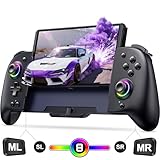
- Ergonomically Switch Controlle: The One piece joypad controller featuring a large comfortable grip to fits perfectly in your hand curve, it offers ultimate comfort and control, making it an excellent choice for handheld models. meanwhile, the flexibly joystick and buttons also provide smooth operation. The ergonomic switch controller effective relief of hand fatigue is perfect for long hours of immersive gaming.Best for Christmas gift
- Switch Controller with RGB Joystick: The joystick aperture of the switch remote can be set with 8 different colors of lights, and three light modes: static mode, breathing mode or flashing mode. You can adjust the Coolorful lighting of the game controller switch to enjoy different immersive gaming experiences. In addition, the screenshot function of the switch pro controller allows game enthusiasts to share exciting moments in just one second, doubling the fun of gaming
- Ultimate Gaming Immersion with One-Piece Joypad - Our switch controller features 6-axis gyroscope that can detect the tilt allowing precise aiming and movement. The dual vibration motor provides excellent feedback with 3 levels of accuracy, enhancing your gaming experience even further. The turbo switch handheld controller offering 3 selectable speeds: 5/s, 12/s, and 25/s for lightning-fast attacks that gets you one step closer to victory
- Programmable Pro Controller Switch: Customize your controls with single or multiple mappings, including A+B+Y+L+ZL+R+ZR+D-pad. The loop programming buttons enable endless cycling of your personalized combination skills. This innovative handheld controller enables you to effortlessly execute efficient combos, to achieve an unparalleled gaming experience, also minimizes button abuse and clicks, extending the lifespan of the controller
- Switch Controllers with 1000mAh Battery: controller for switch featuring a powerful battery, it can provides up to 10 hours of uninterrupted gameplay. The included 1.5-meter USB to Type-C 2 in 1 cable, you can conveniently charge both controller and Switch simultaneously.Perfect for gaming on the go, this controller is a must-have for gamers seeking long-lasting performance
School, work, hotel, and parental-control networks
Managed networks may block the Roblox website, client handoff, asset delivery, or game traffic. Roblox says experience launch does not support proxies and identifies domains that administrators may need to allow, including www.roblox.com, api.roblox.com, assetgame.roblox.com, setup.roblox.com, and setup.rbxcdn.com, along with Roblox CDN and security domains. Administrators should use Roblox’s managed-network troubleshooting guidance.
Roblox’s documentation is not perfectly consistent about ports: one page says client ports are selected dynamically and that blocking UDP on any port can cause problems, while other managed-network instructions specify UDP ports 49152–65535. Do not broadly forward ports on an ordinary home router as a first-line fix. First allow the official app, remove restrictive filtering, and ask the network administrator or ISP to investigate UDP restrictions. Changing DNS can be a diagnostic experiment, but Roblox does not present a particular DNS provider as a guaranteed fix.
13. Match the symptom or error code
Do not wait for an error code before performing the basic status, experience, device, and network tests. Codes can have more than one cause, but this table gives the most useful first direction.
| Symptom or code | What to investigate first |
|---|---|
ID=17 / Error 279 |
Roblox failed to connect to the game. Investigate the network, firewall, browser handoff, or client installation. |
| Error 266 | The connection timed out. Test another network and reinstall if the timeout occurs in every experience. |
| Error 277 | The connection to the game server was lost. Investigate Wi-Fi stability, router rules, VPNs, and the experience server. |
| Error 280 | The Roblox version may be out of date. Update Roblox and restart it. |
| Error 264 | The same account has launched the same experience from another device. Close the other session and retry. |
| Error 524 | Usually a permission, invitation, privacy, or private-server issue. Check access before reinstalling, while remembering that Roblox also lists server, browser, network, and device causes. |
| Error 292 | iOS low-memory warning. Close background apps, lower graphics when possible, and try a less demanding experience; free storage alone may not solve it. |
| Error 403 | The Roblox client launched from the website failed to initialize. Clear app data or reinstall, then test another network. |
| Getting Latest Roblox loop | The installation likely did not complete correctly. Uninstall, restart, remove leftover files where supported, and reinstall from an official source. |
| Failed to Load Library | A Windows client or system file may be missing, corrupted, outdated, or blocked. Perform a clean reinstall; if the message names a Windows component, repair Windows files through Microsoft rather than downloading a DLL from a third-party site. |
| Errors 267, 268, 270, 600, or another code | Use Roblox’s current error-code index. The exact meaning and remedy can change, and a code is not always proof of one specific cause. |
When the experience—not your Roblox installation—is broken
An experience is the leading suspect when other experiences load normally, the failure occurs on multiple devices and networks, friends report the same issue, only one server fails, or the problem began after that experience was updated. A blank world, endlessly running custom loader, missing terrain, or absent assets can result from a creator’s bad script, excessive object count, broken asset, or empty place.
Do these 3 things before closing this tab:
1Repair Windows errors before they cause bigger problems2Fix the driver behind crashes, sound loss and screen glitches3Clear out junk files and repair common Windows errorsTry the public version instead of a private server, choose another server, and check the creator’s community or status channels. If the failure remains specific to that experience, report the experience name, link, server type, and exact loading behavior to its creator. Roblox’s general connection documentation explicitly notes that an experience can fail independently of the player’s device.
Check device compatibility before escalating
Roblox’s current requirements are a compatibility baseline, not a promise of smooth performance:
| Platform | Requirement or qualification |
|---|---|
| Windows | 64-bit Windows 10 or Windows 11, DirectX 10 or higher feature-level support, approximately 1 GB RAM recommended, and approximately 300 MB storage recommended. |
| Mac | macOS 10.13 High Sierra or later; Apple Silicon/M1 support is listed. |
| iPhone/iPad | iOS 14 or iPadOS 14 or later. |
| Android | Android 8.0 or later and OpenGL ES 3.0 or later. |
| Chromebook | ChromeOS 53 or later with Google Play Store enabled. |
| Linux | Not supported by Roblox’s current computer requirements. |
| Virtual machines and cloud computers | Not supported by Roblox’s current support documentation. |
| Meta Quest | Quest 2, Quest Pro, and Quest 3 are listed as supported; Quest 1 is not. Check the current Quest FAQ for software requirements. |
Older Android devices may show a warning or fail to run demanding experiences even when they meet the operating-system minimum. Likewise, a PC may meet the Windows version requirement but lack the DirectX feature level needed by Roblox. Low memory is not the same as low storage, particularly on iOS.
What to send Roblox Support
If the problem survives the status, experience, device, network, update, and reinstall tests, submit a precise report through Roblox Support. Include:
- your Roblox username;
- device model and platform;
- operating-system version;
- Roblox app or client version, if visible;
- the experience name and URL;
- the exact loading message, error text, or error code;
- whether other experiences work;
- whether the same account works on another device;
- whether a phone hotspot or another network works;
- when the problem began and your time zone;
- recent Roblox, operating-system, browser, account, router, VPN, antivirus, or network changes;
- the exact steps that reproduce the problem;
- a screenshot or short screen recording, if appropriate.
For Xbox, add the Xbox Gamertag. For PlayStation, add the PlayStation Network account name. This evidence tells support whether to investigate game joining, asset delivery, the client, a platform store, a network block, an account permission, or the experience itself.
Frequently Asked Questions
Will reinstalling Roblox delete my progress?
Account-linked progress, inventory, and purchases normally remain associated with your Roblox account. Reinstalling does remove local cache and settings, and Android Clear data or a Windows Store Reset can sign you out. Roblox Studio creators should back up unsaved local work before deleting application folders.
Why does Roblox fail when my internet speed test passes?
A speed test checks a different route and type of traffic. Roblox can still be blocked by a firewall, proxy, VPN, parental-control filter, DNS policy, unstable Wi-Fi route, or UDP restriction. Try a phone hotspot or Ethernet to compare networks.
Why is only one Roblox experience stuck?
If unrelated experiences load normally, the original experience or a particular server is more likely broken. Try another public server, check whether the experience uses a custom loading screen, and contact its creator. If it is a private server, also check invitations and permission settings.
Free tools Windows power users keep installed
One-click scans. No signup required.
The Bottom Line
Bottom line: Start with Roblox Status, another experience, and a hotspot test. If every experience fails only on one device, update and repair or clean-reinstall the official client; if only one experience fails, report it to the creator; if a hotspot fixes the problem, investigate the home network rather than repeatedly reinstalling Roblox.
Quick Recap
Product prices and availability are accurate as of the date/time indicated and are subject to change. Any price and availability information displayed on Amazon at the time of purchase will apply.




