Free tools Windows power users keep installed
One-click scans. No signup required.
If South Park: The Fractured But Whole keeps crashing on PC, start by noting exactly when it happens, then check the game files, Windows and graphics drivers. Ubisoft’s pinned PC support post recommends following its troubleshooting steps in order and testing after each one; the steps are checks, not guaranteed fixes for every PC.
First, identify when the game crashes
“The game won’t launch,” a crash during startup, and “the game crashes when I press New Game” can have different triggers. The symptom alone does not identify the cause. Before changing settings, write down when the crash occurs and any error message. Where practical, make one change at a time and test again so you can tell whether it made a difference.


As an Amazon Associate I earn from qualifying purchases.
Try these checks first
- Verify the game files. Use the file-verification option in the launcher where you own the game, then try launching it again. Ubisoft Support specifically recommends verifying files for crashes when starting a new game (Ubisoft Support: “New game crash”).
- Update Windows and your graphics driver. Install available Windows updates and the latest graphics driver for your GPU, then restart the PC and test. These are also among Ubisoft Support’s suggested checks for a New Game crash (Ubisoft Support).
- Run the game as administrator. Close the game, right-click its shortcut or executable, choose Run as administrator, and test. This is a diagnostic check, not a setting that is known to resolve every crash.
- Temporarily close background programs. Exit nonessential applications, then test the game. Ubisoft Support recommends temporarily disabling background programs when diagnosing a New Game crash. Re-enable them after the test.
Follow Ubisoft’s game-specific PC checks
Ubisoft Support’s pinned PC Troubleshooting & Support post says to try its steps in the order listed and test the issue after each. It includes the checks below.
Do these 3 things before closing this tab:
1Clear out junk files and repair common Windows errors2Fix the driver behind crashes, sound loss and screen glitches3Repair Windows errors before they cause bigger problemsClear launcher caches
Clear the Ubisoft Connect cache using Ubisoft’s cache-clearing procedure, then relaunch the game and test. If you launch through Steam, clear the Steam download cache through Steam’s settings as well. Cache clearing can require signing in again; make sure you know your account credentials before doing so.
#1 Best Overall
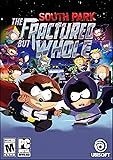
- From the creators of South Park, Trey Parker and Matt Stone, comes an outrageous sequel to 2014's South Park : The Stick of Truth.
- In this new opus, from the creators of South Park, assume the role of the New Kid and join Stan, Kyle, Kenny and Cartman in a hilarious and outrageous RPG adventure.
- How to Claim: Open Ubisoft Connect (PC), select three lines icon in top left corner, choose “Activate a Key,” enter key in “Activation Code” field, select “Activate,” and your game will be available on the “Games” tab
Make sure the game uses the dedicated GPU
On a PC with both integrated graphics and a separate graphics card, check Windows or the GPU vendor’s graphics settings to ensure the game is assigned to the dedicated GPU. The precise menu varies by Windows version and graphics hardware. Retest after changing the assignment.
Try compatibility mode on Windows 11
If you use Windows 11, Ubisoft’s pinned post suggests trying Windows compatibility mode for the game. Open the game executable’s Properties, select the Compatibility tab, and use the compatibility troubleshooter or compatibility settings to test a mode. Keep a note of the original setting so you can revert if it does not help.
Rank #2

- Gold SteelBook Edition includes the complete South Park: The Fractured But Whole game, plus the Season Pass, and more!
- A set of physical lithographic prints with art from South Park Digital Studios
Run the Windows System File Checker
Ubisoft lists an SFC scan as a troubleshooting step. To run it, open Command Prompt or Terminal as an administrator, enter sfc /scannow, and wait for the scan to finish. Restart Windows if it reports repairs, then test the game again.
Outdated Drivers Are Slowing You Down
One free scan finds every outdated or missing driver and matches the right update for your exact hardware.Free scan · exact hardware matchWindows Errors? Fix Them Before They Spread
Repair common Windows errors and clear accumulated junk for a smoother, more stable PC - no reinstall needed.Free scan · no reinstallCheck the installation drive and layout
Ubisoft recommends installing the game on an SSD and keeping it on the same drive as both Ubisoft Connect and Steam. This is a setup check, not evidence that buying an SSD will fix a crash on its own. If your current installation does not match that recommendation, consider whether your PC supports the drive and whether you have enough capacity before changing hardware or reinstalling.
Rank #3

- AUTHENTIC SOUTH PARK – From the creators of South Park, Trey Parker & Matt Stone, comes the sequel to South Park: The Stick of Truth.
- AN OUTRAGEOUS RPG ADVENTURE – Manipulate time & space on the battlefield and develop and refine your powers as you progress.
- A HERO’S ORIGIN REVEALED – Create your costume, craft your origin story & build out your unique superpowers as you progress.
- COON AND FRIENDS, ASSEMBLE! – Recruit up to 12 heroes, including Mysterion, The Human Kite, and the infamous Coon himself.
- EXPLORE SOUTH PARK AT NIGHT – Save the town when the sun sets and South Park's seedy underbelly comes alive.
If it crashes when you press New Game
Use the first checks above—verify files, update Windows and the graphics driver, run as administrator, and temporarily close background applications—then test starting a new game again. Ubisoft Support lists these actions for this specific symptom (New game crash support reply). If it still crashes, continue with the launcher, GPU, compatibility, and system checks rather than assuming the save or a particular component is responsible.
If the game still crashes or the menu does not appear
Ubisoft Support also suggests disconnecting nonessential peripherals—such as extra monitors, controllers, or VR equipment—as a diagnostic test. Reconnect them and test individually to see whether the symptom changes. Its support reply additionally mentions reinstalling support software, and reinstalling the game and Ubisoft Connect on the same drive as Windows (Ubisoft Support: persistent crashes or missing menu). Treat those as later checks; reinstalling is time-consuming and should follow simpler tests.
Rank #4
Check your PC against the published minimum requirements
Steam’s technical support page lists these minimum requirements for the game. Meeting them does not prove that a specific crash has been diagnosed, and falling short does not identify which part is responsible.
The Tool Desk
Outbyte PC Repair FREERepair Windows errors before they cause bigger problemsFix Now →Outbyte Driver Updater FREEFix the driver behind crashes, sound loss and screen glitchesFind Drivers →| Component | Steam-listed minimum |
|---|---|
| Operating system | 64-bit Windows 8.1 or Windows 10 |
| Processor | Intel Core i5 2400 / AMD FX 4320 or equivalent |
| Memory | 6 GB RAM |
| Graphics | NVIDIA GeForce GTX 560Ti / GTX 650 / GTX 750 / GTX 950 / GTX 1050, or AMD Radeon HD 7850 / R9 270 / R9 370 / RX 460 graphics classes |
| Storage | 20 GB |
Steam’s page also says the game was originally released for Windows 7 and can be played on Windows 10 and Windows 11. See Steam Support’s technical-issue page for the published requirements and platform context.
Contact Ubisoft Support with useful details
If the crash continues, send Ubisoft Support a concise account of the problem and what you have already tried. Ubisoft’s pinned post asks players to include:
- When the crash occurs and the exact error text, if any.
- Your PC specifications and Windows version.
- The troubleshooting steps you completed and what happened after each.
This gives support a clearer starting point than reporting only that the game crashes.
Quick Recap
Product prices and availability are accurate as of the date/time indicated and are subject to change. Any price and availability information displayed on Amazon at the time of purchase will apply.




