The Tool Desk
Outbyte PC Repair FREERepair Windows errors before they cause bigger problemsFix Now →Outbyte Driver Updater FREEFix the driver behind crashes, sound loss and screen glitchesFind Drivers →The “Cannot find template with ID” error in Escape from Tarkov does not have one universal fix. In the live game, it can be a temporary server or event-related failure; locally, outdated cache or damaged files can contribute. In SPT, the missing template may instead belong to a removed or changed mod referenced by an existing profile.
Start with the Battlestate Games Launcher’s Clear cache option and file verification. If the error appears after a raid or during an event, do not assume your installation is corrupted: waiting and submitting a bug report may be more effective. SPT users should treat the template ID as a possible mod or profile-reference problem.
As an Amazon Associate I earn from qualifying purchases.
What the error means
Tarkov is trying to load an item, object, or data template identified by the ID shown in the message, but the client or server cannot find the expected definition. The failure may prevent profile loading, server connection, trader purchases, or access to other game features.
What’s actually slowing this PC down?
Pick the symptom - the matching free tool is one click away.
There are three materially different situations:
- Live Tarkov: the error may be caused by a server-side problem, especially after an in-game event or during the post-raid results sequence.
- Local live-game installation: a stale launcher cache or damaged or incomplete files may be involved.
- SPT: the ID may come from a mod, and an existing profile can retain a reference to that mod even after the mod is removed.
That is why clearing cache and reinstalling are not guaranteed solutions. Reports document cases where those steps failed, while the underlying issue was on the service side or inside an SPT profile.
#1 Best Overall

- Custom made based on beanie from Escape from Tarkov
- A great gift for the holidays or to add to your Tarkov collection
- Perfect for raiding!
Fix the error in the Battlestate Games Launcher
1. Clear the launcher cache and delete logs
Use the launcher’s own profile menu rather than searching for a cache folder manually:
- Open the Battlestate Games Launcher.
- Click your username in the upper-right corner.
- Select Logs.
- Delete the logs.
- Open the username menu again and select Clear cache.
- Restart Tarkov and try loading your profile again.
The current menu label reported for this operation is Clear cache, not “Clear game cache.” These steps are reported in the troubleshooting procedure for this error by Windows Report.
2. Verify the game files or check for updates
The launcher also has a file-repair or update-check path. Open the launcher, click Game in the upper bar, and look for Verify files or Check for updates.
Rank #2

- Card's inspiration comes from Game, high similarity to the original.
- The cards is made of PVC.And all cards have a card holder to protect them.
- Excellent material and thickness.A great replica!
- Best choice for game fans,halloween cosplay prop and even cards collectors.
- Include:7pcs cards
The available guide gives both labels, so the exact wording may vary by launcher version. Use whichever of those options is present, allow the process to finish, then restart the launcher and game. The path is described by UMA Technology.
Do not automatically follow guides that instruct you to use Steam → Library → Tarkov → Properties → Local Files → Verify integrity of game files. The evidence available for this error identifies the Battlestate launcher, and it does not establish a current official Steam edition or Steam as the supported repair path.
If the error appears after a raid
A recent player report describes the error appearing after the post-raid XP and kill-analysis sequence, followed by an error loop. In that case, restarting the game and PC did not resolve the problem; waiting and submitting a bug report eventually did.
Rank #3
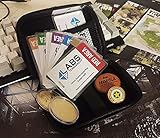
- Brand: Zhipengwen
- Included components: Cards
- Quantity: 1
If you can identify the error as a live-service incident:
Quick wins for a faster PC:
Clear out junk files and repair common Windows errorsFree Scan →Scan for outdated or missing drivers - takes under a minuteDriver Scan →Repair Windows errors before they cause bigger problemsFix Now →- Do not repeatedly reinstall the game or delete profile data.
- Leave the launcher and game in a stable state for a while instead of continuously retrying the same screen.
- Submit a bug report through the available Battlestate Games support or launcher reporting route, including the exact template ID and when it appeared.
- Try again later after the service-side problem may have cleared.
“Leave the game open for 15–30 minutes” is often repeated online, but that advice comes from a 2023 Halloween-event report and is not a current guaranteed procedure. Waiting can be reasonable for an apparent server-side loop, but it should not be presented as a definitive fix.
Event-related and server-side causes are documented in reports collected by Windows Report and in a player report on r/EscapefromTarkov.
Rank #4
![TOP CUSTOMS Escape from Tarkov - Tagilla Figurine Replica [Updated Packaging]- Collectible Figurine Statue- FactoryBoss - Gift Idea - Gamers](https://m.media-amazon.com/images/I/41EZSWsEqsL._SL160_.jpg)
- Exclusive Top Customs design – crafted to closely resemble Tagilla’s in-game appearance with premium attention to detail
- Made from durable hard PVC, NOT 3D printed, using high-quality injection molding for a clean, professional finish
- Perfect for collection and display alongside your Tarkov gear or gaming setup!
- Ideal gift for your squadmates, friends, boyfriends/girlfriends
- A must-have for Tarkov fans. Whether you’re messing around in the hideout or building the ultimate 'Chad' loadout, this collectible hits hard.
SPT: diagnose the template ID as a mod or profile problem
SPT requires a different approach. If the message contains an identifier such as CCG_AMMO_POUCH, it may be a mod-defined template rather than a normal hexadecimal EFT item ID.
A reported SPT 3.8.3 case produced Cannot find template with id "CCG_AMMO_POUCH". Trader purchases became stuck on a spinning indicator. Reinstalling SPT and removing Gunsmith- or Painter-related content did not repair the affected profile. Restoring the missing mod and reverting Gunsmith from 2.0.8 to 2.0.7 resolved that case.
Windows Errors? Fix Them Before They Spread
Repair common Windows errors and clear accumulated junk for a smoother, more stable PC - no reinstall needed.Free scan · no reinstallOutdated Drivers Are Slowing You Down
One free scan finds every outdated or missing driver and matches the right update for your exact hardware.Free scan · exact hardware matchSPT recovery checklist
- Read the complete error and copy the exact template ID.
- Check which installed mod originally supplied that item or template.
- Review recent mod updates, removals, and dependency changes.
- Restore the required mod and its compatible dependencies if the profile still references its content.
- If the problem began after a mod update, test the previously working compatible version rather than repeatedly reinstalling the entire SPT installation.
- Back up your profile before editing, replacing, or testing profile files.
- Test with a new profile only as a diagnostic comparison, not as a repair for the old one.
A new SPT profile working normally while the old profile fails strongly suggests that the old profile contains a broken or orphaned item reference. It does not prove that the base installation is healthy in every respect, but it helps separate profile data from general installation problems.
Best Value

- Exclusive Top Customs design - Inspired by the iconic Customs boss from Escape from Tarkov, this Reshala figurine is designed for fans who want a piece of Tarkov on their shelf.
- Made using durable PVC injection molding for consistent detail and a clean finish — not 3D printed.
- Stands approx. 9 cm (3.54 inches) tall, ideal for desks, shelves, gaming setups, or collector displays.
- A unique collectible for Tarkov players, streamer fans, or anyone building a Tarkov-themed collection.
Removing the mod that created the item may make the situation worse or leave the old reference unresolved. The reported SPT case is documented on r/SPTarkov.
Independent reader supportYour contribution helps us test, update, and keep practical guides available for everyone.What not to assume
- It is not always corrupted local files. Live Tarkov reports include server-side and event-related incidents.
- Cache clearing is not guaranteed. Some players report that clearing cache and verifying files did not resolve profile-loading failures.
- Restarting is not a universal fix. It failed in at least one reported error-loop case.
- Reinstalling SPT does not necessarily repair a profile. A profile can retain a missing mod reference after the installation is rebuilt.
- There is no verified command-line fix. The documented remedies are launcher menu actions, waiting and reporting a live-service problem, or repairing SPT mod/profile compatibility.
Best order of operations
| Where the error occurs | Most sensible next step |
|---|---|
| Live Tarkov, immediately after a raid or event | Check for a service-side problem, wait, and report the exact error. |
| Live Tarkov, recurring during normal launcher use | Delete logs, use Clear cache, then verify files or check for updates. |
| SPT with a named or unusual template ID | Identify the mod that supplied the template and restore a compatible version. |
| SPT where a new profile works but the old one fails | Investigate the old profile’s item references and recent mod changes. |
The safest general sequence is therefore: identify whether you are using live Tarkov or SPT, record the exact ID, use the launcher repair options for live Tarkov, and investigate mod ownership and profile history for SPT. Avoid deleting profile data or blindly changing versions before making a backup.
Quick Recap
Product prices and availability are accurate as of the date/time indicated and are subject to change. Any price and availability information displayed on Amazon at the time of purchase will apply.
Free tools Windows power users keep installed
One-click scans. No signup required.




