Free tools Windows power users keep installed
One-click scans. No signup required.
In Command & Conquer: Generals, first try Options → Display Options → Resolution. For Zero Hour, if the menu does not offer the resolution you want, you can edit the game’s Options.ini file. Resolution and camera framing are separate settings, and no universal maximum resolution is established for every game build.
How do I change the resolution in Generals?
Open Options from the main menu, choose Display Options, then use Resolution to select a screen resolution. The PC manual documents this control as setting the game’s screen resolution (PC manual).
| # | Preview | Product | Price | |
|---|---|---|---|---|
| 1 |

|
Command and Conquer Generals: Deluxe Edition - PC | $89.99 | Buy on Amazon |
| 2 |

|
Command and Conquer Generals: Zero Hour Expansion Pack - PC | $83.00 | Buy on Amazon |
| 3 |

|
Command and Conquer Generals Deluxe Edition (UK) | $35.99 | Buy on Amazon |
| 4 |
|
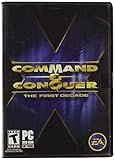
Command and Conquer the First Decade | $65.90 | Buy on Amazon |
| 5 |
|
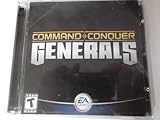
Command & Conquer: Generals - PC | $30.25 | Buy on Amazon |
How do I set a custom resolution in Zero Hour?
A Steam community guide describes changing the resolution in Options.ini. Back up the file and close the game before editing it.
- Open
DocumentsCommand and Conquer Generals Zero Hour DataOptions.ini. - Find the line beginning
Resolution =and replace its width and height values. For example, the guide givesResolution = 1920 1080. - Save the file, then launch the game and check the result.
The 1920 × 1080 value is a community guide’s example, not an officially documented maximum or a guarantee that it works with every distribution or patch level (Steam community guide).
#1 Best Overall
- Includes both Command & Conquer Generals and Generals Zero Hour
- Become a powerful general--rack up victories and upgrade your forces
- Command 1 of 3 unique armies inspired by real-world ideologies
- State-of-the-art battleground with unprecedented detail
- Next-generation weapons for the next generation of war
Does resolution change the camera view?
No: in community widescreen configurations for Zero Hour, resolution and camera height are separate. Resolution is set in Options.ini; the community configuration repository identifies MaxCameraHeight in GameData.ini as the camera-framing setting (Zero Hour widescreen configuration repository).
Increasing camera height can show more of the battlefield, but it changes the view rather than simply making the image sharper. A wider view may affect competitive balance, so consider leaving camera height unchanged if you want to alter only output resolution.
Rank #2
- Expansion pack for popular strategic modern combat game
- 30 new units and 20 new upgrades
- New gameplay mode versus nine AI generals
- 15 new missions
- For one or more players using LAN or Internet connection
Can GenPatcher add high-resolution support?
A Steam community discussion recommends GenPatcher as an optional way to add high-resolution and widescreen support to Generals (community discussion). It is community software, not an EA-guaranteed fix. Check the maintained project source and its compatibility notes for your particular game build before installing it.
Which method should I try?
| Method | What it changes | Trade-off |
|---|---|---|
| In-game Display Options | Screen resolution in Generals | Uses the documented menu control; simplest starting point. |
Edit Options.ini |
Resolution in Zero Hour | Allows a custom value, but requires a manual file edit and the cited example is not a universal maximum. |
Adjust MaxCameraHeight |
Camera framing in Zero Hour | Changes how much of the battlefield is visible, which may affect competitive balance. |
| GenPatcher | Community-added high-resolution and widescreen support | Third-party software; compatibility depends on the build and is not established as EA-supported. |
Why might a resolution setting not work?
- The menu lacks the value you want: for Zero Hour, try the documented
Options.iniedit rather than assuming the example resolution is supported by every build. - The game does not keep the edit: make sure the game was closed before saving, and check that you edited the file in the Zero Hour Documents data folder.
- The image is still framed too tightly: that is a camera-height issue, not necessarily a resolution issue. Treat
MaxCameraHeightas a separate configuration change. - A community tool is incompatible: check the tool’s current compatibility information for your version before installing or changing files.
The historical PC manual documents a resolution control but does not establish modern widescreen modes or a current maximum. The available community instructions likewise do not prove one maximum for every edition, distribution, or patch level.
Quick Recap
Best Value
- PC CD ROM
- Action / Adventure
- Strategy
- First Person
- Combat
Rank #4
- Relive a decade of real-time strategy history in this anniversary collection
- Contains 12 classic Command & Conquer games on a single DVD
- Cutting-edge visuals, epic storylines, and complex missions
- Bonus DVD with commemorative videos including exclusive interviews
- 100s of single-player missions and multiplayer mayhem
Rank #3
- Command & Conquer Generals
- Command & Conquer Generals Zero Hour
- Command & Conquer Generals World Builder Tool
Product prices and availability are accurate as of the date/time indicated and are subject to change. Any price and availability information displayed on Amazon at the time of purchase will apply.




