Recommended Free Tools
You can carry more than six weapons or passive items in Vampire Survivors by filling the ordinary level-up slots first, then collecting additional items placed in a stage. The six-item limit applies to level-up drafts; stage-generated pickups can attach without using those slots.
What the six-item limit actually means
The ordinary level-up inventory has separate limits: up to six weapons and up to six passive items chosen through level-up drafts. Once a category is full, level-ups stop offering new items in that category and focus on upgrading what you already have. That does not necessarily limit the total number you can carry: stage-generated weapons and passives can attach without consuming level-up slots, according to the current mechanics reference.
| # | Preview | Product | Price | |
|---|---|---|---|---|
| 1 |

|
Vampire Survivors #1 | $3.99 | Buy on Amazon |
| 2 |

|
Vampire Survivors | $17.99 | Buy on Amazon |
| 3 |

|
Vampire Survivors #2 | $4.99 | Buy on Amazon |
| 4 |
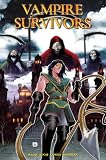
|
Vampire Survivors #3 | $4.99 | Buy on Amazon |
| 5 |

|
25th Century Games Vampire Queen, Fast-Paced Card Game | $9.99 | Buy on Amazon |
How to carry more than six
- Find extra items on the stage. Check the map for weapons or passive items placed in the environment.
- Fill the relevant level-up slots. Take up to six weapons or six passives through level-up choices.
- Collect the stage items afterward. Pick up the additional items once the corresponding level-up inventory is full; they can add to your carried total without taking a draft slot.
Using Laborratory levers
Laborratory is a specific way to find extra items. In its Patch 1.10 announcement dated 29 April 2024, developer and publisher poncle says room levers can spawn weapons and passives. The notes also introduce Arma Dio, which “Allows you to choose any base-game passive.” Arma Dio counts as a weapon and can be selected from a Candybox. See the official Patch 1.10 notes.
Which methods add items—and which do not
| Method or effect | What it does | Does it bypass a full level-up inventory? |
|---|---|---|
| Stage-placed weapon or passive | Adds an item from the environment, according to the mechanics reference. | Yes. Stage-generated items do not consume a level-up slot. |
| Laborratory levers | Can spawn weapons and passives, according to poncle’s Patch 1.10 notes. | They provide stage items; the notes do not describe them as increasing the level-up draft cap. |
| Arcana I: Gemini | Creates a counterpart effect for listed weapons, rather than raising the general six-slot limit. The wiki reference describes the counterpart effect; official notes confirm Santa Javelin’s compatibility with Gemini. | No general extra-slot increase is established. |
| Evolution or union | Transforms or combines items; the mechanics reference says unions can free slots. | Not an extra-item pickup method; it changes existing items and may free room. |
Does Gemini increase the weapon cap?
No general increase to the ordinary six-weapon level-up limit is established. Arcana I: Gemini gives listed weapons a counterpart effect, and the effect depends on the weapon. The official Santa Javelin patch details confirm that weapon works with Gemini, but that is not evidence of a seventh level-up slot.
Free tools Windows power users keep installed
One-click scans. No signup required.
#1 Best Overall
Version context
The official announcements page lists version 1.16.107 hotfixes dated 30 August and says stable version 1.16.100 or higher would be available across platforms with the Legacy of the Bloodmoon release. This is a version snapshot, not confirmation that every platform received every update at the same time or that the standard six-slot rule changed. See the official announcements.
Quick Recap
Best Value
- Fast-Paced Card Game: Enjoy quick and exciting gameplay in Vampire Queen, a card game filled with thrilling vampire-themed action.
- Strategic Gameplay: Plan your moves carefully and outsmart your opponents with strategic card play and clever tactics.
- Engaging Theme: Immerse yourself in the dark and captivating world of vampires, with beautifully designed cards and artwork.
- Easy to Learn: Simple rules and quick setup make Vampire Queen an accessible and enjoyable game for players of all ages.
- Perfect for Ages 8+: Suitable for players aged 8 and up, Vampire Queen is a great choice for family game nights and gatherings with friends.
Rank #4
Rank #3
Rank #2
Product prices and availability are accurate as of the date/time indicated and are subject to change. Any price and availability information displayed on Amazon at the time of purchase will apply.




