Choose Ryu, roll the D-pad from down to forward, and press any punch button as you reach forward. If Ryu is facing left, reverse the horizontal directions.
Ryu’s Hadouken input
Nintendo’s Street Fighter II′ Turbo: Hyper Fighting manual lists the move as Ryu’s Fireball. With Ryu facing right, enter:
Down, down-forward, forward + any punch button
On a directional pad, that is ↓ ↘ → + punch. Press punch as the motion reaches the forward direction, rather than waiting after completing the motion. Nintendo describes the input as one continuous motion. Nintendo’s SNES Classic manual
If Ryu is facing left
Mirror the directions: press down, then down-back, then left, and press punch as you reach left. The manual’s command notation assumes Ryu faces right; directional inputs are reversed when the character faces the other way. GameFAQs’ Super Nintendo move-list guide
Quick wins for a faster PC:
Fix the driver behind crashes, sound loss and screen glitchesFind Drivers →Clear out junk files and repair common Windows errorsFree Scan →Scan for outdated or missing drivers - takes under a minuteDriver Scan →#1 Best Overall

- 🔥Wired controller works for original SNES Nintendo system, specially designs for old school SNES Online Games On TV.This is NOT USB version controller,only works for the super Nintendo console.Not Support the both controllers working for Super Famicom Game Console or at a time, only support one controller for 1 player playing on Retro Duo or Retron 5.
- 🔥Classic designe:Super precise cross key and function buttons, the cross direction key adopts frosted concave design, super sturdy shoulder buttons with responsive buttons, anti-sweat and anti-slip, provide precision control for a wide range of games, perfect for retro gaming lover.
- 🔥7-pin connector port, including a 1.8 meters (6ft) cable.Wire was good and long enough,you also can use a expansion cable which is nice for not having to sit on the floor to play.
- 🔥Great quality with accurate and reliable input response, this is a decent replacement controller for OG SNES
- 🔥Third party controller, not original SNES controller.It is a perfect SNES controller replacement with high quality functional stability. Notice: only applicable to the host shown in the diagram, not suggest for third console, align the plug with the port on the console and insert it.
How to make the motion
- Start with Ryu standing and facing the opponent.
- Roll the D-pad smoothly from down through the diagonal toward the opponent: down-forward if facing right, or down-back if facing left.
- As you reach toward the opponent, press any punch button.
Avoid treating the directions as three widely separated taps: the manual specifically calls for a continuous motion and punch at its endpoint. The move-list command and timing are documented in Nintendo’s Ryu Special Moves manual.
Independent reader supportYour contribution helps us test, update, and keep practical guides available for everyone.Game and character scope
The cited instructions are for Street Fighter II′ Turbo: Hyper Fighting, including Nintendo’s SNES Classic manual. They document the same Fireball motion. The original question does not specify an SNES edition, so this input is established for that documented game; no release-specific differences are asserted here.
Quick Recap
Best Value
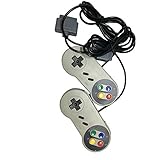
- Color: grey. Featured all 6 controller buttons with D-pad, Start, Select,A,B,X,Y and two shoulder buttons
- Works with all Super Nintendo Entertainment System Classic and SNES-compatible consoles
- 7-pin controller connector - Premium-quality components.
- High quality classic controller
- Package includes: 2 x Classic Controller for SNES
Rank #4

- Allows for game play of 2 Player Games
- Up to 2 controllers may be plugged into your control deck at a time
Rank #3
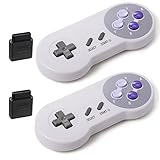
- 【Compatibility and Connectivity】Wireless controller for Original SNES Super Nintendo System Console, specially works for Classic old school SNES Online Games On TV. Not Support the both controllers working for Super Famicom Game Console at a time and only 1 player games. Get a single controller through this ASIN (B0H3PDT2K2) for Super Famicom Console.
- 【Enhanced Designe】Super precise cross key and function buttons,the cross direction key adopts frosted concave design,anti-sweat and anti-slip.The shape is designed to fit the contour of your hands,easy and comfortable to hold.
- 【Battery Powered】Great battery life for the recharge,build in 3.7V/500mA lithium Ion battery which can work continuously for over 10 hours. Plug and play, to pair this controller and just plug the snes adapters in to the body of corresponding interface, and press start button.
- 【Wireless connetion】2.4GHz Wireless technology and wireless range up 30 feets (not support for Bluetooth connection), that is better than having to sit on floor a foot away from the TV. 2.4G wireless connection,including wireless pairing 7 Pin Connector adapter for Original SNES console
- Third party controller, not original SNES controller.If there is an incompatibility or quality issue , please contact the seller for a support. Only works for old SNES Super Nintendo console(Not support SNES mini and not working for SNES classic), Not working for NES Classic Edition.(NOT included the Wireless USB dongle for PC and No wireless USB connectivity for switch or raspberry pie)
Rank #2

- Premium build quality
- Compatible with all SNES models
- 10 ft. cable
Product prices and availability are accurate as of the date/time indicated and are subject to change. Any price and availability information displayed on Amazon at the time of purchase will apply.



