Recommended Free Tools
To install mods in Half Sword, first open the Early Access folder through Steam, then follow the mod’s required method: UE4SS, a standalone .pak file, or both. The correct destination may be BinariesWin64ue4ssMods, ContentPaks, ContentPaks~mods, or ContentPaksLogicMods—there is no single folder that works for every mod.
Before you install anything
These instructions apply to the Steam Early Access version of Half Sword, which launched on January 30, 2026. The Early Access files are separate from the Demo and Playtest files, so do not install an Early Access mod into an old Demo or Playtest directory. See the current Steam store listing if you need to confirm which version you own.
Use Steam to find the correct installation folder:
- Open Steam and go to Library.
- Right-click Half Sword.
- Select Manage → Browse local files.
The folder should normally contain this structure:
Half Sword
└─ HalfswordUE5
   ├─ Binaries
   └─ Content
Do not use folders named Half Sword Playtest, VersionTest54, or an old Demo directory. Older mod loaders and instructions may use paths that do not match the Early Access release.
How Half Sword mods work
Current mods generally use one of two systems:
- UE4SS / RE-UE4SS: loads Lua, C++, utility, trainer, gameplay, and some Blueprint-related mods.
- Unreal
.pakfiles: add or replace game assets and are installed under the game’sContentPaksdirectory.
Some mods require only one system, while others require both. Always read the individual mod’s Requirements and Installation sections before copying anything.
#1 Best Overall
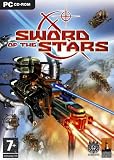
- Play as the Humans, insect-like Hivers, reptilian Tarkas & enigmatic Liir
- Travel to 40 stars in a spherical galaxy, with unlimited turn gameplay
- Unique, random technology tree helps pave the road to galactic domination
Method 1: Install UE4SS
Many gameplay and utility mods require UE4SS. Download it from the official UE4SS releases page. If a Half Sword mod specifically requests the latest experimental build, use the current experimental-latest package. Older builds have been associated with startup crashes, failed initialization, and missing features after game updates.
For ordinary player use, choose the regular or basic package. The developer package is intended for debugging, dumping, and development utilities unless a mod author specifically asks for it. The UE4SS installation guide documents the package variants and setup.
Install the current UE4SS file layout
Extract the archive and copy its contents into:
Half SwordHalfswordUE5BinariesWin64With current experimental builds, the result should look like this:
Half Sword
└─ HalfswordUE5
   └─ Binaries
      └─ Win64
         ├─ dwmapi.dll
         └─ ue4ss
            ├─ UE4SS.dll
            ├─ UE4SS-settings.ini
            ├─ Mods
            └─ ...
The important detail is that dwmapi.dll stays directly inside BinariesWin64, while UE4SS.dll, the settings file, and the UE4SS folders go inside the ue4ss subfolder. Older guides may tell you to put UE4SS.dll directly in Win64; that is an older or backward-compatible layout and should not be mixed casually with the current package.
Outdated Drivers Are Slowing You Down
One free scan finds every outdated or missing driver and matches the right update for your exact hardware.Free scan · exact hardware matchPC Slower Than It Used to Be?
A free scan shows the junk files, broken settings and background clutter dragging Windows down - then fixes them in one click.Free scan · Windows 10 & 11Check that UE4SS loaded
Launch Half Sword through Steam. Try pressing F10 or @ to open the UE4SS console. Some mod pages use the tilde key (`) instead, so try that as well if the console does not appear. Keyboard layout and UE4SS configuration can affect the key.
Rank #2
![Paradox Interactive Sword Of The Stars Ultimate Collection [windows 2000/xp/vista]](https://m.media-amazon.com/images/I/61OesEFvRJL._SL160_.jpg)
- Includes: Born of Blood and A Murder of Crows expansion packs
- Dynamic environments and random events create and explosive atmosphere - discover alien artifacts, negotiate meteor showers, and encounter strange alien forces
- Incredible weapons including nuclear missiles, cloaked mines and massive siege drivers that can destroy entire planets
- Research alien languages, form alliances and non-aggression pacts, or declare war on all who stand in your path
You can also check whether a fresh UE4SS.log was created beside the UE4SS files. If necessary, enable the GUI console in UE4SS-settings.ini; the official UE4SS documentation explains the relevant settings.
Method 2: Install a UE4SS Lua or C++ mod
UE4SS mods belong inside:
Half SwordHalfswordUE5BinariesWin64ue4ssModsGive each mod its own folder. A Lua mod commonly looks like this:
ue4ss
└─ Mods
   └─ ExampleMod
      └─ scripts
         └─ main.lua
A C++ mod commonly looks like this:
ue4ss
└─ Mods
   └─ ExampleMod
      └─ dlls
         └─ main.dll
Extract the download first. Do not leave a ZIP in the Mods folder, and watch for an accidental double folder such as ModsExampleModExampleModscriptsmain.lua. The expected entry file should normally be in the location specified by the mod author.
Quick wins for a faster PC:
Scan for outdated or missing drivers - takes under a minuteDriver Scan →Repair Windows errors before they cause bigger problemsFix Now →Enable the mod in mods.txt
Open:
Half SwordHalfswordUE5BinariesWin64ue4ssModsmods.txtAdd the mod using this format:
ExampleMod : 11 enables the mod and 0 disables it. The name must match the mod folder or the name specified by its author. For example:
BPModLoaderMod : 1
ItemLocator : 1
InfiniteStamina : 1
UE4SS’s mod structure and naming conventions are also described in this directory-structure reference and the UE4SS C++ mod guide.
Rank #3

- Bundle of the tactical simulation Rainbow Six 3 and its expansion pack Athena Sword
- Assemble and equip teams to counter terrorist plots
- Detailed environments and clever opponents
- Multiple gameplay modes
- For one or more players using LAN or Internet
Method 3: Install Blueprint and LogicMods
Some mods combine a UE4SS component with a Blueprint .pak. A typical installation looks like this:
Half SwordHalfswordUE5
├─ Binaries
│  └─ Win64
│     └─ ue4ss
│        └─ Mods
│           └─ ItemLocator
└─ Content
   └─ Paks
      └─ LogicMods
         └─ M_ItemGlow.pak
For this type of mod, both the mod folder and the Blueprint loader must be enabled in mods.txt:
BPModLoaderMod : 1
ItemLocator : 1
Installing only the .pak, or only the UE4SS folder, is not enough. Follow the individual mod’s instructions; for example, the Item Locator installation notes specify the LogicMods path and loader requirement.
Method 4: Install a regular .pak mod
The general content directory is:
Half SwordHalfswordUE5ContentPaksHowever, the correct destination depends on the mod.
| Destination | Typical use |
|---|---|
ContentPaks |
Direct asset replacements and some weapon or map mods |
ContentPaks~mods |
Some current mod-management tools and packages |
ContentPaksLogicMods |
Blueprint-based LogicMods, usually with UE4SS and BPModLoaderMod |
Use the folder named by the mod author. Do not move a file to another Paks subfolder just because a different mod uses it. For example, The Feudal Smithy instructs users to place its file directly in ContentPaks, while other packages require ~mods or LogicMods.
Rank #4

- ✅ WHY YOU NEED THIS: FROM AIR-SWIPING TO TRUE SWORDSMANSHIP. Tired of awkwardly waving your hands in the air, feeling disconnected from your virtual blade? Bare controllers lack the weight, leverage, and orientation of a real hilt, leading to poor precision and shattered immersion. This handle grounds your experience, transforming those imprecise "air swipes" into deliberate, powerful, and accurate strikes. It’s the critical link that makes you feel like you're holding a real sword, not just a piece of plastic.
- ✅ KEEP YOUR CUSTOM GRIPS: SILICONE COVER COMPATIBLE. No need to sacrifice comfort for immersion! We designed our handle with your existing setup in mind. The smart latching system is engineered to securely accommodate controllers even when they are equipped with most third-party silicone protective covers. Keep your favorite textured, sweat-resistant grip on your controller and simply snap it into a more immersive hilt experience.
- ✅ DYNAMIC COMBAT FREEDOM: HALF-SHELL QUICK-RELEASE DESIGN. In the heat of battle, versatility is key. Our unique semi-enclosed design allows you to instantly detach a controller with one hand for dual-wielding, using a shield, or performing single-handed fencing maneuvers. Re-attaching is just as fast. Go from a two-handed greatsword to a sword-and-shield combo in seconds. Your gear should adapt to your playstyle, not limit it.
- ✅ FIND YOUR PERFECT GRIP: ADJUSTABLE ANGLE & ROTATION. Not all swords are created equal. A katana is held differently from a European longsword. Our handle is the ONLY one that understands this. Featuring an adjustable pivot, you can change the angle and orientation of the controller within the hilt to perfectly match the weapon you're wielding in-game. This ensures optimal ergonomics and alignment for every blade, maximizing your comfort and control.
- ✅ FULLY MODULAR & AMBIDEXTROUS: BUILT FOR EVERY PLAYER. Left-handed? Right-handed? Prefer a specific hand on top? No problem. Our handle features a fully modular assembly, allowing you to easily configure it for left-hand or right-hand dominance. Swap the upper and lower hand positions to create the most comfortable and intuitive two-handed grip for you. It's a truly personalized setup, built to fit you perfectly.
Optional: Install .pak files with OVRDRTH Armory
OVRDRTH Armory is a Windows standalone tool with a built-in .pak mod manager. Its listed features include automatic Half Sword detection, installation of .pak, ZIP, and RAR archives, drag-and-drop installation, and controls to enable, disable, or remove installed mods. It installs managed files into ContentPaks~mods.
What’s actually slowing this PC down?
Pick the symptom - the matching free tool is one click away.
The tool’s author says Armory does not require uesave because it includes its own save parser. Even so, make a separate manual save backup before importing modded weapons or using any save editor. Armory also creates a timestamped backup in BACKUP_EDITOR, but that should not be your only copy.
Reload the level after installing
Some .pak installations and imported weapons do not appear until the level is reloaded. With UE4SS active:
- Start Half Sword.
- Open the UE console.
- Enter
restartlevel. - Press Enter.
Use the no-space command restartlevel, which is the current command documented by OVRDRTH Armory. An older mod page uses restart level, but that should not be treated as the definitive current syntax.
Important: choose the right Half Sword Enhancer build
The old HS Enhancer Launcher and Manual Install files are marked outdated on the current HS Enhancer files page. The listed current experimental Early Access file is 0.6.0-experimental.9.1, uploaded August 4, 2026. The experimental build is newer but marked less stable.
Best Value
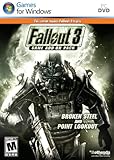
- REQUIRES FALLOUT 3
- Tougher foes await in life beyond level 20, including new enemies like the Super Mutant Overlord
- Battle your way to level 30, with all new perks and achievements to unlock along the way
- Discover and explore an entire new area - the beachfront town of Point Lookout, with its decrepit boardwalk and surrounding swamplands loaded with adventure
- Extends the Main Quest, allowing you to continue playing your existing character and find out what happens next in the Capital Wasteland
The same page separately lists the Demo files, including version 0.5.2, and marks the old Playtest build as no longer maintained. Do not install the Demo or Playtest Enhancer into the Early Access directory.
Troubleshooting
UE4SS does not load
- Confirm that
dwmapi.dllis directly inHalfswordUE5BinariesWin64. - Confirm that the current package’s UE4SS files are inside
HalfswordUE5BinariesWin64ue4ss. - Replace both the proxy DLL and the UE4SS files with the latest experimental package if you used an older release.
- Check for
UE4SS.logand try F10,@, or`.
Wrong extraction layout and outdated UE4SS builds have both been reported as causes of startup failures.
A UE4SS mod is installed but does nothing
Check the mod folder at:
HalfswordUE5BinariesWin64ue4ssMods<ModName>- The download is extracted, not still compressed.
scriptsmain.luaordllsmain.dllexists where expected.- The matching line in
mods.txtends in: 1. - The mod is not nested inside an unnecessary extra folder.
- The mod supports the Early Access version.
A Blueprint .pak is installed but the feature is missing
Make sure the file is in the required ContentPaksLogicMods location and that BPModLoaderMod : 1 is present in ue4ssModsmods.txt. Blueprint mods commonly need both the UE4SS loader and the .pak.
The game crashes after installing a mod
- Remove the newest mod first and test the unmodded game.
- Update UE4SS before assuming the individual mod is broken.
- Check
HalfswordUE5BinariesWin64ue4ssUE4SS.log. - Check crash files in
%LOCALAPPDATA%HalfSwordUE5SavedCrashes.
When asking a mod author for help, include the UE4SS log, the newest CrashContext.runtime-xml, your game version, and whether you use Steam or a standalone installation.
Free tools Windows power users keep installed
One-click scans. No signup required.
Textures are missing or a custom map fails
Some individual mods have renderer-specific requirements. For example, the current Das Feld instructions require DX11 for its textures and use:
open /game/ShowCaseThat requirement applies to Das Feld, not to every Half Sword mod. Use the renderer and console command specified by the map’s author.
A save crashes after adding modded equipment
Modded weapons and armor can be serialized into GameProgress.sav. Back up this file before editing or replacing it:
%LOCALAPPDATA%HalfSwordUE5SavedSaveGamesGameProgress.savCommunity reports describe crashes when loading saves containing modded weapons. If this happens, remove the newest equipment-related mod, restore the backup, and test with the latest UE4SS.
The Tool Desk
Outbyte Driver Updater FREEScan for outdated or missing drivers - takes under a minuteDriver Scan →Outbyte PC Repair FREERepair Windows errors before they cause bigger problemsFix Now →Quick Recap
What not to assume
- There is no confirmed one-click Steam Workshop installation flow for these mods. Current installation documentation centers on Nexus Mods, UE4SS,
.pakfiles, and external tools, even though Steam has a Workshop category for the game. - Not every mod goes directly in
ContentPaks. Some require~modsorLogicMods. - Demo, Playtest, and Early Access mods are not automatically interchangeable.
- Do not blindly copy
UE4SS.dllintoBinariesWin64. Current experimental packages use theue4sssubfolder layout. - A
.pakalone is not always sufficient. Blueprint mods may also require UE4SS, a mod folder, andBPModLoaderMod : 1.
Product prices and availability are accurate as of the date/time indicated and are subject to change. Any price and availability information displayed on Amazon at the time of purchase will apply.




