To install Store content you already own, sign in to The Sims 3 Store with the EA account that bought it, download it from Purchase History, then install the downloaded .Sims3Pack file through the Sims 3 Launcher. Install The Sims 3 base game first.
Before you download: install the base game
The Sims 3 base game must be installed before Store content. EA gives the same prerequisite for expansion packs, Stuff Packs, and worlds in its installation guide.
| # | Preview | Product | Price | |
|---|---|---|---|---|
| 1 |

|
The Sims 3 - Playstation 3 | $15.39 | Buy on Amazon |
| 2 |
|
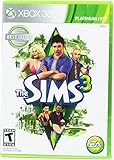
Electronic Arts The Sims 3 for Xbox 360 | $14.99 | Buy on Amazon |
| 3 |
|
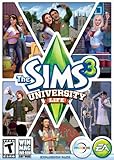
The Sims 3 University Life | $4.22 | Buy on Amazon |
| 4 |

|
Goliath The Sims Board Game | Family Strategy Game | Craft Your Story, Collect Matching SIMbols |... | $10.62 | Buy on Amazon |
| 5 |

|
The Sims 3 - Xbox 360 (Renewed) | $9.54 | Buy on Amazon |
Download an item from your Store account
- Sign in to The Sims 3 Store with the EA account associated with the purchase.
- Open Store > My Store Account > Purchase History.
- Find the item or set you own and choose its download option. You can also download from the item or set’s product page.
- Confirm the downloaded file is a
.Sims3Pack. By default, it is staged inDocuments > Electronic Arts > The Sims 3 > Downloads.
Downloading an item does not install it into the game; the Launcher handles that next step.
Install the download in the Sims 3 Launcher
- Open the Sims 3 Launcher.
- Select the Downloads tab.
- Select the downloaded Store item and click Install.
- Start the game and check the appropriate catalog, Build/Buy catalog, or world-selection screen for the content you installed.
EA community guidance documents this Launcher workflow for Windows installations using the EA app, disc, or Steam, as well as 32-bit and 64-bit Mac versions. The exact client experience can differ with operating system and installation vintage. EA’s current Sims 3 product page says Mac users need the latest Launcher to access online services, including downloads.
#1 Best Overall
- Share your creations online and download content from other players around the world, without ever leaving your game
- Create any Sim you can imagine and give them unique personalities, fine-tuning their appearances
- Build the ultimate home for your Sims, improve your town with building upgrades, and more
- Unlock all-new Karma Powers, wielding the ultimate control over your Sims, giving them wealth, beauty, and love
- Choose whether or not to fulfill your Sims' destinies by making their wishes come true, or letting their dreams die
Where installed Store content is stored
The Downloads folder is where the .Sims3Pack files wait before Launcher installation. After installation, Store content is bundled in sequential .ebc files in Documents > Electronic Arts > The Sims 3 > DCCache. The Store guide distinguishes these from .dbc bundles associated with third-party custom content.
A missing or unreadable .ebc can prevent the game from reading higher-numbered bundles. Avoid manually deleting files from DCCache as a troubleshooting shortcut: removing a bundle can make other installed content appear to be missing.
Rank #2
Troubleshoot missing or failed Store content
The item is not in the game
- Check that you are signed into the EA account that owns the purchase.
- Download the item again from Store Purchase History. EA community guidance notes that older Store purchases may need to be downloaded again from the Store site.
- After installing, check the screen or catalog appropriate to the type of item, such as world selection for a world.
The download will not open or install
Make sure the Sims 3 Launcher is installed and available, then use its Downloads tab to select and install the file. On Mac, EA says the Launcher must be kept up to date to access online services such as downloads.
An installation fails when you select many files
EA forum guidance recommends installing ordinary items in small batches and trying a world by itself, since worlds are large. This is a community troubleshooting suggestion, not a guaranteed fix for every installation problem.
Rank #3
- Sims 3:University Life Exp.Pk.PC/MAC
Suspect a damaged local user folder
The Store guide describes testing with a fresh Sims 3 user folder and one newly downloaded Store item. Back up your saves and custom content before changing the user folder; the test helps isolate a local user-data problem, but does not establish that the Store purchase itself is faulty.
Quick Recap
Best Value
- Share your creations online and download content from other players around the world, without ever leaving your game
- Create any Sim you can imagine and give them unique personalities, fine-tuning their appearances making them evil, romantic, paranoid, kleptomaniacs, or a mix of something completely different
- Build the ultimate home for your Sims, improve your town with building upgrades, and more
- Unlock all-new Karma Powers, wielding the ultimate control over your Sims, giving them wealth, beauty, and love, or take it all away with the click of a button
- Choose whether or not to fulfill your Sims' destinies by making their wishes come true, or letting their dreams die
Rank #4
- PLAY WITH LIFE, IN REAL LIFE: Dive into the neighborhood, meet iconic Sims, and fulfill your life’s aspirations like never before!
- A NEW WAY TO PLAY SIMS: Gather up to 5 players as you each craft your own story while collecting matching SIMbols along the way in this family strategy game
- EVERY GAME, A NEW STORY: Embark on an entirely new journey each time you play while encountering unexpected surprises at every turn — what will your life look like?
- ICONIC DETAILS FOR FANS: Ideal for play and display, featuring iconic artwork, nostalgic touches, plumbob movers, interaction dice, and a needs tracker familiar to fans
- MAIN CHARACTERS WANTED: Recommended for 2-5 players, ages 12 and up
Product prices and availability are accurate as of the date/time indicated and are subject to change. Any price and availability information displayed on Amazon at the time of purchase will apply.




