Recommended Free Tools
Finish either The Legend of Zelda: Oracle of Ages or Oracle of Seasons, note the completion password, then enter it when starting a new game in the other title. That password—not a Game Link cable—is the way to connect the games on Nintendo Switch Online. The link can add items, make characters remember earlier actions, and expand story elements.
How to link the games with a password
- Complete either game. Ages and Seasons can each be played on their own, and either can be your starting game.
- Record the password shown after the ending. On the original Oracle of Ages cartridge, the manual says a completed file’s secret can also be reviewed in the Hall of Secrets.
- Start a new game in the other title. Choose the linked-game option and enter the completion password when prompted. The original Ages manual describes choosing “SECRETS” to enter a password when continuing from a completed Seasons file.
- Play through the second adventure. The second game can respond to what happened in the first.
Nintendo describes this completion-password connection for the Game Boy games on Switch Online as well. You do not need to connect a Game Link cable to link the Switch Online versions.

What the shared story changes
The games have distinct settings and plots: Ages takes Link to Labrynna, while Seasons takes him to Holodrum. Linking them connects those adventures rather than replacing one with a single continuous game. Nintendo says the linked experience may unlock items, cause characters to remember actions from the first adventure, and expand story elements. Those changes are not guaranteed to affect every item or detail; Nintendo’s official summaries do not provide a full list of differences.
Nintendo recommends playing this way if you want a more connected experience. Linking is optional: either game can be enjoyed separately.
Do these 3 things before closing this tab:
1Scan for outdated or missing drivers - takes under a minute2Clear out junk files and repair common Windows errors3Fix the driver behind crashes, sound loss and screen glitches#1 Best Overall

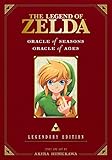
- The land of Holodrum is slowly withering. Onox, the General of Darkness, has imprisoned the Oracle of Seasons and is draining the very life out of the land. With the seasons in tumult and the forces of evil running rampant, the world looks for a hero... and finds Link. His quest won't be easy - he'll have to master the seasons themselves if he's to turn back the evil tide.
Password linking versus the original Game Boy Color cable method
| Method | Where it applies | What you need | How it works |
|---|---|---|---|
| Completion password | Both games on Switch Online; also described for the original games | The completion password from the first game | Enter the password when starting a linked game in the other title. |
| Game Link cable transfer | Original Game Boy Color cartridges | A new Oracle of Ages game, a completed Oracle of Seasons cartridge, two Game Boy Color systems, and a Game Link cable | Connect the systems and follow the transfer instructions. Keep the cable connected until the screen says “DONE”; do not press buttons on the system running Seasons during the transfer. |
The cable procedure is a legacy hardware option documented in the original Ages manual. It is not required for password linking, and the available official Switch Online description does not establish that cable transfer works there. For Switch Online, use the completion-password route.
Independent reader supportYour contribution helps us test, update, and keep practical guides available for everyone.If you are playing on Switch Online
- Finish one title and keep its completion password handy.
- Open the other title and begin a new linked game, entering the password when asked.
- Do not look for a cable-transfer setup; the documented Switch Online connection is the password.
Nintendo’s Switch Online catalog availability can change, so check the current service catalog if you do not see one of the games.
Quick Recap
Best Value
Rank #4
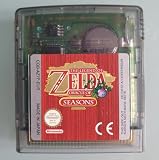
- AUTHENTIC CARTRIDGE & BRAND NEW BATTERY: Genuine Zelda Oracle of Seasons game cartridge, fitted with a brand new battery. Authenticated using software and experience. The cart and label are in great condition. The save files are refreshed and reset ready for a new adventure!
- This renewed game will not come with the original case or manual; cartridge only. It has been cleaned, tested, and is in nice condition.
- REGION FREE: This game is region free and works on ALL Game Boy Color consoles around the world.
- ENGLISH LANGUAGE GAME: This game plays in English
- PLATFORM COMPATIBILITY: Designed for the Nintendo Game boy Color console system, this cartridge is also compatible with the Nintendo GBA & GBA SP Consoles
Rank #3

- Used Book in Good Condition
Rank #2
Product prices and availability are accurate as of the date/time indicated and are subject to change. Any price and availability information displayed on Amazon at the time of purchase will apply.




