The right way to get back into RuneScape depends on whether you have a legacy RuneScape account or a Jagex Account. On a legacy account, select “Lost your authenticator?” at the login prompt and use the registered email to disable it. On a Jagex Account, choose the backup-code option and enter an unused code. If you lack the required email or backup code, use the recovery or support route for your account type.
First, identify your account type and login details
A RuneScape character may use a legacy RuneScape account or be linked to a Jagex Account. The recovery options differ: the legacy login has a “Lost your authenticator?” flow, while Jagex Accounts use backup codes at the verification prompt.


Use the account’s login credential, not the character’s in-game display name. A legacy account created before November 2010 uses a login name; one created after November 2010 uses a login email. A Jagex Account uses a login email.
Also distinguish the login credential from the registered email. They can be different: the registered email receives account-management messages and is used for legacy password resets and authenticator removal.
Recommended Free Tools
#1 Best Overall
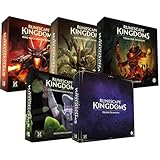
- Immerse yourself in a thrilling tabletop adventure filled with strategy, storytelling, and dynamic character interactions designed to challenge every decision.
- Experience high replayability through immersive roleplay, unpredictable encounters, and evolving tactical choices that keep every session intense and fresh.
- Master your destiny with customizable heroes, intricate quests, and deep world-building that fuel creative expression and competitive gameplay.
- Perfect for RPG enthusiasts seeking complex mechanics, cooperative missions, and richly detailed scenarios that spark imagination and rivalry.
- Premium components, atmospheric artwork, and narrative depth make this board game a must-have centerpiece for any tabletop gaming collection.
If you have a legacy RuneScape account
You can access the registered email
- Start the normal RuneScape login with your login name or login email and password.
- At the authenticator prompt, select “Lost your authenticator?”
- Open the message sent to the registered email and follow its instructions to disable the authenticator.
- Sign in, then set up an authentication method you can access.
The disable email can take around 15 minutes to arrive, according to RuneScape Support. Make one request and wait: requesting another disable email invalidates earlier requests. If the link does not work, try copying it into an incognito browser window.
You cannot access the registered email
Submit the official account-recovery appeal if a password reset does not work, your registered email is lost, or an authenticator cannot be removed. Enter the login username or email—not the in-game display name—and provide as much information as you can so Jagex can verify the account creator. RuneScape Support says an outcome email should arrive within 24 hours.
Rank #2

- RUNESCAPE AT ITS CORE! - Embark on quests, level your skills and explore a beautiful hand-crafted world. This all-new adventure blends high-fantasy and iconic RuneScape lore on a brand new continent. RPG systems reward you with unique abilities and spells as you progress through each skill. Battle legendary RuneScape creatures like Zogres, challenge Black Knights and the entirely new and fearsome Garou, all set to a sweeping soundtrack of reorchestrated RuneScape classics and hours of brand new music.
- GRIND SKILLS, SLAY DRAGONS - Locate them, throw down the gauntlet and carve your path to the Dragon Queen herself. Your progress will be under constant threat from the looming shadow of the Dragons, as you arm yourself and prepare to rise to face them. Follow the trail of destruction and uncover the mysteries of the continent to learn not just how to confront the dragons, but how to overcome them. Prepare potions, craft gear and push yourself to do battle with the most powerful force on the continent. The smart money's on the dragon. But we do love an underdog!
- SURVIVAL THROUGH SORCERY - Summon a spectral axe to fell trees in an instant! Blink away from danger in a cloud of magic. Turn bones into... peaches? The Anima-rich landscape of Ashenfall offers you a power unlike any other. Conjure a tornado of fish from a lake! Explode ore veins with a snap of your fingers! Journey through the vibrant regions of Ashenfall, discover why wild magic spills from the fractured lands and harness that power to survive!
- COMMUNITY DRIVEN, PLAYER CENTRIC - Like all RuneScape games, community is at the heart of everything we do. We've shaped our entire roadmap based on player feedback, leading us to launch dedicated servers earlier than planned, introduce new combat and new quest content. Working together we're continuing to develop RuneScape: Dragonwilds. Whether you're adventuring with friends or going it alone, every opinion matters, and it's up to you to help us shape the future of our game.
If you have a Jagex Account
At the verification prompt, select “Use one of your account’s backup codes” and enter an unused code. Jagex says account settings can generate 10 backup codes; each can be used only once.
After signing in, configure an authentication method you can access and replace your codes if needed. Store backup codes separately from the device holding your authenticator. If you have lost both the authenticator and all backup codes, and they were your only authentication method, contact Jagex Support.
Rank #3

- Grab your capes and party hats, because we’re going to Gielinor!
- Inspired by the record-breaking online universe that’s captured the imagination of millions worldwide, RuneScape Kingdoms: Shadow of Elvarg is the official cooperative board game for 1-5 players.
If recovery cannot find your account
Check that you entered the login name or login email correctly and did not substitute the display name or registered contact email. If the details are correct but recovery still cannot locate the character, Jagex says it may have been imported into a Jagex Account by a hijacker. Contact official support promptly.
If the account is managed exclusively through a third-party sign-in such as Google, Apple, Facebook, or Steam, recover access through that provider.
Quick Recap
Best Value
Rank #4
Fix common legacy authenticator problems
- A valid code is rejected: check that the time and timezone are correct on both the phone and computer.
- The disable email has not arrived: wait around 15 minutes before taking further action. Do not request another message while waiting, because a new request invalidates previous ones.
- The email link fails: copy the link into an incognito browser window.
- You cannot remove the authenticator because the registered email is inaccessible: submit an account-recovery appeal rather than repeatedly requesting a disable email.
Secure the account after regaining access
- Secure the registered email account and use unique passwords.
- Review active sessions and linked accounts for anything unfamiliar. An unknown linked third-party login may preserve access even after a password change.
- Keep the device holding your authenticator protected, and store backup codes separately from it.
- Consider a password manager to help manage unique passwords; it is general security guidance, not a way to bypass an active authenticator prompt.
Product prices and availability are accurate as of the date/time indicated and are subject to change. Any price and availability information displayed on Amazon at the time of purchase will apply.



