To move a building piece in No Man’s Sky, enter Base-building Edit mode, select the placed part, choose the move or pickup action shown on your screen, then reposition and place it. This moves an individual part—not the entire base. The Base Computer is a separate object, and moving it does not move the base’s centre.
Move a placed building part
- Enter Base-building Edit mode.
- Target the part you want to reposition and choose the move or pickup action shown in the on-screen control prompt.
- Adjust the part’s position, then place it again.
Hello Games’ Frontiers Update describes Edit mode as a way to select and edit existing pieces in place, and says you can “pick up a part to fine tune it before putting it back in place.” The update notes do not specify current keyboard or controller bindings, so follow the prompt displayed for your platform.

Change a part without moving it
If your goal is to swap a piece while keeping its position, use the in-place replacement option in Edit mode when the placement conditions allow it. Hello Games’ Endurance Update says existing parts can be replaced while preserving their position and snapping.
Moving the Base Computer or relocating the whole base
Move only the Base Computer
The Base Computer can be moved within the current base, but moving the physical computer does not shift the base centre, according to the No Man’s Sky Resources construction guide.
#1 Best Overall

- Embark on an epic voyage, find your own destiny in this epic space adventure
- Includes 6 years of updates
- An entire universe to explore on the go in the palm of your hands
- For the first time ever, PlayStation 5 physical edition as well as Nintendo Switch (physical & digital)
Build at a different site
For a base at a new location, the NMS Guide to the Base Computer and base boundary describes deleting and rebuilding at the new site or starting an additional base. These are alternatives to relocating; the cited guides do not describe a feature that transfers the entire existing structure intact.
Quick Recap
Rank #4
![No Man's Sky Standard - PC Steam [Online Game Code]](https://m.media-amazon.com/images/I/619dfBaaLhL._SL160_.jpg)
- Play with all major updates since launch
- And now with added Cross-Save! No Man’s Sky now supports Cross-Play and Cross-Save between a huge number of platforms including PC, PlayStation 4, PlayStation 5, PlayStation 5 Pro, Xbox One and Series X/S, Game Pass, GOG, Nintendo Switch, Steam Deck, PlayStation VR 1 & 2 and PCVR.
Rank #3

- Embark on an epic voyage, find your own destiny in this epic space adventure
- Includes 6 years of updates*
- An entire universe to explore on the go in the palm of your hands
- For the first time ever, PlayStation 5 physical edition as well as Nintendo Switch (physical & digital)
- Please note that although this game is Region Free or Region Unlocked and will work on all systems, this is the international version and may differ from the local version in age rating, labeling or instructions.
Rank #2
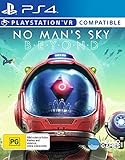
- Region Free Australia
- 100% Compatible With USA Playstation 4 Console
- Region 2 (AUS) or 4 (EUR) Required for DLC Redemption or Purchases
- Playstation VR Compatible (optional)
Product prices and availability are accurate as of the date/time indicated and are subject to change. Any price and availability information displayed on Amazon at the time of purchase will apply.
Independent reader supportYour contribution helps us test, update, and keep practical guides available for everyone.



