Recommended Free Tools
For a recognizable Minecraft-style iron golem, paint the body off-white or pale gray, add restrained brown-gray rust, paint green vine-like marks, and finish the eyes in red and black. The steps below are for a physical, paintable figure; check its material and manufacturer’s care guidance first, especially if it is a toy or LEGO model.
Choose a golem color scheme
Mojang’s official character reference notes that iron golems show cracks when attacked and can offer poppies to villagers. These details can guide your choices, though the paint palette is an interpretation of the game character rather than an official miniature recipe.

- Body: Off-white or pale gray, with a slightly darker gray in recesses.
- Rust: Muted brown or brown-gray in selected areas. Keep it subtle for a familiar Minecraft look, or use more for a worn interpretation.
- Vines: Green, with optional lighter-green accents.
- Eyes: Small red and black details.
- Optional accent: A poppy, if the sculpt includes one or you want a brighter touch.
The Minecraft Wiki pixel-art tutorial offers in-game color cues, including light gray or white, rust-like browns, yellow and green tones, and red and black. Those are reference colors, not tested miniature paint matches.
Check the figure before painting
Identify what the figure is made from and whether its manufacturer says painting is suitable. A miniature, a toy, and a LEGO build may have different surface and care requirements; do not assume paint will adhere safely or cleanly to every material. LEGO’s page documents set 21123, The Iron Golem, but that does not mean its parts are intended to be painted.
#1 Best Overall

- Features characters, monsters, and scenery from the Dungeons & Dragons universe
- Little to no assembly required
- Primed and ready to paint
- Some miniatures include translucent parts
For a paintable miniature, use acrylic paints and a primer suited to its material. A fine detail brush can help with vines and eyes, but use supplies you already have if they suit the figure. Warhammer Colour’s getting-started guide describes undercoating and common miniature techniques.
Paint the iron golem step by step
- Prepare and prime: Follow the figure maker’s care guidance, then apply a primer compatible with the material. Let it dry as directed on the product.
- Lay in the body color: Apply thin coats of off-white or light gray. Keep the edges clean around the head, torso, arms, and legs.
- Shade the recesses: Use a slightly darker gray in creases and recessed areas to distinguish the block-like forms. Washes can flow into recesses, as described in Fantasy Flight’s miniature-painting guide.
- Paint the vines and eyes: Add the green marks, then pick out the small red and black eye details. Their placement depends on the sculpt.
- Add rust selectively: Place muted brown-gray on chosen areas rather than covering the pale body. The amount is an artistic choice, not a prescribed game technique.
- Optional highlights: Add a lighter tone to raised edges with careful layering or drybrushing to make the forms stand out. Both techniques are covered in the Warhammer Colour guide.
Choose a simple or more detailed finish
A simple finish can stop after the body color, vines, eyes, and a few rust marks. For more definition, add deliberate recess shading and highlights. The right level of weathering depends on whether you want a cleaner game-like appearance or a more worn interpretation, as well as what the sculpt’s details can support.
Rank #2
What the game reference adds
Cracks are a damage cue in Minecraft, so you can paint fine crack marks if you want to represent a battle-worn golem and the sculpt has suitable surfaces. A poppy can also serve as a characterful accent. Neither detail is required for the figure to read as an iron golem.
Quick Recap
Best Value
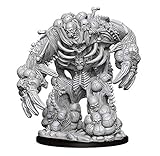
- Pathfinder Battles Deep Cuts come with highly-detailed figures, primed and ready to paint out of the box.
- These fantastic miniatures include deep cuts for easier painting.
- The packaging displays these miniatures in a clear and visible format, so customers know exactly what they are getting.
Rank #4

- Features characters, monsters, and scenery from the Dungeons & Dragons universe
- Little to no assembly required
- Primed and ready to paint
- Some miniatures include translucent parts
Rank #3

- High-Quality Resin: Our miniatures are expertly 3D printed using premium resin material, ensuring durability and intricate details that truly capture the essence of Golems.
- Intricate Details: Every miniature is designed with meticulous attention to detail, showcasing the unique characteristics and features of each Golum type.
- Paintable Surface: The smooth surface of our resin miniatures allows for easy painting, enabling you to customize and personalize your Golum figures according to your preferences.
- Perfect for RPGs: Whether you’re a player or a dungeon master, these resin 3D printed miniatures add depth and immersion to your tabletop adventures, making encounters with Golums even more thrilling.
Product prices and availability are accurate as of the date/time indicated and are subject to change. Any price and availability information displayed on Amazon at the time of purchase will apply.




