Free tools Windows power users keep installed
One-click scans. No signup required.
A Way Out is a two-player co-op game. You can play together on one system in split-screen, or online: one player owns the full game, invites a friend from the main menu, and the friend joins with the free Friend Pass trial. Online players must use the same platform type; online play also requires an internet connection and EA accounts. Console players need the applicable online multiplayer subscription.
Choose local split-screen or online co-op
| Option | What you need | How it works |
|---|---|---|
| Local couch co-op | One system and two players | Play together on the same system in split-screen. Each player controls one protagonist, Leo or Vincent. [c003] |
| Online co-op | Separate systems, internet access, EA accounts, and matching platform types. Console players also need the applicable multiplayer subscription. | Invite your friend from the game’s main menu. If only one of you owns the full game, the other joins using Friend Pass. [c001] [c004] |
A Way Out is co-op only: it is designed for two players, not solo play. [c003] [c004]
| # | Preview | Product | Price | |
|---|---|---|---|---|
| 1 |
|
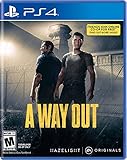
A Way Out - PlayStation 4 | $89.95 | Buy on Amazon |
| 2 |

|
A Way out PS-4 AT | $74.50 | Buy on Amazon |
| 3 |

|
Jurassic World Evolution - PlayStation 4 Edition | $13.52 | Buy on Amazon |
| 4 |

|
Minecraft - Bedrock Edition PS4 | $42.98 | Buy on Amazon |
Play online when one person owns the game
The owner can invite one friend to play without requiring the invited player to buy a second full copy. The friend must install the free Friend Pass trial and join the owner’s session. [c001] [c002]
- Check platform compatibility. Both players must use the same platform type—for example, both PlayStation, both Xbox, or both PC. Do not assume the game supports cross-platform play. [c001]
- Have the owner launch the game. From the main menu or friends list, the owner sends an invitation to the friend. [c001] [c002]
- Have the invited player get Friend Pass. Accept the invitation, find A Way Out in the relevant platform store, and choose the free Friend Pass option. EA’s current help instructions describe finding the game page and selecting the option to play for free with Friend Pass. [c001]
- Meet online-play requirements. Both players need persistent internet access and EA accounts. On console, both also need the relevant platform multiplayer subscription. [c001] [c004]
Play online when both people own the game
Launch A Way Out and invite your friend from the main menu. Owning two copies does not remove the online requirements: players still need matching platform types, internet access and EA accounts, plus console multiplayer subscriptions where applicable. [c001] [c004]
Recommended Free Tools
#1 Best Overall
- Someone is watching your back A cooperative gameplay experience from the director of Brothers – A Tale of 2 Sons
- Team up with Friends Pass Use Friends Pass when you buy A Way Out and play the entire game online with any of your friends
- Embark on a unique co op adventure Leo and Vincent need to find a way to break out of prison and continue on together beyond the prison walls
Console subscription requirements
EA’s support page specifies PlayStation Plus or Xbox Game Pass Core for online console play. Xbox’s store also describes an online multiplayer subscription requirement; subscription names and store wording may change, so check the current requirement shown for your console and region. [c001] [c005]
Independent reader supportYour contribution helps us test, update, and keep practical guides available for everyone.Platform availability and cross-play
EA currently lists EA app, Steam, PC, PlayStation 4 and Xbox among the game’s platform options, and its Friend Pass instructions cover console and PC invite flows. The available information here does not establish support for Nintendo Switch, native PlayStation 5 or Xbox Series versions, or cross-play. Check the listing for your specific platform before purchasing or downloading. [c001] [c004]
Quick Recap
Rank #4
- Play and share with friends on console, mobile and Windows 10
- discover community creations in the new in-game store
- access new mini games and game modes through servers
Rank #3
- Place yourself at the heart of the Jurassic franchise and build your own Jurassic world
- Take charge of operations on the legendary islands of the Muertes archipelago and bring the wonder, majesty and danger of dinosaurs to life.
- Bioengineer dinosaurs that think, feel and react intelligently to the world around them.
- Play with life itself to give your dinosaurs unique behaviors, traits and appearances, then contain and profit from them to fund your global search for lost dinosaur DNA.
- Entertainment Software Rating Board (ESRB) Content Description: Mild blood, violence
Rank #2
Product prices and availability are accurate as of the date/time indicated and are subject to change. Any price and availability information displayed on Amazon at the time of purchase will apply.




